Disclosure: this article contains affiliate links. If you buy through them, we may earn a commission at no extra cost to you. Prices were checked in September 2026.
Quick answer: OpenArt AI is not really free. New accounts get 40 trial credits for 7 days, then plans start at $13/seat/month (Starter, 4,000 credits, no commercial rights) up to $175/month (Wonder, 106,000 credits). The thing OpenArt does better than Midjourney is character consistency and story/video generation in one canvas. The thing it does worse is transparency on credit costs, and its Trustpilot rating (3.8/5 from 1,444 reviews) is full of billing complaints. Try OpenArt’s 7-day trial here before you commit to a paid seat.
What Is OpenArt AI, Exactly?
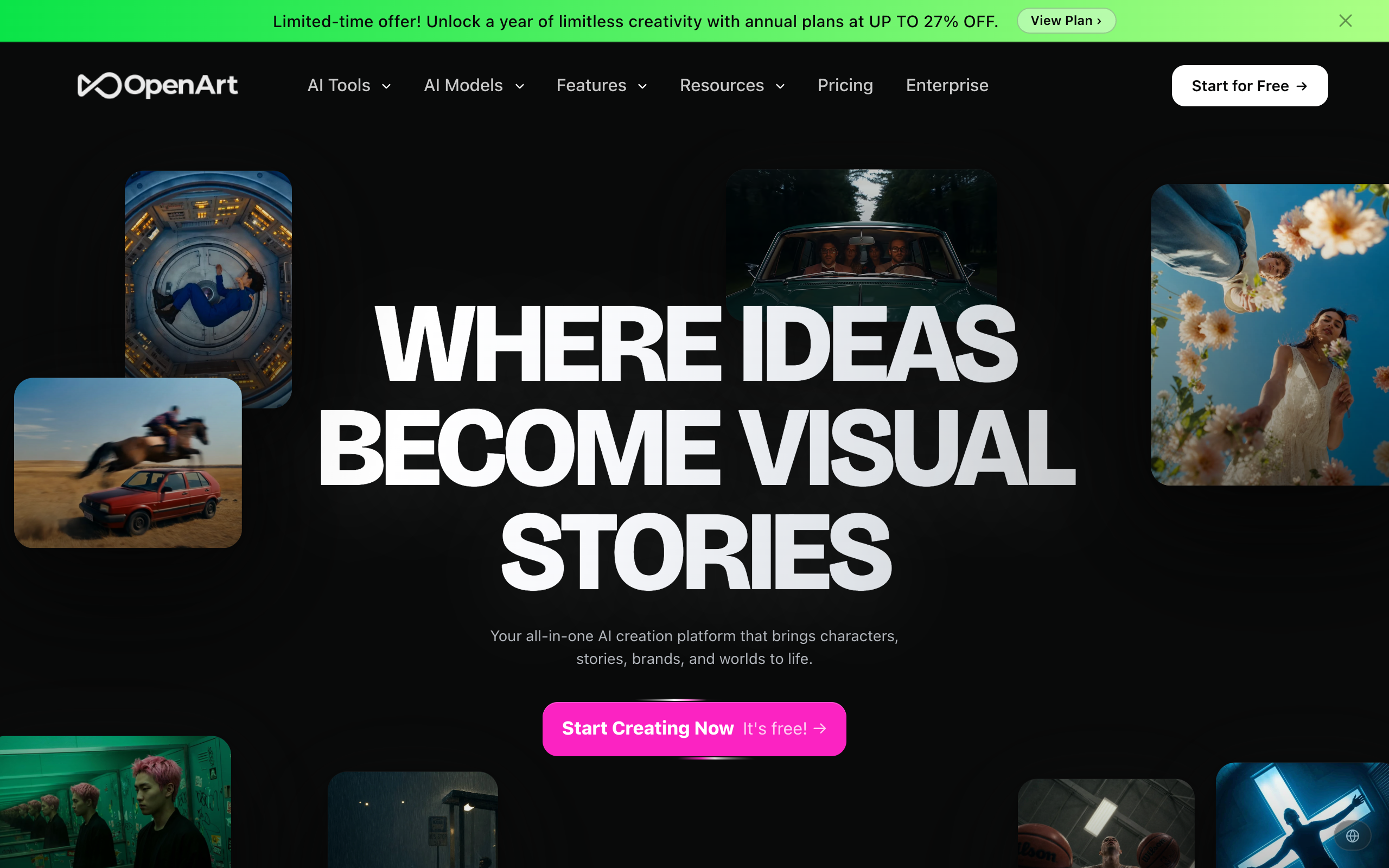
OpenArt is an all-in-one AI creation platform: image generation and editing, a character-consistency system, AI video (up to 15 seconds at 4K using models like Seedance 2.0, Kling 3.0, Sora 2 and Google Veo 3), a chat-based “Director” tool for storyboarding, AI voiceovers in 30-plus languages, music generation, and 3D world generation. It bundles roughly a dozen third-party models (GPT Image 2, Nano Banana Pro, Seedream 5.0, Flux, SDXL, Imagen 4) behind one credit system instead of making you pay for each API separately. That is the real pitch: one subscription instead of five.
Is OpenArt AI Free? What the Trial Actually Gives You
No, not on an ongoing basis. OpenArt’s pricing page lists four paid tiers only: Starter, Plus, Pro and Wonder. What it does offer is 40 trial credits to test premium models and features during a 7-day window when you sign up, no card required. Forty credits is enough to generate a small handful of images with a mid-tier model, or one or two generations with something like Nano Banana Pro, not enough to judge character consistency across a real project. Budget your first week: spend the trial credits on the two or three features you actually need to test (character consistency, one video clip, one high-res image) instead of burning them on random prompts.
Do You Keep the Rights to Images You Make on OpenArt?
This is the question that actually matters before you pay, and OpenArt’s own pricing page answers it directly: commercial rights are not included on the $13/month Starter plan. You only get commercial usage rights starting on Plus ($27/seat/month) and above. If you are generating product mockups, book covers, ad creative, or anything you plan to sell or publish for a client, the entry-level plan is the wrong one, full stop, no matter how cheap it looks.
On visibility, OpenArt does not publish a plain “public vs private” toggle policy on its pricing or product pages the way Ideogram does (where free-tier images are public and private generation only unlocks on paid plans). OpenArt’s generations live inside your own library by default across all four tiers, but the platform runs a public community feed elsewhere on the site that pulls from user-shared content, so treat anything you post to a public gallery, prompt contest, or “explore” feed as public regardless of your plan. If a client project requires strict confidentiality, keep prompts and outputs inside your private canvas and never share them to the community feed.
How Fast Do OpenArt Credits Actually Run Out?
This is where most new users get burned, because the pricing page shows credit totals, not what a single generation costs. Real numbers, pulled from OpenArt’s own model pages and user reports: a single Nano Banana Pro image costs 60 credits, and a 5-second Kling video clip costs 500 credits. Cheaper models like Flux 1.0 Fast run around 5 credits per image.
Run the math on the $13/month Starter plan (4,000 credits):
- Nano Banana Pro images: about 66 per month before you’re out (4,000 ÷ 60)
- 5-second Kling video clips: 8 per month (4,000 ÷ 500)
- Flux Fast images: about 800 per month (4,000 ÷ 5)
On the $175/month Wonder plan (106,000 credits), the same Nano Banana Pro image costs roughly $0.10 instead of about $0.20 on Starter, because you are spreading a bigger flat fee across more credits. If your workflow leans on premium models and video, the cheap plan is a false economy: you will hit the wall in the first week and either buy the $15-for-5,000-credits add-on repeatedly or upgrade anyway. Decide your model mix before you pick a tier, not after.
OpenArt AI Pricing 2026 (Real Numbers From the Pricing Page)
| Plan | Price/seat/mo | Credits/mo | Commercial rights | Character slots | Parallel generations |
|---|---|---|---|---|---|
| Starter | $13 (from $14) | 4,000 | No | ~13 | 8 |
| Plus | $27 (from $34) | 12,000 | Yes | ~40 | 16 |
| Pro (most popular) | $44 (from $56) | 24,000 | Yes | ~80 | 32 |
| Wonder | $175 (from $240) | 106,000 | Yes | ~353 | 32 |
Extra credits cost $15 for 5,000 on any plan. All four tiers claim to be watermark-free. See the current OpenArt plans and start the 7-day trial before choosing a tier, since prices shown here can shift and the trial is the cheapest way to confirm the credit math above against your own prompts.
What OpenArt Does That Midjourney Cannot
Two things, and they are the actual reason to pick OpenArt over Midjourney for content work: character consistency and native story/video tooling in the same canvas.
OpenArt’s character system lets you upload reference images or a text description, then generates new poses, outfits and scenes while a “character weight” slider (0 to 1) controls how strongly the original face and features are preserved. A separate “preserve key features” toggle locks in clothing and hairstyle too, or lets them change while keeping the face. Midjourney has no equivalent built-in character library; you improvise consistency with seed numbers, character reference (`–cref`) weights and a lot of manual prompt engineering, and it still drifts across a batch. If you are building a comic, a recurring mascot, or a multi-scene ad campaign with the same “actor,” OpenArt’s dedicated character slots (13 to 353 depending on plan) solve a problem Midjourney was never built to solve.
The second gap is video. Midjourney only added early video features recently and still trails on length and control. OpenArt gives you access to Kling 3.0, Sora 2, Veo 3 and Seedance 2.0 inside the same interface, plus the Director tool for chat-based storyboarding across shots. If your output is a 15-second product video, not a still image, Midjourney is not really a competitor at all.
What Midjourney (and Others) Still Do Better
Raw image aesthetics and price-per-image for pure stills. Midjourney’s four plans run $10, $30, $60 and $120/month (about 20% cheaper on annual billing), and its Standard plan alone gives 15 hours of fast GPU time plus unlimited slower “Relax mode” generation, meaning heavy still-image users effectively get unlimited output for $30/month. OpenArt has no unlimited mode below Wonder at $175/month. If all you want is beautiful, stylized still images and you do not care about character reuse or video, Midjourney’s Standard plan is simply cheaper per image for high-volume use, and its aesthetic (especially for painterly, illustrative work) is still widely considered a level above the mixed-model approach OpenArt uses.
Leonardo AI also beats OpenArt on one specific point: it has a genuine free tier, so you can test its models indefinitely at low volume before paying anything, versus OpenArt’s 7-day trial window.
OpenArt vs Midjourney vs Leonardo vs Ideogram vs Krea: Price Comparison
| Tool | Free plan | Cheapest paid plan | Mid-tier plan | Notes |
|---|---|---|---|---|
| OpenArt | No (7-day, 40-credit trial only) | $13/mo (4,000 credits, no commercial rights) | $44/mo (24,000 credits) | Character consistency + video in one tool |
| Midjourney | No (removed 2023) | $10/mo (~200 fast generations) | $30/mo (unlimited Relax mode) | Best still-image aesthetics |
| Leonardo AI | Yes, limited daily tokens | $12/mo (8,500 tokens) | $30/mo (25,000 tokens) | Best free tier for testing |
| Ideogram | Yes, ~10 slow credits/week, images public | $8/mo (400 priority credits) | $20/mo (1,000 credits, private images) | Strongest at in-image text/typography |
| Krea | Yes, 100 credits/day | $9/mo | $35/mo (20,000 units, video access) | Best real-time canvas for iterating fast |
Note on the free tiers: Ideogram’s free plan publishes your generations publicly by default and only goes private starting on its $20/month Plus plan, which is worth knowing if you are prototyping anything under NDA.
The Real Complaints: What OpenArt Users Actually Say
OpenArt sits at 3.8 out of 5 on Trustpilot across 1,444 reviews, which is a genuinely split score, not a quiet good one. Reading through the actual reviews instead of the marketing page, three complaints repeat: failed or glitched generations still burn credits (“80,000 credits and an entire day lost for a 3 minute video,” per one 2-star review), character and lip-sync consistency breaking down specifically in video output even though the still-image version of the feature works, and surprise renewal charges, including customers billed for both a subscription renewal and a separate credits package in the same cycle. The counter-side is real too: reviewers who stick to still images and skip video report solid value and responsive support. The pattern is consistent enough to act on: test video and character consistency features on a monthly plan first, and cancel or downgrade before your first annual renewal if the results were not worth it.
Who Should NOT Use OpenArt AI
- Anyone who needs commercial rights on a budget. The $13 Starter plan does not include them. Plan for at least $27/month (Plus) if the output is for a client or a product you sell.
- Pure still-image illustrators on a tight budget. Midjourney’s $30 Standard plan gives unlimited Relax-mode generation for less than OpenArt’s Pro tier, with arguably better default aesthetics.
- Anyone who wants to test extensively before paying. A 7-day, 40-credit trial is not enough to validate character consistency across a real project. Leonardo’s ongoing free tier is a better place to prototype for free.
- Teams that need airtight confidentiality. OpenArt’s public community feed exists site-wide; if your workflow risks accidental sharing, this adds a step of process discipline you would not need with a fully private-by-default tool.
- Anyone who has been burned by subscription billing before. Given the volume of Trustpilot complaints about renewal charges and credit-loss bugs, pay monthly, not annually, until you have run at least one full billing cycle without issues.
How to Try OpenArt Without Wasting Your Trial Credits
- Sign up at openart.ai with no card required; you get 40 trial credits for 7 days.
- Spend the first 10 to 15 credits on one character-consistency test only: upload 2 to 3 reference photos of the same subject, set the character weight slider to 0.8, and generate 3 images in different poses to judge drift before you touch anything else.
- Spend 20 to 25 credits testing your actual target model (Nano Banana Pro at 60 credits/image, or a cheaper Flux model at roughly 5 credits/image) so you know your real cost-per-image before subscribing.
- If video matters to your project, save the last credits for one 5-second Kling clip (500 credits will not fit inside a 40-credit trial, so budget a small top-up here if this is the deciding feature).
- Only after that, pick a plan: Plus ($27/seat/month) if you need commercial rights on a normal budget, Pro ($44/seat/month) if you are generating daily and need more parallel slots, Wonder ($175/month) only if you are running high video volume where the per-credit cost actually pays for itself.
- Set a calendar reminder two days before your first renewal to review actual usage against the credit math above; cancel or downgrade there if the numbers do not work out.
For a broader shortlist of tools in this category before you commit, see our roundup of the best AI image generation and editing tools in 2026, and if you want a fully open-source alternative to compare against, our OpenDream AI overview covers the self-hosted side of this market.
Frequently Asked Questions
Is OpenArt AI actually free?
No. There is no ongoing free plan, only a 7-day trial with 40 credits when you sign up, no credit card required. After that, plans start at $13/seat/month.
Does OpenArt AI own my images, or do I?
OpenArt states you retain full ownership of content you create, with no royalties owed back to the platform. Commercial usage rights, meaning you can sell or use the output in paid work, only apply from the Plus plan ($27/seat/month) upward; the Starter plan explicitly excludes them.
Are my OpenArt generations public or private?
Your library is private by default across all plans, but OpenArt runs a public community feed elsewhere on the platform. Anything you actively share to that feed, a contest, or an “explore” page becomes public. Keep confidential work out of any shared or community area.
How many credits does one image actually cost on OpenArt?
It depends on the model. Budget models like Flux 1.0 Fast run around 5 credits per image. Premium models like Nano Banana Pro cost 60 credits per image. A 5-second Kling video clip costs 500 credits. Check the credit cost shown before you generate, since it varies by model and resolution.
Is OpenArt better than Midjourney?
For character consistency across multiple images and for AI video in the same tool, yes. For pure still-image aesthetics at high volume on a budget, Midjourney’s $30/month Standard plan with unlimited Relax-mode generation is still hard to beat.
Why does OpenArt have so many negative reviews?
Its Trustpilot score is 3.8 out of 5 from 1,444 reviews, split fairly evenly between very satisfied and very unsatisfied users. The recurring complaints are failed generations still consuming credits, character and lip-sync consistency breaking in video output, and surprise renewal or double-billing on subscriptions plus credit packages. Paying monthly rather than annually limits your exposure while you confirm the platform works for your workflow.
Bottom Line
OpenArt earns its price on one specific job: keeping a character’s face consistent across images and video inside a single subscription instead of stitching together five separate AI tools. It loses points on transparency, since the pricing page will not tell you that a single premium image costs 60 credits until you have already spent them, and on trust, given a 3.8-star Trustpilot average built on real billing complaints. If character consistency or in-app video is the actual job you need done, start with OpenArt’s 7-day trial, run the credit math above against your own prompts before the first renewal, and pay monthly until you have proof it holds up.