Cloaked Review 2026: Masked Emails, Phone Numbers and Data Removal in One App
Disclosure: this article contains affiliate links. If you buy through them, we may earn a commission at no extra cost to you. Prices were checked in September 2026.
Is Cloaked Worth It in 2026?
Quick answer: Cloaked is worth it only if you actually want both halves of what it sells, masked identities and data broker removal, in one login. It costs $9.99 to $24.99 a month billed annually depending on plan size, per its own pricing page checked September 2026. If you only want masked emails and virtual phone numbers, a free Firefox Relay plus Privacy.com stack does the same job for less. If you only want data scrubbed from broker sites, Incogni covers more sites for less money. Check Cloaked’s current plan pricing here before you decide which half you’re actually paying for.
What Is Cloaked and What Does It Actually Do?
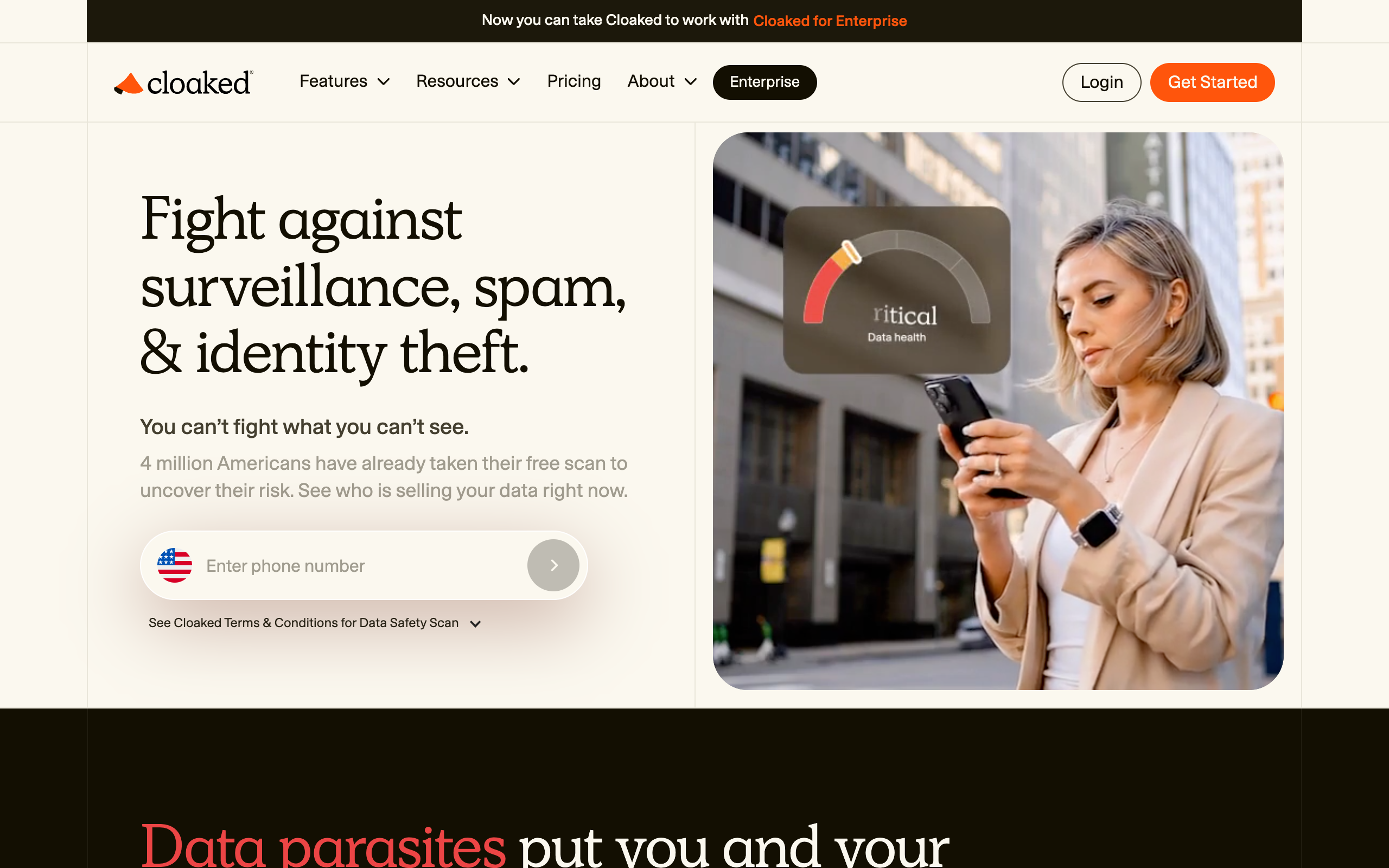
Cloaked is a privacy app that generates fake but functional identities: masked emails, masked phone numbers, and (invite-only) virtual cards, wrapped in a password manager, a VPN, dark web monitoring, and a data broker removal service scrubbing your real name and address off what it calls “1000+ sites.”
That is two different product categories stapled together. One is a generator: it creates new, disposable contact points so your real inbox and real phone number never touch a signup form. The other is a subtraction service: it goes out and asks data brokers to delete records that already exist about you. Most competitors specialize in one or the other. Cloaked’s pitch is that bundling both is more convenient than juggling two or three separate tools, and its pricing reflects that bundle, not either piece being the cheapest in its category.
Per Cloaked’s own features page, the toolkit is: unlimited email aliases, unlimited phone aliases, Call Guard for spam and robocall screening, a password manager with an AI-powered password changer, authentication code generation, an encrypted VPN, $1 million identity theft insurance, dark web and SSN monitoring, and removal from “1000+ data brokers, people-search sites, data aggregators, and other sites.” Virtual cards, branded as Cloaked Pay, are invite-only, meaning most subscribers who sign up today cannot use them yet even though the feature appears on the marketing pages.
Cloaked Pricing 2026: What You Actually Pay
Cloaked has three tiers, all billed as an annual plan with a cheaper monthly rate baked in, or as a straight month-to-month plan at a higher rate:
- Individual: $9.99/month billed annually at $119.99/year, or $14.99/month billed monthly.
- Couple: $14.99/month billed annually at $174.99/year, or $19.99/month billed monthly.
- Family: $24.99/month billed annually at $299.99/year, or $29.99/month billed monthly.
Every tier gets the same feature list; you’re paying for how many people are covered, not extra capability. There’s no published free trial length, only a “cancel anytime” line, so budget for one full billing cycle rather than assuming a no-cost trial. Cloaked’s pricing page is the place to confirm the current rate before entering payment details.
Masked Identities: Does Cloaked Beat Firefox Relay and Privacy.com for Free?
If the only thing you want is to stop handing out your real email and phone number, Cloaked is not clearly better than a free stack, it’s just more convenient.
Email masking. Firefox Relay’s free tier gives you 5 masked email addresses at $0, and its paid tier runs about $0.99/month for unlimited masks on a custom @mozmail.com subdomain, per Mozilla’s own support documentation. Cloaked’s unlimited email aliases start at $9.99/month. If email masking is your entire use case, Relay’s $0.99/month plan does the identical job for roughly a tenth of the price.
Phone masking. This is where Cloaked has a real edge. Relay’s phone masking add-on costs $3.99/month billed annually and caps you at 50 incoming minutes and 75 texts a month, US and Canada only. Cloaked’s phone aliases are unlimited with no published minute or text cap and include Call Guard spam screening. If you need a real, unlimited masked number, that’s a legitimate reason to pay for the bundle instead of assembling a free stack.
Virtual cards. This is where Cloaked currently loses. Privacy.com’s free tier issues up to 12 single-use or merchant-locked virtual cards a month at $0, with only a 3% foreign transaction fee. Cloaked’s virtual card feature, Cloaked Pay, is invite-only as of this check, meaning you can pay for a Cloaked plan today and still not get a working card. Reddit threads in r/msp and r/privacy describe exactly this: a user paid roughly $95 for an annual plan expecting virtual cards, found the feature “not ready for prime time,” and had to wait through Pacific-time-only support hours for a refund. Until Cloaked Pay opens to everyone, Privacy.com’s free tier is the better pick for cards specifically.
Password management. Bitwarden’s free plan already gives you unlimited passwords and devices with zero-knowledge encryption at $0. Its Premium tier is $1.65/month and adds an authenticator and encrypted file attachments. Cloaked’s built-in password manager isn’t a reason to switch on its own, since Bitwarden’s free tier already covers what most people need.
The honest verdict on this half: stack Relay’s $0.99/month email plan, its $3.99/month phone plan, Privacy.com’s free card tier, and Bitwarden’s free password manager, and you land around $5/month for a toolkit that beats Cloaked on cards and matches it on email, while Cloaked wins narrowly on phone-alias volume. You’re paying Cloaked’s premium for one login and one bill, not because any single piece is best-in-class.
Data Broker Removal: How Many Sites, How Long, and the Part Nobody Advertises
Cloaked’s data removal claims coverage of “1000+ sites.” Incogni lists 420+ automated broker removals on its Standard plan and extends to 3,000+ additional sites through custom requests on its $14.99/month Unlimited plan. Third-party comparison sites that have tested both put Cloaked’s actual automated broker count closer to Incogni’s than “1000+” suggests, since part of that figure includes people-search and aggregator sites rather than the core broker list regulators track.
Removal timelines are the part every provider undersells. Cloaked’s app has been called out in App Store reviews for advertising 3 to 5 day removal windows that, in practice, took a month or longer for some users. Incogni tells users upfront that some brokers comply within hours while others take weeks, with a dashboard tracking which sites are pending versus completed. DeleteMe, at $10.75/month billed annually ($129/year for one person), assigns a named privacy expert and reports an average of 15 public, Google-able listings removed within days, with quarterly reports rather than a real-time dashboard.
Here is the uncomfortable truth none of these companies leads with: data brokers re-scrape public records, court filings, and marketing databases on an ongoing basis. A broker that removes your listing this month can re-list you in three to six months once a new data feed arrives. That’s not a bug in Cloaked, Incogni, or DeleteMe, it’s how the data supply chain works. Broker removal is not a one-time purchase, it’s a subscription you keep paying indefinitely if you want your listings to stay down. Anyone selling a “one-time cleanup” here isn’t being straight with you.
Cloaked, Incogni, DeleteMe, Optery, Aura: Full Price Comparison
| Service | Entry price (annual billing) | Broker/site coverage | What it does NOT include |
|---|---|---|---|
| Cloaked | $9.99/mo ($119.99/yr) | 1000+ sites claimed | Virtual cards (invite-only), custom removal requests |
| Incogni Standard | $7.99/mo ($95.88/yr) | 420+ sites, automated | Masked email/phone, password manager, VPN |
| Incogni Unlimited | $14.99/mo ($179.88/yr) | 420+ automated, 3,000+ via custom requests | Masked email/phone, password manager, VPN |
| DeleteMe Individual | $10.75/mo ($129/yr) | Core broker list, avg 15 listings removed in days | Masked email/phone, password manager, VPN |
| Optery Extended | $14.90/mo (billed yearly) | 560+ sites | Masked email/phone, password manager, VPN |
| Aura Individual | $12/mo | Data removal only on Family plan (425+ brokers) | Unlimited masked aliases |
If broker removal is your only goal, Incogni’s $7.99/month Standard plan is the cheapest automated option, about 20% less than Cloaked’s entry tier with no bundled extras you don’t need. If you want a human managing the process and don’t mind quarterly rather than real-time updates, DeleteMe’s $10.75/month is close in price and includes a named privacy expert. Cloaked only wins this comparison if you also want the identity-masking half in the same subscription.
The Concentration Risk: What Happens If Cloaked Gets Hacked

This is the question most reviews skip, and it matters more with Cloaked than with a single-purpose tool, because Cloaked asks you to store your real name, real address, real passwords, and eventually your real card details inside one vendor. If that vendor has a bad day, you don’t lose one thing, you lose the master key to your entire masked identity.
On encryption, Cloaked’s security page states that “all messages, emails, and texts are encrypted inside Cloaked” and that “each user has a database, creating an encrypted wall between Cloaked and user data,” and that the company “carefully engineered Cloaked so you are the sole holder of your data.” That gestures at zero-knowledge architecture, but the page stops short of using the phrase “zero-knowledge” outright the way Bitwarden and 1Password do on their own security pages. That’s a meaningful gap in how plainly the claim is made; ask Cloaked’s support team to confirm in writing what “sole holder” means technically before trusting it with card data.
On third-party verification, Cloaked shows real certifications: ISO 27001 (security) and ISO 27701 (privacy) certified, PCI DSS v4.0.1 compliant, and a completed SOC 2 Type 2 audit. Those are legitimate, checkable credentials, SOC 2 Type 2 in particular requires an outside auditor to test controls over months, not a point-in-time snapshot. What the page doesn’t mention is a public penetration test report or bug bounty disclosure, which Bitwarden and 1Password publish directly.
Put plainly: Cloaked’s compliance paperwork is real and better than most consumer privacy apps bother to obtain, but its plain-language zero-knowledge guarantee is softer than what Bitwarden and 1Password state outright for password vaults. If you only trust a vault that says “zero-knowledge” in so many words, keep it in Bitwarden or 1Password and use Cloaked purely for masking and removal. Don’t consolidate everything into one vendor just because the subscription makes it convenient.
Who Should NOT Buy Cloaked
Skip Cloaked if any of these describe you.
- You have an iPhone and already use Hide My Email. Included free with any iCloud account, and unlimited on iCloud+ at $0.99/month, it already generates disposable email aliases tied to your real inbox. Paying $9.99/month for Cloaked’s email aliases on top of that is redundant unless you need the phone-alias or removal features too.
- You already pay for a password manager. Bitwarden Premium ($1.65/month) or 1Password ($2.99/month promotional) already cover what Cloaked’s built-in manager offers.
- You only care about data removal, not masking. Incogni at $7.99/month covers automated broker sites for about 20% less than Cloaked’s entry tier, with no bundle you don’t need.
- You want virtual cards today, not eventually. Cloaked Pay is invite-only. Privacy.com’s free tier works right now with 12 cards a month at zero cost.
- You want an explicit zero-knowledge guarantee on your password vault. Get that from Bitwarden or 1Password, both of which state it outright, and use Cloaked only for masking and removal if you still want it.
How to Actually Try Cloaked Without Overcommitting
- Open Cloaked’s pricing page and pick the Individual plan first. Upgrade later; don’t pay for people who haven’t tested the app yet.
- During signup, generate one masked email and one masked phone number, then use them on two throwaway signups to confirm forwarding actually works before you touch the removal feature.
- Run the initial removal scan and screenshot what it finds on day one, that’s your baseline for judging whether the “3 to 5 day” claim holds up for your listings.
- Check back at the 30-day mark, not day 5. Given App Store complaints about removal taking a month or longer, day 5 will likely look unfinished either way.
- Sign up for Privacy.com’s free tier the same day rather than waiting on Cloaked Pay, so you’re not left without card protection during the invite-only wait.
- If you cancel, do it before the annual renewal date, since Cloaked bills the full year upfront.
Frequently Asked Questions
Is Cloaked legit and safe to use?
Yes. Cloaked is a real company founded in 2020 with ISO 27001, ISO 27701, PCI DSS v4.0.1, and a completed SOC 2 Type 2 audit. It holds a 3.7 out of 5 rating on Trustpilot from 667 reviews as of this check, with recurring complaints about setup complexity and slower-than-advertised removal timelines, and recurring praise for spam-call blocking and support responsiveness.
How much does Cloaked cost per month in 2026?
$9.99/month for Individual, $14.99/month for Couple, or $24.99/month for Family, all billed annually. Month-to-month billing runs higher: $14.99, $19.99, and $29.99 respectively.
Does Cloaked remove my data from Google search results directly?
It removes your information from the underlying data broker and people-search sites that typically populate those Google results in the first place, rather than filing a separate Google removal request. The fix works upstream at the source sites.
Cloaked vs Incogni, which one should I get?
Get Cloaked if you want masked emails, phone numbers, and removal in one subscription. Get Incogni at $7.99/month if you only want data broker removal, since it’s cheaper and removal is the one thing it specializes in.
Is Cloaked’s virtual card feature available yet?
No, not to most users. Cloaked Pay is listed as invite-only on the company’s features page as of this check. Use Privacy.com’s free tier in the meantime.
Can I cancel Cloaked easily?
Cloaked’s pricing page says plans can be canceled anytime, but annual plans bill the full year upfront, so cancellation stops future renewals rather than refunding the current term. Cancel before your renewal date.
The Bottom Line
Cloaked is a legitimately certified, reasonably priced bundle for people who want masked identities and data removal under one login, and are willing to accept that neither half is the outright best option in its category. If you’re chasing the cheapest, most specialized tool for each job, Relay plus Privacy.com plus Bitwarden covers masking for around $5/month, and Incogni covers removal for $7.99/month, both beating pieces of Cloaked on price or depth. Compare Cloaked’s current plans here and decide based on which half of the bundle you’d use every month, not just once. For a broader privacy or finance toolkit, our roundup of free legal and finance AI tools and our list of 10 best legal and finance AI tools in 2026 cover adjacent tools worth pairing with whichever service you pick.
Quick answer: A good beginner FDM printer costs $169 to $299 (Anycubic Kobra 2, Elegoo Neptune 4, or Flashforge Adventurer 5M), but budget $400 to $500 total for year one once you add filament, spare nozzles, and a build plate. Resin printers cost less upfront, $165 to $255, but add $200 to $350 in resin, isopropyl alcohol, and ventilation gear before you factor in the extra safety steps resin requires.
Disclosure: this article contains affiliate links. If you buy through them, we may earn a commission at no extra cost to you. Prices were checked in September 2026.
What Does a Beginner 3D Printer Actually Cost?
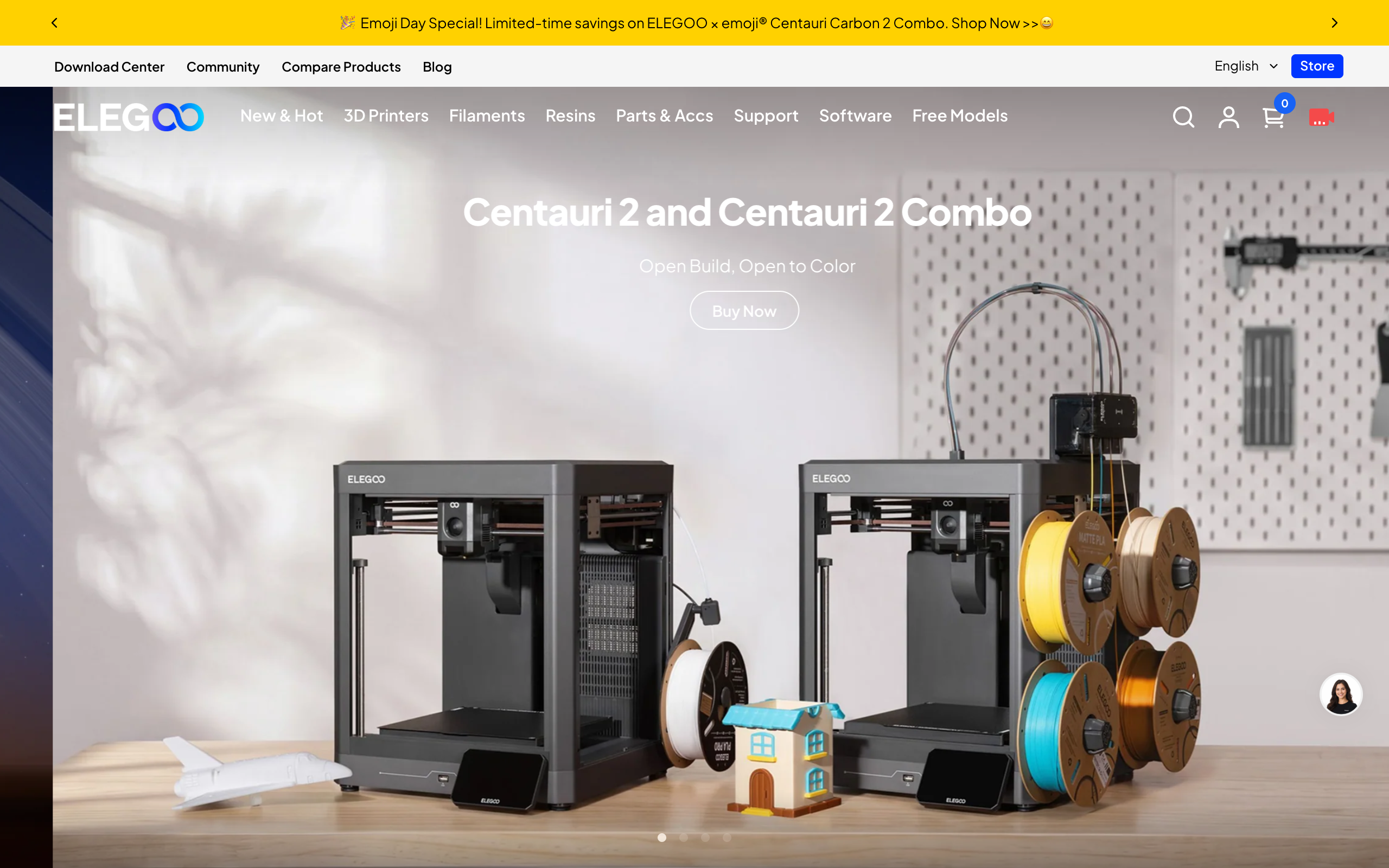
The printer’s sticker price is the smallest number in this hobby. Here is what the three most common beginner FDM printers cost from their makers right now, alongside two respected step-up brands for comparison.
| Printer | Type | Build volume | Auto bed leveling | Enclosed | Price |
|---|---|---|---|---|---|
| Anycubic Kobra 2 | FDM | 250 x 220 x 220mm | Yes, LeviQ 2.0 | No | $169-$279 |
| Elegoo Neptune 4 | FDM | 225 x 225 x 265mm | Yes, 121-point | No | $219-$230 |
| Flashforge Adventurer 5M | FDM | 220 x 220 x 220mm | Yes, one-click | No (kit add-on) | $249-$399 |
| Bambu Lab A1 mini | FDM | 180 x 180 x 180mm | Yes, full auto | No, by design | $199-$299 |
| Prusa MINI+ | FDM | 180 x 180 x 180mm | Yes, SuperPINDA | Optional bundle | $409-$459 |
Every printer on that list levels its own bed automatically, which matters more than any other spec for a first machine. A printer that needs manual bed leveling with a sheet of paper under the nozzle is where most beginners quit before they ever finish a print. If you are choosing between these five, the Bambu Lab A1 mini and the Anycubic Kobra 2 get you printing for under $200, while the Prusa MINI+ costs twice as much for the same 180mm build volume because you are paying for Prusa’s documentation, community support, and repairability.
FDM or Resin: Which Should a Beginner Buy?
Buy FDM if you want functional parts, brackets, phone stands, tool organizers, or anything that needs to be strong and larger than a few inches. Buy resin only if you specifically want highly detailed miniatures, jewelry patterns, or dental and hobby-scale models where surface detail matters more than strength. FDM melts plastic filament through a nozzle layer by layer; resin cures liquid photopolymer with UV light through a screen, which is why resin prints show far finer detail but come out more brittle and need extensive post-processing that FDM prints do not.
For a first printer, FDM is the safer recommendation for most people. It has no toxic liquid to handle, cleanup is a plastic scraper and maybe a vacuum, and PLA filament fails safely if something goes wrong. Resin printing is a real chemistry hobby with real safety requirements, covered below, and it is not something to hand a kid or run in a bedroom with poor airflow.
Resin Printers: Real Options and Real Prices
| Printer | Screen/Resolution | Build volume | Price |
|---|---|---|---|
| Elegoo Mars 5 (4K) | 6.6″ mono LCD, 4K | ~143 x 90 x 150mm | $165-$200 |
| Elegoo Mars 5 Ultra (9K) | 7″ mono LCD, 9K | ~150 x 94 x 165mm | $255-$265 |
| Anycubic Photon Mono 4 | 7″ mono LCD, 10K | 153.4 x 87 x 165mm (2.2L) | $240 |
| Elegoo Saturn 4 | 10″ mono LCD | Larger format | $299-$359 |
Resin printer prices swing with promotions more than FDM prices do, so treat these as a starting range and check the current listing before you buy. The pattern holds either way: a capable resin printer costs less than a capable FDM printer, which is exactly why so many beginners get pulled toward resin without budgeting for what comes next.
The Real First-Year Cost: FDM
A $199-$299 FDM printer is not what you actually spend in year one. Budget for this on top of the machine:
- Filament: PLA runs roughly $20-$25 per kilogram. A beginner who is learning, failing prints, and printing a reasonable amount will go through 3 to 5kg in the first year, so $60-$125.
- Spare nozzles: Brass nozzles wear down and clog. Budget one 2-pack replacement in year one, $8-$15.
- Replacement build plate: A PEI sheet gets scratched or loses grip eventually. Not always needed year one, but budget $15-$25 for when it happens.
- Basic tools: A glue stick or adhesion spray, a set of side cutters, and digital calipers run about $15-$20 combined and you will use all three constantly.
- Electricity: at the 2026 US average residential rate of roughly 18 cents per kWh, even 150 hours of printing a year at 150W adds up to under $5. This is the one line item you can ignore.
Total realistic first year for FDM: roughly $400 to $500 all-in for a $199-$299 printer, most of it in filament and small consumables, not the machine.
The Real First-Year Cost: Resin (and the Safety Gear You Cannot Skip)
Resin’s lower sticker price hides higher running costs and mandatory safety spending:
- Resin: standard photopolymer resin runs $30-$50 per liter. A beginner doing miniatures and small parts will use 2-4 liters in year one, so $80-$160.
- Isopropyl alcohol (IPA): needed to wash every print before curing. Budget $50-$100 a year, or $70-$150 once for a wash-and-cure station that recirculates IPA.
- FEP film: the clear film at the bottom of the resin vat wears out and needs replacing every 1-3 liters of resin used, at $10-$20 per replacement, so $15-$45 in year one.
- Nitrile gloves, 5-mil or thicker: uncured resin will permeate thin 3-mil food-service gloves within 30 to 60 minutes of contact, so buy the thicker kind. A box runs about $15, and you will go through several boxes, $20-$30 a year.
- Splash-rated safety glasses: $10-$15 one-time. Uncured resin in your eye is a trip to urgent care, not a minor annoyance.
- Ventilation: resin off-gasses acrylate and methacrylate vapors while printing and while curing, both recognized skin and respiratory irritants. You need airflow, a window fan, a carbon-filter enclosure, or a dedicated well-ventilated space, budget $30-$100 depending on what you already have. A half-face respirator with organic vapor cartridges ($40-$70) is worth adding if you will be in the room during long prints or heavy post-processing.
- Disposal: leftover liquid resin cannot go down a drain or in the regular trash while still liquid. Cure it fully in sunlight or a UV chamber first, then dispose of the solid; check your municipality’s hazardous waste rules for liquid resin and used IPA, since many treat them as household hazardous waste.
Total realistic first year for resin: roughly $400 to $600 all-in for a $165-$255 printer, once you count the consumables and the PPE you should not skip. The printer is cheaper than FDM; the year is not.
One cost people forget is the design side. If you are not modelling your own parts, you will be downloading them, and the free model libraries fill up fast with prints that need repair before they slice cleanly. Anyone who wants to generate their own geometry rather than hunt for it should look at the free architecture and interior design AI tools we tested, several of which export usable mesh files. And if you are building out a maker desk around the printer, our review of the XTEINK X4 Pro covers what a low-cost e-ink screen can and cannot do when you are reading long build documentation.
Who Should NOT Buy a 3D Printer
Skip the purchase entirely if you print only a handful of times a year. Once you factor in the machine, consumables, the learning curve, and the hours spent troubleshooting failed prints, a print-on-demand service is cheaper and faster for occasional needs. Services like Craftcloud or Xometry, or a local library or makerspace with a print-on-demand counter, will quote you a per-part price with no hardware to store, maintain, or eventually replace. Buy a printer only when you expect to print regularly enough that the per-part cost drops below what a service would charge, which for most hobbyists means printing at least a few times a month.
Also skip resin specifically, even if you keep an FDM printer, if you do not have a garage, a workshop, or a genuinely well-ventilated room to run it in. A bedroom or a shared apartment with no separate airflow is not the place for a resin printer, full stop, regardless of how good the detail looks in review photos.
Frequently Asked Questions
What is the cheapest good 3D printer for a total beginner?
The Bambu Lab A1 mini at $199 and the Anycubic Kobra 2 at $169-$279 are the two cheapest printers with automatic bed leveling, which is the feature that actually determines whether a beginner keeps using the printer.
Do I need an enclosure for my first printer?
Not for PLA. PLA prints fine in an open-frame printer like the Kobra 2, Neptune 4, or A1 mini. You only need an enclosure for ABS, ASA, or other high-temperature filaments that warp in open air, and the Flashforge Adventurer 5M Pro or an add-on enclosure kit covers that case.
Is resin printing more dangerous than FDM?
Yes, meaningfully so. Uncured resin is a recognized skin and respiratory irritant that can cause contact dermatitis with repeated exposure, and both the wash step (isopropyl alcohol) and the printing itself release VOCs that need ventilation. FDM’s main hazards are a hot nozzle and a hot bed, both far easier to manage safely.
How much filament does a beginner actually use in a year?
Plan on 3 to 5kg of PLA in your first year between practice prints, calibration objects, and failed attempts, at $20-$25 per kilogram, so roughly $60-$125 just in material.
Can I print functional parts on a resin printer?
Not well. Standard resin prints are more brittle than FDM plastic and most resins are not rated for mechanical stress or outdoor UV exposure. Resin is the right tool for detail, not durability; use FDM for brackets, mounts, and anything load-bearing.
Should I buy Prusa or one of the cheaper brands as my first printer?
Only if budget is not the deciding factor. The Prusa MINI+ costs $409-$459 for the same 180mm build volume the $199 Bambu Lab A1 mini offers, and the extra money buys documentation, repairability, and community support rather than better prints out of the box. Most beginners get more value starting cheaper and upgrading once they know what they actually print.
Bottom Line
Buy an FDM printer with automatic bed leveling, the Elegoo Neptune 4, the Anycubic Kobra 2, or the Flashforge Adventurer 5M all qualify, and budget $400 to $500 for the whole first year, not just the machine. Only move to resin once you have a specific reason to want the extra detail and a real, ventilated space to run it safely, and budget for the safety gear alongside the resin itself. If you print only occasionally, skip hardware ownership altogether and use a print-on-demand service instead.
Quick Answer
- Wsup AI is an AI companion and roleplay chat platform built around custom characters.
- It competes with Character.AI and similar apps, leaning toward a flexible, permissive feel.
- Usually free to start, with paid plans or tokens unlocking more messages and features.
- Privacy is the main caution: assume chats are stored, so keep identifying details out.
- Best for casual roleplay and companionship, not for work or factual research.
Wsup AI is an AI companion and roleplay platform where you chat with AI characters, either ones you create or ones the community has made, for casual conversation and interactive storytelling. It sits squarely in the companion-app category alongside tools like Character.AI, and its pitch is a more flexible, permissive roleplay experience. If you landed here from a search, you are almost certainly evaluating it as a chat companion, not a productivity tool.
This guide explains what Wsup AI is, how it works, who it suits, what it costs, the privacy reality, and the alternatives worth comparing. The insider note up front: companion apps in this tier live or die on three things, model quality, memory, and how aggressively the paywall meters you, and that trio is exactly where you should focus when judging Wsup AI against rivals.
What is Wsup AI, exactly?
Wsup AI is a character-based AI chat service, meaning the core experience is talking to a persona rather than a neutral assistant. You pick or build a character with a defined personality, backstory, and tone, then hold an ongoing conversation that stays in character.
The category matters for setting expectations. Wsup AI is not trying to be a research tool or a coding helper. It is an entertainment and companionship product, which is why people compare it to Character.AI and Janitor AI rather than to ChatGPT or Gemini. Judge it on immersion and conversation quality, not on factual accuracy.
How does Wsup AI work?
Wsup AI works by pairing a conversational language model with a character system that stores each persona’s traits and your chat history. When you message a character, the model generates a reply shaped by that persona and the running context of your conversation.
Custom characters
The defining feature is character creation. You write a persona, set its personality and style, and chat with it, and many platforms in this space let you publish characters for others to use. That user-generated library is a big part of the appeal.
Memory and context
Like its rivals, Wsup AI relies on a context window plus some memory layer to keep continuity. Companion apps are notorious for memory drift on long chats, so do not expect flawless recall over very long stories. This is a category-wide limitation, not a Wsup AI quirk.
(One thing worth knowing: many companion apps in this tier do not train their own models, they rent access to existing ones. That means a sudden change in tone, strictness, or quality is often an upstream model or policy change, not a redesign the app chose, and it can happen with little warning.)
Who is Wsup AI for?
Wsup AI is for people who want casual AI companionship and roleplay, especially those who find mainstream assistants too stiff or restrictive for character-driven chat. Hobbyist roleplayers, people who enjoy interactive storytelling, and users curious about AI companions are the natural audience.
It is a poor fit for anyone needing accuracy, work output, or strong privacy guarantees. Honestly, if you want a serious assistant, this is the wrong category entirely; Wsup AI is for entertainment, and treating it as anything more sets you up for disappointment.
How much does Wsup AI cost?
Wsup AI typically follows the standard companion-app model: a free tier to get you hooked, then paid plans or a token system that unlocks more messages, faster replies, and premium features. The free tier is usable for sampling but tends to throttle heavy users quickly, which is the whole point of the funnel.
Exact prices shift as the service updates packaging, and many apps in this space use credits or tokens rather than a flat seat price, so read the current plan page carefully. The practical advice: budget by how much you actually chat, because metered systems can cost more than they look at a glance if you are a heavy user.
| Tool | What it is | Best for |
|---|---|---|
| Wsup AI | Companion and roleplay chat, custom characters | Flexible roleplay, casual companionship |
| Character.AI | Polished mainstream character platform | Reliable roleplay, big character library |
| Janitor AI | Roleplay with bring-your-own model options | Users who want backend flexibility |
| Perchance AI Chat | Free, no-login browser chatbot | Anonymous, throwaway casual chat |
What should you watch out for with Wsup AI?
The cautions with Wsup AI are the same ones that apply to every companion app, and they are worth saying plainly. Privacy is first: assume your conversations are stored on the company’s servers, so keep real names, locations, workplaces, and financial details out of your chats entirely.
The second is the paywall trap. Token and credit systems can quietly cost more than a flat subscription if you chat a lot, and free-tier limits are designed to nudge you toward upgrading at the emotional high point of a conversation. The third is policy volatility: because apps like Wsup AI often depend on outside models, the tone and content rules can change with little notice. Go in expecting all three, and the experience holds no nasty surprises.
What are the best Wsup AI alternatives?
The main alternatives to Wsup AI are the other companion and roleplay platforms. Character.AI is the polished, mainstream option with strong memory and a huge character library, though it enforces firmer content limits. Janitor AI appeals to users who want to plug in their own model backend, and Perchance AI Chat is the free, no-login choice for quick anonymous sessions.
If I had to pick, I would start with Character.AI for reliability and reach for Wsup AI when mainstream apps feel too restrictive for the kind of roleplay I want. Don’t choose any of them on the “uncensored” marketing alone; those policies can tighten overnight, so pick on conversation quality and privacy practices instead.
Frequently Asked Questions
Is Wsup AI free?
Wsup AI typically offers a free tier so you can chat and try characters, with paid plans or a token system unlocking more messages, faster responses, and premium features. Like most companion apps, the free tier is a hook and heavy users hit limits quickly.
What is Wsup AI used for?
Wsup AI is used for AI companion chat and roleplay with custom or community-made characters. People use it for casual conversation, storytelling, and interactive roleplay. It sits in the same category as Character.AI and similar companion platforms rather than work assistants.
Is Wsup AI safe and private?
Treat Wsup AI like any companion app: assume chats are stored on its servers. Read the privacy policy, avoid sharing real names, addresses, or financial details, and do not reuse an important password. The safest habit is to keep intimate or identifying information out entirely.
Is Wsup AI uncensored?
Wsup AI is positioned as a flexible roleplay platform and tends to be more permissive than mainstream assistants, but exact limits change as the service and its underlying models update. It is not a guarantee-free zone, and policies can tighten without notice.
How does Wsup AI compare to Character.AI?
Character.AI is more polished and mainstream with stronger memory and a large character library, while Wsup AI competes on flexibility and a more permissive roleplay feel. Character.AI wins on reliability; Wsup AI appeals to users who find mainstream apps too restrictive.
Quick Answer
- Venice AI is a private, uncensored AI platform for chat, image generation, and code, built on open-source models.
- It stores no conversations on its servers; history lives in your browser.
- It runs models like Llama, DeepSeek, Qwen, and Flux instead of proprietary ones.
- Free tier exists; Pro removes limits, and a VVV token unlocks API access.
- Best for privacy-focused users who want fewer guardrails, not for team collaboration.
Venice AI is a privacy-first AI platform that gives you chat, image generation, and coding help without storing your conversations on a company server. Instead of running its own closed model like ChatGPT or Gemini, Venice AI routes your prompts to open-source models such as Llama, DeepSeek, and Qwen running on a decentralized network of GPUs. The selling point is blunt: minimal censorship and no permanent record of what you typed.
This guide covers what Venice AI actually does, how its privacy architecture works, what it costs, and where it falls short. One thing the marketing pages bury: Venice AI is tied to a crypto token called VVV, and how you feel about that token tells you a lot about whether this product is for you.
What does Venice AI actually do?
Venice AI bundles three core tools into one interface: a text chat assistant, an image generator, and a code helper. The chat side answers questions, writes drafts, and reasons through problems much like any large language model. The image side turns text prompts into pictures using open image models. Venice AI also exposes an API so developers can build the same capabilities into their own apps.
The difference is not the feature list, which looks ordinary. The difference is the philosophy underneath it. Venice AI deliberately strips away the heavy content moderation layer that mainstream assistants wrap around their models, and it refuses to log your sessions. Everything else flows from those two choices.
How does Venice AI keep conversations private?
Venice AI keeps conversations private by never storing them centrally. Your chat history is saved locally in your own browser, so if you clear your browser data, that history is gone and Venice AI cannot recover it because the company never had a copy. When you send a prompt, it travels to a GPU provider in a decentralized compute network, gets processed, and the result comes back without being retained.
This is a genuine architectural distinction, not a checkbox on a privacy policy. With ChatGPT or Gemini, your conversations sit on the provider’s servers and may be used to improve their models unless you opt out. Venice AI inverts that default. The cost of this design is that you carry your own history, so switching devices means starting fresh unless you export your chats.
(One thing worth knowing: “no server-side logs” is only as strong as the open-source code backing it. Privacy-conscious users should treat any closed verification claim with healthy skepticism, but Venice AI’s local-storage model is at least structurally harder to abuse than a standard logged-chat setup.)
What does “uncensored” really mean here?
Uncensored, in Venice AI’s case, means minimal guardrails rather than zero rules. Because Venice AI runs open-source models without bolting a strict moderation layer on top, it will engage with adult themes, controversial political topics, and edgy creative prompts that ChatGPT and Gemini routinely refuse. It still draws a line at clearly illegal material.
Honestly, this is the real reason most people search for Venice AI. The mainstream assistants have grown cautious to the point of refusing harmless requests, and a chunk of users are frustrated by that. Venice AI sells freedom from the lecture. Just be clear-eyed: fewer guardrails means you own the consequences of what you generate and how you use it.
What models does Venice AI run?
Venice AI runs a rotating lineup of open-source models rather than a single proprietary one. On the text side, that has included Llama from Meta, DeepSeek, and Qwen. On the image side, it has offered Flux and Stable Diffusion family models. Because these weights are open, Venice AI can swap in newer releases as they appear.
| Capability | Example models | What you’d use it for |
|---|---|---|
| Text chat and reasoning | Llama, DeepSeek, Qwen | Q&A, drafting, coding help |
| Image generation | Flux, Stable Diffusion variants | Art, concepts, uncensored visuals |
| API access | Same models via API | Building Venice into your own app |
The upside of open models is transparency and choice. The downside is that none of them individually matches the very top proprietary frontier models on the hardest reasoning tasks. For most everyday use you will not notice; for cutting-edge work you might.
How much does Venice AI cost?
Venice AI offers a free tier and a paid Pro tier, plus a token-based path for API access. The free tier gives you daily limits on chat and image generation, enough to test the product seriously. Pro removes most of those limits, unlocks larger models, and adds higher-quality image settings. Pricing for Pro typically lands in the low double digits per month, in line with other consumer AI subscriptions.
The unusual part is VVV, a crypto token. Staking VVV can grant ongoing API access proportional to your stake, instead of paying per call. If you have no interest in holding a token, ignore this and use the regular Pro subscription. If you are crypto-native, the staking model can be cheaper at scale.
Who should use Venice AI, and who shouldn’t?
Venice AI is built for individuals who value privacy and want fewer content restrictions. If you are a writer, researcher, or hobbyist who keeps hitting refusals on mainstream tools, or who simply does not want a company logging your prompts, Venice AI is a strong fit. The decentralized, open-model approach is a real differentiator.
It is a poor fit for teams. There is no robust shared workspace, admin controls, or collaboration layer comparable to enterprise ChatGPT or Gemini for Workspace. My recommendation: choose Venice AI if privacy and an uncensored model are your top two priorities and you work solo. If you need team features, compliance documentation, or the absolute best reasoning quality, stay on a mainstream provider.
Frequently Asked Questions
Is Venice AI free?
Yes, Venice AI has a free tier with daily limits on chat and image generation. Paid Pro plans remove most limits and unlock larger models, and a token called VVV can grant ongoing API access tied to a staked balance.
Is Venice AI actually private?
Venice AI does not store your conversations on its servers. Chat history lives in your own browser, and prompts pass to decentralized GPU providers without being retained, which is a real architectural difference from mainstream chatbots.
Is Venice AI uncensored?
Venice AI applies minimal content filtering compared to ChatGPT or Gemini, since it runs open-source models without heavy guardrails. It still blocks clearly illegal content, but it permits most adult, controversial, and edgy prompts that mainstream tools refuse.
What models does Venice AI use?
Venice AI runs open-source models such as Llama, DeepSeek, Qwen, and various open image models like Flux and Stable Diffusion variants. The exact roster changes over time as new open weights are released.
Is Venice AI safe to use?
Venice AI is safe in the privacy sense, since it minimizes data retention. The tradeoff is fewer safety guardrails, so you are more responsible for how you use outputs. Treat anything sensitive with the same caution you would any AI tool.
Quick Answer
- Manus AI is an autonomous agent that completes multi-step tasks end to end in its own cloud workspace.
- Built by Monica; launched early 2025 and went viral on an invite-only waitlist.
- It browses, codes, and builds files while you step away, unlike a chat assistant.
- Pricing is credit-based; free trial credits run out quickly under real use.
- Best for research reports, data scraping, and quick prototypes, not casual Q&A.
Manus AI is an autonomous AI agent, built by the startup Monica, that takes a goal and does the actual work to finish it: browsing the web, running code, filling spreadsheets, and producing finished files inside its own cloud computer. Instead of answering you in chat the way ChatGPT does, Manus AI spins up a virtual machine, executes a multi-step plan, and hands back a deliverable. It launched in early 2025 and became famous fast on an invite-only waitlist.
This guide covers what Manus AI is, how the agent loop actually works, who it suits, what it really costs, and the alternatives worth weighing. One thing the hype videos skip: Manus AI is genuinely impressive on tasks with a clear endpoint, but it can wander, stall, or burn credits on open-ended requests, so how you frame the job matters more than people admit.
What is Manus AI in plain terms?
Manus AI is best described as a “general AI agent” that operates a computer on your behalf. You give Manus AI a goal in plain English, and it breaks that goal into steps, executes them autonomously, and shows its work in a side panel as it goes. The name comes from the Latin for “hand,” and that is the right mental model: it is less a chatbot and more a pair of hands that can use a browser and a terminal.
Under the hood, Manus AI is not a single new foundation model. It is an orchestration layer that coordinates existing large language models and a toolkit, which reportedly includes models from the Claude and Qwen families. The clever part is the agent scaffolding around those models, not a secret model of its own.
How does Manus AI actually work?
Manus AI works by running a plan-act-observe loop inside a sandboxed virtual machine in the cloud. When you submit a task, Manus AI drafts a to-do list, then starts executing each item, and it adjusts as new information shows up.
The agent loop
In practice the loop looks like this. Manus AI reads your goal, writes a plan, opens a browser or code environment, takes an action, observes the result, and decides the next step. Because all of this happens on Manus servers, you can close the tab and the agent keeps working, then notify you when the deliverable is ready.
The virtual computer
The standout feature is the live workspace. You can watch Manus AI open tabs, click through sites, write a Python script, and save files. That transparency is useful for trust, and it is also useful for debugging when the agent misreads a page or picks the wrong source.
(One thing worth knowing: the early invite-only launch was a textbook scarcity play. Invite codes were being resold online for real money, which drove enormous buzz but also set expectations the product could not always meet on day one.)
Who is Manus AI for?
Manus AI is for people who have repeatable, deliverable-shaped work and would rather supervise a worker than do every click themselves. The clearest fit is knowledge workers: analysts who need a researched report, marketers who want competitor data pulled into a sheet, founders who want a rough landing page built, and operators who want a process automated without writing the automation themselves.
It is a poor fit for quick factual questions or creative chat. If you just want an answer or a draft paragraph, a standard assistant is faster and cheaper. Honestly, Manus AI is overhyped as an “everything” tool; its real strength is finishing structured, multi-step jobs.
How much does Manus AI cost?
Manus AI uses a credit-based pricing model, where each task consumes credits based on how much compute and how many steps it takes. There is a free tier with a small amount of credits to try it, but anyone running real tasks will exhaust those quickly, because a single deep research job can eat a meaningful chunk in one run.
Paid plans are sold as monthly subscriptions in tiers, typically ranging from an entry plan in the low double digits per month up to higher business tiers for heavier usage. The exact figures shift as the company updates packaging, so check the current pricing page before committing. The practical takeaway: budget by tasks, not by seats.
| Tool | What it is | Best for |
|---|---|---|
| Manus AI | Autonomous agent with a cloud computer | Multi-step deliverables, research, prototypes |
| ChatGPT (with agent mode) | Chat assistant plus an agent capability | Everyday tasks, broad ecosystem, brand trust |
| Google Gemini | Assistant tied to Google apps and search | Search-grounded answers, Workspace users |
| Open-source agents (AutoGPT-style) | Self-hosted agent frameworks | Developers who want full control and lower cost |
What are the limits and common failure modes of Manus AI?
Manus AI is strong on structured jobs but stumbles in predictable ways, and knowing them upfront saves credits. The most common failure is scope creep: give it a vague, open-ended goal and the agent can loop, second-guess itself, or chase the wrong source, spending compute without converging on a clean deliverable.
The second is brittleness on the live web. Manus AI relies on real sites, so a login wall, a CAPTCHA, a paywall, or a page layout it cannot parse can quietly derail a task. The fix is operator discipline: write a specific goal, name the exact output format you want, point it at sources when you can, and check the plan early rather than discovering a wrong turn at the end. Treated as a junior worker who needs a clear brief, Manus AI performs far better than when treated as a mind reader.
What are the best Manus AI alternatives?
The strongest alternatives to Manus AI are the agent modes now baked into the major assistants. ChatGPT has its own agent capability that browses and acts; Google’s Gemini is tightly wired into Workspace and search. For teams that want control and lower running costs, open-source agent frameworks let you self-host similar loops, at the price of setup and maintenance.
If I had to pick, I would reach for Manus AI when the job is a self-contained deliverable I want produced hands-off, and reach for ChatGPT or Gemini for daily work and quick answers. Don’t believe the framing that one agent replaces all the others; the right choice tracks the shape of the task.
Frequently Asked Questions
Is Manus AI free?
Manus AI offers limited free credits to try the product, but real workloads burn through them fast. Sustained use requires a paid subscription, since every task consumes compute on Manus servers rather than your own machine.
Who built Manus AI?
Manus AI was built by Monica, a startup with roots in China that later established operations in Singapore. It launched in early 2025 and went viral on an invite-only waitlist before opening more broadly.
Is Manus AI the same as ChatGPT?
No. ChatGPT is primarily a chat assistant that answers in the conversation. Manus AI is an autonomous agent that opens a virtual computer, browses, writes code, and produces finished files while you step away.
What can Manus AI actually do?
Manus AI handles multi-step jobs like researching a topic and building a report, scraping data into a spreadsheet, building a simple website, or planning a trip with bookable links. It works best on tasks with a clear deliverable.
Is Manus AI safe to use?
Manus AI runs in an isolated cloud sandbox, so it cannot touch your local files unless you upload them. Still, treat any credentials or sensitive data carefully, since the agent browses live sites and can act on whatever access you grant it.
Quick Answer
- “Your AI slop bores me” is the 2026 catchphrase for dismissing low-effort AI content.
- It is part of the broader “AI slop” backlash against generic machine-made filler.
- The core complaint is not that AI wrote it, but that nobody added judgment or specifics.
- AI content reads boring because models default to the safe statistical average.
- The fix is human input: real opinions, concrete facts, and brutal editing.
“Your AI slop bores me” is a blunt put-down aimed at low-effort, AI-generated content that feels generic, padded, and soulless. It is the internet’s way of saying it can smell the machine and is not impressed. The phrase belongs to the larger “AI slop” backlash that hardened through 2025 and 2026, as feeds, inboxes, and search results filled with content that technically reads fine but says nothing.
This guide breaks down what the phrase means, why it resonated, and how to make sure you are not the person producing the slop. Here is the insider observation up front: the complaint is almost never about the tool. People are not angry that AI was involved. They are bored because no human added an opinion, a specific, or a single risky sentence.
What does “your AI slop bores me” actually mean?
“Your AI slop bores me” means the reader has clocked your content as machine-generated filler and finds it tedious rather than useful. The phrase carries two charges at once. The “slop” half labels the content as low-value mass production, and the “bores me” half delivers the verdict: it is not even interesting enough to be annoyed by.
What makes the phrase sting is that it is a status move. It says the speaker has developed taste for spotting AI patterns, the hedged phrasing, the listicle with no point of view, the conclusion that restates the intro, and is now bored by all of it. It is the eye-roll of someone who has seen too much of the same output.
Where did the term “AI slop” come from?
“AI slop” emerged as a natural successor to “spam,” and it spread because it named something everyone was already feeling. As generative tools made it trivial to produce text and images at volume, the open web, social feeds, and even product reviews filled with content that was cheap to make and tiring to consume. “Slop” captured the texture: not malicious, just bulk, low-nutrition noise.
The phrase “your AI slop bores me” sharpened that critique into a personal reply. Instead of describing the problem in the abstract, it throws it back at a specific creator. By 2026 it functions as a community signal, a quick way to flag that a post crossed from “made with AI” into “made with no care.”
Why is so much AI content genuinely boring?
Most AI content is boring because language models are trained to produce the safe statistical middle. Ask for an article and you get the average of everything ever written on the topic: balanced, hedged, inoffensive, and utterly forgettable. The model is optimized to not be wrong, which is a very different goal from being worth reading.
Three patterns make the boredom predictable. First, no opinion: the text refuses to take a side, so it commits to nothing. Second, no specifics: vague adjectives stand in for real numbers and examples. Third, structural sameness: the same intro, the same bullet rhythm, the same tidy wrap-up. Once you have seen the pattern a hundred times, recognition kills interest instantly.
| Slop signal | What it looks like | The human fix |
|---|---|---|
| No opinion | Balanced to the point of meaningless | Take a clear, defensible stance |
| No specifics | “Many,” “various,” “powerful” | Use a real number or named example |
| Throat-clearing | “In today’s fast-paced world…” | Open with a concrete hook |
| Padding | Words that add length, not meaning | Cut until every sentence earns its place |
| Generic close | “In conclusion, it depends” | End with a real recommendation |
(One thing worth knowing: the slop backlash is quietly raising the floor for everyone. As generic AI text floods the web, content with a genuine point of view stands out more than it did five years ago. The scarcity of judgment is becoming the value. Boring is now a competitive disadvantage you can avoid for free.)
Is every AI-assisted piece slop?
No, and conflating the two is the most common mistake in this conversation. The slop label is about effort and judgment, not about which tool touched the draft. A skilled writer who uses AI to outline, then layers in a real opinion, a verified statistic, and a personal observation, has not produced slop. They have used a tool.
The line is whether a human with actual expertise shaped the result. If you would have been comfortable publishing the raw, unedited model output, that is the tell. The fix is not to abandon AI. It is to do the part the model cannot: decide what is true, what matters, and what you actually think.
How do you avoid being the slop?
To avoid making AI slop, add the four things models reliably omit: a genuine stance, a concrete verifiable detail, a personal or insider observation, and aggressive editing. If I had to pick the single highest-leverage habit, it is cutting. Most slop is not wrong, it is just too long and too safe. Delete the generic intro and the restating conclusion, and you are already ahead of most of the web.
My recommendation: treat the model as a fast first-drafter and yourself as the editor who refuses to publish anything boring. If a piece has no opinion, no specific, and nothing only you could have said, do not ship it, no matter how clean it reads.
Frequently Asked Questions
What does “your AI slop bores me” mean?
It is a dismissive reaction to low-effort, AI-generated content that feels generic and soulless. The phrase signals that the reader can tell something was machine-written with no human judgment, and that they find it tedious rather than impressive. It is shorthand for the wider “AI slop” backlash.
What is AI slop?
AI slop is mass-produced AI content with little human curation: filler blog posts, generic images, padded social captions, and templated replies. The “slop” label frames it as low-value noise that clutters feeds and search results, similar to how “spam” described unwanted email.
Why do people say AI content is boring?
Because models trained to be safe and average tend to produce the statistical middle: no strong opinion, no specific detail, no risk. Without a human adding a real stance or a concrete example, the output reads predictable. Predictable is the technical definition of boring.
Is all AI-generated content slop?
No. The slop label is about effort and judgment, not the tool. AI used as a drafting assistant with heavy human editing, real opinions, and verified specifics is not slop. AI used to spray out unedited filler at volume is what people mean by slop.
How do I avoid making AI slop?
Add what the model cannot: a genuine opinion, a specific verifiable detail, a personal observation, and ruthless editing. Cut the throat-clearing intros and generic conclusions. If a human with expertise would not have bothered to write it, do not publish it.
Quick Answer
- Nvidia AI news in 2026 centers on one thing: demand for its data-center GPUs still outruns supply.
- CUDA, Nvidia’s software layer, is the real moat, not just the chips.
- Rivals (AMD, Google TPU, Amazon Trainium) are closing in on price, not yet on ecosystem.
- GPU scarcity quietly shapes what your AI tools cost and how fast they ship features.
- For most people, the practical takeaway is pricing and availability, not which chip won the benchmark.
Nvidia AI news in 2026 keeps circling the same plot: the company that makes the chips behind almost every large AI model cannot make them fast enough. Nvidia, the Santa Clara graphics-chip maker turned AI infrastructure giant, sits at the center of the generative-AI build-out because its data-center GPUs train and run the models behind ChatGPT, Claude, Gemini, and most image and video tools. When people search “Nvidia AI news,” they usually want to know what the latest headline means for prices, supply, or the broader AI race.
This article cuts through the press releases. Instead of repeating every product name, it explains the three forces that actually drive Nvidia coverage, what they mean if you build with AI or buy AI tools, and where the real risk to Nvidia’s lead sits. Here is the insider observation up front: most “Nvidia news” is really compute-economics news wearing a hardware costume.
What is the real story behind Nvidia AI news?
The real story behind Nvidia AI news is demand, not invention. Nvidia did not stumble into a clever new gadget in 2026. It is riding a structural shift where training and serving large language models requires staggering amounts of parallel compute, and Nvidia GPUs are the default tool for the job. Every quarter the headline is some version of “demand exceeds supply,” and that single sentence explains the stock moves, the partnership announcements, and the frantic capacity build-out.
Nvidia’s data-center business now dwarfs the gaming business that made the company famous. That flip is the quiet headline. The same GPU architecture that once rendered video games now anchors AI training clusters worth billions of dollars. When you read that a cloud provider or AI lab signed a massive Nvidia deal, you are reading about the scramble to lock in compute before a competitor does.
Why does Nvidia keep winning the AI race?
Nvidia keeps winning because of software, not only silicon. The piece outsiders underrate is CUDA, Nvidia’s programming layer that lets developers run code on its GPUs. Most major AI frameworks were built and optimized for CUDA first. That means switching to a rival chip is rarely a simple swap. It often involves rewriting code, re-tuning performance, and retraining engineers, and most teams under deadline pressure choose not to.
This is the part that frustrates competitors. A chip can match Nvidia on a raw spec sheet and still lose, because the ecosystem, the libraries, the tooling, and the hiring pool all tilt toward CUDA. Honestly, the hardware-versus-rival debate is overhyped. The lock-in lives in the software stack, and that is far harder to dislodge than a faster transistor.
(One thing worth knowing: a lot of “Nvidia killer” announcements quietly assume the world will port its software off CUDA. That migration cost is the moat almost no chart shows.)
Is the GPU shortage actually over in 2026?
The GPU shortage is easing at the low end and still biting at the top. Consumer and mid-range cards have become far easier to buy than during the worst crunch years. The flagship data-center accelerators, the ones AI labs fight over, remain on allocation, meaning the biggest buyers get first claim and everyone else waits.
The bottleneck has also moved. It is not only chips now. It is advanced packaging, high-bandwidth memory, and even electricity and data-center space. A modern AI cluster needs power and cooling at a scale that strains regional grids. So when a headline says Nvidia is “expanding capacity,” the constraint being solved is often somewhere down the supply chain, not the chip fab itself.
Who are Nvidia’s biggest AI competitors?
Nvidia’s most serious challengers are split between rival chipmakers and the cloud giants building their own silicon. The table below sorts the field by where each player is trying to win.
| Challenger | Approach | Where it competes |
|---|---|---|
| AMD | Instinct data-center GPUs, open software stack | Direct GPU alternative, price pressure |
| TPU custom accelerators | In-house training and serving on Google Cloud | |
| Amazon | Trainium and Inferentia chips | Cheaper inference and training on AWS |
| Cerebras / Groq | Specialized inference hardware | Fast, low-latency model serving |
The pattern is clear. The cloud providers are not trying to sell chips to the world. They are trying to cut their own Nvidia bill by running custom silicon internally. That is a real long-term threat to Nvidia’s margins, because the largest customers are also building the substitute. If I had to name the most underrated competitor, I would point at custom cloud chips, not at any single merchant GPU vendor.
How does Nvidia AI news affect the tools you actually use?
Nvidia news reaches your AI tools through one channel: cost. When data-center GPUs are scarce and expensive, the companies running AI apps pay more to serve every request. Those costs surface as higher subscription prices, stricter usage limits, slower free tiers, or features gated behind paid plans. When chips get cheaper or more efficient, the opposite tends to happen and consumer AI pricing drifts down.
For day-to-day decisions, this matters less than the headlines suggest. The chip under the hood rarely determines whether one writing assistant or image generator is better than another for your specific job. My honest recommendation: track Nvidia news closely only if you train models, run heavy inference, or invest in the sector. If you just use AI tools, watch their pricing pages, not Nvidia’s earnings call.
What should builders and buyers watch next?
Builders should watch efficiency gains, because cheaper inference unlocks more product ideas than any new flagship chip. A model that costs a fraction to run changes which features are economically viable to ship. Buyers and investors should watch concentration risk: a handful of giant customers drive a large share of Nvidia revenue, so any shift in their spending plans moves the whole story.
The forward-looking take is simple. The AI compute build-out is real and large, but it will not grow in a straight line forever. Expect periodic worries about overbuilding, digestion of capacity, and whether demand justifies the spending. Those wobbles are normal for an infrastructure boom. The durable question is not whether Nvidia sells more chips next quarter. It is whether the software lock-in holds while everyone else tries to route around it.
Frequently Asked Questions
Why does Nvidia dominate AI hardware?
Nvidia pairs strong GPUs with CUDA, a software layer most AI frameworks are built on. Switching to a rival chip often means rewriting code and retraining teams, so the software lock-in protects Nvidia’s lead as much as the silicon does. That combination is harder to copy than any single chip spec.
Are Nvidia GPUs still hard to get in 2026?
High-end data-center GPUs remain supply-constrained because demand from large AI labs and clouds keeps outrunning production. Consumer and mid-tier cards are easier to find, but the flagship training chips still ship on allocation to the biggest buyers first, with smaller teams often waiting in line behind them.
Who are Nvidia’s main AI competitors?
AMD with its Instinct accelerators, plus custom in-house chips from Google (TPU), Amazon (Trainium and Inferentia), and others. Startups like Cerebras and Groq target inference. None has matched Nvidia’s combined hardware-plus-CUDA ecosystem at scale yet, though cloud-built silicon is the most serious long-term pressure.
Does Nvidia news affect AI tool prices?
Indirectly, yes. When GPU supply tightens or cloud compute gets pricier, AI tool vendors face higher costs and may raise prices, add usage caps, or push paid tiers. Cheaper, more efficient chips tend to push consumer AI pricing down over time, so the chip cycle quietly shapes your subscriptions.
Should I follow Nvidia news to pick AI tools?
For everyday tool choices, no. The chips underneath rarely change which app is best for writing or images. But if you train models, run heavy inference, or invest in AI, Nvidia’s roadmap directly shapes your costs and timelines, and it is worth tracking closely.