
GetResponse has been in email marketing since 1998, which makes it older than most of the newsletter platforms it now competes against. That history is exactly why it is confusing to evaluate in 2026: half of the product is still built for the SMB email-blast-and-autoresponder world of 2010, and the other half has been bolted on to chase creators, course sellers, and newsletter operators. I opened a test account, built a list, ran the automation builder, tried the landing page and website tools, and pushed a newsletter through the system to see which half of GetResponse actually shows up when you use it.
Short version: GetResponse is a genuinely capable, slightly bloated marketing suite that happens to include email. If what you want is a dedicated newsletter platform built around growth and publishing, that is a different kind of tool, and I will point you to it. If you want automation, funnels, webinars, and a course builder bundled with your list, GetResponse earns its price. Here is everything I found, with the actual 2026 numbers from GetResponse’s own pricing page.
Disclosure: some links in this post are affiliate links. If you sign up through them, we may earn a commission at no extra cost to you. That never changes our verdict.
The 30-second verdict
GetResponse is worth it in 2026 if you need marketing automation, sales funnels, and webinars alongside your email list, and it is a poor fit if you specifically want a newsletter platform that grows your audience through referrals, discovery, or an SEO-friendly publishing layer. The free plan covers 500 contacts and 2,500 monthly emails with no time limit, which makes it easy to test before you commit. Paid plans start at $19 a month for the Starter tier at 1,000 contacts, billed monthly, or roughly $15.60 a month if you pay annually at the standard 18% discount GetResponse applies across every tier.
I rate it 3.5 out of 5. The automation builder, the sales funnel tool, and the AI content generators are genuinely strong, and the free plan is more generous than most competitors offer. But the interface still shows its age in places, the newsletter-specific growth tools that platforms like beehiiv build in natively are absent here, and the plan structure nudges you toward Marketer or Creator faster than the marketing copy suggests.
Key takeaways
- GetResponse is a marketing automation suite with email built in, not a dedicated newsletter platform, so it has no referral program, recommendation network, or ad marketplace.
- The free plan covers 500 contacts and 2,500 emails a month with no time limit; paid plans start at $19/mo (Starter, 1,000 contacts, monthly billing).
- The automation builder is the strongest single feature, but it is capped at one workflow until you reach Marketer at $59/mo.
- Creator, at $69/mo, adds a website builder, a course platform for up to 500 students, and webinars, which no newsletter-first competitor offers.
- If your business model depends on the newsletter itself growing through discovery and referrals, a platform like beehiiv, reviewed in my full beehiiv review, will do more of that work for you.
If your list is really a newsletter and not a marketing funnel, it is worth comparing the experience side by side before you commit to either tool. I would open a free beehiiv publication and send one real issue while you have GetResponse’s trial open too. The free beehiiv plan runs to 2,500 subscribers with no card required, so the comparison costs you nothing but an evening.
What is GetResponse, and who actually built it for?
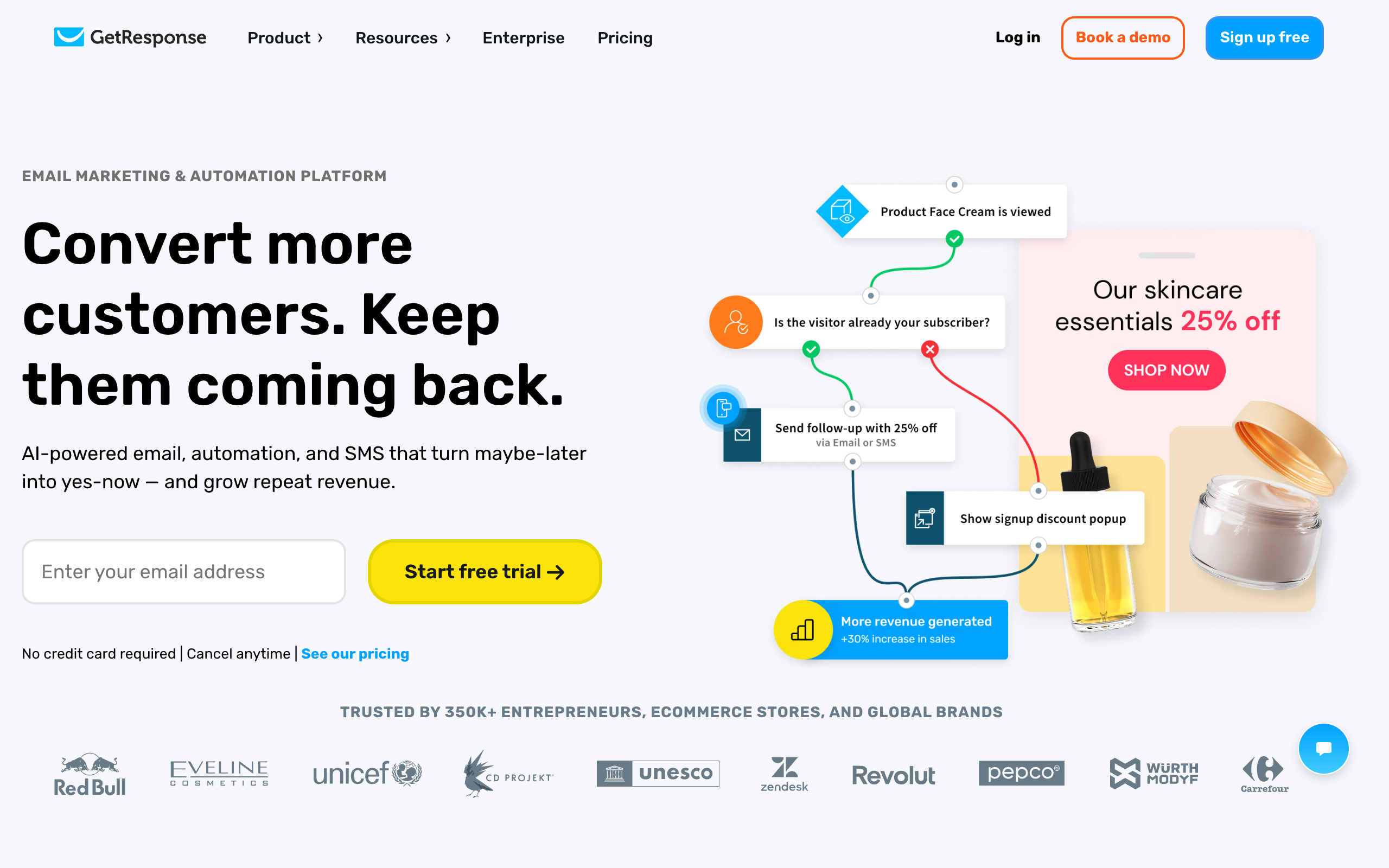
GetResponse launched in 1998 as an autoresponder tool, long before “newsletter platform” was a category anyone talked about. Over almost three decades it absorbed landing pages, webinars, a website builder, a course platform, and full marketing automation, becoming what the company now calls an all-in-one marketing suite rather than an email tool. That lineage matters because it explains both the strengths and the friction points you will hit using it in 2026.
The strength is breadth. Very few competitors let you run an automated welcome sequence, host a live webinar, sell a course, and build a landing page funnel without leaving the platform. The friction is that this breadth was built up over 27 years by a company that started in a completely different product category, and it shows in the UI: menus that assume you already know GetResponse’s internal vocabulary, features scattered across sections that do not always talk to each other cleanly, and an editor that feels serviceable rather than delightful next to newer, narrower tools.
In practice, GetResponse is best understood as five products bundled into one subscription: email marketing (the part you came for), marketing automation (its actual strong suit), a landing page and funnel builder, a course and webinar platform on the higher tiers, and basic e-commerce tools like abandoned cart recovery. No dedicated newsletter platform matches that breadth. But no all-in-one suite matches a dedicated newsletter platform’s growth tooling either, and that trade-off is the whole review.
Who is GetResponse actually for?
The clearest way to know if you are the target user: do you need email marketing as one piece of a bigger funnel that includes landing pages, automated sequences, and maybe a webinar or a course? If yes, GetResponse’s bundle saves you from stitching together four separate subscriptions. Course creators, coaches running webinar funnels, small e-commerce shops that want abandoned cart flows without paying Klaviyo prices, and marketing teams that need segmentation and automation more than they need audience growth all fit this profile well.
If your newsletter is the product itself, meaning your business model depends on subscriber growth, discovery, and monetizing the list directly through ads or paid subscriptions, GetResponse is the wrong aisle. It has no referral program, no recommendation network, and no built-in ad marketplace. Those are newsletter-growth features, and GetResponse was never built around them.
Where GetResponse genuinely wins
Testing the platform end to end, the pattern was consistent: everything built around automation and marketing funnels is strong, and everything built around newsletter growth is either thin or missing entirely.
The automation builder is the real product
GetResponse’s visual automation workflow editor is the best part of the platform, and it is not close. You get a drag-and-drop canvas with conditional branching, time delays, tag-based triggers, scoring, and e-commerce actions like abandoned cart recovery, all connected visually so you can see the whole customer journey at once. In my test I built a welcome sequence with a branch based on whether a subscriber clicked a specific link, and the logic was intuitive enough that I did not need to check documentation. This is a tool built by a company that has spent two decades on marketing automation specifically, and it shows.
The catch is plan gating: the free and Starter tiers cap you at a single automation workflow. You only get unlimited automation workflows starting on Marketer, which is where GetResponse’s real value proposition lives and also where the price jumps meaningfully.
Sales funnels and landing pages are built in, not bolted on
The Conversion Funnel tool lets you build a full sales sequence, landing page, order form, upsell, and follow-up emails inside the same account you use for your list. For a solo operator selling a digital product, this replaces what would otherwise be a separate funnel-builder subscription. The landing page editor itself is drag-and-drop and reasonably fast to work in, though the template library leans generic rather than striking. It gets the job done without being the reason you choose the platform on its own.
AI content tools cut real drafting time
GetResponse’s AI features generate subject lines, full email drafts, and landing page copy from a prompt, and in testing the subject line generator in particular produced usable options faster than writing five variants by hand. The free and Starter tiers include a limited number of AI generations per month; heavier use requires the higher tiers. It is a genuine time-saver for routine sends, though I would not trust it unedited for anything that needs your actual voice, which is most of what a newsletter is.
Webinars and course tools on Creator
The Creator plan adds a website builder, a course platform supporting up to 500 students, and webinar hosting, none of which any dedicated newsletter platform offers natively. If your business model already includes a paid course or a webinar funnel, having it live in the same account as your email list and automation removes a genuine integration headache. This is the single clearest reason to pick Creator over a newsletter-first tool, and it is a real one for the right business.
None of what is above requires a purchase to verify. Open a free beehiiv account alongside your GetResponse trial and send one issue from each. You will feel the difference between an automation suite that includes email and a newsletter platform built around growth within the first afternoon.
Where GetResponse falls short (the honest list)
A review that only lists strengths is marketing copy. Here is what actually got in the way during testing, roughly in order of how much it should matter to a newsletter operator specifically.
No newsletter growth tooling at all
This is the gap that matters most if you are comparing GetResponse to a newsletter-first platform. There is no built-in referral program, no recommendation network, no marketplace connecting your newsletter to other publishers for cross-promotion, and no ad network to help you monetize through sponsorships. If audience growth is the core challenge of your business, and for most newsletter operators it is, GetResponse gives you no structural help with it. You are on your own for growth, the same way you would be with Mailchimp.
The interface shows its age
GetResponse works, but it does not feel modern. Menus are dense, some settings live in unexpected places, and the overall visual polish lags noticeably behind tools built in the last five years specifically for creators. None of this stopped me from getting things done, but the friction adds up across a normal week of sends, especially if you have used a cleaner editor elsewhere and know what you are missing.
Automation and AI generations are rationed on lower tiers
The free plan gives you three AI generations and a single automation workflow. Starter, at $19 a month, still caps you at one automation workflow, which is a meaningful limitation if you actually want to use the platform’s best feature. You need Marketer, starting at $59 a month for 1,000 contacts, to unlock unlimited automations, which is a large jump from Starter and worth budgeting for before you commit rather than after.
No website or SEO-indexable archive on lower tiers
Unlike newsletter-first platforms, GetResponse does not give every plan a public, indexable website for your past issues. The website builder is a Creator-tier feature, and even then it is built as a general website tool rather than a newsletter archive optimized to rank in search. If organic growth through past issues is part of your strategy, this is a structural disadvantage against platforms where every send becomes a crawlable page by default.
Pricing scales fast once your list grows
The entry prices look reasonable at 1,000 contacts, but GetResponse’s tiers scale with list size the way most email tools do, and the Marketer and Creator plans climb quickly: Marketer moves from $59 a month at 1,000 contacts toward the low $200s by 25,000 contacts, and Creator follows a similar curve starting higher. Model your cost at the list size you expect in a year, not the one you have today, before you pick a tier based on the advertised entry price.
What does GetResponse cost in 2026?
Numbers below are from GetResponse’s live pricing page for 1,000 contacts, monthly billing, captured July 2026. Annual billing drops every tier by 18%.
| Plan | Price (monthly billing, 1,000 contacts) | What you actually get |
|---|---|---|
| Free | $0 | Up to 500 contacts, 2,500 emails/month, landing pages, website builder, signup forms, GetResponse branding included |
| Starter | $19/mo | Unlimited sends, AI content generators (limited uses), 1 automation workflow, landing page builder, signup forms and popups |
| Marketer | $59/mo | Everything in Starter plus unlimited automation workflows, advanced segmentation, abandoned cart recovery, sales funnels, unlimited web push notifications |
| Creator | $69/mo | Everything in Marketer plus website builder, course creator (up to 500 students), webinars, premium newsletter subscriptions |
| Enterprise | Custom | SMS marketing, mobile push notifications, dedicated support, SSO, dedicated IP, unlimited users |
The read on each tier, briefly. Free is genuinely usable for testing the platform, though branding and the single automation cap mean you will outgrow it fast if you actually use the automation builder. Starter is a trap if automation is why you came: at $19 a month you still only get one workflow, which barely showcases the feature that makes GetResponse worth choosing. Marketer is the real starting point for anyone who wants the automation and funnel tools this platform is actually good at, and you should budget for it from day one rather than starting on Starter and upgrading later. Creator only makes sense if you specifically need the course platform or webinars; otherwise the extra $10 a month over Marketer buys you nothing you will use.
Every tier’s price scales with contact count past 1,000, so run your expected list size through GetResponse’s own calculator before you commit, especially if you are choosing between Marketer and Creator at scale.
How does GetResponse compare with beehiiv, Mailchimp, and ConvertKit?
GetResponse vs beehiiv is an automation-suite-versus-growth-engine question. beehiiv builds referrals, a Boosts marketplace, an ad network, and an SEO-indexable website into every publication, and takes 0% of paid subscription revenue on its paid tiers. GetResponse has none of that, but it has deeper marketing automation, sales funnels, and webinars that beehiiv does not attempt. If your business is the newsletter, beehiiv’s growth tooling will do more for you than GetResponse’s automation depth. If email is one channel inside a bigger funnel with a course or webinar attached, GetResponse’s breadth wins. See the direct beehiiv vs GetResponse comparison for the full breakdown, and my ranking of the best newsletter platforms if you want the whole market mapped first.
GetResponse vs Mailchimp is closer than people expect: both are general marketing suites that treat email as one channel among several, both charge based on contact count, and neither has newsletter-specific growth tools. GetResponse’s automation builder and funnel tool are more capable than Mailchimp’s equivalent features in my testing, and GetResponse’s free plan is more generous. Mailchimp’s edge is its enormous integration ecosystem and e-commerce depth for Shopify-style stores. I compare the two directly in GetResponse vs Mailchimp.
GetResponse vs ConvertKit (Kit) is an all-in-one-suite-versus-creator-tool question. Kit’s automation and tagging are built specifically for creators selling digital products, with a cleaner, more modern interface and a generous free tier to 10,000 subscribers. GetResponse counters with webinars, a course platform, and sales funnels that Kit does not offer. If your business is digital products sold to an email list, Kit’s focus usually wins. If you need the wider toolkit, GetResponse’s breadth is the draw. If neither answer feels obvious yet, my guide to GetResponse alternatives walks through the best pick for several specific situations, including newsletter-first operators.
Who should NOT use GetResponse?
Saving you a wrong purchase is worth more than an affiliate click, so here is who should look elsewhere.
- Newsletter operators focused on audience growth. No referral program, no recommendation network, no ad marketplace. If growth is your main problem, GetResponse gives you nothing structural to solve it with, and beehiiv’s pricing is worth comparing directly before you commit here.
- Writers who want their archive to rank in search. No free, SEO-indexable website ships with every plan the way it does on newsletter-first platforms. You would need Creator, and even then it is a general website tool, not an optimized publishing layer.
- Anyone who wants a clean, modern editing experience. GetResponse is functional but visibly older in its design language than tools built in the last five years. If the daily writing experience matters to you as much as the feature list, test the editor yourself before buying.
- Solo writers on a tight budget who only need to send a newsletter. Paying for automation, funnels, and webinars you will never touch is money spent on features that exist for a different kind of business than yours.
Frequently asked questions
Is GetResponse worth it in 2026? Yes, if you need marketing automation, sales funnels, or webinars bundled with your email list. The free plan (500 contacts, 2,500 emails a month) costs nothing to test, and Marketer at $59 a month unlocks the automation builder that is the platform’s real strength. It is not worth it if you specifically want newsletter growth tools like referrals or an ad marketplace, which GetResponse does not have.
Does GetResponse have a free plan? Yes. The free plan covers up to 500 contacts and 2,500 emails a month with no time limit, and includes landing pages, a basic website builder, and signup forms, though GetResponse branding stays visible and automation is capped at one workflow.
Is GetResponse better than Mailchimp? For automation and sales funnels, GetResponse’s tools are more capable in day-to-day use, and its free plan is more generous. Mailchimp still wins on raw integration count and e-commerce depth for online stores. Neither has the newsletter-specific growth features that platforms like beehiiv build in.
Is GetResponse good for newsletters? It can send a newsletter perfectly well, but it was not built as a newsletter platform. There is no referral program, recommendation network, or ad marketplace, and no free SEO-indexable publishing website on every tier. If growing and monetizing the newsletter itself is the goal, a newsletter-first platform will do more of that work for you.
How much does GetResponse cost for 1,000 subscribers? Starter runs $19 a month billed monthly (about $15.60 a month billed annually) but caps you at one automation workflow. Marketer, the plan most people who want GetResponse’s real strengths should budget for, runs $59 a month at 1,000 contacts, or roughly $48.50 a month billed annually.
Can I migrate away from GetResponse easily? Yes. Contact export is a standard CSV download available on every plan, and every major competitor, including beehiiv, Kit, and Mailchimp, supports CSV import. The harder part of any migration is usually rebuilding automations and forms manually, since workflow logic rarely transfers between platforms automatically.
The bottom line: my verdict after testing it
GetResponse is not pretending to be something it is not: it is a marketing automation suite that has always included email, and in 2026 it is still one of the more capable ones you can buy, especially once you reach Marketer and unlock the automation builder that is genuinely the best part of the product. The free plan is more generous than most, the AI tools save real drafting time, and if your business already needs webinars or a course platform, having them under one login is a legitimate convenience.
What it is not is a newsletter platform, and that distinction decides the verdict for most readers of this review. There is no referral program, no recommendation network, no ad marketplace, and no SEO-optimized publishing layer built into every plan the way there is on platforms designed around growing an audience from scratch. If your business model depends on the newsletter itself compounding through discovery and referrals, GetResponse will not help you get there, no matter how good its automation builder is.
My rating: 3.5 out of 5. Strong for marketing teams and funnel-heavy businesses that need automation, webinars, and sales pages bundled with email. Weak for anyone whose real job is growing a newsletter as a standalone business. Know which one you are before you subscribe.
If you read this far because you are not sure which category you fall into, the fastest way to find out costs nothing. Start a free beehiiv publication, import a small test list, and send one issue. Free to 2,500 subscribers, no card required. If growth tooling built into the send flow feels like the missing piece, you have your answer.
Pricing captured from vendor pricing pages, July 2026. Plans change, so confirm current details before you buy.