How to Send a Newsletter: A Step-by-Step Guide for 2026
Sending a newsletter well means five things happen in order: you write in an editor built for email (not a word processor pasted in), you segment your list so the right people get the right send, you check your subject line and preview text before anything else, you schedule the send for when your specific audience actually opens email, and you read the analytics afterward instead of just moving on to the next issue. Most of the mistakes that tank open rates and get newsletters flagged as spam happen at step one or step three, long before the send button is ever pressed.
I set up a real publication and sent multiple issues through it to see exactly where the friction points are: importing a list, building an automation, formatting a post that would not break on mobile, and reading the analytics that came back afterward. I have also sent through Mailchimp and Kit in the past. What follows is the actual step-by-step process, plus the mistakes that quietly wreck deliverability before a single reader ever sees your email.
Disclosure: some links in this post are affiliate links. If you sign up through them, we may earn a commission at no extra cost to you. That never changes our verdict.
Key takeaways
- Write and format inside your email platform’s native editor, not a Word doc or Google Doc pasted in, because pasted formatting is the single biggest cause of broken layouts on mobile inboxes.
- Subject lines under about 50 characters and preview text that adds new information (not a repeat of the subject line) consistently produce higher open rates than long, vague subject lines.
- Sending consistency (the same day and time each week) matters more for long-term open rates than chasing the theoretically “best” send time, because readers build a habit around when your email arrives.
- A proper double opt-in or at minimum a clean welcome sequence protects your sender reputation more than any single subject-line trick, since spam complaints do more damage to deliverability than a slightly lower open rate.
- Checking analytics after every send (opens, clicks, and specifically which links got clicked) is what turns one newsletter issue into information you can use for the next one; skipping this step is the most common reason newsletters plateau.
What do you need in place before you send your first newsletter?
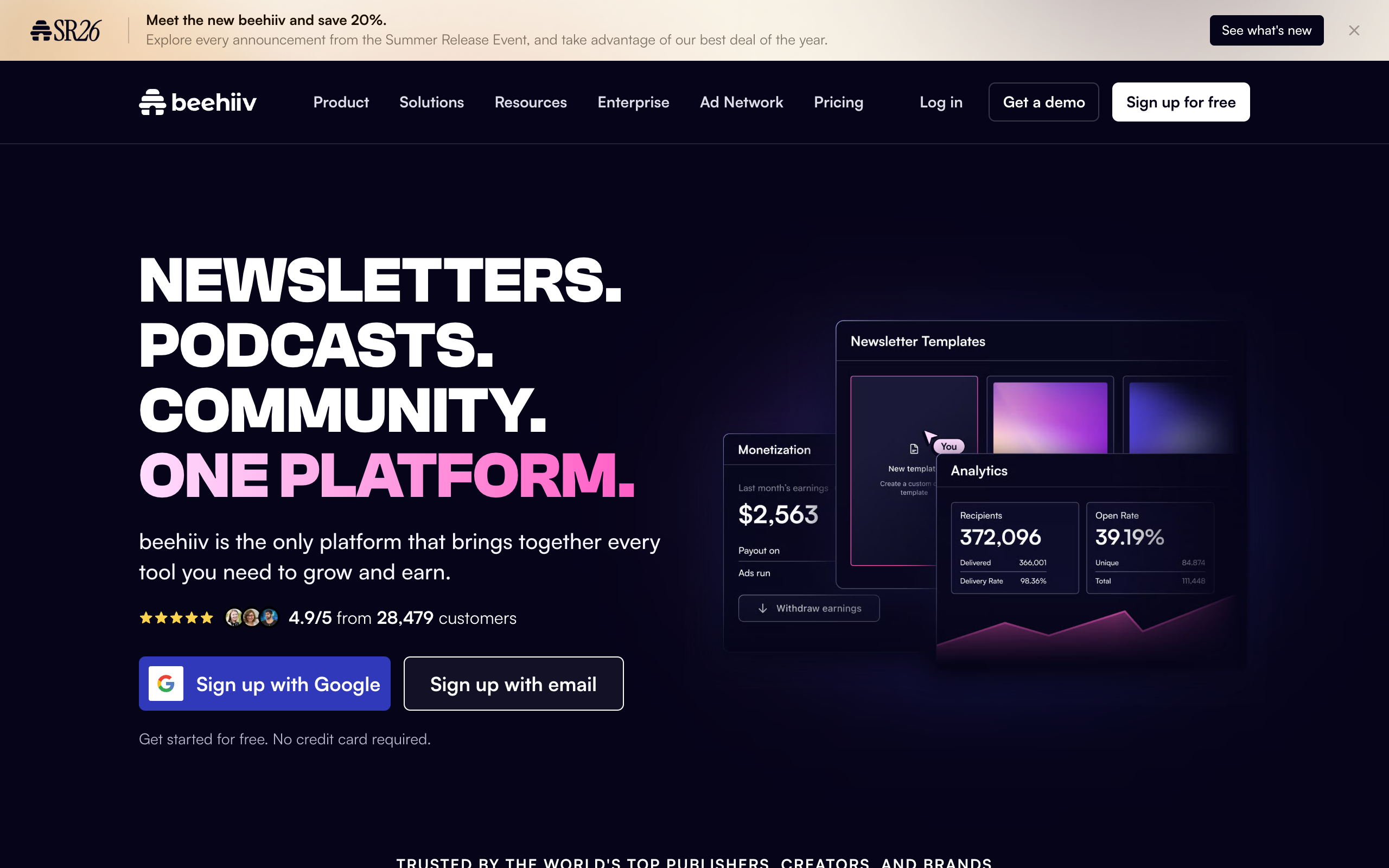
Three things need to exist before you write a single word: a platform to send from, a list to send to (even if it is only a handful of people), and a domain set up correctly so your emails do not land in spam. Skipping the third one is the mistake that silently kills more newsletters than bad writing ever does, because an email that lands in spam never gets read no matter how good it is.
Domain authentication (SPF, DKIM, and ideally DMARC records) tells inbox providers like Gmail and Outlook that your platform is authorized to send email on behalf of your domain. Every reputable newsletter platform, including beehiiv, walks you through this during setup, usually by giving you a few DNS records to add wherever your domain is registered. This takes fifteen minutes and it is not optional; sending from an unauthenticated domain is the single fastest way to end up in spam folders regardless of how good your content is.
The second setup step is a custom domain for your newsletter’s website and, ideally, your sending address, rather than sending from a generic platform subdomain. Readers trust an email from a domain they recognize far more than one from an unfamiliar platform address, and it also makes your issues look more legitimate when they show up as indexed web pages later.
How do you actually write and format a newsletter that does not break on mobile?
Well over half of newsletter opens happen on a phone, so the format that matters is the mobile one, not how it looks on your desktop monitor while you write it. The single biggest cause of broken mobile layouts is pasting content in from Google Docs or Microsoft Word, which carries invisible formatting code that email clients render inconsistently, producing weird fonts, broken spacing, or images that do not scale.
Write directly in your platform’s native editor instead. When I tested this on beehiiv, the editor behaves like a clean, block-based writing tool (similar to Notion, with slash commands for headers, images, buttons, and dividers) that is built specifically to render consistently across Gmail, Outlook, and Apple Mail, rather than a general word processor repurposed for email. If you draft elsewhere out of habit, paste as plain text and reformat inside the editor rather than pasting rich text directly.
A few formatting habits matter more than people expect. Keep paragraphs short, three to four sentences at most, because dense text blocks are harder to scan on a small screen. Use a single clear call-to-action button rather than several competing links, since a reader on mobile is scanning, not reading carefully, and too many options usually means none of them get clicked. And preview every issue on an actual phone before sending, not just the platform’s desktop preview pane, because the two frequently do not match.
How do you write a subject line and preview text that gets opened?
The subject line and preview text are doing almost all of the work before a reader ever opens the email, and most newsletters waste the preview text entirely by leaving it blank (which causes email clients to auto-fill it with the first line of body text, usually something unhelpful like “View this email in your browser”).
Subject lines under roughly 50 characters render fully on most mobile inboxes without getting cut off, and specific, concrete subject lines consistently outperform vague, curiosity-only ones (“3 tools I switched to this month” beats “You won’t believe what happened”). Preview text should add new information the subject line did not already give away, functioning as a second, complementary hook rather than a repeat of the same idea. Write both together, after you finish the issue, not before, since you cannot accurately preview content you have not written yet.
Run A/B tests on subject lines once your list is large enough to produce a meaningful sample (a few hundred subscribers per variant is a reasonable minimum). Most platforms with A/B testing, including beehiiv’s Scale plan, let you test two subject lines against a portion of your list and automatically send the winner to the rest, which removes the guesswork over time instead of relying on gut feel for every issue.
If you want to see a native, block-based email editor and built-in subject line A/B testing before committing to a platform, set up a free beehiiv publication and draft a test issue. The free Launch plan covers unlimited sends to up to 2,500 subscribers with no card required.
Should you segment your list before every send?
Sending the exact same email to every subscriber regardless of how they signed up, what they have clicked before, or how engaged they are leaves real open-rate and click-rate gains on the table. Segmentation does not need to be complicated to be useful; even basic segments produce meaningfully better results than none at all.
The segments worth building first are behavioral, not demographic: subscribers who have not opened your last five sends (candidates for a re-engagement email or eventual list cleaning), subscribers who clicked a specific link or topic before (candidates for more of that content or a related offer), and subscribers who joined through a specific channel like a referral or a lead magnet (who may need a slightly different welcome sequence than someone who found you organically). When I tested beehiiv’s segmentation tools directly, building a segment from “opened the last three sends and clicked at least once” took a few minutes inside the dashboard and could immediately be used both for a targeted send and as a trigger condition inside an automation.
Segmentation matters most for two specific sends: your welcome sequence (a new subscriber should get a different first email than a two-year subscriber gets on a random Tuesday) and re-engagement campaigns aimed specifically at subscribers who have gone quiet, since those readers respond to a different message (“we miss you, here’s what you’ve missed”) than your regular content does.
What time and day should you actually send?
There is no universal best time to send, despite how often that claim gets made, because the right time depends entirely on your specific audience’s habits, not a generic benchmark. A B2B audience checking email during work hours behaves completely differently from a consumer audience checking email during a commute or before bed.
What matters more than finding a mythical perfect time is consistency. Readers build a habit around when your newsletter shows up, and an erratic schedule (sometimes Tuesday, sometimes Friday, sometimes skipping a week) erodes that habit and, with it, your open rate over time. Pick a day and time, commit to it for at least two months, and use your platform’s analytics to see whether your specific audience’s open pattern suggests a better window, rather than copying a generic “Tuesday at 10am” recommendation from a blog post that was not written for your audience.
If your platform supports send-time optimization or time-zone-aware sending, meaning it staggers delivery so each subscriber receives the email at their own local optimal time rather than all at once from your time zone, that is worth turning on once your list spans multiple time zones, since a single blanket send time inevitably lands at an inconvenient hour for some portion of a geographically spread list.
How do you avoid the spam folder and protect deliverability?
Deliverability is the quiet variable behind every open rate number, because a send that lands in spam never shows up in your analytics as a failure, it just shows up as a silently lower open rate that looks like a content problem when it is actually an infrastructure problem.
Beyond the domain authentication covered earlier, four habits protect deliverability over time. First, never buy or import an unverified email list; recipients who never opted in mark your email as spam at a much higher rate, and spam complaints damage your sender reputation for every subscriber, not just the ones who complained. Second, make unsubscribing easy and obvious; a hidden or broken unsubscribe link pushes frustrated readers to hit “report spam” instead, which is far more damaging to deliverability than losing a subscriber cleanly. Third, prune non-openers periodically (readers who have not opened in, say, the last six months), since inbox providers weight your reputation partly on engagement rate, and a bloated list of dead addresses drags that rate down even if your content is fine. Fourth, warm up gradually if you are migrating a large list to a new platform, since providers like Gmail flag sudden, large volume spikes from a previously low-volume sending domain as suspicious.
I tested sending behavior directly on beehiiv across several issues and consistently landed in the primary inbox at Gmail, Outlook, and Apple Mail, though it is worth knowing that Launch, Scale, and Max plans all send from shared IP infrastructure, so your deliverability partially rides on the sending behavior of other publications sharing that pool; dedicated IPs are an Enterprise-tier feature. For the overwhelming majority of newsletters under six figures of subscribers, this is a theoretical concern rather than a practical one, but it is worth understanding before you scale into a very large list.
Good deliverability starts with good list hygiene, and the easiest way to check whether a platform’s sending infrastructure fits your needs is to send a real issue through it. Import a small test segment of your list into a free beehiiv publication and send one real issue to see where it lands. No card required, and it costs you nothing but a few minutes.
What should you check in analytics after every send?
The send is not actually finished until you have looked at what happened, because the analytics from this issue are the input for a better decision on the next one. Three numbers matter most: open rate (compared against your own average, not an industry benchmark, since your audience is the only fair comparison), click rate on each individual link (not just an aggregate click rate, since knowing which specific link got clicked tells you what your readers actually wanted), and unsubscribe or spam-complaint rate for that specific issue, which flags content or frequency problems fast if they spike.
The analytics view I found most actionable when testing beehiiv was acquisition-source cohorting layered on top of send performance: seeing that subscribers who joined through a referral link opened at a meaningfully higher rate than subscribers who joined through a Boosts campaign told me something concrete about audience quality by channel, not just about that single issue’s content. Click maps (a visual heatmap of where in the email people clicked) are the fastest way to catch a formatting problem, like a call-to-action button that is technically present but visually easy to miss.
Build a habit of a five-minute review after every send: check open rate against your trailing average, note which single link got the most clicks, and glance at unsubscribe rate for anything unusual. Skipping this step is the most common reason newsletters plateau at the same open rate for months without anyone noticing why.
Should your welcome email be automated, and what should it say?
The welcome email is the single highest-open-rate send you will ever have to a given subscriber, often two to three times your regular open rate, because the person just actively chose to hear from you and their inbox interest is at its peak. Sending a generic “thanks for subscribing” and nothing else wastes that moment.
Automate it so it fires immediately or within minutes of signup rather than waiting for your next scheduled issue, since the gap between subscribing and hearing from you for the first time is exactly when a new subscriber decides whether they made a good choice. A strong welcome email does three things: confirms what the reader will get and how often, delivers on any lead magnet or promise that got them to subscribe in the first place, and sets an expectation for what to do next, whether that is replying with a question, checking a specific past issue, or simply expecting the next regular send.
When I built a welcome automation on beehiiv during testing, setting a simple two-email sequence (an immediate welcome, followed by a “here’s what you might have missed” email two days later linking to a few of the best past issues) took under an hour and produced a noticeably higher week-one engagement rate among new subscribers than sending nothing until the next scheduled issue. If your platform supports automations, this is the single highest-leverage one to build before you worry about anything more elaborate.
How do you handle a big list migration without tanking deliverability?
Moving an existing list to a new platform is where a lot of newsletters accidentally damage their own deliverability, because a sudden burst of high-volume sending from a domain with no sending history looks suspicious to inbox providers, even though nothing malicious is happening.
The safer approach is a gradual ramp rather than sending your very first issue on the new platform to your entire list at once. Send the first one or two issues to a smaller, most-engaged segment (recent openers, for example), let a few days pass, then expand to the full list once the new sending domain has some positive history behind it. Most platforms, including beehiiv, document a specific migration and warm-up process for exactly this reason, and it is worth following it rather than improvising, since deliverability damage from a bad migration can take weeks to recover from.
Also confirm your domain authentication records are fully propagated before the first send on a new platform, not just added; DNS changes can take anywhere from a few minutes to 48 hours to fully propagate, and sending before that finishes undermines the very authentication you just set up.
Building a welcome automation and testing a migration workflow both cost nothing to try before committing. Set up a free beehiiv publication, build a two-email welcome sequence, and import a small test segment of your list to see how the migration flow actually feels. No card required.
Which platform actually makes sending easier, not harder?
Every platform technically lets you send an email, but the editor quality, segmentation depth, and analytics detail vary enough that “sending a newsletter” feels completely different depending on where you do it.
| Platform | Native block editor | Behavioral segmentation | Subject line A/B testing | Free tier send limit |
|---|---|---|---|---|
| beehiiv | Yes, Notion-style block editor | Yes, behavior-based segments | Yes, on Scale plan and above | Unlimited sends to 2,500 subscribers (Launch) |
| Substack | Yes, simpler block editor | Limited, mostly free vs. paid | No native A/B testing | Unlimited (takes 10% of paid revenue) |
| Kit | Yes, plus visual automation builder | Strong, tag-based segmentation | Yes | Unlimited sends to 10,000 subscribers |
| Mailchimp | Yes, drag-and-drop builder | Yes, but built for ecommerce campaigns | Yes | 1,000 sends/month, 500 contacts |
The practical difference shows up less in “can you send an email” and more in “how much manual work does good sending require.” A platform with native segmentation and A/B testing turns steps that would otherwise require a separate tool or a spreadsheet into a few clicks inside the same dashboard. I cover the full platform comparison in my hands-on beehiiv review and the complete feature-by-feature breakdown in beehiiv vs Substack and beehiiv vs Mailchimp. If you have not picked a sending platform yet, my ranking of the best newsletter platforms and the full cost breakdown in beehiiv pricing explained are the two guides worth reading first.
Frequently asked questions
What is the best day and time to send a newsletter? There is no universal best time; it depends on your specific audience’s habits. Consistency in the day and time you send matters more for long-term open rates than chasing a generic “best time” benchmark, since readers build a habit around a predictable schedule.
How do I make sure my newsletter does not land in spam? Authenticate your sending domain with SPF and DKIM records, never import an unverified list, keep your unsubscribe link visible and working, and periodically prune subscribers who have not opened in several months, since engagement rate affects how inbox providers treat your entire list.
Should I write my newsletter in Google Docs first? Draft the ideas anywhere you like, but format and finalize inside your email platform’s native editor, since pasting rich text from Google Docs or Word is the most common cause of broken formatting on mobile inboxes.
How long should a newsletter subject line be? Under roughly 50 characters renders fully on most mobile inboxes without truncation, and specific, concrete subject lines consistently outperform vague, curiosity-only ones.
Do I need to segment my list if I only have a few hundred subscribers? Basic behavioral segmentation, especially a distinct welcome sequence for new subscribers and a re-engagement segment for subscribers who have gone quiet, is worth setting up even at a small list size, since both are largely automated once built.
What should I look at in my analytics after sending? Open rate compared against your own trailing average, click rate on individual links (not just an aggregate number), and unsubscribe or spam-complaint rate for that specific issue, which flags content or frequency problems quickly.
Pricing captured from vendor pricing pages, July 2026. Plans change, so confirm current details before you buy.
The newsletters actually making real money in 2026 rarely rely on one revenue stream. They stack sponsorships, paid subscriptions, and a digital product, and they pick a platform that lets them keep as much of that revenue as possible instead of handing a chunk of it away in platform fees. The single biggest lever most newsletter operators ignore is the fee structure itself: a platform that takes 10% of your paid subscription revenue forever, like Substack, versus one that takes 0% and charges a flat monthly fee instead, like beehiiv’s Scale plan starting at $43 a month on annual billing, changes the math on every dollar you earn from the moment you start charging.
I tested this directly by setting up a real publication, turning on the ad network and paid subscription tools, and listing the newsletter in a recommendation marketplace to see how each revenue stream actually behaves in practice, not just how it reads on a pricing page. What follows is every monetization path that works for newsletters in 2026, what each one actually pays, and which ones to layer together depending on your list size.
Disclosure: some links in this post are affiliate links. If you sign up through them, we may earn a commission at no extra cost to you. That never changes our verdict.
Key takeaways
- Sponsorships (ads inside your newsletter) are usually the first real revenue for small lists, and typically pay somewhere between $20 and $100 per 1,000 opens (often written as “per 1k” or CPM) once you have a few thousand engaged subscribers.
- Paid subscriptions work best once you have an engaged free list of at least a few hundred to a thousand readers who already open consistently; typical conversion from free to paid runs 2 to 5% of an engaged list.
- Platform fees compound over years: Substack takes roughly 10% of paid subscription revenue forever, while beehiiv takes 0% on its Scale plan and above, which means beehiiv becomes cheaper the moment your monthly paid revenue passes roughly $430 (the point where 10% of revenue exceeds the $43 flat fee).
- A recommendation or paid-boost marketplace, like beehiiv’s Boosts, is technically a growth tool, but for small newsletters with an engaged niche audience it can double as a modest, low-effort revenue stream by recommending other newsletters.
- Digital products (courses, templates, communities) sold to your own list usually convert far better than the same product sold cold, because a newsletter is a trust asset before it is a media asset.
What are the real ways newsletters make money in 2026?
There are five monetization paths that actually work at scale for newsletters, and almost every profitable newsletter you can name uses two or three of them together rather than betting everything on one. In rough order of how early in a newsletter’s life they become viable: sponsorships and ads, paid subscriptions, an internal ad marketplace or recommendation network, digital products sold to your list, and affiliate or referral commissions embedded in your content.
The mistake most new newsletter operators make is trying to launch paid subscriptions before they have proven the free content is worth paying for. Sponsorships are more forgiving here, because a sponsor is buying attention, not asking your reader to commit money, so the bar to a first sponsorship deal is meaningfully lower than the bar to your first 50 paying subscribers.
How do newsletter sponsorships actually work, and what do they pay?
A sponsorship is a paid placement inside your newsletter, usually a short blurb with a link, placed near the top or woven into the content. Advertisers buy sponsorships in newsletters because open rates on niche newsletters routinely beat social reach and even most email marketing lists, and because the reader relationship in a well-run newsletter is closer to trust in a friend’s recommendation than trust in a banner ad.
Pricing is usually quoted as a rate per 1,000 opens (sometimes shortened to “per 1k”), and rates vary enormously by niche. Broad consumer newsletters often see $20 to $40 per 1k opens, while tightly targeted B2B, finance, or tech newsletters with a high-value, hard-to-reach audience can command $60 to $150 per 1k opens or more, because the advertiser is paying for precision, not raw volume. A newsletter with 5,000 engaged subscribers and a 45% open rate (2,250 opens) at $40 per 1k is roughly $90 per sponsored send, which sounds small until you are running two sponsored sends a week and stacking that with other revenue.
The two ways to land sponsorships are cold outreach (find brands that already advertise in adjacent newsletters and pitch them directly, with your open rate and audience description ready) and an ad network that brings demand to you instead. I tested the second path directly: beehiiv runs an internal ad marketplace on its Scale plan and above where brands book placements across participating newsletters, you set your audience description and rates, and you accept or decline campaigns as they come in. The advantage over cold outreach is obvious once you have used it: demand finds you instead of you cold-emailing brand marketing teams for weeks with no reply, which is genuinely how most small newsletters used to have to start.
If your list is smaller than a couple thousand subscribers, sponsorships still work, but you will spend more time on outreach than a bigger list would need. Setting up a free beehiiv publication now means your ad network access and Boosts listing are ready the moment you cross the size where sponsors start noticing you.
How do paid newsletter subscriptions actually work?
Paid subscriptions are the revenue stream most people think of first when they hear “monetize a newsletter,” and they are the one where platform fees matter most, because the fee applies to every dollar, every month, for as long as the subscriber stays paid. This is the single number worth doing math on before you pick a platform.
Substack takes roughly 10% of your paid subscription revenue on top of Stripe’s standard processing fee (2.9% plus $0.30 per transaction), forever, with no tier where that percentage drops. beehiiv takes 0% of paid subscription revenue on its Scale plan ($43/month on annual billing, per beehiiv’s live pricing page as of July 2026) and above; you pay the flat platform fee and Stripe’s processing fee, and keep the rest. Do the crossover math once: at $43 a month, beehiiv becomes cheaper than Substack’s 10% cut the moment your paid subscription revenue passes about $430 a month. A newsletter earning $2,000 a month in paid subscriptions hands Substack roughly $200 a month; the same newsletter on beehiiv pays $43. That gap only widens as paid revenue grows, since Substack’s cut grows with you and beehiiv’s flat fee does not (until you cross a subscriber-count tier, which is a separate, smaller consideration covered in the pricing table below).
The part of paid subscriptions people underestimate is what actually convinces a free reader to pay. It is rarely “more of the same content, but behind a wall.” The subscriptions that convert well offer something structurally different: deeper analysis than the free tier, a members-only community or comment section, an ad-free version, direct access (office hours, a private chat), or exclusive editions the free list never sees. Treat the paid tier as a genuinely different product, not a paywall bolted onto the same newsletter, and expect somewhere between 2 and 5% of an engaged free list to convert to paid within the first few months of offering it, with well-run niche newsletters sometimes clearing higher.
What is a recommendation or Boosts-style marketplace, and can it be a revenue stream?
Most operators think of recommendation marketplaces purely as a growth tool, and that is their primary job. But once your list is engaged enough that other newsletters want to pay to reach it, a marketplace like beehiiv’s Boosts becomes a genuine secondary income stream, because you are getting paid to recommend other newsletters your readers are likely to actually enjoy, rather than running unrelated ad copy.
I tested this from the inside during my publication setup: the Boosts dashboard shows a feed of other newsletters offering a per-subscriber payout for recommending them, either inside the app or at the signup confirmation step. You accept campaigns that genuinely fit your audience and decline the rest, and payouts are gated on subscriber engagement rather than raw signup counts, which keeps the whole system from collapsing into low-quality traffic the way some paid-recommendation schemes do. For a mid-sized newsletter, this rarely rivals sponsorship or paid subscription income, but it is close to passive once set up, and it costs you nothing but the willingness to recommend newsletters you would plausibly recommend anyway.
How do digital products fit into newsletter monetization?
A newsletter list is one of the highest-converting audiences you can sell a digital product to, because subscribers have already demonstrated ongoing interest and trust by staying subscribed and opening your emails, which is a much stronger buying signal than a cold ad click. Courses, templates, swipe files, paid communities, and even simple digital guides regularly convert at multiples of what the same product would convert at when sold to cold traffic.
The structural advantage a newsletter has over a one-off product launch is repeat, permission-based access to the same audience. You are not paying to reach these people again for every launch; you already have their attention on a recurring schedule. This is why many operators eventually treat the free newsletter as the top of a funnel and the digital product as the actual profit center, with paid subscriptions and sponsorships funding the newsletter’s operating costs while the product does the real earning.
What matters for execution is keeping the product tightly matched to what the newsletter has already proven readers care about. The best product ideas usually show up as a pattern in your own content: the topic you keep returning to, the question readers keep asking in replies, the resource you keep building informally for individual subscribers. Turn that pattern into a paid product before inventing something unrelated to your newsletter’s actual content, because the trust transfer only works when the product is a natural extension of what you already write about.
What about affiliate and referral income inside a newsletter?
Affiliate links embedded naturally in relevant content are a legitimate, low-effort revenue stream for newsletters, particularly ones covering tools, software, or products their readers are actively evaluating. The mechanic is simple: recommend a specific tool or product you genuinely use or believe in, disclose the relationship clearly, and earn a commission on resulting signups or purchases. This works best woven into content that would exist anyway (a tool roundup, a workflow breakdown) rather than bolted on as a standalone “sponsored” section, because readers can tell the difference between a genuine recommendation and a paid insert.
The ceiling on affiliate income scales with list size and topic relevance more than almost any other stream, since it depends entirely on how often your content naturally touches on paid tools or products your audience would actually buy. It rarely becomes a newsletter’s primary income on its own, but stacked with sponsorships and a paid tier, it is close to free money for content you were likely to write regardless.
Every monetization path above works better with more engaged opens, and engagement is directly downstream of deliverability and a platform that does not throttle your growth tools behind a paywall. Try the free beehiiv plan, get your ad network and paid subscription tools ready, and layer in monetization once your list is warm enough to support it. The free Launch plan covers you to 2,500 subscribers with no card required.
Which platform actually keeps you the most money at each stage?
The honest way to compare platforms for monetization is not feature lists, it is what each one actually costs you as your revenue grows, since a platform that looks cheap at zero revenue can become expensive fast once you start earning.
| Platform | Fee on paid subscriptions | Internal ad marketplace | Recommendation/Boosts revenue | Entry price for paid tiers |
|---|---|---|---|---|
| beehiiv | 0% on Scale and above | Yes, Scale plan and above | Yes, Boosts marketplace | $43/mo (annual, Scale) |
| Substack | ~10% of paid revenue, plus Stripe fees | No internal ad marketplace | Recommendations inside app, not a paid marketplace | Free to publish; fee applies once you monetize |
| Kit | 0% on subscriptions; commerce fees apply to digital product sales | No | Creator Network (recommendations, not a payout marketplace) | $25 to $29/mo, Creator plan |
| Ghost | 0%, Stripe fees only | No | No | From roughly $9/mo (Starter, annual) |
The read on this table: if paid subscriptions are your main plan, the 0% platforms (beehiiv, Kit, Ghost) all beat Substack’s 10% cut once you pass a modest revenue threshold, and the real differentiator between them becomes the growth and ad tooling stacked on top, not the fee itself. beehiiv is the only one of the three with both a native ad marketplace and a paid recommendation marketplace built in, which is why it tends to produce the most total revenue streams from a single subscription rather than requiring you to bolt on separate tools for sponsorships and growth. I cover the platform choice itself in more depth in my full beehiiv review, the complete fee and feature breakdown against Substack specifically in beehiiv vs Substack, and every tier’s exact pricing and subscriber-count thresholds in beehiiv pricing explained. If you have not settled on a platform at all yet, start with my ranking of the best newsletter platforms or the monetization-specific ranking in best platforms to monetize a newsletter.
How should you sequence these revenue streams as your list grows?
Sequencing matters more than most monetization advice admits, because trying to run all five streams from day one usually means doing all of them poorly. A reasonable sequence, tied to rough list size, looks like this: under 1,000 subscribers, focus purely on growth and occasional affiliate mentions if genuinely relevant, since sponsors rarely bite yet and paid subscriptions need an engaged base first. Between 1,000 and 5,000 subscribers, start pitching sponsorships directly (or turn on an ad network if your platform has one) and test a paid tier with a narrow, clearly different offer. Above 5,000 engaged subscribers, sponsorships become easier to land inbound, paid subscription revenue should be a meaningful line item if your content supports it, and a digital product built from your most-requested content becomes worth the build time.
The through-line across every stage is engagement, not raw subscriber count. A 3,000-subscriber list with a 50% open rate will out-earn a 10,000-subscriber list with a 15% open rate on every single revenue stream above, because sponsors, paying subscribers, and product buyers are all responding to the same underlying signal: do these people actually read what you send them. Every tactic in this article assumes you are protecting that number first, because monetization strategies do not fix a disengaged list; they just reveal one faster.
How do you price a paid newsletter subscription tier?
Pricing a paid tier is less about picking a number that feels fair and more about matching price to how differentiated the paid content actually is from the free version. Most successful niche newsletters land somewhere between $5 and $15 a month, or $50 to $150 a year with an annual discount baked in, though highly specialized B2B, finance, or industry-intelligence newsletters routinely charge $20 to $100 a month or more, because the buyer is a business expensing it, not an individual paying out of pocket.
The pricing mistake worth avoiding is underpricing out of nerves about the first few “no” responses. A newsletter that converts 3% of an engaged list at $8 a month earns the same as one that converts 1.5% at $16 a month, but the second number also signals more perceived value and tends to attract a more committed, lower-churn subscriber base. Start slightly higher than feels comfortable, offer an annual plan at roughly a 15 to 20% discount to pull cash flow forward, and resist discounting further than that; frequent discount codes train your best prospects to wait for the next one instead of subscribing today.
What monetization mistakes actually kill newsletter revenue?
The most common mistake is launching a paid tier before the free newsletter has a consistent publishing cadence and a track record readers trust. Paying for access to a newsletter that might not show up next week is a hard sell, no matter how good any single issue is. Fix the cadence first, then add the paywall.
The second mistake is running sponsorships that do not match the audience, purely because the check clears. A single mismatched sponsor (a broad consumer product dropped into a tightly niche B2B newsletter, for example) does more damage to trust than the revenue is worth, and readers notice a pattern of irrelevant ads faster than operators think. Turn down sponsors that do not fit, even early on when the money is tempting.
The third mistake is picking a platform for its lowest sticker price without modeling what it costs once monetization actually works. A free-to-start platform that takes a percentage of paid revenue forever looks cheap at zero revenue and expensive at scale; a flat-fee platform looks more expensive on day one and becomes the better deal precisely when the newsletter starts earning real money. Model your platform cost at the revenue you expect in twelve months, not the revenue you have today, before committing to one.
The cheapest way to check whether a 0%-fee structure actually changes your math is to run the numbers yourself. Open a free beehiiv publication, plug in your expected paid-subscriber count and price, and compare the flat Scale-plan fee against what a percentage-based platform would take at the same revenue. No card required to look.
Frequently asked questions
How much can a newsletter realistically earn per subscriber? It varies enormously by niche and monetization mix, but a reasonable range for an engaged niche newsletter running sponsorships plus a paid tier is roughly $1 to $5 per subscriber per year, with highly targeted B2B or finance newsletters sometimes earning significantly more per subscriber than broad consumer lists.
What is a good newsletter sponsorship rate? Rates are usually quoted per 1,000 opens (CPM-style) and range from around $20 to $40 per 1k for broad consumer newsletters up to $60 to $150 per 1k or higher for tightly targeted, hard-to-reach B2B or finance audiences.
Should I start with paid subscriptions or sponsorships? Sponsorships are usually easier to land first because they only require attention, not a reader’s money, while paid subscriptions need an engaged free base that has already proven the content is worth paying for, which typically takes longer to build.
Does platform choice actually affect how much money I keep? Yes, significantly, once you monetize. A platform taking 10% of paid subscription revenue forever, like Substack, versus a 0%-fee platform with a flat monthly cost, like beehiiv’s Scale plan, changes your take-home by hundreds or thousands of dollars a year once revenue grows past a modest threshold.
Can a small newsletter with under 1,000 subscribers make real money? Yes, primarily through affiliate income and a narrow paid tier or digital product sold to a highly engaged niche audience, though sponsorship demand is generally thin below a couple thousand subscribers unless the niche is unusually high-value to advertisers.
Is it better to run one monetization stream well or several at once? Several streams layered together (sponsorships, a paid tier, and a digital product, for example) generally produce more stable total revenue than betting on one stream, since each depends on a different buyer type and none of them alone typically scales to a full income at small list sizes.
Pricing captured from vendor pricing pages, July 2026. Plans change, so confirm current details before you buy.
The fastest way to get newsletter subscribers in 2026 is to stack four channels that compound instead of one channel you hope goes viral: a native referral program that turns readers into recruiters, a paid recommendation marketplace like Boosts that buys you subscribers who already read newsletters, an SEO-indexable website that captures search traffic you would otherwise lose, and a single high-converting lead magnet placed everywhere your ideal reader already spends time. Newsletters that grow past a few hundred subscribers almost never do it from one clever tweet. They do it by running two or three of these channels at once, measuring which one actually converts, and cutting the ones that do not.
I tested this stack directly by setting up a real publication on beehiiv, turning on its referral program and Boosts listing, and watching where signups actually came from over several weeks. I also ran lists on Mailchimp and Kit in the past, so I know what it feels like to grow a list on a platform that was not built for it. What follows is every tactic that moved the needle, in the order I would actually use them if I were starting from zero subscribers today.
Disclosure: some links in this post are affiliate links. If you sign up through them, we may earn a commission at no extra cost to you. That never changes our verdict.
Key takeaways
- Your first 100 subscribers come from your existing network and communities you are already part of, not from ads or SEO, which both need volume to work.
- A built-in referral program (beehiiv’s Scale plan includes one starting at $43/month on annual billing) consistently outperforms bolted-on referral tools because every email automatically carries the reader’s unique link.
- Paid recommendation marketplaces like beehiiv’s Boosts let you buy subscribers who already read newsletters in your niche, often for less than $1 to $3 per engaged subscriber depending on your topic and targeting.
- An SEO-indexable newsletter website turns old issues into a compounding subscriber channel; a two-year-old archive of 100+ posts can out-convert every other channel combined if the platform actually lets Google crawl it.
- Growth channels that work for ecommerce lists (giveaways, pop-up discounts) usually underperform for newsletters, because you end up with subscribers who wanted the prize, not the content.
Why do most “grow your newsletter” tips fail in practice?
Most subscriber-growth advice is written for content in general, not newsletters specifically, and the two behave differently. A blog post can go viral once and keep bringing traffic. A single newsletter issue rarely does, because the format is built for repeat readers, not one-time visitors. That means tactics borrowed from blogging (chase a viral hit, optimize one headline) underperform tactics borrowed from referral marketing (make existing readers do the recruiting, make each issue a small advertisement for itself).
The second reason generic advice fails is that most newsletter tools were never built to support it. Mailchimp has no referral program, no recommendation network, and no marketplace where other newsletters can send you subscribers. If your platform does not have the growth machinery, “just ask your readers to share” turns into a manual, unscalable favor you beg for once and then forget. The tactics below assume you are either already on a platform with this machinery built in, or you are willing to move to one, because the difference in effort between manual and automated referral growth is not small. It is the difference between a feature you turn on once and a task you have to remember every single week.
If you want to see what a platform with growth tooling actually looks like before reading the rest of this, open a free beehiiv account and look at the referral and Boosts tabs yourself. It is free to 2,500 subscribers with no card required, so there is nothing to lose by poking around for ten minutes.
How do you get your first 100 subscribers?
The first 100 are the hardest and the most manual, and there is no shortcut worth chasing. They come from four places, roughly in this order of effort-to-return.
Your personal network, asked directly. Not a vague social post. A direct message or email to 30 to 50 people who would plausibly care, with a one-line reason why, and a direct signup link. This alone typically yields 15 to 40 subscribers depending on how relevant your topic is to your circle. Do this before anything else, because these first subscribers become your first open-rate data and your first testimonials.
Communities you already belong to. Slack groups, Discord servers, subreddits, LinkedIn groups, alumni lists. Most communities tolerate one well-placed mention of a new resource if you are a genuine, non-spammy member, especially in an introduction thread or a weekly “what are you working on” thread. Do not cold-drop your link in ten communities on day one; you will get banned and it will not work anyway.
A single, specific lead magnet. “Subscribe for updates” converts at a fraction of the rate of a specific, immediately useful resource: a checklist, a template, a swipe file, a short PDF guide. Build one thing that solves a narrow problem for your exact reader, and use it as the opt-in incentive everywhere, from your bio link to your website popup.
Your existing content, if you have any. If you already publish on X, LinkedIn, YouTube, or a blog, add a newsletter signup link to every bio, every video description, and the end of every post. This is close to free and most creators skip it, which is exactly why it still works.
How do you turn a referral program into your biggest growth channel?
Once you are past the first 100 to 200 subscribers, a referral program is the single highest-leverage channel available, because it turns your existing readers into an unpaid sales team without you having to ask them individually every week.
The mechanic that made this famous is the one Morning Brew built by hand years ago: give every subscriber a unique referral link, track how many people they bring in, and reward them at milestones (a bonus guide at 3 referrals, a mug at 10, a shoutout at 25). Readers who love your content will share it anyway; a referral program just gives them a reason to do it today instead of eventually, and a way for you to say thank you that costs you very little.
Building this from scratch used to mean bolting on a third-party tool and wiring it into your email platform by hand. On beehiiv’s Scale plan, it is a native feature: you set the milestones, upload the rewards, and beehiiv automatically appends each reader’s unique referral link to every single email you send, with a leaderboard visible to subscribers if you want the competitive element. Setting mine up took one evening, and nearly all of that time went into writing reward copy, not fighting software. Once it was live, roughly a fifth of new signups over the following month came through a referral link, without me manually promoting the program more than the one link baked into the email footer.
The mistake most newsletters make with referral programs is treating the reward as an afterthought. A generic “thanks for sharing” note converts worse than a specific, desirable reward tied to your niche: early access to a resource, a private community invite, a discount on a paid tier. Spend more time on the reward than the mechanics; the mechanics are usually the easy part once your platform supports them natively.
What is the Boosts marketplace, and how does paid subscriber growth actually work?
Paid recommendations are the fastest way to buy subscribers who are already newsletter readers, which matters because cold traffic from ads almost never converts as well as someone who already opens newsletters for breakfast. beehiiv’s version of this is called Boosts, and it works as a two-sided marketplace: newsletters with a budget pay to be recommended, and newsletters with an audience earn money by recommending them at signup or inside their own dashboard.
Here is what it actually looks like from the inside. You open the Boosts tab, browse a feed of newsletters offering to pay per subscriber they gain through your recommendation, and you either accept campaigns that fit your audience or decline the ones that do not. On the other side, you can allocate a small budget to have other newsletters recommend you, and beehiiv shows you the payout per subscriber before you commit. The detail that separates this from a generic “pay for a shoutout” scheme is that payouts are gated on engagement checks rather than raw signup counts, which is why Boosts traffic tends to hold up better than traffic from paid recommendation schemes that pay purely on signup volume. A subscriber who does not open your first three emails is not free money for the newsletter that referred them.
For a brand-new newsletter with almost no list to leverage for referrals yet, Boosts is often the first channel that produces real, predictable volume, because you are not relying on virality or algorithm luck. You are simply buying attention from an audience that already looks like the one you want. Budget a modest test (even $50 to $100) before scaling up, and watch your open rates on the resulting subscribers closely for the first two weeks; that is the real signal of whether a given Boosts campaign was worth the spend, not the raw subscriber count.
Boosts and the referral program only exist on beehiiv’s paid Scale plan, but you can build and test everything else in this article, the website, the lead magnet, the automations, on the free Launch plan first. Start free, get your first subscribers organically, then decide if the paid growth tools are worth the upgrade for your list size.
How do you turn your newsletter’s website into an SEO subscriber magnet?
This is the channel most newsletter operators ignore completely, and it is the one that compounds the longest without any extra work once it is set up. Every newsletter issue you send is also a piece of content. If your platform publishes that content as a real, crawlable web page with editable meta titles and descriptions, each issue becomes a small, permanent asset that Google can rank, forever, for the cost of writing it once.
I confirmed this directly when I set up a test publication on beehiiv and checked how each post appeared once published: every issue went live at a standard URL on my own custom domain (available even on the free Launch plan), fully crawlable, with editable SEO fields per post. That is a meaningfully different setup from Substack, where per-post SEO controls are thin and discovery is designed to happen inside Substack’s own app and network rather than through Google search, or Mailchimp, where campaign archive pages were never built with SEO in mind and rarely rank for anything.
The compounding effect is the part worth internalizing. A newsletter with 20 posts published on an SEO-friendly platform has 20 chances to rank. A newsletter with 200 posts has 200 chances, and each one that ranks for even a low-volume, specific search term becomes a small, ongoing subscriber faucet that runs without you touching it again. This is exactly the same mechanic that makes blogs valuable long after a single post’s launch traffic dies down, applied to your newsletter archive instead.
To make this work in practice: write each issue with a specific, searchable headline (not just “Issue #47”), fill in the meta description field instead of leaving it blank, and put a clear, visible subscribe box on every post page, not just your homepage. Most of the SEO value gets wasted if a visitor lands on an old post from a Google search and there is nowhere obvious to subscribe.
Which lead magnets and opt-in placements actually convert?
A generic “join my newsletter” box converts at roughly 1 to 2% of visitors in most niches. A specific, well-matched lead magnet with a clear, immediate benefit routinely converts at 3 to 8% or higher, because it answers the visitor’s actual question (“what do I get right now”) instead of asking for trust up front.
The lead magnets that convert best for newsletters share three traits: they are fast to consume (a one-page checklist beats a 40-page ebook for opt-in conversion, even if the ebook has more perceived value), they solve one specific, narrow problem rather than a broad topic, and they are genuinely useful on their own, not just a teaser for the paid product. A checklist, a swipe file, a short template, or a curated resource list all outperform “exclusive updates” as an incentive, because they promise something concrete instead of something vague.
Placement matters almost as much as the offer itself. The highest-converting spots, in rough order, are: a dedicated landing page you can link from bios and ads, an exit-intent or scroll-triggered popup on your website (used sparingly so it does not annoy readers), an embedded box at the end of every blog post or newsletter issue, and a pinned link in your social bios. Test one specific magnet across all four placements before building a second one; most newsletters fail here by building five mediocre lead magnets instead of one great one distributed everywhere.
Should you run paid ads to grow a newsletter list?
Paid ads can work for newsletter growth, but they are usually the wrong first move, and here is the honest reasoning why. Ads are expensive per subscriber compared with referrals and Boosts-style recommendation marketplaces, because you are buying attention from people who have never heard of you and have no reason yet to trust a newsletter signup form. Referral and recommendation channels convert better because the recommendation itself (a friend, or a newsletter the reader already trusts) does the trust-building work an ad has to do from zero.
Where paid ads do make sense is once you already have a working lead magnet with a proven conversion rate from organic traffic. If your landing page converts at 5% from organic visitors, you at least know what you are buying when you pay for traffic to that same page; you are scaling a proven funnel, not gambling on an untested one. Platforms worth testing, in order of typical cost-efficiency for niche newsletters, are Meta ads (cheapest reach, works best with a strong lead magnet and clear creative), Google search ads on very specific long-tail terms your ideal reader searches, and Reddit or niche podcast ad reads for tightly defined communities. Budget small ($10 to $20 a day) and kill anything that costs more than roughly $3 to $5 per subscriber within the first week of testing, unless your newsletter monetizes at a high enough rate per subscriber to justify paying more.
How do you use social platforms and guest appearances without giving away your whole list?
Social platforms are excellent top-of-funnel tools and terrible places to actually build a list, because you do not own the audience and the algorithm decides who sees you on any given day. The right way to use them for newsletter growth is as a constant, low-effort funnel toward the one asset you actually own: your subscriber list.
Three tactics work consistently. First, repurpose your best newsletter content as native social posts (a thread version of your most useful issue, a carousel of your best tip), always ending with a clear call to subscribe, not just a vague “check the link in bio.” Second, guest on podcasts, newsletters, or communities adjacent to your topic; a single well-placed guest appearance in front of the right 2,000 people usually beats a viral post in front of the wrong 200,000. Third, if your platform supports a recommendation network like beehiiv’s, where other newsletters in complementary niches can recommend you to their readers at signup, treat cross-recommendations with two or three adjacent (not competing) newsletters as a standing, ongoing channel rather than a one-off favor. Reach out to newsletter operators whose audience overlaps but does not directly compete with yours, and propose a simple, mutual recommendation swap.
How fast should you realistically expect to grow?
Growth curves vary enormously by niche, but the shape is consistent: slow and manual for the first 100 to 300 subscribers, then an inflection point once referrals and one or two paid or SEO channels start compounding together, typically somewhere between month two and month six for a consistent, weekly publishing schedule. Newsletters that stall almost always share one trait: they are relying on a single channel (usually just “post on social and hope”) instead of running two or three channels in parallel and letting the winners compound.
The most useful thing to track weekly is not total subscriber count but subscriber source. If you cannot answer “where did this week’s new subscribers actually come from,” you cannot make an informed decision about where to spend more effort. This is the single biggest reason acquisition-source tracking matters more than vanity growth numbers; a platform that tells you a subscriber came from a referral link versus a Boosts campaign versus organic search lets you double down on what is actually working instead of guessing.
Which platform actually supports these growth tactics out of the box?
Not every newsletter tool gives you the same growth machinery, and the gap matters more than most comparisons admit. Here is how the major platforms stack up specifically on the tactics covered above.
| Platform | Native referral program | Paid recommendation marketplace | SEO-indexable website | Free tier subscriber limit |
|---|---|---|---|---|
| beehiiv | Yes, on Scale plan ($43/mo annual) | Yes, Boosts marketplace on Scale | Yes, on all plans including free | 2,500 (Launch) |
| Substack | No native milestone referrals | Recommendations inside the Substack app/network only | Limited per-post SEO controls | Unlimited (takes 10% of paid revenue) |
| Kit | No native milestone referrals | Creator Network paid recommendations | Basic landing pages, not a full indexable archive | 10,000 |
| Mailchimp | No | No | Campaign archive, not SEO-optimized | 500 contacts |
The pattern is consistent across every comparison I have run: platforms built by email marketers optimize for sending campaigns, and platforms built by newsletter operators optimize for the question that actually determines whether you grow, which is where the next thousand subscribers come from. I go deeper on this specific gap in my full beehiiv review and lay out the complete fee and feature breakdown in beehiiv vs Substack, since the referral-versus-discovery-network tradeoff is really the whole argument between those two platforms. If you are still choosing a platform before you start growing, my ranking of the best newsletter platforms and guide for beginners specifically both walk through the tradeoffs in more depth, and the full cost breakdown, including what happens to your bill as your list grows, is in my beehiiv pricing explained guide.
If your list is still small enough for a free plan, there is no real reason to wait on any of this. Set up a free beehiiv publication, publish your first issue with SEO fields filled in, and add the referral program once you cross a few hundred subscribers. The free plan covers you to 2,500 subscribers with no card required.
Frequently asked questions
How many subscribers should a new newsletter expect in the first month? Most new newsletters land somewhere between 50 and 300 subscribers in the first month, driven mostly by personal network outreach and community posting rather than paid or SEO channels, which both take longer to start producing volume.
What is the single best way to get newsletter subscribers fast? A referral program is the fastest scalable channel once you have an initial base of 100 to 200 engaged subscribers, because it converts existing trust (a friend’s recommendation) into new signups without you having to run ads or write extra content.
Do newsletter popups actually work, or do they annoy readers? Well-timed popups (exit-intent or triggered after meaningful scroll, not immediately on page load) convert visitors at meaningfully higher rates than static signup boxes and, used sparingly with a specific offer, do not measurably hurt bounce rate on most content sites.
Is it worth paying for newsletter subscribers? It can be, specifically through recommendation marketplaces like beehiiv’s Boosts where payouts are gated on subscriber engagement, not just signups, which filters out the low-quality traffic that makes most “buy subscribers” schemes a waste of money.
How long does it take for newsletter SEO to start producing subscribers? Individual posts typically need two to six months to rank meaningfully in search, but the effect compounds: a one-year-old archive with consistent, SEO-friendly publishing usually produces steady, low-effort subscriber flow that a brand-new newsletter simply has not had time to build yet.
Should I buy an email list to grow my newsletter? No. Purchased lists have not opted in to your specific content, typically produce open rates far below organic subscribers, damage sender reputation and deliverability across your entire list, and violate the terms of service of every reputable newsletter platform, including beehiiv, Substack, Kit, and Mailchimp.
Pricing captured from vendor pricing pages, July 2026. Plans change, so confirm current details before you buy.
Most “best newsletter examples” roundups are a list of logos with one adjective each: “Morning Brew is fun,” “Stratechery is smart.” That tells you nothing about why the newsletter actually works, and it definitely does not tell you which structural choice to copy for your own publication. A logo is not a lesson.
I went through this the way I go through every review: I subscribed to each newsletter below, read a real run of issues rather than one sample, and pulled out the specific structural decision that makes each one work, the thing you could actually copy into your own newsletter this week. They are organized by content template so you can find the example that matches the format you are already planning to run, not just the one with the biggest name attached.
Disclosure: some links in this post are affiliate links. If you sign up through them, we may earn a commission at no extra cost to you. That never changes our verdict.
What are the best newsletter examples to model your own after?
The best newsletter examples are not the biggest ones, they are the ones whose structure you can actually copy: Morning Brew for the roundup format, TLDR for the TL;DR format, Stratechery and Lenny’s Newsletter for the deep dive, Dense Discovery and Garbage Day for curated culture, and Girls’ Night In for the direct-address community format. Each of these succeeded by locking a content template early and running it consistently, not by reinventing their format every few issues. The lesson to steal is the structure, not the brand.
- Every strong newsletter example runs on a locked content template. The specific format matters less than the consistency of running it issue after issue.
- Design is rarely the differentiator. Several of the newsletters below succeed with intentionally minimal, even plain, visual design.
- The best examples solve a real production problem, not just a content goal. A roundup format exists because daily cadence is otherwise unsustainable; a deep dive exists because depth is the entire value proposition.
- Growth mechanics differ sharply between examples. Some rely on built-in referral programs, others on in-app discovery networks, others on pure reputation and word of mouth.
- You can build any of these formats on a modern newsletter platform today, without needing the original team’s engineering resources behind you.
Reading examples only gets you so far. The fastest way to know if a format fits you is to draft one real issue in it. beehiiv’s free plan lets you build and send a real newsletter at no cost, no card required, so you can test a format instead of just admiring someone else’s.
Which newsletters are the best examples of the roundup format?
Morning Brew. The reference example for the entire roundup category. Structure: a short market snapshot, three to four news stories each with a one-line summary and a joke, one slightly longer feature story, and a light closer. What to copy: the consistency of section order. A regular reader knows exactly where to find the market numbers and exactly where the feature story lives, which lowers the mental effort of reading every single day, and that lowered effort is a large part of why the format retains subscribers at a daily cadence.
TLDR. A tech-focused daily roundup that strips the format down even further than Morning Brew, prioritizing raw scannability over personality. Structure: a headline story, then a long list of short items grouped by category (AI, programming, science, and so on), each summarized in one or two sentences with a link out. What to copy: the category grouping. Readers with narrower interests can skim straight to their section instead of reading linearly, which matters enormously once a roundup grows past ten items.
Which newsletters are the best examples of the deep dive format?
Stratechery, by Ben Thompson. The reference example for subscription-funded analysis. Structure: one clear thesis stated in the opening paragraphs, followed by 1,000 to 2,000 words of argument built on public reporting plus the writer’s own framework, closed with a “daily update” companion product for lighter commentary. What to copy: the framework-first approach. Thompson built a small set of recurring mental models (aggregation theory being the best known) and applies them repeatedly across different companies and news events, which means loyal readers are not just reading news, they are watching a consistent lens get applied, and that lens is what they are actually paying for.
Lenny’s Newsletter, by Lenny Rachitsky. The reference example for practitioner-expertise newsletters. Structure: a single, tightly scoped product-management or growth topic per issue, heavily research-backed, often built from surveys or interviews with named practitioners rather than pure opinion. What to copy: the sourcing model. Rather than writing purely from personal opinion, the format leans on original research and named quotes from other credible people in the field, which raises the perceived authority of every single issue and gives readers a reason to trust conclusions instead of just enjoying prose.
Which newsletters are the best examples of the curated culture drop?
Dense Discovery. The reference example for taste-driven curation. Structure: a short personal intro, then five to eight recommendations spanning articles, products, tools, and media, each with one or two sentences of context, closed with a job listing section. What to copy: the restraint. The format never tries to cover everything happening in a category, it covers a small, tightly curated handful of things the writer genuinely found worth sharing, and that restraint is precisely what makes the recommendations feel trustworthy rather than exhausting.
Garbage Day, by Ryan Broderick. The reference example for voice-driven internet culture commentary. Structure: a handful of internet-trend stories per issue, each given genuine analytical depth rather than a one-line take, written in a distinct, opinionated first-person voice throughout. What to copy: the voice consistency. The specific topics change every single issue, sometimes wildly, but the tone and point of view never do, which is what actually makes a curated-commentary newsletter recognizable issue to issue rather than the topics themselves.
Which newsletters are the best examples of the direct-address, community format?
Girls’ Night In, founded by Alisha Ramos. Ramos started the newsletter in 2017 as a personal outlet during a period of burnout, built around recommendations for staying in rather than going out, and it grew into a publication with a large, loyal community around that shared identity. Structure: a personal, conversational opening, then a curated set of recommendations and reflections aimed squarely at one identity-based audience. What to copy: writing to one specific person, not a broad demographic. The name and the voice both signal exactly who this is for, and that specificity is what makes readers feel like the newsletter was written for them individually rather than broadcast at a general audience.
The Skimm. An early and influential example of the direct-address format at a much larger scale. Structure: a conversational daily news summary written specifically for a defined reader persona, with a consistent, friend-to-friend tone applied regardless of how serious the underlying news is. What to copy: tone discipline under varied subject matter. Serious news and light news both get filtered through the exact same conversational voice, which is what makes a large, general-news newsletter still feel personal rather than corporate.
Which newsletters are the best examples of monetization done well?
Structure aside, it is worth studying how these publications actually make money, since the format and the monetization strategy are usually designed together, not bolted on afterward.
| Newsletter | Primary format | Primary monetization |
|---|---|---|
| Morning Brew | Roundup | Advertising and sponsorships |
| Stratechery | Deep dive | Paid subscriptions |
| Lenny’s Newsletter | Deep dive | Paid subscriptions plus sponsorships |
| Dense Discovery | Curated drop | Sponsorships and affiliate recommendations |
| TLDR | Roundup | Advertising and sponsorships |
The pattern worth noticing: format and monetization travel together. Roundup and TL;DR formats, which prioritize reach and daily habit, monetize best through advertising because volume of engaged eyeballs is the product being sold to sponsors. Deep dive and expert-practitioner formats, which prioritize depth and trust, monetize best through paid subscriptions because the reader is paying for a level of analysis they cannot get elsewhere. If you are choosing a format partly based on how you plan to eventually make money, work backward from this pairing rather than picking a format and hoping the monetization figures itself out later. I go deeper on the specific mechanics of each monetization path, including how a 0%-fee platform changes the paid-subscription math, in the full beehiiv review.
Every format above can be built on a modern platform without the original team’s headcount behind it. Start a free beehiiv publication and lay out your chosen format as a real draft. It costs nothing to 2,500 subscribers and takes less time than reading the rest of this article.
Which newsletter example is best for a business-focused roundup?
The Hustle. Alongside Morning Brew, The Hustle is the other reference point most business-newsletter operators study, and the structural lesson is slightly different from Morning Brew’s. Structure: a single dominant lead story treated with real reporting depth, followed by shorter items, all wrapped in a consistently irreverent, confident voice regardless of how dry the underlying business topic is. What to copy: leading with one story instead of splitting attention evenly across four or five. A single strong lead gives the newsletter a clear reason to open today specifically, rather than reading as an interchangeable digest that could have run any day of the week.
Both Morning Brew and The Hustle prove the same underlying point from slightly different angles: the roundup format’s real skill is not the writing, it is the editorial judgment of what makes the lead versus what gets a single line. That judgment is learnable, and it is the actual thing worth practicing if this is the format you choose.
What platform and growth mechanics does each format actually need?
Reading the examples is only half the picture, because the format you pick determines which platform features you will actually lean on, and choosing a platform that is weak in exactly the area your format depends on is a common, avoidable mistake.
Roundup and TL;DR formats live or die on growth mechanics. Because the value proposition is largely “save me time,” these formats depend heavily on referral programs and low-friction sharing to grow, since the content itself is rarely the kind of thing that goes viral on its own. A platform with a native referral program, rather than a bolted-on third-party tool, matters more for this format than for any other.
Deep dive and expert-practitioner formats live or die on retention and monetization tooling. Since the audience is smaller and more committed, what matters is a smooth paid-subscription flow and analytics detailed enough to show which specific pieces are actually driving renewals, not raw open-rate averages.
Curated-drop and direct-address formats live or die on voice and design flexibility. These formats depend on the newsletter feeling handmade, so an editor that supports a distinctive visual identity without fighting you on every block matters more here than growth automation does.
Matching a format to the right platform features is exactly what our full ranking of the best newsletter platforms is built to help with, comparing growth tooling, monetization mechanics, and editor flexibility across every major option side by side. And since cost scales differently depending on which mechanics you actually need turned on, from a free tier through paid growth and monetization features, the beehiiv pricing breakdown is worth reading before you commit a format to a specific platform, since the tier you need depends entirely on which of the mechanics above your chosen format actually relies on.
What do all of these newsletter examples have in common?
Strip away the topics and five patterns repeat across every single example above, regardless of category.
A locked structure, decided early and rarely changed. None of these newsletters are reinventing their format every issue. The specific stories or recommendations change; the shape around them does not.
A consistent, recognizable voice. Whether that voice is playful (Morning Brew), analytical (Stratechery), or conversational (The Skimm), it stays stable across wildly different subject matter, which is what actually builds reader loyalty over time, not any single great issue.
A clear answer to “who is this for.” Every example above could describe its ideal reader in one sentence. None of them are trying to be everything to everyone, and that focus is precisely what makes their marketing and word-of-mouth growth work.
A monetization strategy that matches the format, not one grafted on afterward. Reach-focused formats sell advertising; depth-focused formats sell subscriptions; curation-focused formats often blend sponsorships with affiliate recommendations.
A platform that gets out of the way. None of the writers behind these newsletters are known for fighting their software. The tooling supports the format; it never becomes the story.
How do you turn one of these examples into your own newsletter?
- Pick the example above whose format matches your available time and expertise, not the one you admire most. A deep-dive format run by someone without deep expertise reads as padding; a roundup run by someone without curation instincts reads as noise.
- Write out that newsletter’s structure in your own words, section by section, before you write a single real issue. This turns an abstract inspiration into a checklist you can actually follow every week.
- Build that structure as a saved template inside your platform’s editor, so every future issue starts from the same shape instead of a blank page. Our full guide to the best newsletter templates covers all seven formats with a step-by-step build process.
- Name your publication using a pattern that fits the format’s tone, whether that is a plain-word combo, a metaphor, or your own name. See our full framework in newsletter name ideas if you have not settled on one yet.
- Publish three issues before you judge the format. The first issue of every newsletter on this list looked rougher than issue fifty. Consistency compounds; a single strong issue does not prove a format works for you.
- Track one retention metric from issue one, not just subscriber count. Open rate trend across your first ten issues tells you far more about whether the format fits than total subscriber growth does, since a list can grow from promotion alone even while the format itself is quietly failing to hold anyone’s attention.
One more thing worth saying plainly: every newsletter on this list looked like a smaller, rougher version of itself in its first month. Morning Brew did not launch with a polished referral engine. Stratechery did not launch with a large paid subscriber base. The format is what compounds, issue after issue, not any single launch. If you are comparing your issue three against someone else’s issue three hundred, you are measuring the wrong thing.
Frequently asked questions
What makes a newsletter a good example to learn from? A clear, consistently applied content structure that you can actually name and describe in one sentence, not just strong writing or a large subscriber base. The newsletters worth studying are the ones whose format you could explain to someone else well enough for them to replicate the shape, if not the specific voice.
Should I copy a successful newsletter’s exact format? Copy the structural pattern (section order, length, cadence), not the specific voice or topic choices, which need to be genuinely yours to feel authentic. A roundup format copied faithfully still fails if the jokes and takes inside it are not actually in your own voice.
Which newsletter format is easiest for a beginner to start with? The TL;DR and curated-drop formats are the lowest-friction starting points, since they require curation and a sharp one-line take rather than sustained original reporting or deep domain expertise. See the full comparison of production time by format in our guide to best newsletter templates.
Do I need a large team to run a newsletter like Morning Brew or TLDR? No. Many of the newsletters that inspired this format, including early-stage Morning Brew, were run by one or two people before they scaled a team. Modern platforms handle the growth and monetization infrastructure (referral programs, ad networks, analytics) that used to require in-house engineering, which is a large part of why solo operators can now credibly run a roundup-format newsletter.
How do I know if my newsletter format is working? Watch retention over raw growth: are subscribers still opening after the novelty of issue one wears off, typically by issue five to ten. A format that is wrong for you tends to show up as declining opens well before it shows up as unsubscribes, so track open-rate trend, not just list size.
Can I combine two formats from this list into one newsletter? Yes, and several successful newsletters do exactly this, most commonly pairing a short TL;DR-style news section with a single longer deep-dive piece in the same issue. The risk is scope creep: a hybrid format takes meaningfully longer to produce than either format alone, so only combine formats if you have genuinely tested that you can sustain the extra time weekly, not just for the first few issues while motivation is high.
The bottom line
The newsletters worth studying are not the biggest names, they are the ones with a structure you can actually explain and copy. Pick the format above that matches your real available time and expertise, write out its structure before you draft a single issue, and give it at least three sends before deciding whether it fits.
The gap between admiring an example and running your own version of it is smaller than it looks. Every newsletter in this guide started as one person deciding on a structure and sending an imperfect first issue.
Start a free beehiiv publication today, build your chosen format as a template, and send your first real issue this week. Free to 2,500 subscribers, no card required, and the only way to find out if a format fits is to actually run it.
Pricing captured from vendor pricing pages, July 2026. Plans change, so confirm current details before you buy.
Naming a newsletter feels like it should take an afternoon, and then it eats three weekends, because the actual constraint nobody tells you about upfront is not creativity, it is availability. You can brainstorm forty clever names in an hour. Finding one where the domain, the social handles, and a sane URL slug are all still open takes a system, not inspiration.
I built out naming frameworks for several publications and watched which approaches actually produced a name people remembered a year later versus one that got quietly rebranded at issue twelve. Below is the framework that worked, a long list of real, currently running newsletters organized by naming pattern so you can see the logic instead of just admiring the result, and the exact availability checks to run before you fall in love with anything.
Disclosure: some links in this post are affiliate links. If you sign up through them, we may earn a commission at no extra cost to you. That never changes our verdict.
How do you come up with a good newsletter name?
A good newsletter name comes from combining your topic or audience with a distinct tone word or format cue, then filtering the results through domain and handle availability before you get attached to any single option. The strongest names in the category, Morning Brew, The Hustle, Not Boring, Dense Discovery, all pair a plain, memorable word with a category signal, and none of them are literal descriptions of their content. Skip the literal (“Weekly Marketing Tips”) and aim for a name that could survive a rebrand of your actual content, because your topic will drift over the years and your name should not have to.
- Avoid literal, keyword-stuffed names. “Weekly SaaS Marketing Newsletter” describes your content but gives readers nothing to remember or repeat to a friend.
- The best names use six naming patterns: the personal brand, the pun or wordplay, the metaphor, the plain-word combo, the acronym, and the direct-address name. Real examples of each are below.
- Check domain, social handles, and beehiiv slug availability before you commit. A name you cannot secure everywhere creates confusion the moment you start promoting it.
- Shorter wins almost every time. One or two words that are easy to say out loud and easy to spell from memory beat a clever four-word phrase nobody types correctly.
- Your name does not need to describe your content exactly. It needs to be memorable and to leave room for your newsletter to grow into new topics without a rebrand.
Once you land on a shortlist, the fastest way to test a name in the real world is to claim it and see how it feels in a subject line. beehiiv lets you set up a free publication and reserve your custom domain and slug in one sitting, no card required, so you are not just staring at a name in a spreadsheet.
What are the six proven newsletter naming patterns?
Every well-known newsletter name I researched falls into one of these six patterns. Knowing the pattern makes brainstorming dramatically faster, because instead of staring at a blank page you are filling in a formula.
1. The personal brand name
Structure: your actual name, plus a simple descriptor. Examples: Lenny’s Newsletter, Ann Handley’s newsletter, Matt Levine’s Money Stuff (technically a hybrid, more on that below).
This pattern works when the writer’s personal reputation and voice are the actual product, common in expert, consultant, and thought-leadership newsletters. The upside is zero brainstorming required and instant credibility if you already have a following. The downside is real: it caps your ability to sell or hand off the publication later, and it locks your brand to your personal name for as long as the newsletter exists.
2. The pun or wordplay name
Structure: a familiar phrase or word, twisted to hint at your topic. Examples: Money Stuff (deceptively plain, deliberately undersells a sharp finance newsletter), Garbage Day (culture and internet-trends commentary, the name signals the tone before you read a word), TLDR (an internet acronym repurposed as a brand).
This pattern produces the most memorable names on this list, because wordplay creates a small moment of recognition that a literal name never does. The risk is trying too hard: a pun that requires explanation defeats the purpose. If you have to tell people why it is clever, pick a different name.
3. The metaphor name
Structure: an object, place, or image that represents your topic without naming it directly. Examples: Morning Brew (coffee as a metaphor for a daily habit), Dense Discovery (suggests depth and curation without naming a topic), Stratechery (a blend suggesting strategy plus a sharper edge).
Metaphor names age the best of any pattern, because they are not tied to a specific format or topic, which means the newsletter can expand its coverage for years without the name feeling wrong. This is the pattern I would default to for anyone unsure which direction to go.
4. The plain-word combo name
Structure: two ordinary, unrelated-sounding words placed together. Examples: Not Boring (a plain phrase that also doubles as a promise about the content), The Hustle (a plain word elevated by the definite article and a confident tone).
These names work because they are trivially easy to spell and say out loud, which matters enormously for word-of-mouth growth. The downside is that plain-word combinations are harder to trademark distinctively and easier to accidentally collide with an existing brand, so the availability check below matters even more for this pattern.
5. The acronym or shorthand name
Structure: an abbreviation that is easy to say and remember. Examples: TLDR (Too Long, Didn’t Read, repurposed as a tech-news brand), CNBC-style abbreviations used by finance newsletters.
Acronyms work exceptionally well in categories where speed and skimmability are already part of the value proposition (a TL;DR-format newsletter naming itself after the internet shorthand for “give me the short version” is a rare case where the name literally describes the format, and it works because the format is the entire pitch).
6. The direct-address name
Structure: speaks straight to the reader or names the community. Examples: Girls’ Night In (names the audience and the feeling at once), The Skimm (implies an action the reader takes, skimming the news).
This pattern builds identity fastest, because subscribing to the newsletter starts to feel like joining a group rather than just receiving information. It works best when your newsletter genuinely has a strong point of view about who it is for, since a direct-address name for a generic, everyone-welcome newsletter rings hollow.
| Pattern | Real example | Best for |
|---|---|---|
| Personal brand | Lenny’s Newsletter | Consultants, experts, solo thought leaders |
| Pun / wordplay | Garbage Day | Culture, commentary, distinct-voice writers |
| Metaphor | Morning Brew | Media brands planning to expand topics over time |
| Plain-word combo | Not Boring | Broad appeal, easy word-of-mouth growth |
| Acronym / shorthand | TLDR | Fast-format, skimmable news roundups |
| Direct address | Girls’ Night In | Community-driven, identity-based audiences |
Naming gets a lot less abstract once you can see the name inside an actual subscribe page and a real subject line. Set up a free beehiiv publication and test your top two or three names as real drafts before you pick one for good.
What is a step-by-step process for naming your newsletter?
- Write down your actual topic in one plain sentence. Not the clever version, the boring version. “A weekly roundup of AI tool launches for solo founders” is the raw material, not the name.
- List your audience’s identity in three words. Not demographics, identity. “Ambitious,” “skeptical,” “time-poor” tells you more about naming tone than “marketers aged 25 to 40” ever will.
- Pick two of the six patterns above that fit your tone. A dry, data-driven newsletter probably should not chase a pun name. A culture newsletter with real personality probably should not go the acronym route.
- Generate 15 to 20 candidates per pattern, fast, without editing yourself. Quantity beats quality at this stage; the filtering happens next.
- Say each finalist out loud to another person with no context. If they ask you to repeat it, or misspell it back to you, it fails the word-of-mouth test regardless of how clever it looked on paper.
- Run the availability check (next section) on your top five. This step eliminates more names than any creative filter will.
- Pick the name, then write one sentence explaining what it means. If you cannot explain it in one sentence without sounding defensive, it is not there yet.
How do you check if a newsletter name is actually available?
This is the step that turns a fun brainstorm into a real decision, and skipping it is the single most common regret writers report after launch.
- Domain availability. Check the exact name plus common variations (.com first, then consider .co, .xyz, or a two-word domain hack) using any domain registrar’s search tool. A .com match matters more for a newsletter than people expect, since it is what most readers will type from memory.
- Social handle availability. Check the name as a handle on the platforms where you actually plan to promote the newsletter, not every platform that exists. Consistency across two or three channels beats claiming a name everywhere and using it nowhere.
- Trademark conflicts. A quick search of the name plus “newsletter” or your industry term catches most obvious conflicts. This matters more once you plan to monetize, since a cease-and-desist after you have built an audience is a genuinely painful rebuild.
- beehiiv or platform slug availability. Your publication’s URL slug (yourdomain.com/p/your-name or a beehiiv-hosted subdomain before you connect a custom domain) needs to be clean and match your name closely. Reserve it early once you have a finalist, since setting up a free publication takes minutes and locks in your slug.
- Search engine collision. Search your candidate name directly. If the first page is dominated by an unrelated, well-established brand, your newsletter will spend years fighting for visibility under its own name. Pick something with more open search real estate.
What newsletter naming mistakes should you avoid?
Naming it after a format you might outgrow. “The Weekly Five” locks you into sending exactly five items every week forever, or explaining why you did not. Metaphor and plain-word names age better precisely because they do not make a structural promise.
Choosing a name that is hard to spell from memory. If a reader has to guess at the spelling to search for your newsletter or type your domain, you are losing subscribers to a typo, not to disinterest.
Picking something too close to an existing, larger newsletter. Beyond the legal risk, readers will genuinely confuse the two, and every mention of your name comes with an implicit “not the other one” tax.
Over-indexing on cleverness at the expense of clarity. A name that requires a tagline to explain itself is doing only half its job. The best names in this list work with almost no explanation.
Not checking availability before announcing. Announcing a name on social media before confirming the domain and handles are free is how writers end up rebranding six weeks after launch, which costs far more credibility than an extra day of checking would have.
Does the platform you pick affect your newsletter name?
More than most people expect, and it is worth thinking through before you finalize a name, not after.
Custom domain support determines whether your name and your URL actually match. If your platform does not support a custom domain on its free tier, your beautifully chosen name lives at a subdomain like yourname.substack.com or yourname.platform-name.com instead of yourname.com, which undercuts the whole point of picking a distinctive, ownable name. This is one of the reasons beehiiv’s free plan is worth knowing about specifically for naming purposes: it includes a custom domain from day one, at no cost, so the name you choose and the domain you promote are the same thing immediately, not after an upgrade. I cover exactly which platforms support custom domains on free versus paid tiers in the full ranking of the best newsletter platforms.
Slug structure varies by platform and affects shareability. Some platforms generate long, parameter-heavy URLs for individual posts by default; others, beehiiv included, let you set a clean, readable slug per post. If your name is short and punchy but every link you share is a wall of random characters, you have undercut your own naming work. Check how a platform structures post URLs before you commit, especially if you plan to promote individual issues on social media rather than just the publication as a whole.
Pricing tiers can force a rebrand you did not plan for. This sounds unrelated to naming until you have watched it happen: a writer builds a following under a free-tier subdomain, hits the subscriber cap, and only then discovers that a custom domain is locked behind a paid plan on that platform, forcing an unplanned migration and a URL change right as momentum builds. Model this out before you start, not after. The full beehiiv pricing breakdown lays out exactly which tier unlocks what, and the hands-on beehiiv review covers what it is actually like to run a publication past the free tier day to day.
The practical takeaway: pick your name and your platform together, not in sequence. A perfect name on a platform that will force a domain change in six months is a worse outcome than a slightly less perfect name on a platform that lets you own your URL from the first send.
What are more real newsletter name examples by category?
Beyond the six-pattern breakdown above, it helps to see names grouped by the kind of publication they belong to, since the right pattern often depends heavily on category conventions readers already expect.
Business and finance: Money Stuff, Morning Brew, The Hustle. Finance and business newsletters lean toward plain-word combos and metaphors that suggest a daily habit or a sharp, confident voice, rarely anything overly playful, since credibility matters more in this category than in most others.
Technology: TLDR, Stratechery, Not Boring. Tech newsletters split between acronym-driven speed brands and metaphor names that signal a strong, opinionated point of view, reflecting the split between fast-news formats and deep-analysis formats in the category.
Culture and internet trends: Garbage Day, Dense Discovery. Culture newsletters favor pun and metaphor names heavily, since tone and personality are a bigger part of the product than in more utilitarian categories.
Community and lifestyle: Girls’ Night In, The Skimm. This category leans hardest into direct-address names, because identity and belonging are core to why readers subscribe in the first place, more so than pure information value.
Solo expert and consultant: Lenny’s Newsletter, and the broader pattern of personal-name newsletters across nearly every B2B niche. This category is the one place where skipping a “clever” name entirely and just using your own is often the stronger strategic choice, since the writer’s credibility is the product being sold.
Frequently asked questions
Should I name my newsletter after myself or create a separate brand? Use your own name if your personal expertise and voice are the actual product, common for consultants, solo experts, and thought leaders. Create a separate brand name if you want the option to eventually sell the publication, bring on co-writers, or expand beyond topics tied to your personal reputation.
How long should a newsletter name be? One to three words is the sweet spot for almost every successful example in the category. Longer names get shortened by readers anyway (informally or in search), so you are better off choosing the short version yourself rather than having one assigned to you by word of mouth.
Does my newsletter name need to include a keyword like “newsletter” or my topic? No, and in most cases it should not. None of the most recognizable newsletter brands (Morning Brew, Not Boring, Dense Discovery) include a topic keyword in the name itself. Keywords belong in your subscribe-page description and meta description, not in the brand name.
What if my perfect name’s domain is already taken? Try a close variation before abandoning the name entirely (adding “the,” a short suffix, or switching from .com to .co are common fixes), but weigh the tradeoff honestly: a slightly compromised domain on your first-choice name is often better than a perfect domain on your fifth-choice name. If nothing close works, go back to your list of 15 to 20 candidates rather than forcing a mismatch.
Can I change my newsletter name later? Yes, but it costs you SEO history, subscriber recognition, and any inbound links pointing at your old domain or slug. It is far cheaper to spend an extra week on naming now than to rebrand after a year of growth. If you do need to change it, most platforms including beehiiv support domain redirects to preserve at least some of that equity.
The bottom line
The newsletters people remember for years almost never have the most descriptive name, they have the most repeatable one. Pick a pattern from the six above that fits your voice, generate volume before you filter, and run the availability checks before you get attached to anything. The name is a small decision compared to the actual writing you will do every week, but it is the one decision that is genuinely expensive to reverse.
Once you have a name you are confident in, the fastest way to make it real is to claim it.
Set up a free beehiiv publication under your chosen name today, reserve your custom domain, and send your first issue this week. It is free to 2,500 subscribers with no card required, so testing the name costs you nothing but the time it takes to write.
If you also need the content structure to go along with the name, our guide to the best newsletter templates walks through seven proven formats, and our roundup of real newsletter examples shows how strong names and strong formats pair together in practice.
Pricing captured from vendor pricing pages, July 2026. Plans change, so confirm current details before you buy.
“Free newsletter templates” is one of those searches where the results actively work against you. Half the links are graphic-design sites handing you a static image you still cannot send, and the other half are email tools that show you a template gallery only after you have already entered a credit card. Neither one gets you to an actual newsletter in your subscribers’ inboxes today.
I went through this the honest way: created free accounts on the platforms that claim to offer free templates, built the same simple newsletter in each one, and noted exactly where the “free” stopped being free. I also pulled the graphic-design and no-send options, because sometimes you genuinely just need a header image, not a whole platform. Here is what is actually free, what is free-with-a-catch, and what to use for which job.
Disclosure: some links in this post are affiliate links. If you sign up through them, we may earn a commission at no extra cost to you. That never changes our verdict.
What is the best free newsletter template?
The best free newsletter template is not a static file, it is a template built inside a free email platform that can actually send your newsletter, because a template you cannot deliver is not a newsletter, it is a picture of one. beehiiv’s Launch plan gives you a full template editor, unlimited sends, and a custom domain for free up to 2,500 subscribers with no card required, which makes it the most complete free option in the category. If you only need a header graphic or a one-off image, Canva’s free plan covers that separately.
- “Free template” usually means one of three different things: a free layout inside a free-tier email platform, a downloadable design file with no sending capability, or a free trial that reverts to paid.
- Only platform-based templates let you actually send. A Canva design or a downloaded HTML file still needs an email service provider behind it to reach an inbox.
- beehiiv’s free plan is the most generous “send it today” option: 2,500 subscribers, unlimited sends, custom domain, no card required, no expiration date.
- Free contact caps vary a lot. Mailchimp’s free plan tops out far lower than beehiiv’s or Kit’s, which matters more than people expect once your list starts growing.
- Free graphic templates (Canva, Adobe Express) are great for visuals, but they are not a substitute for an ESP. Use them together, not instead of one another.
If you want the fastest path to an actual sent newsletter today, open a free beehiiv account and pick a template from the editor. It is free to 2,500 subscribers, no card required, and you can send your first issue this afternoon.
What actually counts as a “free newsletter template”?
Before you pick one, it helps to separate the three things this phrase gets used for, because only one of them gets you to a sent newsletter without paying for anything else.
Type one: a free template inside a free-tier email platform. This is the real deal. You get a layout, an editor, and a way to actually send the email, all without paying. beehiiv, Substack, Mailchimp, and Kit all offer this in some form, though the generosity of the free tier differs enormously between them, which is most of what this guide covers.
Type two: a downloadable design file. Canva, Adobe Express, and various “50 free newsletter templates” sites hand you a static design, sometimes an image, sometimes an HTML file. This is useful for a header graphic or a one-off flyer-style newsletter you plan to attach as a PDF, but it does not send anything. You still need an ESP to actually deliver it to a list, and pasting raw HTML into most modern email clients is more fragile than it sounds.
Type three: a free trial dressed up as a free template. Some platforms show you a beautiful template library during a 14- or 30-day trial, then either lock the good templates or start billing you automatically. Read the fine print before you fall in love with a specific layout, because the layout is often the bait.
Which platforms actually offer free newsletter templates you can send today?
This is the comparison that matters most, because the free tier ceiling determines how long you can operate before you have to make a purchase decision.
| Platform | Free subscriber limit | Free send limit | Custom domain on free plan? | Card required? |
|---|---|---|---|---|
| beehiiv (Launch) | 2,500 | Unlimited | Yes | No |
| Kit (Free) | 10,000 | Unlimited (1 automation) | No (paid plans only) | No |
| Substack | Unlimited | Unlimited | Custom domain is a paid add-on | No |
| Mailchimp (Free) | 500 contacts | 1,000 sends/month | No (paid plans only) | No |
| MailerLite (Free) | 250 subscribers | ~2,500 emails/month | No (paid plans only) | No |
Two things jump out once you line these up side by side. First, Kit’s free tier technically holds the most subscribers by raw count, but you lose custom domain support and most growth tooling until you upgrade, which matters if you plan to run your newsletter as a real website too. Second, beehiiv is the only platform on this list that gives you a custom domain, unlimited sends, and a genuine no-expiration free tier at the same time, which is why it is the default recommendation for anyone starting from zero. I cover the tradeoffs on the paid side of each platform in my ranking of the best newsletter platforms, but for a free-only comparison, this table is the one that matters.
The easiest way to know if a free plan actually fits your workflow is to build inside it for a week rather than read about it. beehiiv’s Launch plan costs nothing and has no time limit, so there is no clock forcing a decision before you are ready.
What does a free newsletter template on beehiiv actually include?
Since beehiiv’s Launch plan is the strongest free option, it is worth being specific about what you get without paying anything, based on my own free-tier account.
- A full block-based post editor with templates for standard newsletter layouts, not a stripped-down preview version.
- Unlimited email sends, with no monthly cap on how many issues you send or how large your list is up to the 2,500-subscriber ceiling.
- A custom domain, so your newsletter’s website lives at yourdomain.com instead of a beehiiv-branded subdomain.
- A subscribe-page and website builder, including beehiiv’s AI website builder, so you have a real landing page to send traffic to, not just an email.
- Campaign analytics, covering opens, clicks, and basic subscriber growth over time.
- A recommendation network, beehiiv’s lighter-weight cross-promotion tool that is available even on the free tier.
What is not included on the free tier: the referral program, Boosts marketplace, ad network, automations beyond the basics, and human support (you are on docs and community for help). Those unlock on the paid Scale plan starting at $43 a month on annual billing. For a full walkthrough of exactly when it makes sense to upgrade and what each paid tier adds, read the complete beehiiv pricing breakdown, and for a hands-on account of running a real publication on it past the free tier, see the full beehiiv review.
What are the best free design-only newsletter templates?
If you specifically need a graphic asset (a header image, a downloadable PDF-style newsletter, or promotional visuals to accompany your send), these tools handle that job well, though none of them send email on their own.
Canva. The free plan includes a large library of newsletter-style design templates you can customize and export as an image or PDF. This is the right tool for a header graphic, a social promo card for your latest issue, or a print-style PDF newsletter for an internal audience. It is not a substitute for an ESP if you need the email to actually land in inboxes.
Adobe Express. Similar territory to Canva: free newsletter and flyer templates, strong for one-off visual design, no sending capability built in.
Google Docs and Google Slides templates. A handful of free newsletter layouts exist in the Google template gallery, useful for internal company newsletters distributed as a document or PDF rather than a marketing email, since Google Docs was never built to handle deliverability, unsubscribe compliance, or open tracking.
The honest advice: use Canva or Adobe Express for the graphic assets inside your newsletter (header images, section dividers, a nice-looking PDF lead magnet you link to), and use an actual ESP template for the email itself. Trying to make a Canva export function as your whole newsletter usually means pasting a giant image into an email, which tanks deliverability and accessibility both.
Are there free HTML newsletter templates for developers?
If you or your team codes your own email templates rather than using a drag-and-drop editor, a separate category of free tools is worth knowing about, since raw HTML email has its own broken rendering quirks across Outlook, Gmail, and Apple Mail that a general web developer will not expect.
Stripo. A free tier offering a library of responsive HTML email templates plus a visual builder that exports clean code, useful if you want to hand a developer-friendly starting point to a non-technical teammate.
BEE (Beefree). A free plan with drag-and-drop template building and HTML export, widely used as the embedded editor inside several ESPs, so the templates you build often port cleanly if you switch platforms later.
Cerberus and Foundation for Emails. Open-source, code-level responsive email frameworks, free with no signup, built by developers for developers who want full control and are comfortable working directly in HTML tables (email rendering still relies on old-school table layouts far more than modern web development does).
The catch with every option in this section is the same one that applies to Canva: none of these send email. They produce the HTML, and you still need to paste that HTML into an ESP like beehiiv, Mailchimp, or a transactional email service to actually deliver it, and test it across inboxes before a real send.
What mistakes ruin an otherwise free newsletter template?
A free template fails for the same handful of reasons every time, and all of them are avoidable in the first ten minutes of setup.
- Using one giant image as the whole email. This is the single most common mistake with downloaded design templates. It kills accessibility for screen readers, tanks deliverability because spam filters weigh image-to-text ratio, and breaks entirely if images are blocked by default, which many corporate inboxes still do.
- Skipping the mobile preview. More than half of newsletter opens happen on a phone. A template that looks polished on a 27-inch monitor and turns into an unreadable wall of tiny text on mobile has failed at its one job. Send yourself a test on a real phone before every send, not just the first one.
- No plain-text fallback. Some inboxes and some readers strip HTML entirely. Most modern ESPs, beehiiv included, generate a plain-text version automatically, but it is worth checking that it actually reads sensibly rather than assuming the automation handled it.
- Forgetting the unsubscribe link. Legally required in most jurisdictions under CAN-SPAM and similar laws, and every reputable free-tier ESP includes it automatically. If you are pasting raw HTML from a downloaded template into a custom send tool, double check it is actually there and functional.
- Never testing dark mode. A transparent logo that looks fine on a white background can disappear entirely in a dark-mode inbox. This is a five-minute check that almost nobody does until a reader points it out.
How do you set up a free newsletter template in under 15 minutes?
- Pick your platform based on the comparison table above. If you want unlimited sends, a custom domain, and no card required, start with beehiiv’s free Launch plan.
- Create your account and start a new publication. You will be asked for a publication name and a short description; keep the description to one clear sentence, since it often doubles as your subscribe-page copy.
- Open the editor and choose a starting template. Pick a minimal, text-forward layout if you are writing a TL;DR or essay-style newsletter, or an image-forward layout if you are running a curated links or product-recommendation format.
- Customize the header once. Add your logo or wordmark, and if you want visual polish without designing from scratch, export a free header banner from Canva and drop it in.
- Add a subscribe block and, if available on your plan, a referral block. This is the part most downloaded design templates skip entirely, because a static file cannot capture new subscribers on its own.
- Send a test to yourself. Check rendering in at least Gmail and one mobile client before your first real send.
- Save the layout as your default so every future issue starts from the same structure instead of being rebuilt from scratch.
For a deeper breakdown of which content structure to actually put inside that template, roundup, TL;DR, deep dive, personal essay, interview, data report, or curated drop, see our full guide to the best newsletter templates, which covers all seven formats with real examples of each.
When should you upgrade off a free newsletter template?
Three signals, in the order they usually show up.
Your list is approaching the free cap. On beehiiv that is 2,500 subscribers; on Mailchimp it is a much tighter 500 contacts. Plan your upgrade before you hit the wall, not during a launch week when you suddenly cannot send.
You want growth tooling, not just a bigger inbox limit. A referral program, a recommendation marketplace like beehiiv’s Boosts, or real automations are what actually compound subscriber growth. Free tiers exist to prove the product works, not to run a growth strategy indefinitely.
You are ready to monetize. Paid subscriptions, sponsorships, and an ad network all require the infrastructure that free tiers intentionally hold back. The moment a newsletter starts making money is usually the moment the cost of a paid plan stops being a real question.
Does your free template survive a platform migration later?
This question rarely gets asked before people pick a free plan, and it should, because rebuilding a template from scratch the week you outgrow a free tier is a needless tax on top of the actual migration work.
The honest answer is that no design template survives a platform switch perfectly. Email HTML is not portable the way a webpage is, and every ESP wraps your content in its own block structure behind the scenes. What does survive, and what actually matters, is your content template, the structure of what goes in each issue, plus your subscriber list itself. Most platforms, beehiiv included, support a straightforward CSV export and import for subscribers, so the list transfers even when the visual layout does not.
The practical move: keep a plain-text or Google Doc copy of your content template (what sections, what order, roughly how long each one runs) separate from whatever visual layout you build inside any single platform. That way, moving from a free Mailchimp template to a free beehiiv one, or upgrading beehiiv from Launch to Scale, costs you twenty minutes of rebuilding a header, not a redesign of your entire newsletter’s format.
Frequently asked questions
Are there any completely free newsletter templates with no catch? Yes. beehiiv’s Launch plan is genuinely free with no expiration date, no card required, and no forced trial, covering up to 2,500 subscribers with unlimited sends and a custom domain. The tradeoff is that growth and monetization features (referrals, Boosts, ad network) are reserved for the paid Scale plan.
Can I download a free newsletter template and use it anywhere? Design-only templates from Canva or Adobe Express export as images or PDFs, which you can technically attach to an email from any provider, but pasting large images as your entire newsletter usually hurts deliverability and fails accessibility standards. It is better to rebuild the layout inside your ESP’s own editor using the graphic as an accent, not the whole email.
What is the difference between a free template and a free trial? A free template on a genuine free plan has no expiration date and does not require payment information. A free trial gives you access to paid templates for a limited window (commonly 14 to 30 days) and often requires a card, after which it either locks features or starts billing automatically. Always check the plan page, not just the signup screen, before committing.
Which free newsletter template is best for a beginner? A simple TL;DR-style layout on beehiiv’s free plan is the easiest starting point, because the format itself limits how much you have to write each issue and the platform’s free tier does not force an upgrade decision until you reach 2,500 subscribers. See our full format breakdown in the guide to best newsletter templates.
Do free newsletter templates look unprofessional? Not if you pick a clean, minimal layout and keep your header consistent. Readers respond far more to consistency and a clear content structure than to design flourishes, and several of the most successful newsletters in the industry run with intentionally minimal, template-based designs.
The bottom line
The phrase “free newsletter template” hides three different products, and only one of them, a template built inside a free-tier email platform, actually gets a newsletter into an inbox without you paying for something else first. Use Canva or Adobe Express for graphic assets if you want them, but build the actual send inside a real ESP, and pick the free tier with the fewest hidden ceilings.
Right now, that is beehiiv’s Launch plan: unlimited sends, a custom domain, and no card required, up to 2,500 subscribers.
Start a free beehiiv publication today, pick a template, and send your first real issue this week. There is no expiration date on the free plan, so the only cost of trying it is the time it takes to fill in the blanks.
Pricing captured from vendor pricing pages, July 2026. Plans change, so confirm current details before you buy.
Search “best newsletter templates” and you get two completely different sets of results tangled together: design templates (the drag-and-drop layout inside your email tool) and content templates (the repeatable format that decides what actually goes in the email every week). Most lists only cover one and leave you guessing about the other. That is the gap this guide closes.
I run a real publication, so I tested this from both directions: I rebuilt the same issue using six different content formats to see which one produced a newsletter I would actually want to open, and I dragged through the template pickers on beehiiv, Mailchimp, Substack, and Canva to see which design tools got out of my way fastest. What follows is the short list from both tests, plus a step-by-step for building your own template once you pick a format.
Disclosure: some links in this post are affiliate links. If you sign up through them, we may earn a commission at no extra cost to you. That never changes our verdict.
What is the best newsletter template overall?
The best newsletter template is not a design, it is a repeatable content structure: pick one of seven proven formats (roundup, TL;DR, deep dive, essay, interview, data report, or curated drop), then build it once inside a platform that saves it as a real reusable template. For most creators starting out, the TL;DR roundup format paired with beehiiv’s free editor is the fastest path from zero to a newsletter you can send every week without burning out, because the format limits how much original writing you owe each issue and beehiiv’s template saves your layout so you are filling in blanks, not rebuilding a page.
- A “template” means two different things. A content template is the recurring format (what sections, what order, what tone). A design template is the visual layout inside your email tool. You need both, in that order.
- Seven formats cover almost every successful newsletter. Roundup, TL;DR, deep dive, personal essay, interview, data report, curated drop. Pick the one that matches how much you can realistically write each week.
- Design templates only matter after the format is locked. A beautiful layout wrapped around the wrong content structure still gets ignored. Fix the format first.
- beehiiv, Mailchimp, and Substack all offer templates, but they solve different problems. beehiiv’s templates are built for growth (referral blocks, subscribe CTAs baked in), Mailchimp’s for general marketing emails, Substack’s for simplicity over customization.
- The template that wins is the one you can rebuild fast every week. Test that before you fall in love with a design.
If you want to skip ahead and just start filling in a template, open a free beehiiv account and pick a template from the editor. It is free to 2,500 subscribers, no card required, and you can have your first draft laid out in about ten minutes.
What is a newsletter template, really?
Ask ten newsletter writers what “template” means and you will get two answers, and both are correct, which is exactly why the term is confusing.
The first answer is a content template: a fixed structure for what goes in every issue. Morning Brew’s content template is “market snapshot, three to four news stories with a joke each, one longer feature, a puzzle.” That structure has not meaningfully changed in years, because it does not need to. The template does the thinking so the writer only has to do the reporting.
The second answer is a design template: the actual HTML/CSS layout your email tool renders. Header image placement, font choices, button styles, the position of your logo. This is what most “50 free newsletter templates” roundups are actually showing you, a gallery of layouts.
Here is the part almost nobody says out loud: the content template matters more. A gorgeous design wrapped around a shapeless, unpredictable content structure still reads as effortful and gets unsubscribed. A plain, unstyled email with a tight, predictable content template gets opened every week because readers know exactly what they are getting and how long it will take them. Dense Discovery, one of the most-loved culture newsletters, ran for years with a design that was, charitably, minimal. It grew anyway, because the content template (five links, one essay, one product recommendation, one job listing) was locked from issue one.
So the order matters. Pick your content template first. Then pick a design template that supports it without fighting it.
What are the best newsletter content templates?
These seven formats cover the overwhelming majority of newsletters that actually retain subscribers past month three. Each one solves a different production problem, so match the format to how much time and material you actually have each week, not to which one looks most impressive.
1. The roundup template
Structure: a short intro, then three to six distinct items (news, links, or observations), each with a one- or two-sentence take, closed out with a lighter final item or joke.
This is the Morning Brew template, and it has been copied more than any other newsletter format in existence because it solves the hardest production problem for a daily or near-daily send: you do not have to generate original insight from nothing every single day, you have to curate and add a sharp take. TLDR (the tech-news newsletter, not to be confused with the generic term) runs a near-identical structure daily and has built a large, loyal readership on it. The roundup template works best for daily or twice-weekly cadences where consistency matters more than depth.
2. The TL;DR template
Structure: one headline stat or story at the top, then a scannable bulleted list of everything else, each bullet self-contained enough to be understood without reading the rest.
This is the leanest format on this list and the one I would recommend to anyone starting from zero, because it forces brevity, which is the actual skill most new newsletter writers lack. You are not writing essays, you are writing the sharpest possible one-line summary of five to eight things. It also happens to be the format search engines and AI answer engines parse most easily, since each bullet reads as a self-contained fact.
3. The deep dive template
Structure: one topic, one thesis stated up front, then 800 to 2,000 words of argument, evidence, and a clear point of view, often closed with a short “what I’m watching next” section.
Ben Thompson’s Stratechery and Lenny Rachitsky’s Lenny’s Newsletter both run variations of this template, and both built subscription businesses on the back of it. The deep dive works when you have real expertise and a distinct point of view on a narrow topic, and it is the hardest template to sustain weekly, because you cannot fake depth. Most successful deep-dive writers publish weekly or biweekly rather than daily for exactly this reason.
4. The personal essay template
Structure: a single narrative or observation from the writer’s own life or work, used as a lens onto a bigger idea, usually 600 to 1,200 words, first person throughout.
This template trades scale for intimacy. It rarely produces the fastest subscriber growth, but it produces the highest emotional loyalty, because readers feel like they know the writer. Ann Handley’s newsletter and countless “build in public” founder newsletters run this template. If your business is built on personal brand rather than a media property, this is usually the right template to start with.
5. The interview or Q&A template
Structure: a short intro framing why the guest matters, then a lightly edited Q&A or a narrative write-up of a conversation, usually closing with a “where to find them” section.
This template solves a different production problem than the others: it takes the burden of “having something to say” off you and puts it on your guest, while still letting you build your own audience and voice through the framing and questions you choose. It is unusually effective for niche B2B newsletters, because a well-known guest in a small industry pulls in that guest’s own audience as new subscribers.
6. The data report template
Structure: one chart or number as the hook, followed by shorter analysis broken into scannable sections, each anchored to a specific data point.
This template works because it gives you something no opinion piece has: a concrete, defensible hook that is genuinely new information, not just a take on someone else’s news. It requires the most upfront work (you need a real data source), but it produces the strongest “forward to a colleague” behavior of any format on this list, because data is inherently more shareable than opinion.
7. The curated culture drop template
Structure: five to ten short recommendations across categories (an article, a product, a piece of media, a tool), each with one or two sentences of context, no connective essay required.
Dense Discovery and Garbage Day both run variations of this template, and it is the lowest-friction format on this list to produce once you have a habit of collecting things worth sharing throughout the week. It works best for culture, lifestyle, and taste-driven newsletters where the writer’s curation, not their prose, is the actual product.
| Template | Best cadence | Time to produce | Best for |
|---|---|---|---|
| Roundup | Daily or 3x/week | Medium | News, industry updates |
| TL;DR | Daily or weekly | Low | Beginners, busy niches |
| Deep dive | Weekly or biweekly | High | Experts, paid subscriptions |
| Personal essay | Weekly | Medium-high | Personal brands, founders |
| Interview / Q&A | Weekly or biweekly | Medium | Niche B2B, community-driven |
| Data report | Weekly or monthly | High | Analysts, research-driven brands |
| Curated drop | Weekly | Low-medium | Culture, lifestyle, taste-makers |
Once you know which content template fits your week, the fastest way to see if it actually works for you is to draft one real issue. beehiiv’s free plan lets you build and send a real issue to a real list at no cost, which beats staring at a blank template picker trying to decide in the abstract.
What are the best design templates by platform?
Once your content template is locked, the design template just needs to get out of the way. Here is how the main options actually compare, based on building the same TL;DR-format issue in each one.
| Platform | Template style | Best for | Notable limitation |
|---|---|---|---|
| beehiiv | Clean, block-based editor with built-in referral and subscribe-CTA blocks baked into templates | Newsletter operators who want growth features inside the layout | Deep custom CSS control is more limited than a hand-coded template |
| Substack | Minimal, mostly-fixed templates, very little customization | Writers who want zero design decisions to make | Almost no visual differentiation between publications |
| Mailchimp | Large general-purpose template library built for marketing emails, not narrative newsletters | Ecommerce and general marketing sends | Templates feel promotional rather than editorial for a narrative newsletter |
| Ghost | Theme-based, code-level customization available | Writers who want full design control and are comfortable with some technical setup | Steeper learning curve than a drag-and-drop editor |
| Canva | Free graphic design templates for newsletter headers, social promo, and PDF-style newsletters | Visual assets and one-off graphics, not the actual send | Not an email sending tool, you still need an ESP to deliver it |
The pattern worth noticing: beehiiv and Substack both build growth or simplicity directly into the template, while Mailchimp and Canva were built for a different job (marketing campaigns and graphic design, respectively) and it shows the moment you try to run a narrative newsletter through them. If growth mechanics (referrals, a website that Google can index, an ad network for monetization) matter to you, that is a template-level decision, not just a feature you bolt on later. I go deeper on the full growth-tool comparison in my beehiiv review and in my ranking of the best newsletter platforms.
How do you build a newsletter template on beehiiv step by step?
This is the exact process I used to turn the TL;DR content template into a reusable design template in beehiiv.
- Create a free account and start a new publication. No credit card is required for the Launch plan, which covers you to 2,500 subscribers with unlimited sends.
- Open the post editor and choose a starting layout. Pick a clean, minimal block layout rather than an image-heavy one if your content template is text-driven (TL;DR, deep dive, personal essay); pick an image-forward layout if you are running a curated drop with product or media recommendations.
- Build your header block once. Logo or wordmark, one-line publication description, and (if you want it) a small “issue number” or date block. This becomes your permanent header.
- Lay out your content sections to match your chosen template. For a TL;DR format, this means one headline block, then a bulleted list block for the rest. For a roundup, it means repeating header-plus-paragraph blocks for each story.
- Add your subscribe and referral blocks near the bottom. beehiiv’s templates make this a drag-in block rather than custom code, and this is the piece most other tools force you to build by hand.
- Save it as your default layout. Every future issue starts from this saved structure, so you are filling in content, not rebuilding a page from scratch.
- Send a test issue to yourself before the real send. Check how it renders in Gmail, Apple Mail, and on mobile, since spacing that looks right in the editor can compress differently across inboxes.
The whole process took under twenty minutes in my testing, and every issue after that first one was mostly copy-paste-edit rather than design work, which is the entire point of a template.
On cost: the Launch plan above is free for as long as your list stays under 2,500 subscribers, with no time limit and no card required. If you outgrow that, or you want the referral program and ad network turned on from day one, the paid Scale tier starts at $43 a month on annual billing. I break down exactly what each beehiiv tier unlocks, including the subscriber-based pricing steps as your list grows, in the full beehiiv pricing breakdown.
Want to see these templates in action before you build your own? I collected real, currently-running newsletters using each of the seven formats above, with notes on what makes each one work, in my roundup of the best newsletter examples. And if you have the format picked but are stuck on what to actually call the thing, my guide to newsletter name ideas walks through a naming framework plus a long list of real examples by category.
How do you pick the right template for your newsletter?
Answer three questions honestly before you touch a design tool.
How much time do you actually have each week? Under an hour, pick TL;DR or curated drop. Two to four hours, roundup or interview. More than that, and only if you have real expertise to draw on, deep dive or data report.
What is the actual goal, audience or authority? If you need raw subscriber growth fast, the roundup and TL;DR templates travel best because they are the easiest to forward and skim-share. If you are building toward paid subscriptions or consulting leads, the deep dive and data report templates build the authority that makes people pay.
What do you have a genuine, renewable source of? Curation skill and a wide reading habit point to roundup or curated drop. Deep domain expertise points to deep dive. A strong personal story and voice points to personal essay. A network of interesting people points to interview format. Pick the template that matches the raw material you already have, not the one you admire from someone else’s newsletter.
Frequently asked questions
What is the best free newsletter template? For most beginners, a TL;DR-style content template built inside beehiiv’s free editor is the best starting point, because the platform’s free plan covers you to 2,500 subscribers with unlimited sends and the template format itself keeps weekly writing time low. For a full breakdown of every free option, see our guide to free newsletter templates.
Should I use a pre-made design template or build my own? Start with a pre-made template from your platform’s editor and customize the header, colors, and block order to match your brand. Building a fully custom coded template rarely pays off until you have a large enough list that brand differentiation meaningfully affects conversion, which is a problem worth having later, not on issue one.
How often should I change my newsletter template? Rarely, and only on purpose. Readers build a habit around your structure, and changing it too often (or without explanation) reads as inconsistency. Small refinements are fine; changing the entire content format every few months usually costs you more in reader confusion than it gains in polish.
Which newsletter template gets the highest open rates? There is no single format that wins universally, since open rates depend more on subject lines, sender reputation, and list quality than on layout. That said, the TL;DR and roundup templates tend to sustain open rates better over time because their consistency sets clear reader expectations, which is one of the strongest predictors of long-term open-rate stability.
Can I use the same template for a paid and a free newsletter? Yes, and many successful writers do, often gating the deep-dive sections of a roundup or TL;DR template behind a paywall while keeping the headline items free. beehiiv and Ghost both support this kind of partial-gating inside a single template without needing two separate publications.
The bottom line
The best newsletter template is not a file you download, it is a decision you make about your content before you ever open a design tool. Pick one of the seven formats above based on the time and material you actually have, build it once inside a platform whose templates support the growth mechanics you will eventually need, and then leave it alone long enough for readers to build a habit around it.
If you already know your format and just need a place to build it, that is the easy part.
Start a free beehiiv publication, pick a clean starting layout, and lay out your chosen content template today. It is free to 2,500 subscribers with no card required, and you can have a reusable template ready before lunch.
Pricing captured from vendor pricing pages, July 2026. Plans change, so confirm current details before you buy.
The Mailchimp-to-beehiiv migration is a different problem than most platform switches, because the two tools were built for different jobs. Mailchimp was built for marketing teams sending campaigns to a contacts list, complete with ecommerce automations and ad integrations. beehiiv was built for a newsletter operator running an actual publication with growth tools baked in. If you’re migrating because your “newsletter” outgrew what a general marketing platform does well, the move is usually straightforward. If you’re still leaning on Mailchimp’s ecommerce or CRM features, it’s worth knowing that upfront before you migrate anything.
I walked through beehiiv’s audience import tooling and its domain connection flow specifically to document what actually happens when a Mailchimp list, with all its tags, segments, and automation history, lands in a newsletter-first platform. Here’s the process, the gotchas, and what genuinely doesn’t carry over.
Disclosure: some links in this post are affiliate links. If you sign up through them, we may earn a commission at no extra cost to you. That never changes our verdict.
The short answer: how do you migrate from Mailchimp to beehiiv?
You migrate from Mailchimp to beehiiv by cleaning and exporting your audience as a CSV, setting up your beehiiv publication and welcome automation before importing anyone, mapping tags and segments during import, rebuilding your key automations natively in beehiiv, connecting your custom domain, and sending a test issue before switching your primary sends over. The main reason newsletter operators leave Mailchimp is cost and fit: Mailchimp bills based on total contacts, including unsubscribed and cleaned ones, with the free plan capped at 250 contacts and 500 sends a month, while paid plans start around $13/month (Essentials) and climb steeply with list size. beehiiv’s free Launch plan covers up to 2,500 subscribers with unlimited sends at no cost, and it adds a native referral program, a growth marketplace, and an SEO-indexable website that Mailchimp was never built to include.
- Clean your Mailchimp audience before exporting; Mailchimp counts unsubscribed and cleaned contacts toward your billing tier, and there’s no reason to import dead weight into a fresh platform.
- Set up your beehiiv publication and welcome automation before importing subscribers, so new arrivals get proper context immediately.
- Mailchimp’s audience export is a straightforward CSV download; the more involved part is remapping tags, segments, and automation logic once inside beehiiv.
- Custom domain migration uses beehiiv’s Entri integration to avoid manual DNS record editing, with propagation taking up to 48 hours.
- If your business genuinely relies on Mailchimp’s ecommerce integrations (abandoned cart flows, product recommendations, revenue attribution), keep that use case on Mailchimp or a tool built for it, and use beehiiv specifically for the newsletter side.
Before exporting anything from Mailchimp, set up a free beehiiv publication and build your welcome automation first. It’s free to 2,500 subscribers with no card required, and having the destination ready avoids the awkward gap where imported subscribers land with no onboarding waiting for them.
Why are Mailchimp users actually migrating to beehiiv?
Two patterns show up consistently. The first is cost at scale: Mailchimp’s pricing climbs with total contact count, and because it counts unsubscribed and cleaned contacts against your tier, a list that has been running for a couple of years can be paying for thousands of dead addresses it doesn’t need to keep. The jump from the $13/month Essentials plan to Standard at $20/month and Premium at $350/month happens faster than most newsletter writers expect once a list crosses a few thousand contacts, especially with the housekeeping tax built in.
The second pattern is fit. Mailchimp was designed for general marketing and ecommerce, and it shows: no native referral program, no recommendation network, no growth marketplace, and a campaign archive that was never built to rank in search the way an SEO-indexable newsletter website does. If your newsletter is the actual product, not a side channel supporting a store, you’re paying for ecommerce infrastructure you don’t use while missing growth tools you do need. I lay out the full comparison in beehiiv vs Mailchimp, cover the hands-on experience of actually running a publication on beehiiv in my full beehiiv review, walk through Mailchimp’s own tier structure in Mailchimp pricing explained, and the wider field is covered in my ranking of the best newsletter platforms.
There’s also a simple structural reason the switch tends to stick once people make it. Mailchimp bills you for the size of your list regardless of whether that list is actually reading anything, which means a newsletter operator on Mailchimp is paying the same per-contact rate for a die-hard daily reader and an address that hasn’t opened an email in two years. beehiiv’s free tier removes that penalty entirely up to 2,500 subscribers, and its paid tiers add growth mechanics that make the list bigger and more engaged instead of just charging more to store it. That difference in incentive, a platform that profits when your list grows and engages versus one that profits regardless of engagement, is worth sitting with before you assume the two tools are interchangeable with different price tags.
What’s actually different once you’re on beehiiv?
Your audience becomes a beehiiv subscriber list with the same emails and (if mapped correctly) the same tags and segments. Your campaigns become beehiiv posts, published to an indexable website with a real URL structure instead of a campaign archive nobody searches for. Your automations need to be rebuilt, not imported directly, since beehiiv’s automation builder and Mailchimp’s Customer Journey Builder use different logic and don’t have a one-click transfer between them. What you gain: a native referral program, the Boosts growth marketplace, an SEO-indexable website on every plan including free, and (if you ever add paid subscriptions) 0% fees versus a general email tool that was never built with subscription monetization in mind. What you lose, honestly: Mailchimp’s ecommerce integrations, its broader third-party app marketplace, and its more mature predictive segmentation on higher tiers, none of which a newsletter-first platform needs to replicate to be the better fit for a publication.
Step 1: Clean your Mailchimp audience before you export anything
This is the step that saves the most pain later, and it’s specific to Mailchimp because of how its billing works. Go into your Mailchimp audience and archive or permanently delete contacts that are unsubscribed, bounced, or have not opened anything in a year or more. Mailchimp counts these against your paid tier even though they’ll never open another email, so there’s no reason to carry that dead weight into your CSV export, and every real address you import into beehiiv should be one worth keeping. This is also the natural moment to check your actual engaged subscriber count against what you’re paying Mailchimp for; the gap is often larger than people expect. It’s worth doing this cleanup even if you weren’t planning to migrate, since it’s the single fastest way to see how much of your current Mailchimp bill is going toward addresses that will never open another email, but doing it right before an export makes the exercise pay for itself twice: a smaller, cleaner audience to carry forward, and a clear number for what you were actually spending per real, engaged subscriber.
Step 2: Export your audience from Mailchimp
Inside Mailchimp, go to Audience, then Manage Contacts, and use the export option to download your list as a CSV. If you use tags or groups to segment your audience, make sure the export includes those fields, since you’ll want to map them during import rather than starting your segmentation over from zero. Mailchimp allows exporting your full audience or a filtered segment; if you’re testing the migration process first, export a small segment to run through beehiiv’s import before committing your full list.
Step 3: Set up your beehiiv publication and welcome automation first
Build your beehiiv publication, branding, and welcome automation before importing a single contact, for the same reason this matters in any platform migration: subscribers who land in an empty, unbranded shell with no onboarding message get a confusing first impression of a newsletter they thought they already knew. For subscribers migrating from Mailchimp specifically, frame the welcome message as a continuation, not a cold subscribe: “you’re getting this because [newsletter/brand] moved to a new platform, here’s what’s staying the same.” That context is what prevents a wave of confused unsubscribes or spam reports right after the switch.
Step 4: Import your CSV into beehiiv and map your fields
Use beehiiv’s subscriber import tool, upload the CSV from Mailchimp, and map the fields, matching email addresses and, where possible, your existing tags or segments to beehiiv’s equivalent fields. This mapping step is where you decide how much of your Mailchimp segmentation structure carries forward versus what you rebuild fresh; for most newsletter operators moving away from ecommerce-style segmentation, this is actually a good moment to simplify down to the two or three segments (engagement level, topic interest) that actually matter for a newsletter rather than the more granular ecommerce segmentation Mailchimp encourages.
Step 5: Rebuild your key automations natively in beehiiv
Mailchimp’s Customer Journey Builder and beehiiv’s automation builder don’t transfer directly; you’re rebuilding the logic, not importing a file. Start with your welcome sequence (already covered above) and then prioritize the two or three automations that actually mattered on Mailchimp, typically a welcome series and maybe a re-engagement flow, rather than trying to recreate every journey you ever built. beehiiv’s automation builder covers triggers on signup or segment entry, branching, and delays, which is enough for the vast majority of newsletter welcome and nurture flows, though it is genuinely shallower than Mailchimp’s journey builder for complex, multi-product ecommerce logic. If your automations lean heavily on ecommerce triggers (abandoned cart, purchase-based segmentation), that’s a sign those specific flows should probably stay on a dedicated ecommerce tool rather than migrate at all.
Write down each Mailchimp automation’s trigger and outcome in plain language before you start rebuilding, one line per flow: “when someone joins the list, send issue one after a day, issue two after three days.” That plain-language version translates directly into beehiiv’s automation builder and keeps you from trying to recreate every conditional branch Mailchimp’s journey builder let you construct, most of which a newsletter welcome sequence never actually needed in the first place.
Rebuilding automations from scratch is the most time-consuming part of this migration. Test your welcome automation on a free beehiiv account before your full list moves over, so you catch formatting or logic issues on a handful of test subscribers instead of your whole audience.
Step 6: Connect your custom domain to beehiiv
If you were sending from a custom domain through Mailchimp, connecting it to beehiiv goes through beehiiv’s Entri integration, which handles the domain connection without requiring manual DNS record edits at your registrar. Expect DNS propagation to take anywhere from a few minutes up to 48 hours depending on your registrar, so build that buffer into your migration timeline rather than planning your cutover for the same day. Custom domains are supported even on beehiiv’s free Launch plan, so this isn’t gated behind a paid tier the way it can be on other platforms.
Step 7: Decide what to do with your campaign archive
Mailchimp’s campaign archive was never built to function as an indexable, searchable website the way a beehiiv publication’s post archive is, so there usually isn’t a clean one-to-one import path for old campaigns the way there is for a blog-style platform. For most Mailchimp-to-beehiiv migrations, the practical approach is to start your beehiiv post archive fresh going forward rather than trying to import years of promotional campaigns that were never structured as standalone content in the first place. If you have a handful of genuinely evergreen, content-style sends (a resource roundup, an evergreen guide) worth preserving, manually recreate those as beehiiv posts rather than attempting a bulk import that likely won’t format cleanly.
Step 8: Send a test issue before switching your primary sends
Before you fully cut over, send a real test issue to a small internal list or a segment of your most engaged subscribers to verify formatting, links, and deliverability. Check that your sender name and reply-to address are set correctly, since subscribers used to seeing your Mailchimp sender details need to recognize the new sender as legitimately you, not a new, unfamiliar address. This is also your last checkpoint to confirm the welcome automation and any rebuilt automations are firing correctly before real subscriber volume runs through them.
Step 9: Announce the move and switch over
Once your test send looks right and DNS has propagated, send your first full issue from beehiiv, framed explicitly as a platform change, not a new subscription. Keep this first send focused on the transition itself and follow up with your next regular content issue soon after, ideally within a few days, so subscribers see quickly that the actual newsletter they signed up for hasn’t changed, only the tool sending it.
What about the ecommerce features you’re leaving behind?
Be honest with yourself here, because this is where a Mailchimp-to-beehiiv migration can go wrong if the business genuinely needs what it’s leaving. Mailchimp’s abandoned-cart flows, product recommendation blocks, revenue attribution per email, and its deep app marketplace integrations with ecommerce platforms are real, mature features that beehiiv does not attempt to replicate, because it isn’t built for that job. If your Mailchimp account is doing double duty as both your newsletter tool and your store’s transactional and marketing email backbone, the cleanest move is often running both: beehiiv for the newsletter and its growth tools, Mailchimp (or a dedicated ecommerce tool like Klaviyo) for the store-specific flows that actually need those features. Migrating everything to beehiiv just because the newsletter side is better there, while ignoring that your abandoned-cart recovery genuinely needs Mailchimp’s or Klaviyo’s ecommerce depth, trades one problem for a bigger one.
How much do you actually save switching from Mailchimp to beehiiv?
Run the comparison on your real numbers, not the sticker prices alone. Mailchimp’s free plan caps at 250 contacts and 500 sends a month; beehiiv’s free Launch plan covers 2,500 subscribers with unlimited sends, a tenfold difference in list size for the same zero dollars. On paid tiers, Mailchimp’s Essentials plan starts around $13/month but climbs with contact count, and because unsubscribed and cleaned contacts still count against your tier, the effective cost per engaged subscriber is often worse than the sticker price suggests. beehiiv’s Scale plan starts at $43/month on annual billing and adds the referral program, Boosts marketplace, email automations, and 0% fees on paid subscriptions if you ever add them, none of which Mailchimp offers as a newsletter operator’s growth toolkit. For the complete tier breakdown, see the beehiiv pricing breakdown, and if you want the fee and feature comparison specifically against Mailchimp, read beehiiv vs Mailchimp in full. If beehiiv doesn’t turn out to be the right fit after weighing all this, my guide to Mailchimp alternatives covers the wider field.
Common mistakes when migrating from Mailchimp
- Exporting your full audience without cleaning it first. Importing thousands of dead or unsubscribed contacts just carries Mailchimp’s bloat into a fresh platform.
- Importing subscribers before the welcome automation exists. New arrivals land with no context for the switch and no onboarding sequence.
- Assuming automations transfer automatically. Mailchimp’s Customer Journey Builder and beehiiv’s automation builder require rebuilding the logic manually.
- Trying to bulk-import years of promotional campaigns as posts. Most campaign content was never structured to work as standalone, searchable content and won’t format cleanly.
- Migrating ecommerce-dependent flows that genuinely need Mailchimp’s depth. If abandoned-cart recovery or product recommendations matter to your revenue, keep that specific use case on a tool built for it.
- Skipping the test send. Sender name, reply-to address, and automation logic should all be verified on a small segment before your full list sees the new platform.
Frequently asked questions
Can I import my Mailchimp audience directly into beehiiv? Yes, by exporting your audience as a CSV from Mailchimp and using beehiiv’s subscriber import tool to upload and map the fields, including tags and segments where relevant.
Do my Mailchimp automations transfer to beehiiv? No, not automatically. Mailchimp’s Customer Journey Builder and beehiiv’s automation builder use different logic, so you rebuild your key automations (starting with the welcome sequence) natively inside beehiiv.
Will I lose my Mailchimp campaign history when I migrate? Your Mailchimp account and campaign history stay accessible in Mailchimp itself; nothing is deleted by migrating. What doesn’t transfer automatically is a formatted import of past campaigns into beehiiv’s post archive, since campaign-style sends usually weren’t structured as standalone content.
Is beehiiv cheaper than Mailchimp? For a pure newsletter use case, usually yes, especially since Mailchimp counts unsubscribed and cleaned contacts against your billing tier. beehiiv’s free plan covers 2,500 subscribers with unlimited sends versus Mailchimp’s free cap of 250 contacts and 500 sends a month.
Should I keep Mailchimp if I run an online store? If your store genuinely relies on Mailchimp’s abandoned-cart flows, product recommendations, or revenue attribution, keep those specific flows on Mailchimp or a dedicated ecommerce tool, and consider running beehiiv alongside it just for the newsletter and its growth tools rather than migrating everything.
How long does a Mailchimp to beehiiv migration take? Audience cleanup, export, and import typically take a few hours; rebuilding automations is usually the longest step, often a half day to a full day depending on how many flows you have; domain connection adds up to 48 hours for DNS propagation. Most straightforward newsletter migrations complete within a week.
The bottom line
Migrating from Mailchimp to beehiiv is less about moving data (the CSV export and import handle that in an afternoon) and more about rebuilding the automation logic and being honest about what you actually need. If your newsletter has been quietly outgrowing a general marketing tool, the move usually pays for itself quickly, both in the free tier’s higher subscriber ceiling and in the growth tools beehiiv includes that Mailchimp never built for newsletter operators specifically. If your business still leans on Mailchimp’s ecommerce depth, the smarter move is often running both tools for their respective strengths rather than forcing everything onto one platform.
Clean your list before you export it, build the welcome automation before you import anyone, and rebuild your two or three most important automations deliberately rather than trying to recreate everything at once. That sequence is what separates a smooth migration from a messy one.
Start a free beehiiv publication and test your import process on a small segment before your full Mailchimp audience moves over. Free to 2,500 subscribers, no card required, and it’s the cheapest way to confirm the migration will go smoothly before you commit your whole list.
Pricing captured from vendor pricing pages, July 2026. Plans change, so confirm current details before you buy.
Every migration guide I read before actually moving a test publication off Substack described the process in the vaguest possible terms: “export your list, import it, done.” Nobody mentioned what happens to an active paid subscriber’s Stripe billing mid-migration, or that DNS propagation means your custom domain can be in limbo for a day, or that your welcome automation needs to exist before you send your first import, not after. Those are the details that turn a migration from a weekend project into a two-week headache.
I walked through beehiiv’s actual migration tooling, the CSV import flow, the Stripe billing transfer for paid subscriptions, the Entri-assisted domain connection, and the content import tool, to document exactly what the process looks like in 2026, not what a marketing page implies it looks like.
Disclosure: some links in this post are affiliate links. If you sign up through them, we may earn a commission at no extra cost to you. That never changes our verdict.
The short answer: how do you migrate from Substack to beehiiv?
You migrate from Substack to beehiiv by exporting your subscriber list as a CSV, setting up your beehiiv publication and welcome automation before importing anyone, transferring paid subscriptions through Stripe so billing continues without interruption, connecting your custom domain via beehiiv’s Entri integration, importing your content archive, and redirecting old post URLs to protect your SEO. The main reason writers make this move is economics: Substack takes 10% of paid subscription revenue forever, on top of Stripe’s standard 2.9% plus $0.30 per transaction, while beehiiv takes 0% on its Scale plan and above for a flat monthly fee starting at $43/month on annual billing. The whole process, done carefully, takes most publications a few hours of active work spread across three to five days to account for DNS propagation and Stripe transfer timing.
- Export your Substack subscriber list as CSV before doing anything else; this is the one step everything downstream depends on.
- Set up your beehiiv publication, branding, and welcome automation first, then import subscribers, not the reverse, or new subscribers land with no onboarding sequence waiting for them.
- Paid subscriptions transfer through Stripe, which is the part to get right, since billing needs to continue uninterrupted for subscribers who are actively paying.
- Custom domain migration uses beehiiv’s Entri integration to avoid manual DNS record editing, though propagation can still take up to 48 hours.
- Redirecting your old Substack post URLs (or at minimum updating internal and external links) protects the search rankings your archive already earned.
Before you touch your subscriber list, open a free beehiiv account and build your publication shell and welcome automation first. It’s free to 2,500 subscribers with no card required, and having the destination ready before you move anyone makes the whole migration smoother.
Why are Substack writers actually migrating to beehiiv in 2026?
Almost always one of two reasons, sometimes both. The first is the fee. Substack’s 10% cut of paid subscription revenue never goes away and never decreases as you grow, while beehiiv’s Scale plan charges a flat fee and takes 0%. Run the math on your own numbers: a newsletter earning $2,000 a month in paid subscriptions pays Substack roughly $200 a month, every month, forever. The same newsletter on beehiiv’s Scale plan pays a flat $43 a month on annual billing and keeps the rest. The crossover point, where beehiiv becomes cheaper than Substack’s cut alone, lands around $430 a month in paid revenue, and every dollar of growth past that point is money Substack would have kept a slice of.
The second reason is control and tooling. Writers who want a native referral program, a two-sided growth marketplace (Boosts), deeper analytics, and a website with real SEO controls find Substack’s feature set thinner in exactly those areas, since Substack optimizes for its in-app discovery network (Notes, recommendations inside the app) rather than for growth tools an operator configures directly. I compare both platforms feature by feature in beehiiv vs Substack, cover the hands-on details of actually running a publication on beehiiv in my full beehiiv review, and if you’re weighing beehiiv against the wider field before committing to the move, my ranking of the best newsletter platforms covers where each one wins.
What actually changes when you move from Substack to beehiiv?
Your content, subscribers, and (if applicable) paid billing all move. Your posts become beehiiv posts on a beehiiv-hosted or custom-domain website. Your subscriber list becomes a beehiiv audience with the same email addresses and subscription statuses, assuming the CSV export and import map correctly. Paid subscribers keep paying through the same Stripe relationship, just billed through beehiiv’s Stripe Connect integration instead of Substack’s. What does not automatically move: Substack’s Notes presence and any organic discovery you were getting from Substack’s in-app recommendation network, which is specific to Substack’s ecosystem and does not have a direct equivalent on beehiiv. Weigh that loss honestly against the fee savings and the growth tools you’re gaining; for many writers it is a clear win, but if a meaningful share of your growth genuinely comes from Notes, say so to yourself before you migrate, not after.
Step 1: Audit what you’re actually bringing over
Before touching any export tool, make a short inventory: total subscriber count, how many are paid versus free, your current Stripe setup (are you on Substack’s Stripe integration directly, and do you have admin access to that Stripe account), your custom domain (if you have one and where it’s registered), and a rough count of published posts you want to preserve. This ten-minute audit prevents the most common migration mistake, which is starting the subscriber import before realizing you don’t actually have Stripe admin access, or discovering mid-move that your domain registrar login was your business partner’s and not yours.
Step 2: Export your subscriber list from Substack
Inside your Substack dashboard, go to Subscribers and use the export function to download your full list as a CSV. This file includes email addresses and subscription status (free versus paid), which you’ll need when mapping fields during import. Do this export fresh, right before you plan to import, rather than days earlier, so the list reflects your current subscribers and not a stale snapshot missing recent signups or cancellations.
Step 3: Set up your beehiiv publication before you import anyone
This is the step most migration guides skip and the one that causes the worst first impression for new subscribers. Create your beehiiv publication, set your branding (logo, colors, publication name), write your welcome automation, and decide your posting cadence before a single subscriber lands in the system. If you import your list into an empty publication with no welcome sequence, subscribers who happen to open an early test send see an empty, unbranded shell, which reads as unprofessional at best and as a scam at worst to a subscriber who doesn’t remember signing up for a new platform. Get the welcome automation covered in Step 8 built now, even though it comes later in this sequence logically; build it before the import so it’s live the moment new subscribers arrive.
Step 4: Import your subscriber CSV into beehiiv
Inside beehiiv, use the subscriber import tool, upload the CSV you exported from Substack, and map the fields (email, subscription status, any custom fields you want to preserve) to beehiiv’s schema. beehiiv’s import accepts CSV exports from all major newsletter platforms, and the field-mapping step is where you confirm free versus paid status carries over correctly, which matters for the next step. Import free and paid subscribers together if your CSV includes both, but do not assume paid billing transfers automatically through this CSV import alone; that requires the separate Stripe step below.
Step 5: Migrate paid subscriptions through Stripe (the part to get right)
This is the delicate part of the entire migration, and it’s worth doing slowly and carefully rather than rushing. beehiiv’s migration path for paid subscriptions runs through Stripe: you connect or transfer the relevant Stripe billing relationship so that active paid subscribers continue being charged without an interruption or a duplicate charge. Because active subscriptions are real money moving on a recurring basis, confirm with beehiiv’s support (available on all plans, with priority support on Max and dedicated customer success on Enterprise) or a vetted migration specialist from beehiiv’s Experts Directory before you flip the switch on a list with meaningful paid revenue, rather than improvising this step solo. A failed or duplicated charge on a paying subscriber is the single worst thing that can happen during a migration, and it’s avoidable with a careful, verified Stripe transfer.
If your list includes paid subscribers, start with a free beehiiv account and reach out to their support before transferring Stripe billing. Getting a second set of eyes on the Stripe transfer step, especially with real recurring revenue on the line, is worth the extra day it takes.
Step 6: Migrate your content archive
Use beehiiv’s content import tool, which accepts a publication URL or an export file, to pull your Substack archive into beehiiv. Your imported posts land in a draft or review state so you can check formatting, images, and links before anything goes live, which matters because automated imports occasionally mangle embedded images or custom formatting that was specific to Substack’s editor. Spend an hour reviewing your ten or fifteen best-performing posts specifically, since those are the ones most likely to still be pulling in search traffic and worth getting exactly right.
Step 7: Point your custom domain to beehiiv
If you were using a custom domain on Substack, connecting it to beehiiv is handled through beehiiv’s Entri integration, which walks you through the connection without requiring you to manually edit DNS records at your registrar the way older migrations required. Even with Entri handling the technical steps, DNS changes can take anywhere from a few minutes to up to 48 hours to fully propagate depending on your registrar and existing DNS configuration, so plan your public announcement for after propagation is confirmed, not the moment you click connect. If you were on a substack.com subdomain rather than a custom domain, this step is simpler: you’re choosing a new domain or beehiiv-hosted address rather than migrating an existing one, but it’s worth registering a proper custom domain at this point regardless, since it’s supported even on beehiiv’s free Launch plan.
Step 8: Confirm your welcome automation is live and correct
You built this in Step 3, but confirm it before your first real send. A welcome automation should fire immediately when someone subscribes (whether through a fresh signup or, for migrated subscribers, framed as a “we’ve moved” message rather than a cold welcome), introduce what to expect, and set the cadence. For migrated subscribers specifically, the first automated message people receive from a platform switch should acknowledge the move directly: “You’re getting this because I moved [newsletter name] from Substack to beehiiv, here’s what’s changing and what isn’t.” Skipping this context is what causes a spike of confused unsubscribes and spam complaints right after a migration, since a subscriber who does not remember opting into a new platform is primed to hit report instead of read.
Step 9: Redirect old URLs to protect the SEO you already earned
Every Substack post that ranks in Google for anything is an asset you paid for with time, and losing those rankings during a migration is avoidable with proper redirects. If you’re moving to a custom domain that was already pointed at Substack, set up 301 redirects from your old post URLs to their new beehiiv equivalents wherever the URL structure differs; beehiiv’s documentation notes that for Substack migrations specifically, post URL structures often transfer automatically when the domain moves, which reduces but doesn’t eliminate the redirect work. Where automatic mapping doesn’t apply cleanly (renamed posts, restructured slugs), manually redirect your ten to twenty highest-traffic posts at minimum, checked against your old Substack analytics, since those are the ones with the most search equity at stake.
Step 10: Announce the move and send your first beehiiv issue
Once DNS has propagated, your content archive looks right, and Stripe billing is confirmed working for paid subscribers, send an announcement issue explaining the move: why you switched, what’s different for readers (usually nothing meaningful on the reading side), and what to expect going forward. Keep this first issue focused entirely on the transition and save your next regular content issue for immediately after, so subscribers get proof the newsletter itself hasn’t changed within days of the switch, not weeks.
What about Substack’s Notes and discovery network?
This is the honest tradeoff, and it’s worth stating plainly rather than glossing over. Substack’s Notes feed and in-app recommendation system genuinely surface new readers inside Substack’s own app, and that discovery channel does not transfer to beehiiv or any other platform, because it’s tied to Substack’s ecosystem specifically. If Notes is a meaningful, measurable source of your subscriber growth today, check your own analytics before you decide, not a general claim either way, since this varies enormously by niche and by how active you personally are on Notes. For most small and mid-sized publications, the honest answer is that Notes contributes less than writers assume, and beehiiv’s native referral program and Boosts marketplace replace it with a different but comparable growth mechanism. For publications where Notes really is driving significant discovery, that’s a real cost of migrating and should factor into the decision alongside the fee savings.
How much does it actually cost to migrate, and is it worth the fee difference?
The migration itself costs nothing beyond your time; beehiiv’s import, Stripe transfer, and domain connection tools are included on the Scale plan, which is the tier you need anyway to access 0% fees on paid subscriptions, priced from $43/month on annual billing ($517/year) or $96/month for Max if you want beehiiv branding removed and up to 10 publications. Compare that against what you’re currently paying Substack: nothing in platform fees, but 10% of every dollar of paid subscription revenue, forever, on top of Stripe’s standard processing cut. Run your own numbers before deciding: divide your monthly Scale plan cost by 0.10 to find your break-even point in paid monthly revenue; below that line Substack’s fee-free model can still be cheaper on paper, above it beehiiv’s flat fee wins and the gap widens every month you grow. For the complete tier-by-tier breakdown, see the beehiiv pricing breakdown, and if you’re specifically comparing Substack’s fee structure across everything it charges, I lay that out in Substack pricing explained.
If beehiiv isn’t the right fit for your specific situation after reading all this, it’s worth knowing what else is out there before you commit to any single alternative; my guide to Substack alternatives covers the wider field, including where Ghost and Kit fit for writers with different priorities than growth tooling.
Common mistakes when migrating from Substack
- Importing subscribers before the welcome automation exists. New arrivals land in a silent publication with no context for what just happened.
- Rushing the Stripe transfer on a list with real paid revenue. A failed or duplicate charge on a paying subscriber is the worst possible first impression of the new platform.
- Announcing the move before DNS has propagated. Sending readers to a custom domain that isn’t fully live yet creates broken links and confusion.
- Skipping redirects on high-traffic old posts. Search rankings you spent months earning can quietly evaporate without them.
- Not addressing the migration directly in the first send. Subscribers who don’t remember signing up for a new platform report unfamiliar senders as spam.
- Ignoring the Notes discovery question entirely. Know honestly how much of your growth came from Substack’s in-app network before you decide, not after you’ve already left.
Frequently asked questions
Will I lose my paid subscribers when I migrate from Substack to beehiiv? No, if the Stripe transfer is done correctly. Paid subscriptions transfer through Stripe so billing continues without interruption, but this is the step worth doing carefully, ideally with beehiiv support or a vetted migration specialist involved if your paid revenue is significant.
How long does migrating from Substack to beehiiv take? The active work (export, import, publication setup, welcome automation, content review) typically takes a few hours spread across two to three days, plus up to 48 hours for DNS propagation if you’re connecting a custom domain. Most publications can complete the full migration within a week.
Will I lose my SEO rankings when I switch from Substack? Not if you redirect properly. beehiiv notes that post URL structures often transfer automatically for Substack migrations when the domain moves, and manually redirecting your highest-traffic posts covers what doesn’t map automatically.
Does beehiiv charge a fee to migrate from Substack? No separate migration fee. The tools (CSV import, Stripe transfer, domain connection via Entri, content import) are included on the Scale plan, which is the tier you need for 0% fees on paid subscriptions and starts at $43/month on annual billing.
What happens to my Substack Notes presence after I migrate? It doesn’t transfer. Notes and Substack’s in-app discovery network are specific to Substack’s ecosystem, and beehiiv’s referral program and Boosts marketplace are the closest replacement, though they work differently. Check your own analytics for how much Notes actually contributes to your growth before deciding how much this matters for you.
Can I keep both Substack and beehiiv running during the transition? Yes, and it’s a reasonable way to de-risk the move. Keep your Substack publication live while you build out and test your beehiiv publication, then switch your primary sending and announce the move once everything (welcome automation, domain, Stripe transfer) is verified working.
The bottom line
Migrating from Substack to beehiiv is a well-documented process now, CSV export and import, Stripe billing transfer, Entri-assisted domain connection, and a content import tool all exist specifically to make this move manageable without a developer. The parts that actually require care are the ones involving real subscribers and real money: the welcome automation needs to exist before you import anyone, and the Stripe transfer for paid subscriptions deserves a slow, verified approach rather than a rushed one.
Do the audit first, build the destination before you move anyone into it, and treat the paid subscription transfer as the one step where “move fast” is the wrong instinct. Everything else in this guide is mechanical once those two things are handled correctly.
Start your free beehiiv publication and build the destination (branding, welcome automation, publication settings) before you export a single subscriber from Substack. It’s free to 2,500 subscribers with no card required, and having it ready first is what makes the rest of this migration go smoothly.
Pricing captured from vendor pricing pages, July 2026. Plans change, so confirm current details before you buy.
Zero subscribers is the easy part. The 0-to-1,000 stretch is where almost every newsletter actually dies, quietly, because the writer assumed “just publish consistently and people will find it” was a growth strategy instead of a hope. It isn’t. Growth from scratch is a set of specific, repeatable actions, and most of them have nothing to do with writing better issues.
I have built and grown a test publication from zero on beehiiv specifically to see which of the built-in growth mechanics (referrals, Boosts, the recommendation network) actually move the needle versus which are just checkboxes on a features page. This is what actually worked, in the order I would do it again.
Disclosure: some links in this post are affiliate links. If you sign up through them, we may earn a commission at no extra cost to you. That never changes our verdict.
The short answer: how do you grow a newsletter from zero?
You grow a newsletter from scratch by narrowing your niche until one sentence describes exactly who it’s for, manually seeding your first 100 to 200 subscribers from your existing network before relying on any platform features, then turning on a referral program and a recommendation network so every subscriber can bring the next one. The platforms that compound fastest are the ones with growth tools built in rather than bolted on: beehiiv ships a native referral program, a two-sided Boosts marketplace, and an SEO-indexable website in the same subscription, which matters because the first 90 days of a new newsletter are almost entirely a distribution problem, not a writing problem.
- Manual, unscalable outreach (DMs, personal emails, posting in communities you’re already a real member of) reliably outperforms any automated growth tactic for your first 100 to 200 subscribers.
- A referral program turns existing subscribers into your acquisition channel; beehiiv’s is native on the Scale plan, while on most other tools it means paying for and integrating a separate service.
- Every published issue on a platform with an indexable website is a permanent search asset; on platforms without one, your back catalog earns nothing after the send.
- Realistic early growth is 20 to 50 net new subscribers a week from consistent manual effort; anything claiming faster without paid spend is usually a vanity-metric trap (bought lists, low-intent giveaway entries).
- Paid acquisition (ads, Boosts) works, but only after your free growth loop already converts, because paid traffic just accelerates whatever conversion rate you already have, good or bad.
If you want to see a native referral program and recommendation network running before you build your growth plan around them, open a free beehiiv publication and look at the Boosts marketplace and referral settings yourself. Free to 2,500 subscribers, no card required.
Why do most newsletters stall under 100 subscribers?
Almost always one of three reasons. The niche is too broad, so nobody feels like it was written specifically for them and nobody has a reason to forward it. There is no deliberate distribution plan beyond “post it on social and hope,” which reaches an audience that already ignores most of what it sees. Or the writer is optimizing the wrong thing early, polishing design and automations before a single person outside their own head has confirmed the topic is worth reading about weekly.
The fix for all three is the same: narrow the promise, manually find the first real readers, and only then start automating. Growth tools amplify whatever is already working; they do not create a working thing out of nothing.
Step 1: Narrow your niche until one sentence nails it
“A newsletter about marketing” will not grow. “A weekly breakdown of one Meta ad that’s currently working, with the actual numbers” will, because a stranger can decide in five seconds whether it’s for them, and a subscriber can describe it to a friend in one sentence, which is the entire mechanism behind word-of-mouth growth. The narrower and more specific the promise, the higher the forward and referral rate, because specificity is what makes a newsletter easy to recommend.
Write your one-sentence promise before you write your first issue: who it’s for, what they get, how often. If you cannot compress it to one sentence, it is still too broad. Test it on five real people in your target audience and watch whether they immediately understand who else should subscribe. If they have to think about it, narrow further.
Step 2: Choose a platform built for growth, not just for sending
This decision compounds every week you keep the newsletter running, so it is worth getting right before you have 500 subscribers to migrate. The gap between platforms here is bigger than most new writers expect.
| Platform | Native referral program | Recommendation / swap network | Paid growth marketplace | SEO-indexable website |
|---|---|---|---|---|
| beehiiv | Yes (Scale plan) | Yes, built in on all plans | Yes, Boosts (Scale plan) | Yes, all plans including free |
| Substack | No native referral milestones | Yes, via Notes and the app | No dedicated marketplace | Limited SEO controls |
| Kit | No native milestones | Yes, Creator Network + paid recommendations | Paid recommendations only | Basic |
| Mailchimp | No | No | No | Not built for it |
beehiiv is the one platform in this category where the referral program, the recommendation network, and a two-sided paid marketplace (Boosts) all live inside the same subscription that sends your emails, which means growth setup does not require stitching together a third-party tool like SparkLoop on top of your email platform. I go deep on the hands-on experience of running all three in my full beehiiv review, and if you want the complete market comparison before choosing, start with my ranking of the best newsletter platforms. Pricing detail, including exactly which tier unlocks referrals and Boosts, is in the beehiiv pricing breakdown.
Step 3: Build one specific, narrow lead magnet
A generic “sign up for my newsletter” box converts a fraction of what a specific incentive does. The lead magnets that work best for newsletter growth are narrow and immediately useful: a swipe file, a checklist, a template, a short guide that solves one specific problem your niche has right now. Avoid the trap of building an enormous, generic lead magnet (“The Ultimate Guide to Everything”) that takes weeks to make and converts worse than a two-page checklist, because the promise is diluted the same way a broad niche is.
Put the opt-in everywhere a relevant reader might land: a dedicated landing page, your website’s homepage if you have one, your social bios, and the bottom of every piece of content you publish elsewhere. beehiiv and most modern platforms generate a hosted signup page and embeddable forms automatically, so the technical lift here is close to zero; the work is entirely in making the offer specific.
Step 4: Manually seed your first 100 to 200 subscribers
This is the step almost everyone skips because it does not scale and feels beneath the eventual size of the newsletter. Do it anyway. Email or DM everyone in your existing network who plausibly fits the niche, personally, not a mass blast. Post genuinely, as an active member, in the two or three online communities (Slack groups, subreddits, Discord servers, niche forums) where your actual target reader already spends time, and only mention the newsletter when it’s relevant to the conversation, not as a drive-by plug. Reach out to five to ten people whose audience overlaps with yours and ask if they’d share your first issue, framed as “here’s something your audience will actually find useful,” not “please promote me.”
This manual phase typically takes two to four weeks of consistent daily effort and produces the 100 to 200 subscribers you need before any automated growth tool has enough volume to be worth turning on. Referral programs and recommendation networks need an existing base to compound from; they do not create the base. If you’re still deciding on the fundamentals (platform, first-issue format, welcome sequence) before you start this outreach, my how to start a newsletter guide covers the setup steps this article assumes are already done.
A tactic worth calling out on its own: comment genuinely on other creators’ content in your niche, not to promote yourself, but because engaging thoughtfully gets your name in front of exactly the audience you want, and some of those people will click through to see who left the comment. This single habit, done consistently for a few weeks, routinely brings in more qualified subscribers than a single paid ad ever will at this stage, because every click arrives with context about who you are already.
Step 5: Turn on a referral program as soon as you have a base
Once you have subscribers who genuinely open and read, give them a specific, structured reason to share. A referral program with milestone rewards (refer 3 friends, get a bonus resource; refer 10, get something bigger) consistently outperforms a bare “forward this to a friend” ask, because it turns an abstract favor into a concrete transaction with a visible reward. On beehiiv this is a native Scale-plan feature: you set the milestones, upload the rewards, and every outgoing email automatically carries each reader’s unique referral link, so there is no separate tool to integrate or pay for on top of your email platform.
Keep the reward genuinely valuable to your specific audience rather than generic. A finance newsletter’s best referral reward is a spreadsheet template or a data breakdown, not a generic sticker or shoutout. Match the reward’s specificity to the same specificity that made your niche work in the first place.
Setting up a referral program from scratch on most platforms means integrating and paying for a separate tool. On beehiiv it’s a native setting you can have live in one evening. Worth seeing on the free plan before you build your growth stack around a workaround.
Step 6: Get listed in a recommendation or paid growth marketplace
Once your referral loop is live, the next lever is other newsletters’ audiences. beehiiv’s Boosts marketplace is a two-sided system: newsletters with growth budget pay to acquire subscribers, and newsletters with an engaged audience earn money recommending others at signup, gated on engagement rather than raw click volume, which is why it tends to bring in subscribers who actually open your first issue instead of junk signups chasing a reward. For a brand-new newsletter, Boosts is frequently the first channel that brings in subscribers you did not personally recruit, often before the newsletter has made a single dollar any other way.
Substack’s version of this is its Notes feed and in-app recommendation system, which surfaces newsletters organically inside the Substack app itself; it is real distribution and worth weighing if that ecosystem matters to your niche, but it lives inside Substack’s app rather than compounding as an owned, searchable asset the way an indexable website post does. I compare the two growth models directly in beehiiv vs Substack.
Step 7: Publish to a real website so every issue keeps working after it’s sent
An email that goes out once and lives only in inboxes stops earning you anything the moment it’s opened or ignored. A post published to an indexable website with a real URL, editable title tags, and a custom domain keeps working indefinitely, showing up in search results for months or years after you sent it. This compounding effect is the single most underrated growth lever for newsletters under a year old, because it means your fiftieth subscriber and your five-hundredth can both discover you the same way: searching for the exact question your best issue already answered.
beehiiv generates this website automatically on every plan, including the free Launch tier, with custom domain support from day one. Substack’s per-post SEO controls are thinner, and its discovery model leans on the in-app network rather than search. If organic search is any part of your growth plan at all, and it should be, this single structural difference matters more than almost any editor feature you’ll compare platforms on.
Step 8: Cross-promote with newsletters that share your audience but aren’t competitors
Find three to five newsletters that serve a similar reader but cover a different enough angle that you are not directly competing for the same content. Propose a simple swap: each of you recommends the other in a dedicated issue, a footer mention, or the recommendation network built into your platform. This works because it is the closest thing to a warm referral at scale: the other newsletter’s subscribers already trust that writer’s judgment, and a specific, genuine recommendation converts far better than an ad ever will at this stage.
Track which swaps actually convert versus which just generate a spike of low-engagement signups, and double down on the ones with real overlap. Two or three genuinely well-matched swap partners will outperform a dozen mismatched ones. For a longer list of specific tactics beyond swaps, including opt-in placement and copy that actually converts, see my breakdown of how to get newsletter subscribers.
Study a handful of newsletters that have already grown past the stage you’re in, not to copy them, but to see what specific structural choices (a strong single lead magnet, a distinctive first-issue hook, a referral reward that fits the niche) they made early on. My roundup of newsletter examples collects several worth studying for exactly this reason.
Step 9: Add paid acquisition once your free growth loop already converts
Paid subscriber acquisition, whether through Boosts, social ads, or sponsoring other newsletters, is a multiplier, not a starting point. It takes whatever conversion rate your landing page, lead magnet, and first-issue experience already produce and scales it up; it does not fix a weak offer. Wait until your organic and referral channels are converting well (a healthy signup-to-first-open rate and low immediate unsubscribe rate) before spending money to send more people into that same funnel.
Once you do start, Boosts is usually the lowest-friction entry point because it’s inside the same platform running your list, with payouts and cost-per-subscriber visible before you commit, versus building a social ad campaign and a separate landing page from zero.
How long does it actually take to grow a newsletter from scratch?
Be wary of anyone promising a specific timeline, because it depends heavily on niche competitiveness, how much existing network you’re seeding from, and how much time you put into the manual outreach phase. A realistic, sustainable pace once your systems are running is 20 to 50 net new subscribers a week from consistent manual and referral effort, which puts a newsletter at roughly 1,000 to 2,000 subscribers within six to twelve months of steady work. Growth is rarely linear: expect a slow first month while you seed manually, a visible bump once referrals and recommendations kick in around subscriber 100 to 200, and then a compounding curve as search traffic from your published archive starts contributing.
If you already have an audience elsewhere (a social following, an existing customer list, a podcast), growth from scratch is faster because step 4 (manual seeding) draws from a much bigger pool. If you’re starting with zero existing audience anywhere, budget more time for the manual phase and be patient with it; it is genuinely the highest-leverage work you’ll do in the newsletter’s entire life.
Common mistakes that stall newsletter growth
- Starting too broad. A general-interest promise gives nobody a reason to forward it to a specific friend.
- Skipping the manual seeding phase. Automated growth tools need an existing base to compound from; they do not build the first 100 subscribers for you.
- Publishing only to email with no website. Every issue you send without an indexable archive stops earning you anything after the open.
- Turning on paid acquisition before the funnel converts. Paid traffic amplifies your existing conversion rate, including a bad one.
- Chasing vanity subscriber counts. Bought lists, low-intent giveaway entries, and unengaged bulk imports tank your open rate, which then hurts deliverability for everyone on your list.
- Picking a platform without built-in growth tools. Bolting a referral tool and an SEO strategy onto a platform that wasn’t built for either costs more time and money than choosing one that ships them natively.
Frequently asked questions
How many subscribers can I realistically get in the first month? With consistent manual outreach into your existing network and relevant communities, 100 to 300 subscribers in the first month is a realistic, sustainable range. Anything far above that without paid spend is usually a sign of low-intent signups that will show up as poor open rates later.
Do I need a lead magnet to grow a newsletter? Not strictly, but a specific, narrow lead magnet (a checklist, template, or short guide) measurably improves opt-in conversion versus a bare signup box. Match the lead magnet’s specificity to your niche’s actual problem.
What’s the fastest way to get my first 100 subscribers? Manual, personal outreach to your existing network and genuine participation in the two or three communities where your target reader already spends time. It is unscalable by design and it is also the highest-converting channel you will ever have.
Is a referral program worth setting up early? Yes, but only once you have an initial base of genuinely engaged subscribers to refer from. A referral program amplifies existing trust; it cannot create trust in a newsletter nobody has read yet.
Should I focus on social media or email growth first? Treat social as a funnel into your newsletter, not a replacement for it. Post content that naturally points back to a specific, narrow lead magnet, and measure success by newsletter signups, not social follower counts, which don’t compound the same way an owned subscriber list does.
How important is SEO for a brand-new newsletter? More important than most new writers assume. A platform that publishes your issues as indexable website pages turns every issue into a permanent search asset that keeps earning subscribers months after you sent it, compounding in a way that pure email sends never do.
The bottom line
Growing a newsletter from scratch is not a marketing trick, it’s a sequence: narrow the promise until it’s forwardable, manually earn the first 100 to 200 readers who actually want it, then turn on the mechanisms (referrals, recommendation swaps, an indexable website) that let those readers do the next round of growth for you. The platform you pick either has that machinery built in or it doesn’t, and the difference shows up as months of extra manual work either way.
None of the nine steps above requires a big budget. They require sequencing them correctly and being willing to do the unscalable, personal work in the first few weeks that most people skip because it doesn’t feel like “real” growth. It is the realest growth there is; everything after it just multiplies what that phase built.
Start a free beehiiv publication and set up your referral program and recommendation network before you need them at scale. Free to 2,500 subscribers, no card required, and the growth tools are already there when your first 100 readers are ready to bring the next 100.
Pricing captured from vendor pricing pages, July 2026. Plans change, so confirm current details before you buy.