Most guides to starting a paid newsletter skip the part that actually determines whether you make money: what happens in the six months before you ever turn on a paywall. They jump straight to “pick a platform, set a price, done,” as if the software were the hard part. It isn’t. The hard part is proving anyone will pay before you ask them to, and picking infrastructure that doesn’t quietly tax you for succeeding.
I have set up test publications on beehiiv, watched how Substack’s paid-subscription flow actually works end to end, and mapped the fee structure on both against Ghost and Kit. This is the version of the guide written by someone who has actually walked through the Stripe Connect screens, not summarized a features page.
Disclosure: some links in this post are affiliate links. If you sign up through them, we may earn a commission at no extra cost to you. That never changes our verdict.
The short answer: how do you start a paid newsletter?
You start a paid newsletter by building a free audience first, choosing a platform that takes 0% (not 10%) of your subscription revenue, structuring a clear free-versus-paid split, pricing around $5 to $10 a month or $50 to $100 a year, and launching the paywall to warm subscribers with a founding-member discount. The platform decision matters more than most new writers realize: beehiiv and Ghost take 0% of what you earn from paid subscriptions, while Substack takes 10% forever, on top of Stripe’s standard processing fee of 2.9% plus $0.30 per transaction. On a newsletter earning $3,000 a month in paid subscriptions, that 10% is $300 a month gone before you have spent a dollar on growth.
- Do not turn on a paywall until your free list has proven engagement (open rates above 35%, real reply and comment activity) for at least 8 to 12 weeks.
- Platform fees compound: Substack’s 10% cut never goes away, while beehiiv and Ghost charge a flat monthly fee and let you keep 100% of subscription revenue.
- Most successful paid newsletters keep 60 to 80% of content free and reserve 20 to 40% (deeper analysis, exclusive editions, archives, community) for paying readers.
- A realistic free-to-paid conversion rate is 1% to 5%; do not build a business plan around anything higher until you have your own data.
- Founding-member pricing (a discount for your first cohort of paid subscribers, often locked in for life or for a year) consistently outperforms a cold, single-price launch.
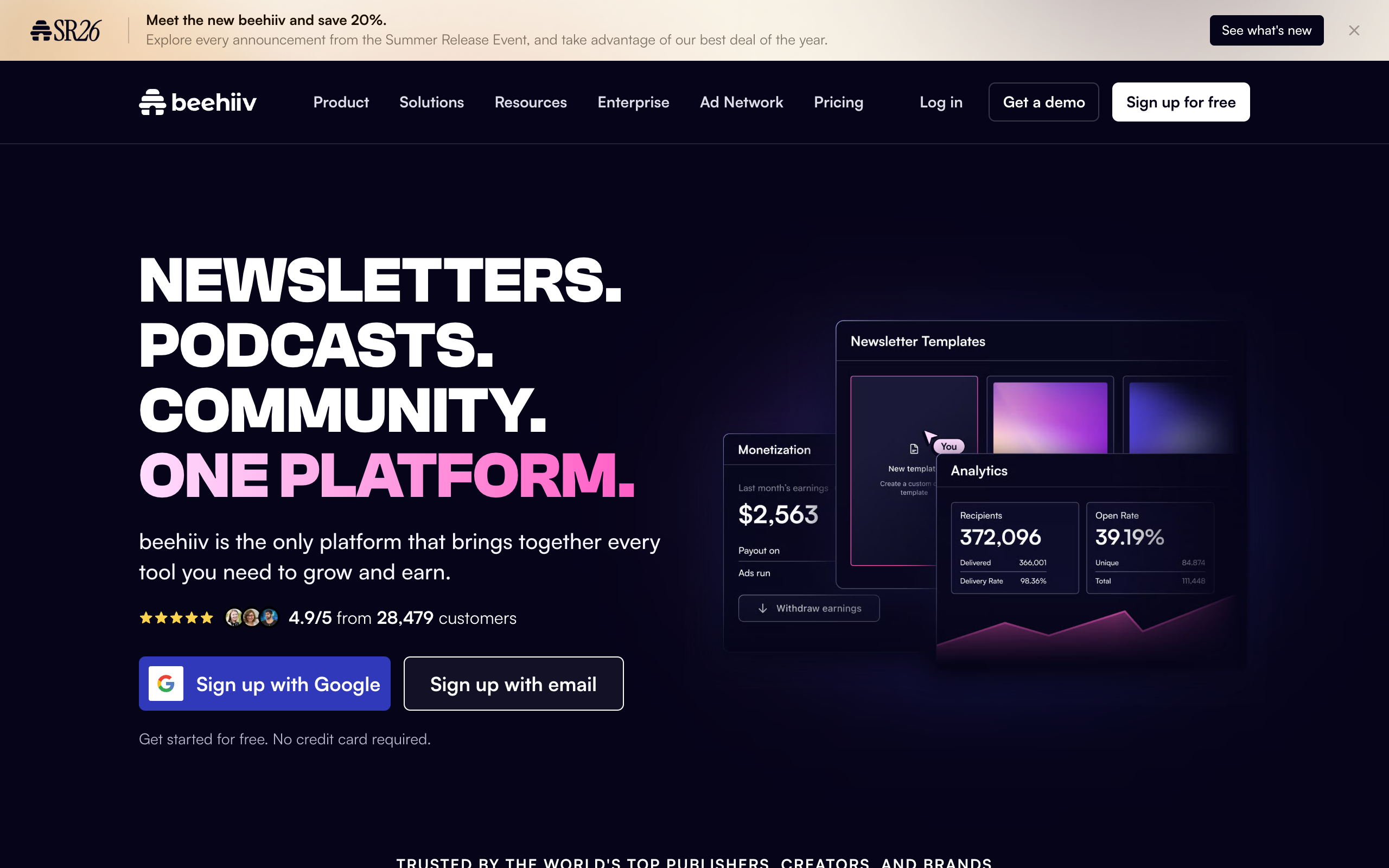
If you want to see the paid-subscription setup before committing to a platform, open a free beehiiv publication and click through the Scale plan’s paid subscription settings yourself. It costs nothing to look, and the free plan runs to 2,500 subscribers with no card required.
What do you actually need in place before you charge anyone a dollar?
Three things, and skipping any of them is why most paid newsletter launches fail quietly instead of loudly. First, an existing free audience of real, engaged subscribers, not just a list. Second, a track record long enough that people know what they are buying before they buy it. Third, a specific reason the paid tier exists that isn’t just “the same newsletter, but you pay for it.”
None of this requires a huge list. Newsletter operators have launched profitable paid tiers off free lists under 1,000 subscribers, because what converts isn’t list size, it’s trust density. A thousand people who open every issue and reply to your questions will convert better than 50,000 who scroll past you in a crowded inbox. If you are starting from zero right now, read my guide to growing a newsletter from scratch first and come back to this once you have a real free list running.
Step 1: Prove the free version works before you paywall anything
The single biggest mistake in paid newsletter launches is skipping the proof phase. Run your newsletter free for at least two to three months, ideally longer, and watch three numbers: open rate, reply/comment rate, and unsubscribe rate. If your open rate sits comfortably above 35% to 40%, people are replying or commenting unprompted, and your unsubscribe rate stays low even as you publish consistently, you have a signal worth building a paywall on. If your open rate is limping along at 15% and nobody ever replies, a paywall will not fix that. It will just make the decline visible faster.
During this phase, pay close attention to which specific issues generate the most reply, forward, and “this was worth it” feedback. Those topics and formats are your paid-tier blueprint. You are not guessing what to charge for; you are watching your audience tell you.
Step 2: Choose a platform that doesn’t tax your success
This is the decision with the biggest long-term dollar impact, and it is where most new writers get it backwards by picking the platform with the most name recognition instead of the one with the best economics. Here is the honest comparison based on live pricing.
| Platform | Fee on paid subscriptions | Starting cost | Best for |
|---|---|---|---|
| beehiiv | 0% on Scale and above | Free to 2,500 subscribers; Scale from $43/mo annual | Writers who want growth tools (referrals, Boosts, ad network) built in alongside paid subscriptions |
| Substack | 10% of paid revenue, forever | Free to start, no monthly fee | Writers who value Substack’s Notes/discovery network more than the fee |
| Ghost | 0% | Ghost(Pro) from around $9/mo (Starter, annual) | Writers comfortable with more setup who want full publishing control |
| Kit | 0% (Kit takes no cut; Stripe fees still apply) | Free to 10,000 subscribers (limited automation); Creator plans from around $29/mo | Writers who want deep automation and a digital-product storefront alongside subscriptions |
Do the math on your own numbers before you decide, not after. A newsletter doing $1,000 a month in paid subscriptions loses $100 a month to Substack’s fee, every month, forever, on top of the roughly $30 to $60 Stripe already takes. That same newsletter on beehiiv’s Scale plan pays a flat $43 a month (annual billing) and keeps the rest. Cross about $430 a month in paid revenue and beehiiv is already the cheaper option, and the gap only widens as you grow. I break this out fee by fee, tier by tier, in the full beehiiv pricing breakdown, and if you are trying to decide between beehiiv and Substack specifically, the head-to-head is here: beehiiv vs Substack.
What you are actually buying on top of the fee structure matters too, and I cover the hands-on details in my full beehiiv review. beehiiv bundles a native referral program, the Boosts marketplace (getting paid to recommend other newsletters, and paying to acquire subscribers from them), and an ad network into the same subscription that runs your paywall. That means the tool that collects your paid subscription money is the same tool that helps you grow the free list feeding it. Substack’s strength runs the other direction: its Notes feed and in-app discovery genuinely surface new readers you did not have to find yourself, which is real and worth weighing if that kind of organic discovery matters to your niche. For the full market view, see my ranking of the best newsletter platforms.
Before you lock in a platform, spin up a free beehiiv publication and walk through the paid subscription setup yourself. You will see the Stripe Connect flow, the tier builder, and the 0% fee structure firsthand, and it costs nothing to look.
Step 3: Decide what actually goes behind the paywall
The newsletters that convert well do not paywall everything. They give away enough to prove the value and reserve something specific for paying readers. The most common working structures, in order of how often I see them succeed:
- Free weekly, paid deeper dive. Everyone gets a solid free issue; paying subscribers get a second, longer issue with more analysis, data, or specificity.
- Free summary, paid full version. Free subscribers get the headline and a paragraph; paid subscribers get the full breakdown, including the parts that took the actual research.
- Free content, paid archive and community. Every issue is free to read the week it comes out, but paid subscribers get searchable archive access, a private community or comment thread, and sometimes live sessions.
- Tiered access. A mid-tier paid option and a higher “founding member” or “all-access” tier that adds calls, direct access, or extra perks. Works best once you already have a proven paid base.
Pick one structure and commit to it for at least three months before you tinker. Constantly changing what is behind the paywall confuses subscribers about what they are paying for, and confusion is the single fastest way to spike cancellations.
Step 4: Price it without guessing in the dark
Most paid newsletters land between $5 and $15 a month, or $50 to $150 a year, and the annual price is usually discounted 15% to 25% off the monthly rate to nudge people toward committing for a year (which also improves your retention numbers, since annual subscribers cannot casually forget to cancel next month). A useful anchor: price at roughly what your reader would spend on two coffees a month for information that changes a decision they make regularly, whether that is a trading call, a hiring decision, or a purchase they were about to make anyway.
Niche and outcome matter more than niche size. A finance or B2B newsletter that saves a reader real money or billable time supports $20 to $50 a month comfortably, because the reader is pricing against the value of the decision, not against “what newsletters cost.” A general-interest culture or lifestyle newsletter usually caps out lower, in the $5 to $8 range, because the competition is entertainment, not a business expense. Look at two or three newsletters in your own niche that already charge (most publish their price openly) and anchor near them rather than inventing a number from scratch.
Resist the urge to underprice out of politeness. A $3-a-month newsletter has to convert five times as many subscribers as a $15-a-month newsletter to hit the same revenue, and low prices attract low-commitment subscribers who churn faster. It is almost always easier to grow into a slightly higher price with real value than to raise prices later on an audience anchored to a cheap one.
Step 5: Set up the actual paid-subscription infrastructure
On beehiiv, this lives inside the Scale plan and above, since paid subscriptions and the 0% fee are Scale-tier features (the free Launch plan does not include paid subscriptions). The setup itself is a Stripe Connect flow: you link or create a Stripe account, define one or more subscription tiers with monthly and annual pricing, write the description of what each tier includes, and decide whether to offer a free trial period or a founding-member discount for your first wave of subscribers. Once that is live, beehiiv handles the paywall logic on individual posts automatically. You mark a post or a section of a post as subscriber-only, and the platform enforces it, shows a locked preview to free readers, and routes the upgrade prompt straight to your Stripe checkout.
Two settings are worth deciding deliberately rather than defaulting. First, whether to offer a free trial (7 to 14 days is common) versus a hard paywall from day one; trials increase signups but also increase early cancellations from people who were never going to stay. Second, whether to enable gift subscriptions, which is a genuinely underused growth lever: readers who love your work but are not ready to commit themselves will often gift a subscription to someone else, which brings in a paying subscriber you never had to convert yourself.
Step 6: Build the paywall around real sample issues, not empty promises
Before you launch, have at least two to three paid issues written and ready to publish immediately after someone subscribes. The single worst first impression in a paid newsletter is subscribing and then waiting two weeks for the first thing you paid for to show up. Back-fill or pre-write enough that a new paid subscriber gets immediate proof of value.
Write a dedicated landing page or pinned post that explains exactly what paid subscribers get, in specifics, not adjectives. “Deeper analysis” is an adjective. “A second 1,500-word issue every Thursday breaking down the numbers behind the week’s biggest story, plus the searchable archive of every past issue” is a specific. Specifics convert; adjectives do not.
Step 7: Launch the paywall to your existing free list, not to strangers
Your free subscribers are your highest-probability buyers, by a wide margin, because they have already proven they open and read what you send. Launch to them first, before you spend a single dollar acquiring new subscribers for the paid tier. The standard playbook: announce the upcoming paid tier two to three weeks ahead, explain exactly what is changing and what stays free, and open founding-member pricing for a limited window (a real deadline, not a fake one) at a discount from the eventual full price.
Founding-member pricing works because it converts fence-sitters with urgency and rewards your earliest, most loyal readers, who then become your best word-of-mouth advocates because they got in early. A common structure is 20% to 40% off the eventual price, locked in for life or for the first year, capped to your first 50 to 200 subscribers or a two-week window, whichever comes first.
Once the launch window opens, beehiiv’s automations can send the announcement and reminder sequence automatically to your free list, timed to the deadline, without you manually tracking who has seen what and who still needs a nudge.
Step 8: Keep paid subscribers paying, which is a different job than getting them
Acquisition gets all the attention in newsletter advice, but retention is where paid newsletters actually live or die, because a subscriber who churns after two months is a net loss once you count the time spent converting them. Three things reliably improve retention. First, consistency: paid subscribers are paying for a promise of a specific cadence, and missing it repeatedly is the fastest way to trigger cancellations. Second, visible responsiveness: reply to paid subscriber comments and emails specifically, since paying readers who feel heard renew at meaningfully higher rates than those who feel like they are shouting into a void. Third, an annual-billing push once you have three to six months of retention data proving people stay, since annual subscribers churn far less than monthly ones simply because canceling requires active effort instead of a lapsed card.
Track your monthly churn rate from day one. A healthy paid newsletter typically sits under 5% monthly churn once past the first few months; anything consistently above 8% to 10% means something structural is off, usually a mismatch between what was promised at signup and what is actually being delivered.
How much can you realistically expect to make?
Be skeptical of any guide that gives you a single number here, because the honest answer depends entirely on niche, list quality, and price point. What is consistent across niches is the conversion range: 1% to 5% of an engaged free list converting to paid is a realistic, evidence-backed range for a healthy launch. A list of 2,000 highly engaged free subscribers converting at 3% to a $8-a-month tier is roughly 60 paying subscribers, or about $480 a month before fees. Cross that same math against Substack’s 10% cut and you lose $48 a month you would have kept on a platform charging a flat fee instead. It is not a huge number at that scale, but it is exactly the kind of erosion that compounds as the list and revenue grow, which is why choosing the platform correctly at the start matters more than it feels like it does on day one.
If your niche skews B2B, finance, or a specialized professional audience, expect both a smaller list and a meaningfully higher price point and revenue per subscriber than a general-interest newsletter of the same size. Niche depth beats list size for paid conversion almost every time. Paid subscriptions are only one revenue stream, and pairing them with sponsorships and digital products tends to smooth out the early months before the paid tier reaches critical mass; my guide to how to monetize a newsletter walks through the other levers.
Common mistakes that sink a paid newsletter launch
- Paywalling too early. Charging before you have proven free engagement just moves your churn problem earlier and makes it permanent.
- Paywalling everything. If free subscribers get nothing of value, they unsubscribe from the free list too, and you lose your top-of-funnel entirely.
- Picking a platform on brand recognition instead of fee structure. A 10% forever-fee is a real cost that shows up on every invoice for the life of the newsletter.
- No sample content ready at launch. New paying subscribers who get silence for two weeks assume they made a mistake, and some will ask for a refund before they ever see the value.
- Changing the paid/free split too often. Subscribers pay for a clear deal; changing it repeatedly reads as unreliable even when the changes are improvements.
- Ignoring churn until it is a crisis. Track it monthly from the first paid subscriber, not after the first big cancellation wave.
Frequently asked questions
How many subscribers do I need before I can start a paid newsletter? There is no hard minimum. Newsletters have launched profitable paid tiers off free lists under 1,000 engaged subscribers. What matters more than raw count is engagement: open rates above 35%, real replies, and low unsubscribe rates over at least two to three months.
Which platform is cheapest for a paid newsletter? It depends on your revenue level. At very low paid revenue, Substack’s no-monthly-fee model can look cheaper on paper, but its 10% cut on every dollar of paid revenue, forever, tends to overtake a flat monthly fee once you pass roughly $430 a month in paid subscriptions on beehiiv’s Scale plan. Ghost is also 0% but requires more comfort with technical setup.
Should I offer a free trial on my paid tier? It depends on your niche. Trials increase signups but also bring in subscribers who were never going to stay past the free period. A founding-member discount with a real deadline tends to convert more committed, longer-retention subscribers than an open-ended free trial.
What percentage of subscribers actually convert to paid? A realistic, evidence-backed range across niches is 1% to 5% of an engaged free list. Treat anything above that as an upside surprise, not a planning assumption.
Can I switch from free to paid later without losing subscribers? Yes, and it is actually the recommended order: build the free list and prove engagement first, then introduce paid tiers. Announce the change two to three weeks ahead, explain exactly what changes, and keep something genuinely valuable free so existing subscribers do not feel like the rug got pulled.
Do I need a website to start a paid newsletter? Not a separate one. beehiiv, Substack, Ghost, and Kit all generate an SEO-indexable website automatically as part of the newsletter, including a paywall-aware archive, so you do not need to build or host anything separately to get a functioning site alongside your paid tier.
The bottom line
Starting a paid newsletter is less a software decision and more a sequencing decision: prove the free version works, decide what specific thing is worth paying for, price it against the value of the decision it informs rather than against other newsletters, and launch to warm subscribers with a real deadline. The platform choice matters, but mostly because of what it costs you every month for the life of the newsletter, not because of any feature you will use in week one. A 10% forever-fee versus a flat monthly charge is the kind of decision that is invisible on your first invoice and very visible on your fiftieth.
Get the sequencing right and the software mostly gets out of your way. Get it backwards, charging before proving, paywalling everything, picking the platform with the highest fee, and no amount of good writing fixes that math.
Start a free beehiiv publication and walk through the paid subscription setup before you commit to anything. It is free to 2,500 subscribers, no card required, and you can have the Stripe Connect flow and tier builder open in front of you in about ten minutes, which tells you more than any pricing page.
Pricing captured from vendor pricing pages, July 2026. Plans change, so confirm current details before you buy.