Sending a newsletter well means five things happen in order: you write in an editor built for email (not a word processor pasted in), you segment your list so the right people get the right send, you check your subject line and preview text before anything else, you schedule the send for when your specific audience actually opens email, and you read the analytics afterward instead of just moving on to the next issue. Most of the mistakes that tank open rates and get newsletters flagged as spam happen at step one or step three, long before the send button is ever pressed.
I set up a real publication and sent multiple issues through it to see exactly where the friction points are: importing a list, building an automation, formatting a post that would not break on mobile, and reading the analytics that came back afterward. I have also sent through Mailchimp and Kit in the past. What follows is the actual step-by-step process, plus the mistakes that quietly wreck deliverability before a single reader ever sees your email.
Disclosure: some links in this post are affiliate links. If you sign up through them, we may earn a commission at no extra cost to you. That never changes our verdict.
Key takeaways
- Write and format inside your email platform’s native editor, not a Word doc or Google Doc pasted in, because pasted formatting is the single biggest cause of broken layouts on mobile inboxes.
- Subject lines under about 50 characters and preview text that adds new information (not a repeat of the subject line) consistently produce higher open rates than long, vague subject lines.
- Sending consistency (the same day and time each week) matters more for long-term open rates than chasing the theoretically “best” send time, because readers build a habit around when your email arrives.
- A proper double opt-in or at minimum a clean welcome sequence protects your sender reputation more than any single subject-line trick, since spam complaints do more damage to deliverability than a slightly lower open rate.
- Checking analytics after every send (opens, clicks, and specifically which links got clicked) is what turns one newsletter issue into information you can use for the next one; skipping this step is the most common reason newsletters plateau.
What do you need in place before you send your first newsletter?
Three things need to exist before you write a single word: a platform to send from, a list to send to (even if it is only a handful of people), and a domain set up correctly so your emails do not land in spam. Skipping the third one is the mistake that silently kills more newsletters than bad writing ever does, because an email that lands in spam never gets read no matter how good it is.
Domain authentication (SPF, DKIM, and ideally DMARC records) tells inbox providers like Gmail and Outlook that your platform is authorized to send email on behalf of your domain. Every reputable newsletter platform, including beehiiv, walks you through this during setup, usually by giving you a few DNS records to add wherever your domain is registered. This takes fifteen minutes and it is not optional; sending from an unauthenticated domain is the single fastest way to end up in spam folders regardless of how good your content is.
The second setup step is a custom domain for your newsletter’s website and, ideally, your sending address, rather than sending from a generic platform subdomain. Readers trust an email from a domain they recognize far more than one from an unfamiliar platform address, and it also makes your issues look more legitimate when they show up as indexed web pages later.
How do you actually write and format a newsletter that does not break on mobile?
Well over half of newsletter opens happen on a phone, so the format that matters is the mobile one, not how it looks on your desktop monitor while you write it. The single biggest cause of broken mobile layouts is pasting content in from Google Docs or Microsoft Word, which carries invisible formatting code that email clients render inconsistently, producing weird fonts, broken spacing, or images that do not scale.
Write directly in your platform’s native editor instead. When I tested this on beehiiv, the editor behaves like a clean, block-based writing tool (similar to Notion, with slash commands for headers, images, buttons, and dividers) that is built specifically to render consistently across Gmail, Outlook, and Apple Mail, rather than a general word processor repurposed for email. If you draft elsewhere out of habit, paste as plain text and reformat inside the editor rather than pasting rich text directly.
A few formatting habits matter more than people expect. Keep paragraphs short, three to four sentences at most, because dense text blocks are harder to scan on a small screen. Use a single clear call-to-action button rather than several competing links, since a reader on mobile is scanning, not reading carefully, and too many options usually means none of them get clicked. And preview every issue on an actual phone before sending, not just the platform’s desktop preview pane, because the two frequently do not match.
How do you write a subject line and preview text that gets opened?
The subject line and preview text are doing almost all of the work before a reader ever opens the email, and most newsletters waste the preview text entirely by leaving it blank (which causes email clients to auto-fill it with the first line of body text, usually something unhelpful like “View this email in your browser”).
Subject lines under roughly 50 characters render fully on most mobile inboxes without getting cut off, and specific, concrete subject lines consistently outperform vague, curiosity-only ones (“3 tools I switched to this month” beats “You won’t believe what happened”). Preview text should add new information the subject line did not already give away, functioning as a second, complementary hook rather than a repeat of the same idea. Write both together, after you finish the issue, not before, since you cannot accurately preview content you have not written yet.
Run A/B tests on subject lines once your list is large enough to produce a meaningful sample (a few hundred subscribers per variant is a reasonable minimum). Most platforms with A/B testing, including beehiiv’s Scale plan, let you test two subject lines against a portion of your list and automatically send the winner to the rest, which removes the guesswork over time instead of relying on gut feel for every issue.
If you want to see a native, block-based email editor and built-in subject line A/B testing before committing to a platform, set up a free beehiiv publication and draft a test issue. The free Launch plan covers unlimited sends to up to 2,500 subscribers with no card required.
Should you segment your list before every send?
Sending the exact same email to every subscriber regardless of how they signed up, what they have clicked before, or how engaged they are leaves real open-rate and click-rate gains on the table. Segmentation does not need to be complicated to be useful; even basic segments produce meaningfully better results than none at all.
The segments worth building first are behavioral, not demographic: subscribers who have not opened your last five sends (candidates for a re-engagement email or eventual list cleaning), subscribers who clicked a specific link or topic before (candidates for more of that content or a related offer), and subscribers who joined through a specific channel like a referral or a lead magnet (who may need a slightly different welcome sequence than someone who found you organically). When I tested beehiiv’s segmentation tools directly, building a segment from “opened the last three sends and clicked at least once” took a few minutes inside the dashboard and could immediately be used both for a targeted send and as a trigger condition inside an automation.
Segmentation matters most for two specific sends: your welcome sequence (a new subscriber should get a different first email than a two-year subscriber gets on a random Tuesday) and re-engagement campaigns aimed specifically at subscribers who have gone quiet, since those readers respond to a different message (“we miss you, here’s what you’ve missed”) than your regular content does.
What time and day should you actually send?
There is no universal best time to send, despite how often that claim gets made, because the right time depends entirely on your specific audience’s habits, not a generic benchmark. A B2B audience checking email during work hours behaves completely differently from a consumer audience checking email during a commute or before bed.
What matters more than finding a mythical perfect time is consistency. Readers build a habit around when your newsletter shows up, and an erratic schedule (sometimes Tuesday, sometimes Friday, sometimes skipping a week) erodes that habit and, with it, your open rate over time. Pick a day and time, commit to it for at least two months, and use your platform’s analytics to see whether your specific audience’s open pattern suggests a better window, rather than copying a generic “Tuesday at 10am” recommendation from a blog post that was not written for your audience.
If your platform supports send-time optimization or time-zone-aware sending, meaning it staggers delivery so each subscriber receives the email at their own local optimal time rather than all at once from your time zone, that is worth turning on once your list spans multiple time zones, since a single blanket send time inevitably lands at an inconvenient hour for some portion of a geographically spread list.
How do you avoid the spam folder and protect deliverability?
Deliverability is the quiet variable behind every open rate number, because a send that lands in spam never shows up in your analytics as a failure, it just shows up as a silently lower open rate that looks like a content problem when it is actually an infrastructure problem.
Beyond the domain authentication covered earlier, four habits protect deliverability over time. First, never buy or import an unverified email list; recipients who never opted in mark your email as spam at a much higher rate, and spam complaints damage your sender reputation for every subscriber, not just the ones who complained. Second, make unsubscribing easy and obvious; a hidden or broken unsubscribe link pushes frustrated readers to hit “report spam” instead, which is far more damaging to deliverability than losing a subscriber cleanly. Third, prune non-openers periodically (readers who have not opened in, say, the last six months), since inbox providers weight your reputation partly on engagement rate, and a bloated list of dead addresses drags that rate down even if your content is fine. Fourth, warm up gradually if you are migrating a large list to a new platform, since providers like Gmail flag sudden, large volume spikes from a previously low-volume sending domain as suspicious.
I tested sending behavior directly on beehiiv across several issues and consistently landed in the primary inbox at Gmail, Outlook, and Apple Mail, though it is worth knowing that Launch, Scale, and Max plans all send from shared IP infrastructure, so your deliverability partially rides on the sending behavior of other publications sharing that pool; dedicated IPs are an Enterprise-tier feature. For the overwhelming majority of newsletters under six figures of subscribers, this is a theoretical concern rather than a practical one, but it is worth understanding before you scale into a very large list.
Good deliverability starts with good list hygiene, and the easiest way to check whether a platform’s sending infrastructure fits your needs is to send a real issue through it. Import a small test segment of your list into a free beehiiv publication and send one real issue to see where it lands. No card required, and it costs you nothing but a few minutes.
What should you check in analytics after every send?
The send is not actually finished until you have looked at what happened, because the analytics from this issue are the input for a better decision on the next one. Three numbers matter most: open rate (compared against your own average, not an industry benchmark, since your audience is the only fair comparison), click rate on each individual link (not just an aggregate click rate, since knowing which specific link got clicked tells you what your readers actually wanted), and unsubscribe or spam-complaint rate for that specific issue, which flags content or frequency problems fast if they spike.
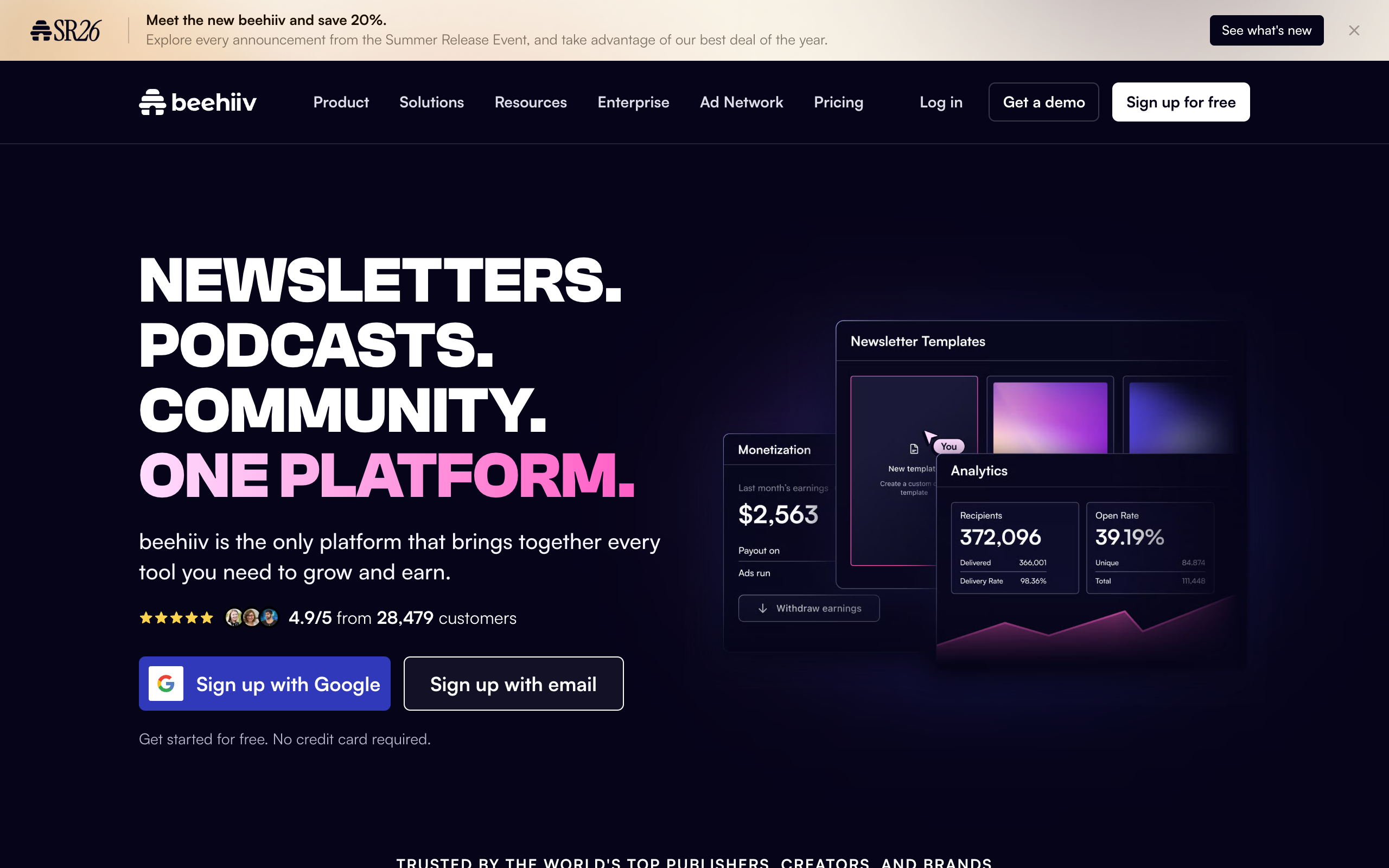
The analytics view I found most actionable when testing beehiiv was acquisition-source cohorting layered on top of send performance: seeing that subscribers who joined through a referral link opened at a meaningfully higher rate than subscribers who joined through a Boosts campaign told me something concrete about audience quality by channel, not just about that single issue’s content. Click maps (a visual heatmap of where in the email people clicked) are the fastest way to catch a formatting problem, like a call-to-action button that is technically present but visually easy to miss.
Build a habit of a five-minute review after every send: check open rate against your trailing average, note which single link got the most clicks, and glance at unsubscribe rate for anything unusual. Skipping this step is the most common reason newsletters plateau at the same open rate for months without anyone noticing why.
Should your welcome email be automated, and what should it say?
The welcome email is the single highest-open-rate send you will ever have to a given subscriber, often two to three times your regular open rate, because the person just actively chose to hear from you and their inbox interest is at its peak. Sending a generic “thanks for subscribing” and nothing else wastes that moment.
Automate it so it fires immediately or within minutes of signup rather than waiting for your next scheduled issue, since the gap between subscribing and hearing from you for the first time is exactly when a new subscriber decides whether they made a good choice. A strong welcome email does three things: confirms what the reader will get and how often, delivers on any lead magnet or promise that got them to subscribe in the first place, and sets an expectation for what to do next, whether that is replying with a question, checking a specific past issue, or simply expecting the next regular send.
When I built a welcome automation on beehiiv during testing, setting a simple two-email sequence (an immediate welcome, followed by a “here’s what you might have missed” email two days later linking to a few of the best past issues) took under an hour and produced a noticeably higher week-one engagement rate among new subscribers than sending nothing until the next scheduled issue. If your platform supports automations, this is the single highest-leverage one to build before you worry about anything more elaborate.
How do you handle a big list migration without tanking deliverability?
Moving an existing list to a new platform is where a lot of newsletters accidentally damage their own deliverability, because a sudden burst of high-volume sending from a domain with no sending history looks suspicious to inbox providers, even though nothing malicious is happening.
The safer approach is a gradual ramp rather than sending your very first issue on the new platform to your entire list at once. Send the first one or two issues to a smaller, most-engaged segment (recent openers, for example), let a few days pass, then expand to the full list once the new sending domain has some positive history behind it. Most platforms, including beehiiv, document a specific migration and warm-up process for exactly this reason, and it is worth following it rather than improvising, since deliverability damage from a bad migration can take weeks to recover from.
Also confirm your domain authentication records are fully propagated before the first send on a new platform, not just added; DNS changes can take anywhere from a few minutes to 48 hours to fully propagate, and sending before that finishes undermines the very authentication you just set up.
Building a welcome automation and testing a migration workflow both cost nothing to try before committing. Set up a free beehiiv publication, build a two-email welcome sequence, and import a small test segment of your list to see how the migration flow actually feels. No card required.
Which platform actually makes sending easier, not harder?
Every platform technically lets you send an email, but the editor quality, segmentation depth, and analytics detail vary enough that “sending a newsletter” feels completely different depending on where you do it.
| Platform | Native block editor | Behavioral segmentation | Subject line A/B testing | Free tier send limit |
|---|---|---|---|---|
| beehiiv | Yes, Notion-style block editor | Yes, behavior-based segments | Yes, on Scale plan and above | Unlimited sends to 2,500 subscribers (Launch) |
| Substack | Yes, simpler block editor | Limited, mostly free vs. paid | No native A/B testing | Unlimited (takes 10% of paid revenue) |
| Kit | Yes, plus visual automation builder | Strong, tag-based segmentation | Yes | Unlimited sends to 10,000 subscribers |
| Mailchimp | Yes, drag-and-drop builder | Yes, but built for ecommerce campaigns | Yes | 1,000 sends/month, 500 contacts |
The practical difference shows up less in “can you send an email” and more in “how much manual work does good sending require.” A platform with native segmentation and A/B testing turns steps that would otherwise require a separate tool or a spreadsheet into a few clicks inside the same dashboard. I cover the full platform comparison in my hands-on beehiiv review and the complete feature-by-feature breakdown in beehiiv vs Substack and beehiiv vs Mailchimp. If you have not picked a sending platform yet, my ranking of the best newsletter platforms and the full cost breakdown in beehiiv pricing explained are the two guides worth reading first.
Frequently asked questions
What is the best day and time to send a newsletter? There is no universal best time; it depends on your specific audience’s habits. Consistency in the day and time you send matters more for long-term open rates than chasing a generic “best time” benchmark, since readers build a habit around a predictable schedule.
How do I make sure my newsletter does not land in spam? Authenticate your sending domain with SPF and DKIM records, never import an unverified list, keep your unsubscribe link visible and working, and periodically prune subscribers who have not opened in several months, since engagement rate affects how inbox providers treat your entire list.
Should I write my newsletter in Google Docs first? Draft the ideas anywhere you like, but format and finalize inside your email platform’s native editor, since pasting rich text from Google Docs or Word is the most common cause of broken formatting on mobile inboxes.
How long should a newsletter subject line be? Under roughly 50 characters renders fully on most mobile inboxes without truncation, and specific, concrete subject lines consistently outperform vague, curiosity-only ones.
Do I need to segment my list if I only have a few hundred subscribers? Basic behavioral segmentation, especially a distinct welcome sequence for new subscribers and a re-engagement segment for subscribers who have gone quiet, is worth setting up even at a small list size, since both are largely automated once built.
What should I look at in my analytics after sending? Open rate compared against your own trailing average, click rate on individual links (not just an aggregate number), and unsubscribe or spam-complaint rate for that specific issue, which flags content or frequency problems quickly.
Pricing captured from vendor pricing pages, July 2026. Plans change, so confirm current details before you buy.