Kit’s pricing page looks simple until you actually try to price your own list. Two numbers get quoted everywhere ($33 and $66 a month) and both of them are the entry-tier price for exactly 1,000 subscribers. Add subscribers and the bill moves, and the page does not make that obvious unless you drag the slider yourself. I did, at a few different list sizes, specifically to write this piece with real numbers instead of the headline figures every other roundup copies and pastes.
This is a pricing breakdown, not a full review, so I am not going to relitigate Kit’s editor or automation builder here (that lives in my full Kit review). What follows is what Kit actually costs in 2026, at what subscriber counts the price steps up, what you get at each tier, where the transaction fees hide, and how the total compares with the other platforms creators actually shortlist against it.
Disclosure: some links in this post are affiliate links. If you sign up through them, we may earn a commission at no extra cost to you. That never changes our verdict.
What does Kit cost in 2026, in one answer?
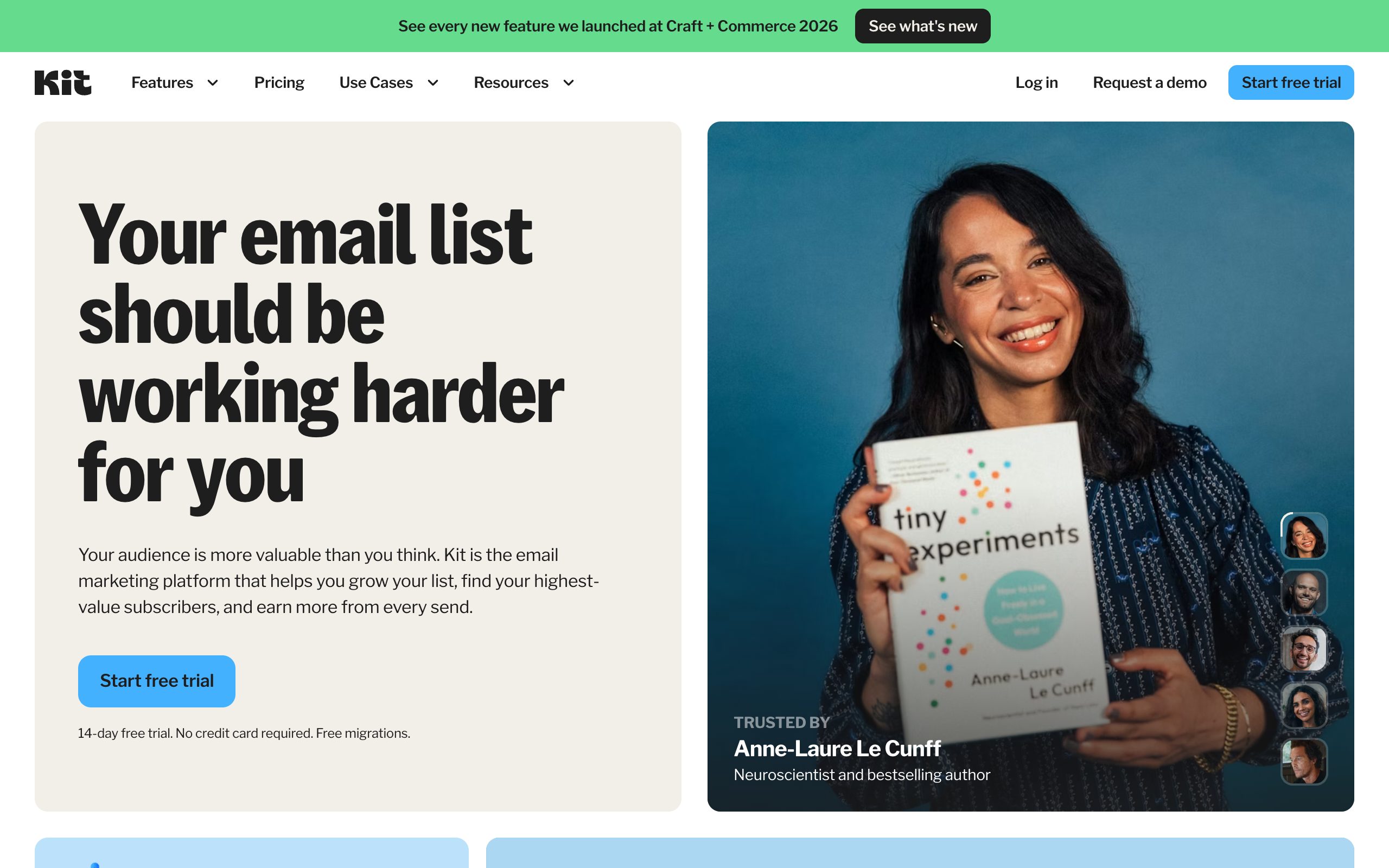
Kit has three plans: a free Newsletter plan good to 10,000 subscribers, a Creator plan starting around $33/month, and a Creator Pro plan starting around $66/month, both of the paid tiers priced for a 1,000-subscriber list and stepping up from there as your list grows. The free plan is unusually generous on headcount (most competitors cap free at 250 to 2,500 subscribers) but ships with only one basic automation, which is the tradeoff Kit makes on purpose: it wants your list on the platform for free, then charges you when you want to actually automate anything with it. Digital product sales carry a 3.5% + $0.30 transaction fee on every plan, including Newsletter.
Key takeaways
- Kit’s free Newsletter plan covers up to 10,000 subscribers with unlimited broadcasts, forms, and landing pages, but only one basic automation and no A/B testing.
- Creator starts around $33/month and Creator Pro around $66/month, both quoted for a 1,000-subscriber list; both step up in price as your subscriber count grows, the same tiered model beehiiv uses.
- Digital product sales on Kit carry a 3.5% + $0.30 transaction fee on every plan, and Paid Recommendations carries a steeper 23.5% fee on Creator and Creator Pro.
- Creator Pro’s price jump over Creator buys subscriber analytics, engagement scoring, unlimited team seats, and a built-in referral system, not more send volume or automation depth.
- Against beehiiv, Kit wins on free-tier headcount (10,000 vs. 2,500 subscribers) but beehiiv wins on 2026 growth tooling (native referrals, Boosts marketplace, ad network) that Kit’s paid tiers still do not fully match.
If growth tooling matters more to you than automation depth, it is worth comparing against a platform built around that instead. Start a free beehiiv publication and send one real issue. It is free to 2,500 subscribers with no card required, so the comparison costs you nothing but an evening.
What is Kit, and why does its pricing model look like this?
Kit is the platform formerly named ConvertKit, rebranded in 2024 to reflect a broader positioning: not just an email tool for bloggers, but a full toolkit for creators who make money from an audience, whether that is a newsletter, a course, a membership, or digital downloads. The rebrand also came with a pricing overhaul that leaned harder into a model Kit has used for years: charge based on subscriber count, not on features gated behind arbitrary plan names.
That is the piece most comparison articles skip. Kit’s “Creator” and “Creator Pro” plans are not flat-rate SaaS tiers. Each one has a base price tied to a subscriber band (1,000 subscribers is the band both quoted prices above apply to), and the price increases as you cross into higher bands. This is the identical mechanic beehiiv uses on its Scale and Max plans, and it means the number on Kit’s homepage is a floor, not a ceiling. If you are evaluating Kit for a list bigger than 1,000 people, plug your real subscriber count into Kit’s own pricing calculator on kit.com/pricing before you budget anything, because the entry price will undersell what you will actually pay.
The logic behind this model is straightforward from Kit’s side: subscriber count is the closest proxy for how much value a creator is extracting from the platform, so pricing scales with it rather than with which features you have unlocked. The downside for you is that a growing list is also a growing bill, on top of whatever growth tooling costs you to acquire that list in the first place.
What do Kit’s three plans actually include?
Here is the full breakdown, verified against Kit’s live pricing page.
| Plan | Price (entry tier, 1,000 subscribers) | What you actually get |
|---|---|---|
| Newsletter (Free) | $0 | Up to 10,000 subscribers, unlimited landing pages and forms, unlimited email broadcasts, audience tagging and segmentation, 1 basic visual automation, sell digital products and subscriptions |
| Creator | Around $33/month | Everything in Newsletter, plus unlimited visual automations, unlimited email sequences, Kit MCP, 2-option subject line A/B testing, subscriber polls, SMS marketing, branding removed, RSS campaigns, integrations, 24/7 chat support, up to 2 users |
| Creator Pro | Around $66/month | Everything in Creator, plus Subscriber Signals (demographic and social-influence data), engagement analytics, unlimited users, insights dashboard, deliverability reporting, subscriber engagement scoring, collaborative editing, 5-option A/B testing with content testing, Facebook custom audiences, newsletter referral system, edit-after-send, 24/7 priority support |
The plan names are a little misleading if you read them as “Newsletter equals hobby, Creator equals business.” In practice, Newsletter is a perfectly usable free business plan up to a fairly large list, as long as you can live with one automation. The gap that actually matters is between Creator and Creator Pro, and it is not about doing more of the same things. It is about visibility: Subscriber Signals, engagement scoring, and the insights dashboard exist to tell you which subscribers are worth keeping and which channel is bringing you the good ones. If you already know your audience cold and just need to email them well, Creator covers that. If you are actively trying to grow and need data to decide where to spend, Creator Pro earns its extra cost.
How does the price change as your list grows?
This is the part the $33 and $66 headlines hide. Kit’s paid plans are priced in subscriber bands starting at 1,000, and every time your list crosses into a new band, the monthly price steps up, on both Creator and Creator Pro, at the same feature set. I ran a few list sizes through Kit’s own calculator while researching this piece, and the pattern holds across the whole category, not just Kit: the number you see on the pricing page is only ever true for the smallest paid tier.
Practically, that means three things worth doing before you commit to Kit:
- Price your list at the size you expect in twelve months, not today. If you are at 800 subscribers and growing 20% a month, you will be well past the 1,000-subscriber band inside a quarter, and the number you budgeted for will already be wrong.
- Decide whether Creator or Creator Pro fits before you scale, not after. Upgrading later is easy; the point is to know which analytics and referral features you actually need so you are not paying for Pro out of default caution.
- Prune your list. Kit counts subscribers, not engaged subscribers. A stale list of unopens costs you the same as an engaged one, and cutting dead weight quarterly is the single easiest way to stay in a lower band longer.
None of this makes Kit unusually expensive. It makes Kit’s pricing behave exactly like beehiiv’s, and exactly unlike Ghost’s flat member-tier pricing or MailerLite’s fixed entry price. The category has mostly converged on subscriber-based billing for anything past the free tier; the difference between platforms is what that money buys you, which is the actual question worth answering.
Where do the hidden costs sit?
Two fees do not show up on the plan comparison table and matter a lot if you sell anything through Kit.
Digital product transaction fees. Every plan, including the free Newsletter tier, charges 3.5% + $0.30 on digital product and subscription sales made through Kit Commerce. That is competitive with Gumroad and roughly in line with what most creator-commerce tools charge, but it is real money on a $47 course sale ($1.95 off the top before you even touch payment processing), and it applies whether you are on the free plan or Creator Pro. If digital products are your main revenue line rather than a side feature, model that fee into your unit economics from day one.
Paid Recommendations fees. Creator and Creator Pro both support Kit’s Paid Recommendations feature, where you pay other creators to recommend your newsletter to their subscribers. Kit takes a 23.5% cut of that spend. That is a steep platform fee for what is, functionally, an ad buy you are already paying another creator for, and it is the clearest evidence that Kit’s growth tooling is thinner than beehiiv’s. beehiiv’s comparable mechanism, Boosts, runs as a two-sided marketplace where beehiiv makes money on the transaction volume without a fee this explicit sitting on top of what you pay the recommending newsletter. I go through this exact comparison in beehiiv vs Kit if growth cost is the deciding factor for you.
The 0%-fee angle is worth seeing for yourself if paid subscriptions or sponsorships are part of your plan. Open a free beehiiv account and compare what it charges on monetization against what you just read above. No card required to look.
Is Kit worth the price?
For the right buyer, yes, clearly. Kit’s pricing earns its keep if your business already runs on funnels: welcome sequences that branch by tag, evergreen product launches, segment-based nurture campaigns feeding into a course or membership sale. The automation builder is the deepest in the creator-tools category below ActiveCampaign’s price point, and Creator Pro’s engagement scoring genuinely changes how you decide who to nurture versus who to let go.
Where the price stops earning its keep is if you are a straightforward newsletter operator whose growth comes from search, social, and word of mouth rather than an intricate tag-based funnel. In that case you are paying Kit’s automation premium for automation depth you are not using, while getting less growth infrastructure (no native referral milestones, no ad network, a markup on paid recommendations) than a platform built around growth would give you at a comparable price. That distinction is the whole decision, and it is worth being honest with yourself about which type of operator you actually are before you pick a plan.
How does Kit’s pricing compare with beehiiv, Mailchimp, and Ghost?
Numbers below are entry-tier prices on annual or standard billing, captured from each platform’s live pricing page in July 2026. Confirm the current rate on each vendor’s pricing page before you buy, since these tools update pricing more than once a year.
| Platform | Free tier | Entry paid tier | Pricing model |
|---|---|---|---|
| Kit | Up to 10,000 subscribers, 1 automation | ~$33/mo (Creator, 1,000 subs) | Subscriber-tiered, both paid plans |
| beehiiv | Up to 2,500 subscribers, unlimited sends | ~$43/mo (Scale, annual billing) | Subscriber-tiered, paid plans |
| Mailchimp | Up to 500 contacts, 1,000 sends/mo | ~$20/mo (Essentials, entry tier) | Contact-tiered, counts unsubscribes |
| Ghost | None | ~$18/mo (Starter, annual billing, 1,000 members) | Member-tiered, flat feature set per tier |
The read: Kit’s free tier is the most generous on raw headcount in this table, which makes it a genuinely good choice for someone starting from zero who wants to build an audience before deciding how to monetize it. Once you are ready to pay, though, the comparison flips on what the money buys. beehiiv’s paid tier costs slightly more at the entry band but includes growth infrastructure Kit does not match at any price, which is the entire argument I make at length in my full beehiiv review after actually running a publication on it. Mailchimp is cheaper at entry but is built for ecommerce contact lists, not newsletter growth, and its habit of billing for unsubscribed contacts is a well-documented annoyance. Ghost is the cheapest paid option here and the only one with 0% fees on membership revenue by design, but you are trading platform-managed growth tools for a self-hosted publishing feel and more setup work. I map the full field, including where each platform is the outright best pick, in my ranking of the best newsletter platforms, and I break down beehiiv’s own tier structure in detail in the beehiiv pricing breakdown.
How did I check these numbers?
I went to Kit’s live pricing page directly rather than trusting my memory of what Kit used to charge as ConvertKit, because this category updates prices often enough that a review written six months ago is already stale. I read the entry-tier price for Creator and Creator Pro at the 1,000-subscriber band, cross-checked the free plan’s stated subscriber ceiling and automation limit, and noted the transaction fee language on Kit Commerce and Paid Recommendations exactly as published. Where Kit’s own marketing copy stated a specific annual saving that did not cleanly reconcile against the monthly rate, I calculated the effective monthly cost myself from the stated annual total rather than repeating a number I could not verify by arithmetic. That is the standard I try to hold every pricing article on this site to: numbers you can check yourself against the vendor’s page, not numbers copied from the last article that copied them from the one before that.
Who should skip Kit and look at alternatives?
A few profiles are better served elsewhere, and it is worth naming them plainly rather than pretending Kit fits everyone.
- Newsletter-first operators chasing growth over automation. If your main question is “where do my next thousand subscribers come from,” Kit’s Paid Recommendations fee and lack of a native ad network put it behind beehiiv on the exact metric that matters most to you.
- Anyone building a paid membership or gated content site. Ghost’s member-tier pricing and 0% take on subscription revenue is purpose-built for that use case in a way Kit’s product, honestly built around broadcast email and digital products, is not.
- Budget-first beginners with a small list. If you are under a few hundred subscribers and mainly want to prove the newsletter concept before spending anything, MailerLite’s free plan and low entry price beat Kit’s on pure cost, even though Kit’s free tier holds more subscribers overall.
- Anyone allergic to subscriber-tiered billing. If unpredictable bill increases as you grow genuinely stress you out, a flat-rate tool avoids the problem entirely, at the cost of a lower subscriber ceiling per tier.
If any of those describe you, my guide to Kit alternatives walks through the best specific pick for each situation, with the same live-pricing approach as this article.
Frequently asked questions
How much does Kit cost per month? Kit’s free Newsletter plan costs $0 and covers up to 10,000 subscribers with one automation. The paid Creator plan starts around $33/month and Creator Pro around $66/month, both priced for a 1,000-subscriber list; both step up as your subscriber count grows, so confirm the current rate for your list size on Kit’s pricing page before budgeting.
Does Kit charge transaction fees? Yes. Digital product and subscription sales through Kit Commerce carry a 3.5% + $0.30 fee on every plan, including the free tier. Paid Recommendations, a growth feature on Creator and Creator Pro, carries a separate 23.5% fee on top of what you pay the recommending creator.
Is Kit’s free plan actually usable, or is it a trial? It is a real free plan, not a time-limited trial. You can run a full newsletter on it indefinitely up to 10,000 subscribers, with unlimited broadcasts, forms, and landing pages. The tradeoff is a single basic automation and no A/B testing, which is enough for a simple weekly send but limiting for anything more sophisticated.
Is Kit cheaper than beehiiv? At the entry tier, Kit’s Creator plan (~$33/month) undercuts beehiiv’s Scale plan (~$43/month on annual billing) by about ten dollars for the same 1,000-subscriber-ish band. Kit’s free tier also holds more subscribers (10,000 vs. 2,500). Whether that makes Kit “cheaper” depends on what you need: beehiiv’s price difference buys a native referral program, Boosts marketplace, and ad network that Kit does not match.
Why does Kit’s price go up as my list grows? Kit prices its paid plans in subscriber bands, the same model beehiiv uses. The $33 and $66 figures apply to a list of roughly 1,000 subscribers; crossing into a higher band increases the monthly price at the same feature set. Check Kit’s pricing calculator with your actual (or projected) list size rather than budgeting off the entry-tier number.
Does Kit have a discount for annual billing? Yes, Kit offers annual billing on both Creator and Creator Pro at a modest reduction versus paying monthly. The discount is smaller than what some competitors offer for committing annually, so run the math on your own subscriber band rather than assuming a steep saving, and confirm the current annual rate on Kit’s pricing page since promotional pricing shifts.
The bottom line on Kit pricing
Kit’s pricing is fair, not cheap, and the number that decides whether it is worth it for you is not the $33 or $66 on the homepage. It is your subscriber count twelve months from now, and whether you are paying for automation depth you will actually use or growth infrastructure you will not get. Creators running real funnels, tag logic, and product launches get real value out of Kit’s paid tiers. Newsletter operators whose growth depends on referrals, discovery, and sponsorships are quietly subsidizing an automation engine they barely touch, while paying a 23.5% tax the moment they try to buy growth through Paid Recommendations.
The free Newsletter plan is worth using regardless, precisely because it costs nothing to find out which camp you are in. Run it to a few thousand subscribers, watch where your growth actually comes from, and let that answer tell you whether Kit’s paid tiers or a growth-first platform like beehiiv is the better next dollar.
Curious what a growth-first platform looks like next to Kit’s automation-first one? Start a free beehiiv publication, free to 2,500 subscribers with no card required, and send one real issue before you commit a subscription fee anywhere.
Pricing captured from vendor pricing pages, July 2026. Plans change, so confirm current details before you buy.