Mailchimp’s pricing page looks simple until you notice what it does not say out loud: the price you see is for the lowest contact tier only, and one policy buried in the help documentation, not the pricing page, means your bill can climb even when your actual engaged audience is not growing at all. I went through the live pricing page tier by tier and cross-referenced it against Mailchimp’s own contact-limit policy documentation to build the numbers below, because the sticker price alone does not tell you what you will actually pay a year from now, especially once your list has been running long enough to accumulate the normal churn every newsletter sees.
If you want the full product experience rather than just the cost breakdown, our separate Mailchimp review covers the editor, automations, and integrations in depth. This piece stays narrowly focused on what Mailchimp costs, why it climbs the way it does, and how that compares to flat-fee alternatives once your list starts to grow past the smallest tier.
Disclosure: some links in this post are affiliate links. If you sign up through them, we may earn a commission at no extra cost to you. That never changes our verdict.
The 30-second answer
Mailchimp pricing in 2026 starts at $0 for up to 250 contacts, then $13/month (Essentials), $20/month (Standard), or $350/month (Premium) at the lowest contact tier, with the price for every paid plan climbing as your contact count grows. The detail that catches people off guard: unsubscribed contacts still count toward your limit and your bill, confirmed directly in Mailchimp’s own help documentation, so a list that has been running for a while and has accumulated normal churn can cost more than its actual engaged size would suggest, unless you actively archive unsubscribes yourself.
For a newsletter specifically, that combination (a narrow 250-contact free tier plus billing for unsubscribes) makes Mailchimp one of the more expensive ways to grow a list past the free tier, compared to newsletter-first platforms with flat or more generous pricing. Our full beehiiv review and beehiiv pricing breakdown cover the flat-fee alternative used for comparison throughout this piece.
Key takeaways
- The free plan caps out at 250 contacts and 500 sends a month (250/day), the smallest free tier among major platforms in this category.
- Essentials starts at $13/month, Standard at $20/month, and Premium at $350/month, all at the 0-500 contact tier; every price climbs as your list grows.
- Unsubscribed contacts count toward your billed contact limit; only cleaned and archived contacts do not, per Mailchimp’s own help documentation.
- All paid plans get a 15% discount for accounts with 10,000+ contacts during their first 12 months.
- Flat-fee or more generous free-tier alternatives like beehiiv can be meaningfully cheaper for a pure newsletter once your list crosses a few thousand contacts.
What does Mailchimp cost at each plan tier?
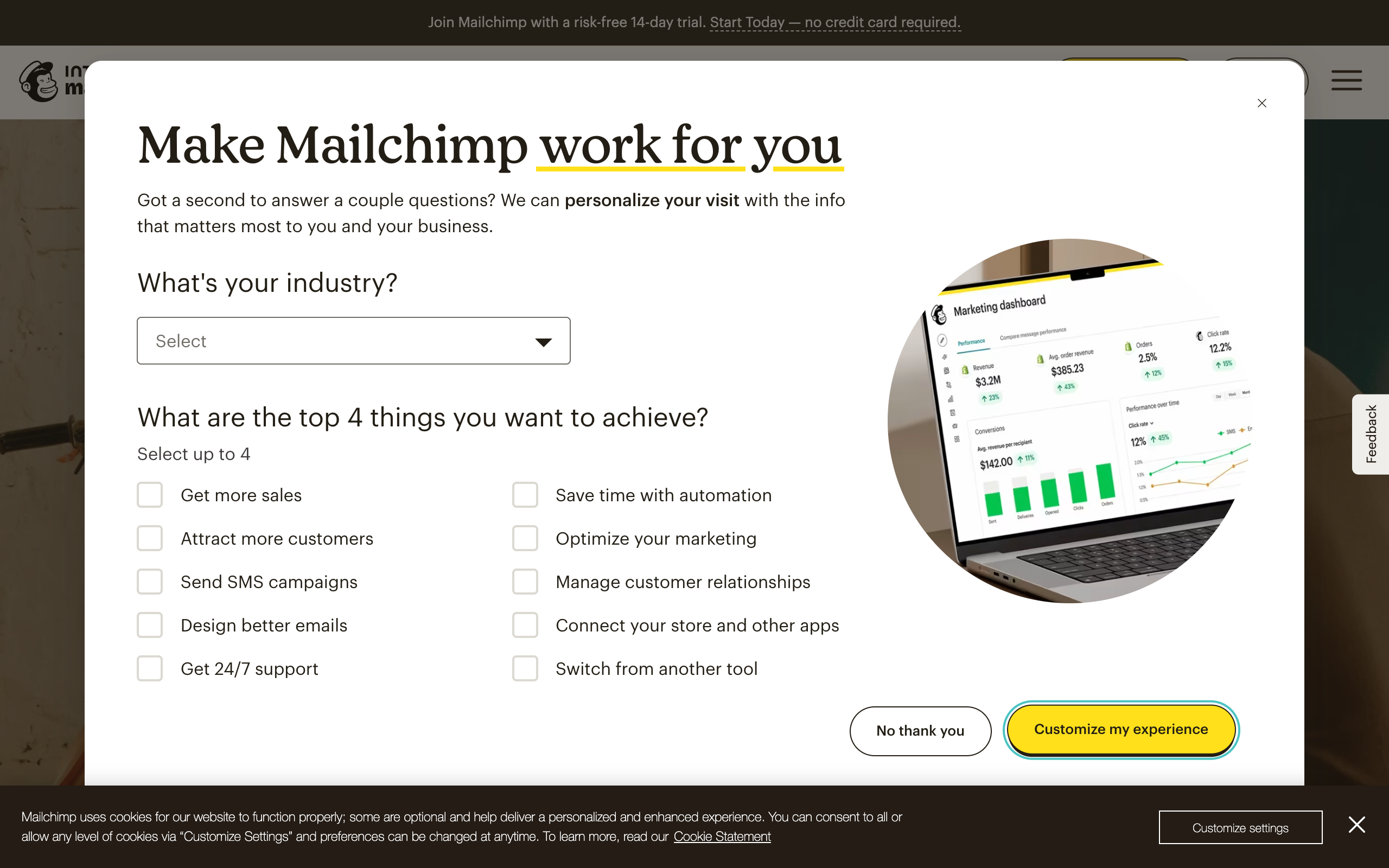
Here is every tier, straight from Mailchimp’s live pricing page, at the lowest contact band (0-500 contacts) on monthly billing.
| Plan | Starting price (0-500 contacts) | Contact limit | Monthly send limit | Key features |
|---|---|---|---|---|
| Free | $0 | 250 contacts | 500 (250/day) | 1 audience, 1 seat, basic templates |
| Essentials | $13/mo | Scales with contacts | Roughly 10x contacts | 3 audiences, 3 seats, A/B testing, scheduling |
| Standard | $20/mo | Scales with contacts | Roughly 12x contacts (up to 6,000/mo at this tier) | 5 audiences, 5 seats, up to 200 automated workflows, dynamic content, popup forms |
| Premium | $350/mo | Unlimited | Roughly 15x contacts (up to 150,000/mo at this tier) | Unlimited audiences and users, predictive segmentation, multivariate testing, phone support |
Every paid plan also comes with a 14-day free trial before billing starts, and a 15% discount applies across the board for accounts holding 10,000 or more contacts during their first 12 months on that plan. Nonprofits are eligible for an additional discount on top of that.
Why does the price climb as your list grows?
Mailchimp, like most contact-based email tools, prices each plan in bands: the $13, $20, and $350 figures above are the entry price at the smallest contact tier, and the same plan costs more once you cross into the next band. Mailchimp does not publish every single band publicly as a static table since the checkout flow calculates it dynamically based on your exact contact count, but the pattern is consistent with the rest of the industry: expect the bill to roughly double by the time your list reaches the low thousands, and to keep climbing from there.
This is not unusual behavior for the category. beehiiv, Kit, and most competitors also price in contact or subscriber bands. What makes Mailchimp’s version worth extra scrutiny is the next section, because it changes what “your contact count” actually means for billing purposes.
Does Mailchimp charge for unsubscribed contacts?
Yes, and this is the single most important line in this entire article. Mailchimp’s own help documentation on contact limits states plainly that unsubscribed contacts count toward your monthly contact limit and your billing. Only two contact states are excluded from billing: cleaned contacts (removed automatically due to hard bounces or spam complaints) and archived contacts, which you have to manually or automatically move out of your active audience yourself.
Here is why that matters in practice. A newsletter running for two years at a normal churn rate accumulates unsubscribes the way any list does; readers’ interests change, inboxes get abandoned, people move on. If you never touch your contact list, every one of those unsubscribed readers is still sitting in your “contacts” count and still contributing to your bill, even though you cannot legally or practically email them again. The fix is straightforward but manual: archive unsubscribed contacts on a regular schedule (Mailchimp lets you do this in bulk) to remove them from your billed count. Very few people do this proactively until a surprise invoice makes them look into why their contact count does not match their engaged list size.
If the archiving workaround sounds like a chore you would rather not manage, it is worth seeing how a platform without that policy handles the same math. beehiiv’s free Launch plan runs to 2,500 subscribers with none of that unsubscribe bookkeeping, and importing your list to compare costs nothing but an afternoon.
What does Mailchimp actually cost at common list sizes?
To make the tier structure concrete, here is the general shape of what a newsletter can expect to pay as it grows, based on Mailchimp’s published band structure and the Standard plan (the tier most newsletters actually need for reasonable automation).
| List size (contacts) | Applicable plan | Rough monthly cost |
|---|---|---|
| 0-250 | Free | $0 |
| 251-500 | Standard | From $20 |
| 1,000-2,500 | Standard | Climbing well above the $20 entry price; check the live calculator for your exact band |
| 5,000+ | Standard or Premium | Pricing above 2,500 contacts scales dynamically at checkout; confirm your exact band on mailchimp.com/pricing |
I want to be direct about that last row rather than guess: Mailchimp’s pricing calculator computes higher-band pricing dynamically based on your exact contact count at checkout, and that specific number is not published as static text on the pricing page in a way I can verify without an active account at that list size. If your list is in the thousands, the only reliable number is the one the live calculator shows for your exact count, so check that before budgeting rather than relying on any rule-of-thumb figure, including ones from other articles.
What happens if you exceed your send limit?
Every Mailchimp plan, free or paid, caps how many emails you can send in a month, tied to a multiple of your contact count (roughly 10x on Essentials, 12x on Standard, 15x on Premium, and a flat 500/month on the free plan). If you go over that limit, Mailchimp auto-bills for the overage rather than blocking your send outright, which protects you from a missed deadline but also means an unusually active month (an extra re-send, a big automated sequence firing, a launch week) can show up as a surprise line item on your next invoice.
This is worth planning around if your sending pattern is uneven. A newsletter that mostly sends one issue a week rarely brushes against these limits. A newsletter running frequent automated sequences on top of regular issues, or one that re-sends to non-openers, can approach the ceiling faster than the headline “10x contacts” figure suggests, especially on the free plan’s flat 500-email cap.
Three real-world cost scenarios
Numbers are more useful when they are attached to a recognizable situation rather than an abstract tier. Here is how the pricing plays out for three common newsletter profiles, using Mailchimp’s published entry pricing and comparing it to beehiiv’s flat-fee structure for the same list size.
| Profile | List size | Mailchimp plan needed | beehiiv equivalent |
|---|---|---|---|
| Solo writer just starting out | 200 subscribers | Free ($0), but only 500 sends/month total | Free Launch ($0), unlimited sends to 2,500 subscribers |
| Growing weekly newsletter | 1,800 subscribers | Standard, priced above the $20 entry tier; exact figure depends on the live calculator | Free Launch ($0), since 1,800 is under the 2,500-subscriber cap |
| Established newsletter with automations and a small team | 6,000 subscribers | Standard or Premium, priced well above entry tier; check live calculator | Scale, from $43/mo (annual) plus the applicable subscriber-tier step-up |
The pattern that holds across all three profiles: Mailchimp’s send-limit structure penalizes a small, active sender (the solo writer capped at 500 sends/month on free) in a way beehiiv’s unlimited-sends free tier does not, and the mid-size newsletter case is where the contact-based pricing gap widens the most, since 1,800 subscribers costs real money on Mailchimp but nothing on a platform with a 2,500-subscriber free ceiling.
How does Mailchimp’s pricing compare to beehiiv, Kit, and Substack?
| Platform | Free tier | Entry paid price | Counts unsubscribes toward billing? |
|---|---|---|---|
| Mailchimp | 250 contacts | From $13/mo (Essentials) | Yes, unless manually archived |
| beehiiv | 2,500 subscribers, unlimited sends | From $43/mo (Scale, annual billing) | No documented unsubscribe-billing policy of this kind |
| Kit | 10,000 subscribers, 1 automation | From $33/mo (Creator, 1,000-subscriber tier) | Only active, unique subscribers are billed per Kit’s stated policy |
| Substack | Unlimited free subscribers | No paid tier; 10% of paid subscription revenue instead | Not applicable; Substack has no contact-based pricing |
The comparison that stands out most for a growing newsletter: beehiiv’s free tier alone covers ten times as many contacts as Mailchimp’s entry-level paid plan requires, at $0. For a newsletter under 2,500 subscribers with no ecommerce needs, Mailchimp is very likely the more expensive option before you even factor in the unsubscribe policy. See the full breakdown of the growth-tooling gap, not just price, in our beehiiv vs Mailchimp comparison, and the complete field in our ranking of the best newsletter platforms.
Before you commit a growing list to contact-based pricing that bills for unsubscribes, it is worth testing the alternative directly. Start a free beehiiv publication, import your Mailchimp list, and send one real issue. The free plan covers up to 2,500 subscribers with no card required.
Which Mailchimp plan should you actually pick?
The tier names sound similar enough that people default to the middle option without checking whether they need what it unlocks. Here is the decision I would actually walk through.
Pick Free if you are testing whether Mailchimp’s editor and workflow suit you at all, and your list is genuinely under 250 contacts with light sending needs. Do not plan to stay here long if you are actively growing; the ceiling is close, and you will likely hit it within your first few months of real list-building.
Pick Essentials if you need basic A/B testing and multiple audiences but have no real use for marketing automation workflows. This is the right tier for a simple newsletter or small promotional list that sends on a predictable schedule without complex triggers.
Pick Standard if automation is genuinely part of your plan: welcome sequences, abandoned-cart-style triggers, behavioral segmentation, or popup forms feeding your list. This is the tier most serious Mailchimp users actually land on, and it is where the product starts to feel like the marketing-automation tool it was built to be.
Pick Premium only if you specifically need multivariate testing, unlimited seats for a larger team, or phone support as a hard requirement. At $350/month starting price, this tier is priced for a marketing department, not a solo newsletter operator, and the jump from Standard is steep enough that you should be certain you need those specific features before committing.
Does Mailchimp discount annual billing or nonprofits?
Mailchimp’s live pricing page structures its main discount around contact volume rather than a simple monthly-versus-annual toggle: accounts with 10,000 or more contacts get 15% off during their first 12 months on a paid plan, which is a meaningful break if your list is already at that scale. Nonprofit organizations are eligible for an additional discount on top of standard pricing, a policy Mailchimp has offered for years given its small-business and community-organization user base. If your list is under 10,000 contacts and you are not a nonprofit, do not expect a further discount beyond the tier price itself and the 14-day free trial.
Is Mailchimp worth the price for a newsletter?
It depends heavily on what you are buying it for. If you need the automation depth, the SMS channel, and the wide ecommerce integrations, the price reflects genuine capability that dedicated newsletter tools do not match. If you are running a pure newsletter with no store attached, you are paying contact-based pricing (with the unsubscribe quirk) for a feature set built around a different job, and a newsletter-first platform is very likely to be both cheaper and better matched to what you actually need. Read our full Mailchimp review for the feature-by-feature case either way.
How do you keep Mailchimp costs down if you stay?
- Archive unsubscribed contacts on a schedule. Mailchimp supports bulk archiving; do this monthly or quarterly rather than letting unsubscribes silently accumulate in your billed count.
- Audit your audience for duplicate or stale contacts before renewing or upgrading, since contacts you no longer need still count toward your tier.
- Check the live calculator before committing to annual billing, since your exact band pricing at higher contact counts is not static and can shift the math on whether annual billing actually saves you money.
- Reassess the plan tier, not just the contact count, since jumping from Standard to Premium for a single feature (like multivariate testing) is a roughly 17x price increase; make sure you actually need it before upgrading.
- Watch your monthly send volume against the plan’s multiplier, not just your contact count, since overage billing kicks in automatically if you exceed the send cap, and a launch week or an extra automated sequence can trigger it without warning.
- Reconfirm pricing at your exact contact count before renewing, since the published entry prices only apply at the lowest band, and the true cost of your account likely sits higher on the scale than the number that first appears on the pricing page.
Frequently asked questions
How much does Mailchimp cost per month? The free plan is $0 for up to 250 contacts. Paid plans start at $13/month (Essentials), $20/month (Standard), or $350/month (Premium) at the lowest contact tier, all rising as your contact count grows.
Does Mailchimp charge for unsubscribed contacts? Yes. Mailchimp’s help documentation confirms unsubscribed contacts count toward your monthly contact limit and billing. Only cleaned and archived contacts are excluded, and archiving has to be done manually or on an automated schedule you set up yourself.
Is Mailchimp cheaper than beehiiv? For a pure newsletter under 2,500 subscribers, no. beehiiv’s free tier covers that range at $0, while Mailchimp’s free tier stops at 250 contacts and paid plans start at $13/month. Mailchimp becomes more competitive for ecommerce-heavy use cases where its automation and integrations add value beehiiv does not offer.
What is the cheapest paid Mailchimp plan? Essentials, starting at $13/month at the 0-500 contact tier, with A/B testing, 3 audiences, and 3 seats. It lacks the marketing automation workflows (Journeys) that start on the Standard plan.
Does Mailchimp have a free trial on paid plans? Yes, 14 days on paid plans, in addition to the permanently free plan capped at 250 contacts.
Why did my Mailchimp bill go up without my list growing? The most common reason is unsubscribed contacts accumulating in your billed count over time. Since Mailchimp counts unsubscribes (unlike cleaned or archived contacts) toward your limit, a list with normal churn can cross a pricing band even if your actively engaged subscriber count has not grown at all.
The bottom line on Mailchimp pricing
Mailchimp’s pricing is not deceptive, but it is easy to underestimate if you only look at the headline numbers on the pricing page. The entry prices ($13, $20, $350) are real, and they are honestly published. What is easy to miss is that those numbers are floors, not fixed prices, and that the unsubscribe-counting policy means your bill can grow independently of your actual engaged audience unless you manage your contact list actively.
For a newsletter with no ecommerce component, the math rarely favors Mailchimp once you compare it against a platform with a larger free tier or flat pricing that does not bill for unsubscribes. For a business running email alongside a store, the automation and integration depth genuinely justifies more of the cost, and the wide roster of ecommerce integrations can save more in setup time than a cheaper competitor would save in monthly fees. Know which one you are before you commit a growing list to either, and revisit the decision again once your list crosses a few thousand contacts, since that is where the pricing gap tends to widen the most.
See the alternative pricing model for yourself: open a free beehiiv publication, import your Mailchimp audience, and send a real issue. The free plan runs to 2,500 subscribers with no card required, so the comparison costs you nothing.
Pricing captured from vendor pricing pages, July 2026. Plans change, so confirm current details before you buy.