GetResponse wins on unlimited sends, webinars, funnels, and course tools at a lower entry price, while Mailchimp wins on brand trust, app integrations, and ecommerce reporting depth. If you are a solo creator, coach, or course seller who wants automation, landing pages, and webinars bundled into one subscription, GetResponse’s $19 a month Starter plan gives you more working parts for less money. If you run a store on Shopify or WooCommerce and need deep purchase-behavior segmentation and a marketing tool your agency or VA already knows, Mailchimp’s ecosystem still has the edge. Neither one, honestly, is the best tool if publishing a newsletter is the actual point of your business, and I will get to why toward the end.
Disclosure: some links in this post are affiliate links. If you sign up through them, we may earn a commission at no extra cost to you. That never changes our verdict.
Before you commit to either platform, it is worth seeing what a newsletter-first tool looks like. I would open a free beehiiv publication and send one issue just to compare the experience. It runs free to 2,500 subscribers with no card required, so the comparison costs you nothing but twenty minutes.
Key takeaways
- GetResponse’s Starter plan starts around $19 a month for 1,000 contacts with unlimited monthly email sends, a feature most competitors gate behind higher tiers.
- Mailchimp’s Free plan covers 250 contacts and caps you at 500 sends a month, then charges roughly $13 a month at the Essentials tier for 500 contacts, scaling from there.
- GetResponse ships webinars, a course creator, sales funnels, and a website builder inside its subscription; Mailchimp does not build any of those natively.
- Mailchimp’s automation and segmentation are built for ecommerce behavior (abandoned cart, purchase history, predictive segments), which is deeper than GetResponse’s ecommerce toolkit for Shopify-heavy stores.
- If your list exists to publish a newsletter rather than run marketing campaigns, both tools carry overhead (contact-based pricing, campaign-style editors) that a dedicated newsletter platform like beehiiv does not.
What is the real difference between GetResponse and Mailchimp?
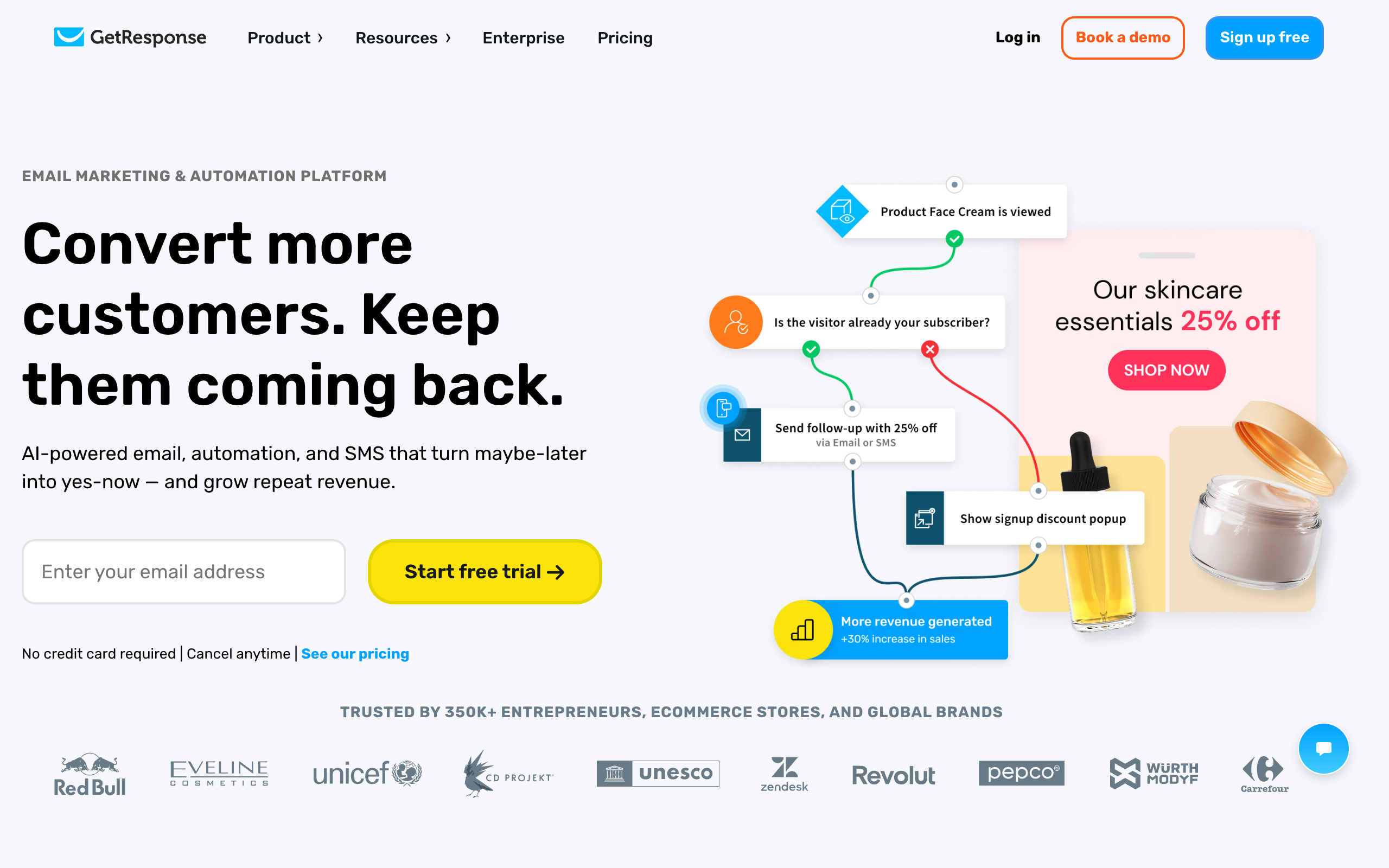
GetResponse started as an email marketing tool in 1998 and has spent the last decade bolting on everything a solo marketer or course creator might otherwise pay for separately: landing pages, webinars, a course platform, conversion funnels, and even a basic website builder. The pitch is consolidation. Instead of paying for Zoom, Teachable, and Leadpages on top of your email tool, GetResponse tries to be the one subscription that replaces all four.
Mailchimp took a different path. Intuit acquired it in 2021 and has steadily pushed it toward being a full small-business marketing platform: email, SMS (in the US), postcards, social ad management, and a CRM layer, all wired into ecommerce platforms like Shopify, WooCommerce, and Squarespace. Mailchimp’s strength is depth on the commerce side: revenue attribution per campaign, product recommendation blocks, and predictive demographics that guess a contact’s age range or gender from behavior data.
The practical split is this. GetResponse is built for people who sell knowledge, skills, or a personal brand and need marketing infrastructure around a smaller list. Mailchimp is built for people who sell physical or digital products through a storefront and need their email tool to talk fluently to that storefront’s data. Overlap exists, but the tools were not designed for the same job.
How do GetResponse and Mailchimp price out at 1,000 contacts?
Pricing is where most people start, so here is the direct comparison at a 1,000-contact list, the size most solo operators and small newsletters are actually working with.
| Plan | Monthly price (1,000 contacts) | Send limit | What you get |
|---|---|---|---|
| GetResponse Starter | Around $19/mo (18% off if billed annually) | Unlimited | 1 automation workflow, landing pages, signup forms, 3 users |
| GetResponse Marketer | Around $59/mo | Unlimited | Unlimited automation workflows, segmentation, abandoned cart recovery, sales funnels, 5 users |
| GetResponse Creator | Around $69/mo | Unlimited | Everything in Marketer plus webinars (100 attendees), website builder, course creator, premium newsletters |
| Mailchimp Free | $0 | 500/mo (250/day) | 250 contacts, 1 audience, basic templates, popup forms, 1 seat |
| Mailchimp Essentials | Around $13/mo at low contact tiers | ~10x contact count | 3 seats, A/B testing, scheduling, basic automation |
| Mailchimp Standard | Around $20/mo at low contact tiers | ~12x contact count | 5 seats, 200 automation flows, generative AI, custom templates |
| Mailchimp Premium | $350/mo | ~15x contact count | Unlimited seats, phone support, multivariate testing, predictive segmentation |
Two details matter more than the sticker price. First, GetResponse’s send limit is unlimited on every paid plan, so a highly active sender who emails daily is not penalized for volume the way Mailchimp’s multiplier-based send caps can penalize you. Second, Mailchimp’s contact count has historically included unsubscribed and cleaned contacts unless you actively archive them, which means a list that looks like 1,000 people can quietly cost you like a bigger list if you never prune it. GetResponse charges by active contacts in your chosen list size band, which is a cleaner mental model for budgeting.
Neither company publishes GetResponse’s Marketer and Creator prices as prominently as the Starter tier, and both companies adjust promotional discounts often, so treat the annual-billing savings (18% for GetResponse, 15% for Mailchimp on 10,000+ contact plans) as directionally correct rather than fixed. Check the live pricing pages before you buy, because these numbers move.
Which platform has stronger automation?
This depends entirely on what you are automating. Mailchimp’s automation engine is built around customer journeys: a visual builder where you can branch on purchase behavior, page visits, or predicted demographics, and it plugs directly into ecommerce data if you connect a store. For a retailer running “customer just bought X, wait 14 days, then recommend Y,” Mailchimp’s journey builder on the Standard plan (up to 200 automation flows) is genuinely strong, and its predictive segmentation (guessing likely repeat purchasers or churn risk) is a feature GetResponse does not have at all.
GetResponse’s automation is built around funnels rather than journeys: welcome sequences, tag-based triggers, abandoned cart recovery for its own ecommerce integrations, and event-based automation tied to webinar attendance or course enrollment. It is unlimited on the Marketer plan and up, which means you are not rationed on how many workflows you can run, unlike Mailchimp’s flow cap. For a coach running “someone registers for the webinar, gets three reminder emails, then a replay sequence, then a pitch email,” GetResponse’s builder handles that natively without needing a separate webinar tool.
The honest read: if your automations are triggered by ecommerce purchase data, Mailchimp’s depth wins. If your automations are triggered by content engagement, webinar registration, or course progress, GetResponse’s breadth wins, and it does so without the per-flow ceiling Mailchimp imposes below its top plan.
Which is better for ecommerce?
Mailchimp, without much argument. Its Shopify and WooCommerce integrations are mature, its product recommendation blocks pull live inventory into emails, and its revenue reporting attributes dollars back to specific campaigns and automations at a granularity GetResponse does not match. If your business is a store first and a newsletter second, Mailchimp’s ecommerce reporting alone can justify the higher price once your contact list grows past a few thousand.
GetResponse has ecommerce tools too (abandoned cart triggers, a store and product center, promo codes), and they work fine for a solo creator selling a handful of digital products. But it was not built to be the marketing brain of a multi-SKU physical goods store the way Mailchimp was, and it shows in the shallower reporting. If ecommerce is your primary use case, this comparison is close to a formality: pick Mailchimp, or better yet, look at Klaviyo, which out-specializes both of these tools for pure ecommerce email.
What about deliverability and sending limits?
Both platforms send from shared IP pools at the lower tiers, so inbox placement partly depends on the reputation of other senders sharing that pool, which is standard for tools at this price point. GetResponse’s unlimited send allowance means a daily-send newsletter or a flash-sale-heavy store will never hit a monthly ceiling. Mailchimp’s send limits scale with your contact count (roughly 10 to 15 times your list size depending on plan), which is generous for typical newsletter cadences of one to four sends a week but can become a real constraint if you send daily to a smaller list or run frequent multi-part campaigns.
Neither company publishes hard deliverability benchmarks, and inbox placement varies by list hygiene, content, and sending reputation more than by platform choice. If deliverability at scale is a dealbreaker for you, ask both vendors directly about dedicated IP options, which sit on GetResponse’s Enterprise plan and Mailchimp’s Premium plan respectively.
How do the email editors and templates compare?
GetResponse’s editor is a block-based drag-and-drop builder with a reasonably large template library organized by industry and use case (ecommerce, SaaS, coaching, nonprofit). It supports a custom HTML editor if you want full control, inline product boxes for ecommerce sends, and an AI content generator (limited to three uses on Starter, unlimited on higher tiers) that drafts subject lines and body copy from a prompt. In practice, the editor is fast and the AI subject-line tool is genuinely useful for beating writer’s block on a Tuesday afternoon send, but the visual polish of individual blocks (spacing, mobile preview accuracy) trails slightly behind more design-focused competitors.
Mailchimp’s editor has more design maturity, which makes sense given how long the company has invested in it. Custom templates, a content studio for reusable image and text blocks, and generative AI tools (rolled out more broadly on Standard and above) all point toward a company that treats email design as a core product surface rather than a feature checkbox. If brand-consistent, visually polished campaigns matter more to you than automation depth, Mailchimp’s editor experience is the more refined of the two, and it shows especially in how templates render across different email clients.
Neither editor requires coding knowledge to get a professional-looking send out the door, so this difference matters most to teams running frequent, highly designed campaigns rather than to a solo operator sending a plain-text-style newsletter update once a week.
What do real users complain about on each platform?
The recurring GetResponse complaint, across review sites and community forums, is that the sheer number of features (webinars, funnels, courses, a website builder, email, automation) means none of them get the depth of a dedicated single-purpose tool. Users who came from a specialized webinar platform or a specialized course host sometimes find GetResponse’s version “good enough” rather than “as good,” and the interface can feel busy because it is trying to be four products in the same navigation menu. Support response times on lower tiers are also a recurring gripe, since GetResponse routes phone support exclusively to Enterprise customers.
The recurring Mailchimp complaint is pricing transparency, specifically the way the platform counts contacts. Because Mailchimp historically counted unsubscribed and cleaned addresses against your plan limit unless you manually archived them, users have reported unexpected tier jumps after list cleanups that should have reduced, not increased, their apparent list size. The other common complaint is that automation and advanced segmentation, the features Mailchimp is genuinely strong at, sit behind the Standard and Premium tiers, so budget-conscious users on Essentials often feel like they bought a lighter version of the product than the marketing implied.
Do landing pages, webinars, and funnels change the calculus?
This is where GetResponse pulls ahead for a specific type of user. Its Marketer and Creator plans include unlimited landing pages, a drag-and-drop website builder, conversion funnel templates (lead funnel, sales funnel, webinar funnel), and live webinars for up to 100 or 1,000 attendees depending on tier. A course creator or coach who currently pays separately for Leadpages, Zoom, and a course host could plausibly consolidate all of that into one GetResponse subscription and come out ahead on cost.
Mailchimp offers landing pages and basic websites too, but they are thinner: fewer templates, no webinar hosting at all, and no course platform. If you need to sell a webinar-driven offer or run an evergreen funnel, Mailchimp expects you to bring a separate tool for the parts it does not cover. That is a fair trade if you already have those tools; it is a real gap if you do not.
If what you actually want is a place to publish and grow a newsletter rather than manage funnels or ecommerce flows, try building your next issue on a free beehiiv account before you commit budget to either GetResponse or Mailchimp. The comparison will make the right choice obvious within one send.
Which free plan is more usable?
GetResponse does not really have a free plan; it has a 14-day free trial of the paid features, after which you drop to a limited free account with GetResponse branding, capped landing page traffic (1,000 unique visitors a month), and no dynamic segmentation. Mailchimp’s Free plan, by contrast, is permanently free up to 250 contacts and 500 sends a month, with basic templates and popup forms, and it does not expire.
If you want to test-drive automation, webinars, and funnels at no cost, GetResponse’s 14-day trial is more generous in features but time-limited. If you want a genuinely free tool to run indefinitely at a tiny list size, Mailchimp’s Free plan is the better long-term option, though 500 sends a month will feel tight fast if you send more than once a week to your full list.
Who should choose GetResponse?
- Coaches and course creators who want webinars, a course platform, and funnels bundled with email in one bill.
- Solo creators who send frequently and do not want to think about a monthly send ceiling.
- Anyone currently paying for Zoom or a webinar tool, Leadpages or a landing page tool, and an email tool separately, who wants to consolidate.
- Budget-conscious solopreneurs who want unlimited automation workflows without paying Mailchimp’s top-tier price to get there.
Who should choose Mailchimp?
- Ecommerce stores on Shopify, WooCommerce, or Squarespace that need deep purchase-behavior automation and revenue attribution.
- Teams that already use Intuit products (QuickBooks) and want billing and data to live in one ecosystem.
- Businesses that need the widest possible agency and freelancer familiarity, since more marketers already know Mailchimp than know GetResponse.
- Anyone who wants a genuinely free plan with no expiration date to run a very small list.
Is there a better option than both for a pure newsletter?
If you strip away ecommerce automation and webinar hosting and ask a simpler question, “where should I publish and grow a newsletter,” both GetResponse and Mailchimp start to look like the wrong shape of tool. Neither one gives your newsletter an SEO-indexable website by default, neither has a built-in referral program to turn readers into a growth channel, and neither connects you to an ad marketplace where other newsletters or sponsors pay to reach your list.
beehiiv was purpose-built for exactly that gap. Its free Launch plan runs to 2,500 subscribers with unlimited sends and a custom domain, its Scale plan adds a native referral program, the Boosts marketplace for subscriber growth, and an ad network for monetization, all for a flat fee with 0% taken off paid subscription revenue. I go through the full breakdown, including where it is weaker than GetResponse on funnels and weaker than Mailchimp on ecommerce, in my full beehiiv review, and I compare every major platform side by side in my best newsletter platforms ranking. If cost is the deciding factor, the beehiiv pricing breakdown lays out exactly where each tier stops making sense.
My verdict
Between just these two, the decision comes down to what your list is for. If you are selling knowledge, running webinars, or building funnels around a personal brand, GetResponse gives you more tools for less money at the 1,000-contact mark, and the unlimited send allowance removes a constraint Mailchimp still imposes. If you are running a product-based business where purchase data drives your marketing, Mailchimp’s deeper ecommerce integrations and reporting are worth the higher price.
But if you read this far and neither answer quite fit, that is a signal. If the honest description of your business is “I write a newsletter,” you are optimizing the wrong variable by choosing between two marketing-automation platforms built for funnels and stores. Check what a newsletter-native tool looks like before you sign an annual contract with either of these. You can review my full GetResponse review and Mailchimp review for the deeper feature walkthroughs, and if GetResponse specifically is on your shortlist against a newsletter-first tool, my beehiiv vs GetResponse comparison covers that matchup directly.
Start a free beehiiv publication and send your next issue from it instead of your current tool. It costs nothing to 2,500 subscribers, and an afternoon of testing will tell you more than any comparison article, including this one.
Frequently asked questions
Is GetResponse cheaper than Mailchimp? At the 1,000-contact mark, GetResponse’s Starter plan (around $19/mo) costs slightly more than Mailchimp’s Essentials plan (around $13/mo) on paper, but GetResponse includes unlimited sends, landing pages, and one automation workflow, while Mailchimp’s Essentials tier caps sends at roughly 10 times your contact count and includes fewer automation features. Once you need webinars or funnels, GetResponse becomes the cheaper consolidated option because you are not paying for separate tools.
Does Mailchimp have unlimited sends? No. Mailchimp caps monthly sends at a multiplier of your contact count that varies by plan, roughly 10 to 15 times your list size. GetResponse offers unlimited sends on every paid plan, including Starter.
Which platform is better for beginners? Mailchimp’s brand recognition and tutorial ecosystem make it slightly easier to find help as a first-time user, and its permanent free plan has no expiration pressure. GetResponse’s 14-day trial gives beginners access to more features up front, but the clock is running, and you will hit a decision point sooner.
Can I migrate my list between GetResponse and Mailchimp? Yes. Both platforms support CSV import and export of contact lists, and both have documented migration guides. Automations, tags, and segment logic do not transfer automatically and need to be rebuilt in the destination platform.
Does either platform work well for a paid newsletter? Neither is purpose-built for paid subscriptions the way a newsletter platform is. GetResponse supports “premium newsletters” on its Creator plan, and Mailchimp has no native paid-subscription feature at all. If paid subscriptions are central to your business, a dedicated platform will serve you better than retrofitting either of these tools.
Which has better customer support? Mailchimp offers phone support only on its $350/mo Premium plan; lower tiers get email and chat. GetResponse offers chat and email support starting on Starter, with phone support reserved for Enterprise. For most solo users on entry-level plans, GetResponse’s support access is broader at a lower price point.
Pricing captured from vendor pricing pages, July 2026. Plans change, so confirm current details before you buy.