
Lindy review searches usually come from one of two places: someone about to hand over a credit card and wanting a second opinion, or someone already three flows deep who wants to know if they are using the tool right. This review is written for both. I built several real flows on Lindy’s canvas over multiple sessions, ran the assistant over iMessage for a week, tested the meeting-joining and note-taking against actual calls, and pushed against the edges of what the builder can and cannot do.
The short version: Lindy is a genuinely good visual AI assistant builder with a real strength in personal-assistant-shaped work, sold at an honest, predictable price. It is not the tool for every job, and by the end of this review you will know exactly which jobs those are.
Disclosure: some links in this post are affiliate links. If you sign up through them, we may earn a commission at no extra cost to you. That never changes our verdict.
The 30-second verdict
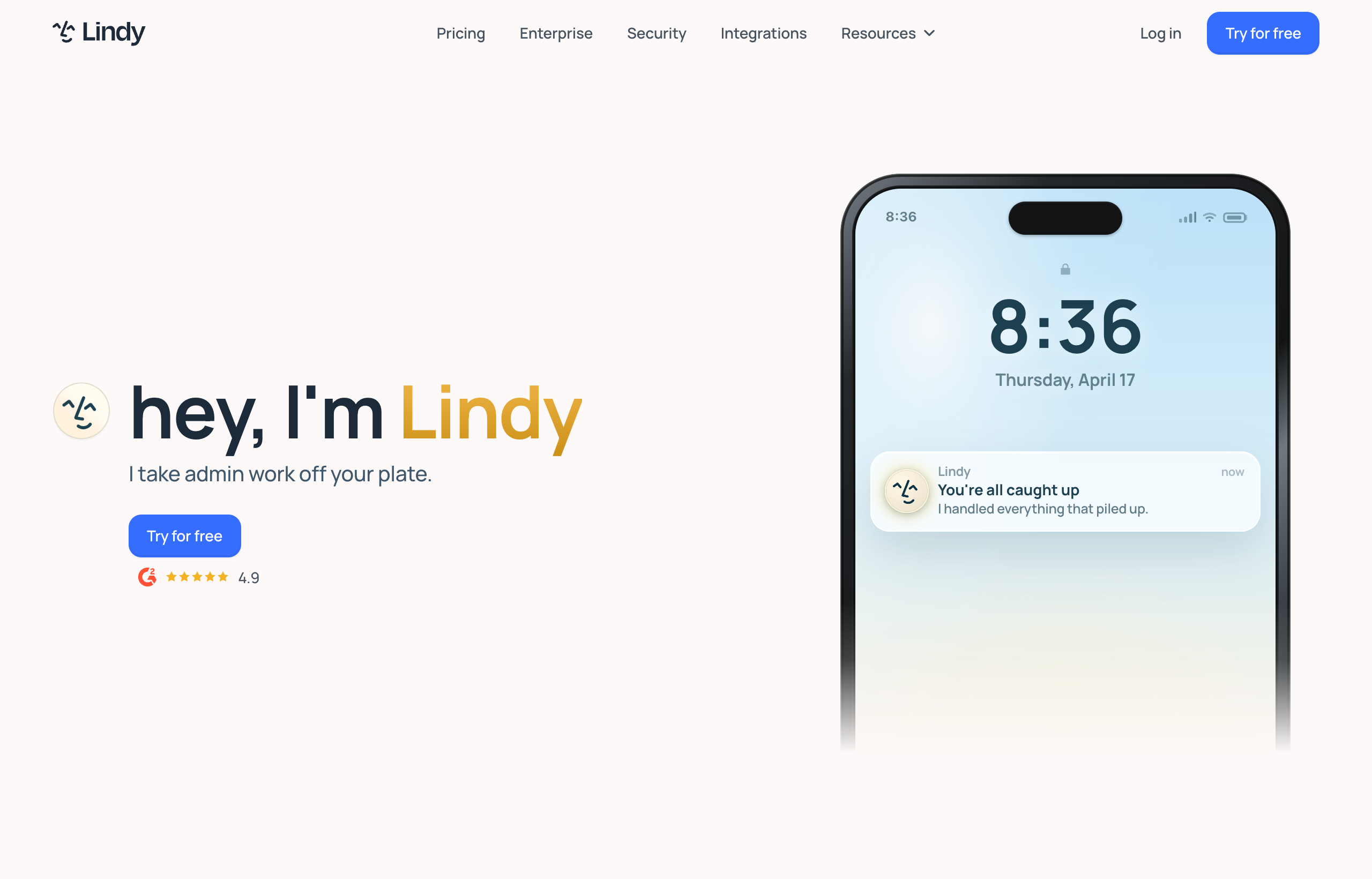
Rating: 3.8 out of 5.
Lindy is a well-built visual canvas for assembling AI-powered automations, paired with a personal-assistant chat layer you reach over iMessage or SMS. It is at its best for repeatable, well-defined tasks: inbox triage, meeting scheduling, note-taking and action items, drafted replies in your own voice. It is weaker for open-ended, one-off requests, for anything that needs deep integration with engineering tools, and for teams whose actual coordination happens in Slack rather than in a separate assistant app. $49.99/month gets you in the door, and the price stays flat and predictable as you scale within a tier, which is worth something in a market full of usage-based billing surprises.
If you read this whole review and land on “I want the builder, not the assistant model,” Lindy is a solid pick and worth the trial. If you land on “I actually just want to describe a task and have it done, in Slack,” it is worth trying Viktor’s free $100 in credits before you commit to either. The rest of this review will make clear which camp you are in.
What Lindy is
Lindy is a visual builder for AI-powered automations, called “Lindies,” that you assemble by connecting triggers to actions on a canvas, with an AI reasoning step available at any point in the chain rather than pure deterministic logic. Once built, you interact with the result conversationally: over iMessage, standard SMS on Android, or inside Lindy’s own interface. The pitch is a personal assistant you actually text, backed by automations you designed yourself.
Under the hood it connects to 100-plus tools: Gmail, Outlook, Slack, Notion, HubSpot, Salesforce, and the usual calendar and meeting-platform suspects. All plans share the core feature set: email drafting that matches your voice, meeting joining with recording and note extraction, calendar scheduling and rescheduling, and a built-in approval step so an automation asks before it sends something on your behalf rather than firing blind.
Pricing: honest and flat, but the inbox limits creep on you

As of July 2026, Lindy runs three self-serve tiers plus Enterprise, all billed monthly with no published annual discount:
- Plus, $49.99/month: up to 2 connected inboxes, the core feature set (drafting, meetings, scheduling, 100-plus integrations).
- Pro, $99.99/month: roughly 3x Plus usage capacity, up to 3 connected inboxes, adds browser-based computer use.
- Max, $199.99/month: roughly 7x Plus usage capacity, up to 5 connected inboxes.
- Enterprise: custom pricing, adds SSO, SCIM provisioning, HIPAA compliance, audit logs, and a signed BAA.
There is no permanent free plan. A 7-day free trial gives you full Plus-tier access with no credit card required, which is a fair way to actually test the builder before paying.
What the pricing page does not lead with, and what matters in practice: the inbox limits bite faster than the flat monthly number suggests. Two inboxes on Plus sounds generous until you realize that is your entire team’s ceiling on that tier, not two per person. A small team where three or four people each want their own Lindy handling their own inbox will find themselves priced into Pro or Max quickly, at which point the effective per-person cost climbs well past the $49.99 headline. Compare that against usage-based tools before assuming Lindy is automatically the cheaper option for a team, not just an individual.
Strengths: where Lindy genuinely earns its reputation
The visual builder is approachable without being simplistic
Dragging a trigger onto the canvas, connecting it to an action, adding a condition branch, and testing the run is intuitive in a way a lot of automation builders are not. You are not reading documentation to figure out syntax. For someone who wants to see exactly what will happen, in what order, with what fallback if a step fails, that visibility is genuinely valuable and something a purely conversational tool cannot offer by design.
It behaves like an assistant, not a dashboard you have to remember to check
Texting “what’s on my calendar tomorrow” to your Lindy over iMessage and getting a real answer, or having it draft a reply in a voice that actually sounds like you, closes the gap between “software you configured” and “assistant you delegate to.” Meeting joining, recording, and action-item extraction worked reliably in testing across several calls, with notes that were genuinely useful afterward rather than a wall of transcript.
Templates lower the time-to-first-value
You are not staring at a blank canvas. Lindy ships a library of pre-built flow templates for common jobs (inbox triage, meeting prep, lead follow-up) that you customize rather than construct from scratch. For most people, starting from a template and adjusting three fields is a much faster path to a working automation than building one from nothing.
The price is honest
$49.99, $99.99, $199.99. Flat, predictable, and printed clearly on the pricing page with no credit math to reverse-engineer before you know your monthly bill. In a market where several competitors bill on consumption, that predictability is a real, underrated feature.
Weaknesses: where a fair review has to push back
A review that only lists strengths is marketing copy wearing a review’s clothes. Here is where Lindy showed real limits.
You are the one building every flow
Nothing happens until you design it. For a task you will run the same way every week, that is a reasonable one-time investment. For anything genuinely one-off, “check what changed on our five biggest competitors’ pricing pages this month,” “pull together a quick brief on this new vendor,” building a flow just to run it once is slower than the task itself. Lindy has no real answer for open-ended, novel requests beyond you constructing a flow for each new shape of question.
Integration depth trails the category leaders
100-plus integrations is a real number, but it is thin next to general automation platforms like Zapier and Make, and thinner still against Viktor’s 3,200-plus. If your stack includes anything engineering-adjacent, GitHub, Linear, Jira, the connection is either shallow or missing, which is a real limitation if any part of your workflow touches product or engineering coordination.
It does not touch code or deployment at all
Lindy is built for communication and scheduling work. It will not open a pull request, write a bug fix, or deploy a small internal tool, and it does not claim to. That is a fine and honest scope decision, but it means any task with a technical component needs a different tool entirely, layered alongside Lindy rather than instead of it.
Inbox and usage limits push you up tiers faster than expected
As covered above, the per-tier inbox caps (2 on Plus, 3 on Pro, 5 on Max) mean a small team, not even a large one, can hit the ceiling of a tier surprisingly fast. Budget for this before you assume $49.99/month covers your whole team.
It lives in a separate app from where most teams actually coordinate
The iMessage and SMS chat layer is a nice touch for personal-assistant tasks, but company work discussion, the context around why a task matters, who else needs to see the output, tends to live in Slack or Teams for most companies. Lindy is not native to either, so the automation and the conversation about it end up split across two places.
If the “separate app from where my team coordinates” weakness is the one that lands for you, that is the exact gap a Slack-native tool is built to close. Viktor lives inside Slack and Microsoft Teams, and the free trial’s $100 in credits do not expire, so there is no rush to decide before you have actually tried it.
How this review was tested
The flows I built covered a spread of real use cases rather than one narrow test: a lead follow-up sequence triggered off a form fill, an inbox triage flow that tagged and drafted replies to a personal test inbox, and a meeting-prep flow that pulled context on attendees before a call. I ran the iMessage assistant layer for about a week of normal daily questions, calendar checks, quick reminders, “did that email go out,” and sat in on three real calls to test the meeting-joining and note-taking feature against actual conversation rather than a scripted demo. None of this is a substitute for your own trial, since your integrations and edge cases will differ, but it is enough to separate marketing copy from lived behavior, which is the point of a review.
Who should actually use Lindy
- Solo founders and small teams who want a personal assistant reachable by text, not a coworker inside a shared chat app.
- Anyone with a handful of well-defined, repeatable communication or scheduling tasks who wants to build the flow once and trust it to run the same way every time.
- People who value seeing and controlling every step of an automation on a visual canvas over describing an outcome and trusting a model to plan the path.
- Teams that want a flat, predictable monthly bill and are willing to trade some integration breadth for that predictability.
Who should look elsewhere
- Teams whose actual coordination happens in Slack or Microsoft Teams and do not want a separate assistant app.
- Anyone whose requests are mostly one-off or fuzzy rather than repeatable, where building a flow per request is more overhead than the task itself.
- Teams needing engineering-adjacent integrations (GitHub, Linear, Jira) or any task that requires writing code, opening a pull request, or deploying an app.
- Small teams where several people each want their own assistant, where inbox limits push the real cost well past the $49.99 headline.
The Slack-native alternative: Viktor
If the weaknesses above describe your situation more than the strengths do, the tool worth trying next is Viktor. Where Lindy is a canvas you build and a text-based assistant you talk to, Viktor is a coworker that lives directly inside Slack or Microsoft Teams: you mention it in a channel, describe the outcome you want in plain language, and it plans and executes across 3,200-plus connected tools without you constructing a flow first. It also goes further into technical territory than Lindy attempts to, writing code, opening pull requests, and deploying small web apps with a database and auth as part of its normal range.
The tradeoff runs the other way on pricing: Viktor bills on usage credits rather than a flat tier, so a heavy week can cost more than Lindy’s predictable monthly number, and it is a conversational coworker rather than a canvas, so you give up some of the step-by-step visibility Lindy’s builder offers. For the full side-by-side, read our Viktor vs Lindy comparison, and if you want more options beyond just Viktor, we cover the wider field in best Lindy alternatives. Our full Viktor review covers its strengths, its honest credit-cost weakness, and who should skip it, and the broader best AI employee tools of 2026 roundup ranks it against the wider category.
Worth trying before you renew: start Viktor’s free trial and give it one task you would normally build a Lindy flow for. You will feel the difference between “build it, then run it” and “just ask” within the first attempt.
A note on support and reliability
Two things worth flagging that do not fit neatly into strengths or weaknesses but affect the day-to-day experience of running Lindy for real. First, the approval-before-send workflow is a genuinely good default: an automation that drafts an email or sends a message asks for confirmation before it fires unless you explicitly configure it to run autonomously, which meant I never had a Lindy send something embarrassing during testing, a real risk with any tool that touches outbound communication. Second, like most AI-powered builders, occasional runs behaved unpredictably when a source email or calendar event was formatted unusually, a meeting invite with no clear agenda, an email thread with mixed languages. These were rare, but worth expecting rather than being surprised by, especially in the first few weeks while you learn where a given flow needs an extra condition branch to handle the edge case gracefully.
Frequently asked questions
Is Lindy actually worth $49.99 a month?
For a solo user or small team with well-defined, repeatable communication and scheduling tasks, yes, the price is flat, honest, and the builder is genuinely capable for that scope of work. For a team that needs deep engineering integrations, technical output like code and deployments, or Slack-native coordination, the value is weaker relative to the price, and a different tool likely fits better.
Does Lindy have a free plan?
No permanent free plan exists. Lindy offers a 7-day free trial with full Plus-tier feature access and no credit card required, which is enough time to build and run a real flow before deciding.
Can Lindy write code or deploy apps?
No. Lindy is built for communication and scheduling automation: drafting emails, joining meetings, scheduling, and inbox management. It does not write code, open pull requests, or deploy applications. For that kind of work, a tool like Viktor is built to cover it.
How does Lindy compare to Viktor?
Lindy is a visual flow builder paired with a text-based personal assistant; you design the automation yourself. Viktor is a Slack and Microsoft Teams native coworker you describe tasks to conversationally, with no flow to build first, and a wider range of technical capability including code and deployment. See our full Viktor vs Lindy comparison for the detailed breakdown.
Is Lindy good for teams, not just individuals?
It works for small teams, but the per-tier inbox limits (2 on Plus, 3 on Pro, 5 on Max) mean the real cost of covering a whole team can climb past the entry price faster than expected. For teams that primarily coordinate in Slack or Teams, a native tool in that environment may be a better structural fit than adding a separate assistant app for each person.
The bottom line
Lindy is a well-built, honestly priced tool for a specific job: personal-assistant-shaped, repeatable automations, designed on a visual canvas, reachable over text. It does that job well. Where it runs into limits is anywhere the work is one-off, technical, or centered in a team chat app rather than a personal inbox. Know which kind of work you actually have before you commit a monthly bill to either shape of tool.
If your team lives in Slack and wants a coworker rather than a canvas, Viktor’s free trial is worth the hour it takes to test. If you want to design the flow yourself and prefer a flat bill, Lindy’s 7-day trial is the right next step instead.
Pricing and feature details captured from Lindy’s live pricing page, July 2026. Plans and limits change, confirm current details on lindy.ai/pricing before you buy.


