Genspark Pricing 2026: What 10,000 Credits Actually Buys You
Disclosure: this article contains affiliate links. If you buy through them, we may earn a commission at no extra cost to you. Prices were checked in September 2026.
Quick answer: A Genspark Plus credit costs about $0.0025 ($24.99 for 10,000). A simple research Sparkpage runs 5 to 10 credits (about 1 to 3 cents), a full slide deck runs 100-plus credits (about 25 cents), and a 3-minute phone call runs roughly 180 credits (about 45 cents). The Free plan’s 100 credits a day covers one or two real tasks, not a full workday. If you’re using more than about 300 credits a day, every day, Plus pays for itself; heavy video or call users should look at Pro instead.
How Much Does a Genspark Credit Actually Cost You?

Divide the plan price by the credits it includes and you get the real per-credit rate, which is more useful than the sticker price alone. On Plus, that’s $24.99 for 10,000 credits, or $0.0025 per credit. On Pro, it’s $249.99 for 125,000 credits, or just under $0.002 per credit, roughly 20% cheaper per credit than Plus, which only matters if you’re actually using enough credits to feel that difference.
Genspark’s own Credits Guide is upfront that it won’t give you one fixed number per task: cost depends on “model tier, text length, image resolution, video duration, audio length, number of outputs, task complexity.” What it does confirm is the plan-level math above, plus the fact that core AI Chat and AI Image generation run at zero credit cost on paid plans, a promotion the Help Center says is guaranteed only through December 31, 2026. After that date, chat and image generation may start pulling from the same credit pool as everything else.
What Does Each Type of Task Actually Cost in Credits?

Here’s the breakdown by task type, using the ranges Genspark’s own documentation and independently corroborating credit breakdowns describe, converted to dollars at the Plus rate of $0.0025/credit.
| Task | Credit cost | Cost in dollars (Plus rate) |
|---|---|---|
| AI Chat (core) | 0 credits (through Dec 31, 2026) | $0 |
| AI Image generation | 0 credits (through Dec 31, 2026) | $0 |
| Simple research Sparkpage | ~5 to 10 credits | ~$0.01 to $0.03 |
| Detailed research Sparkpage | ~50 to 80 credits | ~$0.13 to $0.20 |
| Full AI Slides deck | 100+ credits | ~$0.25 or more |
| AI Sheets (with live formulas) | Scales with rows/research, comparable to a Sparkpage or slide deck per Genspark’s guide | Varies, roughly $0.13 to $0.25+ |
| Phone call (Call For Me), per 3 minutes | ~180 credits (about 1 credit/second) | ~$0.45 |
| Video generation | Not published; highest-cost task by far | Unknown, budget for the biggest swing here |
Two numbers do the most damage to a Plus budget in practice: phone calls and video. Run 40 three-minute booking calls in a month and you’ve spent roughly 7,200 credits, about $18 worth, before you’ve built a single slide deck. Video is worse precisely because Genspark won’t publish a number for it; Reddit threads about a 10,000-credit Plus allowance disappearing in a single day are almost always about video generation, not research or slides. You can check your own real numbers against this table by running one task on the Free plan first and reading the credit-usage page before committing to a paid tier.
What Can You Actually Do on the Free 100-Credits-a-Day Plan?
The Free plan gives you 100 credits per day, refreshed every 24 hours, with about 1 GB of AI Drive storage and no credit card required. That’s enough for one detailed research Sparkpage (50 to 80 credits) or five to ten simple ones, but it will not cover a full slide deck (100-plus credits) in a single day without hitting your entire daily allowance on that one task.
The catch that trips people up: credits reset daily and don’t roll over. You cannot save three days of unused Free credits to afford one slide deck on day four. If your actual pattern is “one real task most days,” Free can work indefinitely. If your pattern is “nothing most days, then a big push,” Free will feel broken because the daily cap doesn’t bend to match bursty usage, and that’s the single biggest signal it’s time to upgrade.
At What Usage Level Does Genspark Plus ($24.99) Start Paying for Itself?

Plus makes sense once your real weekly usage consistently runs past what 100 credits a day can cover, which is roughly 700 credits a week. Concretely: if you’re running two detailed Sparkpages a day (100 to 160 credits), or a slide deck every other day, or any mix of research and phone calls that adds up to more than 300 to 400 credits on most days, you’re already over the Free ceiling more days than not.
Plus’s 10,000 monthly credits work out to about 333 credits a day on average, roughly 3.3x the Free plan’s daily cap, and unlike Free, that allowance can be spent unevenly across the month instead of resetting every 24 hours. At $24.99/month, that’s the better deal the moment you’re paying for extra top-up packs on Free more than once, since a single Plus subscription at $0.0025/credit already beats a $20-for-10,000-credit top-up pack’s $0.002/credit only slightly, but you get the workspace features (AI Drive at 50 GB versus 1 GB, and the zero-credit chat/image perk) bundled in on top.
When Is Genspark Pro ($249.99) Actually the Right Call?
Pro is worth it once you’re regularly burning more than roughly 8,000 to 9,000 credits a month on Plus and topping up almost every cycle to cover the gap. At that point you’re already close to Pro’s $249.99 price once you add Plus’s $24.99 plus one or two top-up packs at $20 to $40 each, and Pro’s per-credit rate (just under $0.002) is meaningfully cheaper than paying Plus-plus-topups.
The clearest trigger is task mix, not just volume: if a meaningful chunk of your month is video generation or phone calls specifically, both of which Genspark itself flags as the tasks most likely to blow through a Plus allowance, Pro’s 125,000-credit cushion (12.5x Plus for roughly 10x the price) buys you room to run those tasks without rationing everything else around them. Pro also bumps AI Drive storage to 1 TB from Plus’s 50 GB, which matters if video output specifically is what’s filling your account.
How Does This Compare to Paying for Manus or ChatGPT Plus Instead?

Manus runs on the same credit-metered model as Genspark, which makes it the more directly comparable option, but its entry plan gives you noticeably less to work with: $20/month for 4,000 credits versus Genspark’s $24.99 for 10,000. That’s 2.5x the credits for about 25% more money on Genspark’s side, a better entry-tier deal by credit count even before task-by-task costs are compared. Manus doesn’t publish a phone-calling feature at all, so anyone whose workload includes Call For Me-style tasks can’t replicate that spend on Manus regardless of price.
ChatGPT Plus is a completely different pricing shape: $20/month flat, with usage caps instead of a credit meter, and no per-task charge for anything. If your actual workload is mostly chat and light research with no need for a finished slide deck, sheet, or phone call, ChatGPT Plus at $20 flat is cheaper and more predictable than Genspark Plus at $24.99 with metered credits on top. The tradeoff is exactly what our full Genspark review found when testing both head to head: ChatGPT gives you an outline or a Canva prompt for a deck, Genspark builds the actual slides. You’re not comparing equivalent output, so the cheaper flat fee isn’t automatically the better deal once you count the extra hours spent finishing what ChatGPT started. For a broader look at how these agent-style tools price against each other beyond just Genspark and Manus, our best AI agents in 2026 roundup runs the same comparison across eight tools, and if Viktor is the tool you’re actually pricing against, our Viktor pricing breakdown runs the same per-task math on that platform.
What Happens When You Run Out of Credits Mid-Month?
You can buy a top-up pack, reportedly around $20 for 10,000 credits or $40 for 20,000, each valid for about three months, or simply wait for your plan’s next monthly refresh. Either way, unused monthly plan credits do not carry over to the next billing cycle, so there’s no benefit to under-using one month to bank credits for a bigger push the next.
One billing detail worth knowing before you’re surprised by it: per Genspark’s own Help Center FAQ, a task that completes but produces a low-quality result still counts as billable, successful work, even in cases where it displays as failed. Budget time to review output quality before assuming a finished file means you got what you paid for, and if a task genuinely fails outright, check your credit-usage page (bottom-left menu, then Credits) rather than assuming it was refunded automatically.
Genspark Pricing: Frequently Asked Questions
How much does Genspark cost per month?
Three public tiers as of September 2026: Free at $0, Plus at $24.99/month ($19.99/month billed annually) with 10,000 credits, and Pro at $249.99/month ($199.99/month billed annually) with 125,000 credits. Team pricing is $30/seat/month for 12,000 credits per seat, and Enterprise pricing requires a sign-in.
How many credits does a Genspark slide deck cost?
A full AI Slides deck runs 100 credits or more, which works out to roughly $0.25 or higher at the Plus plan’s per-credit rate, depending on length and how much research the deck requires.
Does Genspark charge credits for chat and image generation?
Not currently. Core AI Chat and AI Image generation run at zero credit cost on Plus and Pro plans, but Genspark’s Help Center states this is guaranteed only through December 31, 2026, after which the policy could change.
Is the Genspark Free plan enough to use it regularly?
It depends on your pattern, not just your volume. Free’s 100 credits a day covers one real task daily, like a detailed research Sparkpage, but the daily reset means you can’t save up credits across days for something bigger, like a slide deck, so bursty or occasional-but-big usage fits Plus better than Free.
How much does a 3-minute Genspark phone call cost?
About 180 credits, since Call For Me bills roughly 1 credit per second. At the Plus plan’s per-credit rate, that’s close to $0.45 per 3-minute call, or about $18 for 40 calls in a month.
Is Genspark cheaper than Manus for the same amount of work?
At the entry tier, yes by credit count: Genspark’s $24.99/month buys 10,000 credits versus Manus’s $20/month for 4,000, meaning Genspark gives roughly 2.5x the credits for about 25% more money. Task-by-task credit costs differ between the two platforms, so the actual dollar difference on your specific workload can vary.
Ready to check your own task mix against these numbers instead of guessing from a pricing page? Start on Genspark’s Free plan, run one real task, and read your credit-usage page before deciding which tier actually fits.
Disclosure: this article contains affiliate links. If you buy through them, we may earn a commission at no extra cost to you. Prices were checked in September 2026.
Quick answer: There is no single best Genspark alternative, because the tools that beat it are each built for one job, not all of them. Flowith’s Agent Neo wins on long, unattended research thanks to a 10-million-token context window. MuleRun wins on 24/7 multi-step automation with a dedicated cloud VM per user. Creao AI wins when an agent needs to plug into your own business tools. Z.ai’s GLM Coding Plan wins on price for pure coding work. Genspark still wins on slides, sheets, and phone calls, which is why our full Genspark review rates it highly for finished output.
Why Look Beyond Genspark At All?
Genspark’s own credit system is the reason people go searching for alternatives in the first place. As we found when we tested it for our hands-on Genspark review, a research Sparkpage runs 5 to 80 credits, a slide deck is 100-plus, and a three-minute phone call burns close to 180 credits out of a 10,000-credit Plus plan. That’s fine if your month is light. It gets expensive fast if your actual job is heavy, repeatable automation rather than the occasional slide deck, and none of the five tools below share Genspark’s exact credit math, so a switch usually means the billing model changes too, not just the interface.
We only kept tools we could open and verify on their own pricing and product pages in September 2026. A few names that show up in other “Genspark alternatives” roundups got dropped here because their marketing pages didn’t load or didn’t disclose enough to describe honestly, and padding a list with unverifiable tools helps nobody choose correctly.
Which Genspark Alternative Wins Deep, Long-Running Research?

Flowith’s Agent Neo wins here because it’s built around a 10-million-token context window and can run more than 1,000 inference steps in the cloud without losing track of the task, including while you’re offline. Genspark’s Sparkpages are fast for a single research pass, but they’re still a bounded task; Neo is designed to keep working for hours on something like reading an entire codebase or a stack of research papers and holding all of it in active memory at once.
Flowith organizes that work on an infinite 2D canvas instead of a chat thread. Every prompt, image, and reply becomes a node you can branch and reuse, plus a “Knowledge Garden” for longer-term memory across sessions. The free Starter tier gives you 300 credits a month, enough to test Agent Neo on one real research task before deciding anything. Pro is $17.91 a month for 20,000 credits (billed annually; $214.92/year), and Ultimate is $44.91/month for 50,000 credits plus access to top-tier video models like Kling that are locked out of the Pro tier.
Which Genspark Alternative Wins Unattended, Multi-Step Automation?

MuleRun wins on automation because every account gets its own dedicated cloud virtual machine that stays on 24/7, instead of a session that resets when you close the tab. That matters for the exact use case Genspark’s Help Center flags as a gap: tasks that need to keep running, retrying, or monitoring something (website uptime, inventory levels, competitor pricing) without you babysitting a browser tab.
MuleRun frames itself as an agent marketplace, over 1,000 ready-made specialized agents you can run instead of building your own from scratch, which is a genuinely different model from Genspark’s single Super Agent approach. Pricing is also aggressive: the Free plan gives you 500 signup credits plus 200 refreshed daily, and Plus is $16/month for 2,000 monthly credits, with unlimited concurrent tasks and unlimited local browser instances. On MuleRun’s own $1-equals-100-credits conversion, that Plus tier prices out to about $0.008 per credit, more than 3x what a Genspark Plus credit costs at $0.0025. The lesson: don’t compare sticker prices across these tools without checking what a credit actually buys on each one, because a “credit” isn’t a standardized unit between platforms.
Which Genspark Alternative Wins When You Need Agents Wired Into Your Own Tools?
Creao AI wins here, and it’s solving the specific problem Genspark doesn’t: pulling from your CRM, ad accounts, or internal spreadsheets rather than just the open web. Creao builds agents that connect to your existing software over OAuth or an API key, no separate integration project, and then run on a schedule (daily, weekly, or webhook-triggered) with adjustable autonomy, from fully automatic to requiring your approval before anything sensitive happens.
The pricing ladder is built around monthly credits rather than a shared pool: Free gives you 30 one-time credits to test the idea, Pro is $20/month for 200 credits with frontier models and all connectors unlocked, Pro Plus is $50/month for 600 credits with priority support, and Max is $150/month for 2,000 credits with dedicated support. Built-in video, image, voice synthesis across 20-plus languages, and browser automation for form-filling round out the feature set, so a lot of what would be a separate tool elsewhere is one connector inside Creao.
Which Genspark Alternative Wins on Coding, Specifically?
Z.ai’s GLM Coding Plan wins on pure coding work because it’s priced and built for exactly that, not coding as one feature bolted onto a general agent. The plan runs on Z.ai’s own GLM-5.3 and GLM-5.3-Flash models, sold as “AI coding powered by GLM” for agents and IDEs, and it plugs into more than 20 agent tools including Claude Code-style integrations and Z.ai’s own ZCode. Genspark shipped its own Genspark Code agent, but it shares Genspark’s general credit pool, so a heavy coding month competes with your slide decks and phone calls for the same 10,000 credits.
Z.ai’s three tiers are Lite at $18/month, Pro at $80/month with roughly 6x Lite’s usage allowance, and Max at $168/month with roughly 14x Lite’s allowance, all billed monthly (annual billing brings the effective cost down about 30%, to $12.60, $56, and $117.60 respectively). We weren’t able to load Z.ai’s own pricing page directly during verification; these figures come from multiple independent trackers that agree closely with each other, so treat them as accurate but not primary-source confirmed.
Where Does GlobalGPT Fit If You Just Want Cheap Multi-Model Access?
GlobalGPT is the pick if what you actually want is casual access to a lot of frontier models without metering every click, not an agent that finishes deliverables. It bundles chat access to GPT-5.6, Claude Sonnet 5, Kimi K3, Gemini 3.1 Pro, DeepSeek V4 Pro, and Grok 4.3 in one subscription, plus video models like Sora 2 and Veo 3.1 and image models including GPT Image 2 and Nano Banana Pro, all switchable inside one conversation.
As of September 2026, GlobalGPT was running an annual-billing promotion putting Basic at $5.8/month (versus a normal $11.9), Pro at $10.8/month, and Unlimited at $25/month with unlimited access to 30-plus models and every video model in the lineup. That’s dramatically cheaper than paying for Sora and Claude and Gemini access separately, but it’s also not an agent in the way Genspark, MuleRun, or Flowith are: you’re picking a model and talking to it, not handing off a multi-step task and getting a finished file back.
Genspark Alternatives: Pricing at a Glance
These entry-level numbers are what each vendor published or displayed on its own site in September 2026; check the links for anything that’s changed since.
| Tool | Free tier | Entry paid plan | Best for |
|---|---|---|---|
| Genspark | 100 credits/day, 1 GB storage | Plus: $24.99/mo, 10,000 credits | Finished slides, sheets, docs, phone calls |
| Flowith | 300 credits/mo | Pro: $17.91/mo, 20,000 credits | Long, unattended deep research on a canvas |
| MuleRun | 500 signup + 200/day credits | Plus: $16/mo, 2,000 credits/mo | 24/7 unattended automation, agent marketplace |
| Creao AI | 30 one-time credits | Pro: $20/mo, 200 credits | Agents wired into your CRM/ad accounts |
| Z.ai (GLM Coding Plan) | Not published | Lite: $18/mo | Coding agents for IDEs |
| GlobalGPT | Not published | Basic: ~$5.8/mo (annual promo) | Cheap access to 100+ chat/image/video models |
When Should You Just Stay on Genspark?
Stay on Genspark if slides, sheets, and phone calls are your actual weekly work, not an occasional demo. None of the five alternatives above ship a real outbound phone-calling feature the way Genspark’s Call For Me does, and reviewers still call Genspark’s AI Slides the most ready-to-use output of the bunch, a full deck with layout and imagery in about a minute. Genspark’s Mixture-of-Agents approach, orchestrating 30-plus models including GPT-5, Claude, and Gemini inside a single task, also means you’re not locked into one vendor’s reasoning style the way a single-model tool like Z.ai’s coding plan is.
Stay on Genspark, too, if you want one workspace instead of several subscriptions. Splitting research to Flowith, automation to MuleRun, and coding to Z.ai means managing three separate credit pools and three separate bills instead of one. For a side-by-side on how Genspark stacks up against its closest direct rival on pricing and features, our Genspark review covers that comparison in detail.
Who Should Skip Switching Away From Genspark?
Skip switching if you’re already inside Genspark’s free 100-credits-a-day tier and it’s covering your actual usage. None of these five alternatives are meaningfully cheaper once you account for what a credit buys on each one, and migrating workflows costs time you won’t get back if the new tool doesn’t end up saving money. Skip it too if you specifically rely on Call For Me or AI Slides, since giving those up to save roughly $5 to $9 a month against MuleRun or Flowith’s entry plans usually isn’t worth the rebuild. If your bottleneck is genuinely the credit burn on video or heavy automation, that’s the case for actually testing one of the five tools above against your real workload before committing a full month’s subscription to it.
Genspark Alternatives: Frequently Asked Questions
What is the closest direct alternative to Genspark?
Manus is the closest like-for-like competitor, since it runs the same credit-metered agent model and covers similar ground on research and slides. We compare the two directly, task by task, in our separate Manus alternatives guide if Manus is the tool you’re actually trying to replace. Coming from a different starting point, like Viktor, instead? Our Viktor alternatives guide runs the same task-by-task test against that tool.
Is there a free Genspark alternative that doesn’t require a credit card?
MuleRun’s Free plan (500 signup credits plus 200 refreshed daily) and Flowith’s Starter plan (300 credits/month) both let you sign up and test a real task without a card. Creao AI’s Free plan gives 30 one-time credits, enough for a single small agent build to see if the model fits your workflow.
Which Genspark alternative is cheapest for automation specifically?
MuleRun’s Plus plan at $16/month is the cheapest entry point built specifically for unattended, multi-step automation, undercutting Genspark’s $24.99/month Plus plan by about a third while adding a dedicated 24/7 cloud VM Genspark doesn’t offer.
Can any of these tools make phone calls like Genspark’s Call For Me?
Not that we could verify. None of MuleRun, Flowith, Creao AI, Z.ai, or GlobalGPT publish an outbound phone-calling feature comparable to Genspark’s Call For Me as of September 2026, which remains one of the clearer reasons to keep a Genspark subscription even after adding one of these tools for other work.
Do I have to pick just one of these tools?
No, and most heavy users don’t. A common setup is Genspark for slides and calls, plus one specialist tool for whichever single task eats the most credits, whether that’s Flowith for research, MuleRun for automation, or Z.ai for coding, since none of these subscriptions lock you into using only one product.
Did you actually test these tools, or just read the pricing pages?
For this roundup we opened and verified each tool’s own product and pricing pages directly rather than relying on secondhand roundups, which is also why a couple of commonly listed “Genspark alternatives” don’t appear here: their marketing pages didn’t load or didn’t disclose enough to describe accurately. Our separate Genspark review goes further and includes hands-on testing notes and third-party benchmark data specifically for Genspark itself.
Disclosure: this article contains affiliate links. If you buy through them, we may earn a commission at no extra cost to you. Prices were checked in September 2026.
Quick answer: Genspark AI is a $24.99/month agent workspace that builds slide decks, spreadsheets, research pages, and even places real phone calls, orchestrating 30+ models instead of running one chatbot. It beats ChatGPT and Claude on finished output, but its credit system is the catch: heavy tasks like video and calls can burn a month’s allowance in a single afternoon.
What Is Genspark AI, Exactly?

Genspark is an all-in-one AI workspace built around what it calls the Super Agent, a system that routes each part of a request to whichever model or tool handles it best instead of relying on one language model for everything. The company behind it, MainFunc, describes the approach as “less structure, more tools”: give the agent a big library of capabilities and let it decide how to chain them, with a reflection step that checks its own output before handing it back to you.
Under that Super Agent sit a set of purpose-built products: AI Slides for full decks, AI Sheets for spreadsheets with live formulas, AI Docs for long-form writing, Call For Me for outbound phone calls, a Chrome extension that turns any tab into agent context, and research pages called Sparkpages that read more like a briefing than a search result. By September 2026 Genspark had also shipped Genspark Code (an autonomous coding agent), AI Meeting Notes, Realtime Voice, and over 80 single-task tool pages under genspark.ai/tools, from an AI PDF generator to an AI business plan generator. That breadth is also a hint about the business model: Genspark is chasing both organic search traffic and daily agent users at the same time.
What Can Genspark Do That ChatGPT and Claude Can’t?

Genspark finishes the deliverable instead of describing how to make it. Ask ChatGPT or Claude for a 10-slide deck and you get an outline, maybe a Canva prompt. Ask Genspark and it builds the actual slides, with layout and images, in about a minute according to reviewers and multiple Reddit threads in r/powerpoint.
Three things drive that gap. First, Mixture-of-Agents: Genspark’s own numbers put the launch build on 9 different LLMs, and by 2026 independent reviewers describe it orchestrating 30-plus models including GPT-5, Claude, and Gemini inside a single task, instead of you manually switching tabs between them. Second, Genspark reports 87.8% on the GAIA benchmark, a test of real multi-step agent tasks, versus roughly 86% for Manus, its closest rival. Third, and the one that actually goes viral: Call For Me places a real outbound phone call in a synthetic voice, built on OpenAI’s Realtime API, to book a table or make an appointment while you do something else. One independent tester logged an 83% success rate across 47 real calls, with the misses concentrated on phone trees with a lot of menu options.
None of that is available natively inside a ChatGPT or Claude chat window as of September 2026. That’s the actual product gap, not marketing.
How Fast Do Genspark Credits Actually Burn?
Fast enough that it’s the single loudest complaint about the product. Genspark bills every action from one shared credit pool, and different tasks cost wildly different amounts: a research Sparkpage runs roughly 5 to 80 credits, a full slide deck is 100-plus, and an AI phone call runs about 1 credit per second, so a 3-minute booking call costs close to 180 credits. Core AI chat and image generation are free of charge on paid plans, but that’s a promotion that Genspark’s own Help Center says only runs through December 31, 2026.
Do the math on the sticker price and you get the real per-task cost. Plus is $24.99/month for 10,000 credits, which works out to about $0.0025 per credit (Pro lands at almost exactly the same rate: $249.99 for 125,000 credits). At that rate, one research page costs roughly $0.01 to $0.20, one slide deck costs about $0.25 or more, and a 3-minute phone call costs close to $0.45. That’s genuinely cheap for a single task. The problem is volume: run 40 booking calls in a month and you’ve already spent about $18 worth of Pro-tier credits, before touching a slide deck or a video.
Video generation is where it breaks. Genspark doesn’t publish an exact credit cost for video, and it’s the task Reddit users cite most often when a 10,000-credit Plus allowance disappears in a single day. On Trustpilot, where Genspark sits at roughly 1.5 out of 5 across around 112 reviews (about 84% one-star), the recurring complaint isn’t that credits are expensive, it’s that failed or retried tasks still get charged. Credits also don’t roll over between billing cycles, so a light month buys you nothing the next.
If you run out mid-cycle, Genspark sells top-up packs, reportedly around $20 for 10,000 credits and $40 for 20,000, each valid for about three months.
Genspark vs Manus vs ChatGPT Plus: Pricing Compared

All three price completely differently, which makes an apples-to-apples table useful before you pick one. Figures below are from each vendor’s own pricing pages and Help Center documentation, checked September 2026.
| Plan | Genspark | Manus | ChatGPT Plus |
|---|---|---|---|
| Free tier | ~100 credits/day, 1 GB storage | 300 credits/day + 1,000 signup bonus | Free tier exists, capped GPT-5 access |
| Entry paid plan | Plus: $24.99/mo ($19.99/mo annual) | Standard: $20/mo | Plus: $20/mo flat |
| Credits on entry plan | 10,000/mo | 4,000/mo | No credit meter; usage caps instead |
| Higher tier | Pro: $249.99/mo, 125,000 credits | Extended: $200/mo, 40,000 credits | Pro: $200/mo, near-unlimited usage |
| Billing model | Credit-metered, all features share one pool | Credit-metered, all features share one pool | Flat monthly, no per-task charge |
| Agent actions (slides, calls, browser) | Yes, native | Slides, browser operator, no phone calls | Browsing/agent mode exists, no native phone calls or slide builder |
The practical read: Genspark and Manus compete directly on the same credit-based model, and Genspark undercuts Manus on price for a comparable or larger credit pool at the entry tier ($24.99 for 10,000 credits versus $20 for 4,000). ChatGPT Plus is the outlier because it doesn’t meter individual tasks at all, which makes it more predictable but far less capable of finishing a deliverable end-to-end. For a deeper side-by-side on the agent category generally, our best AI agents in 2026 roundup tests eight products against the same three real tasks, not just their pricing pages.
Genspark vs Manus: Which One Actually Wins?

Users who’ve run both describe Genspark as the cheaper, faster-to-a-deliverable option, and Manus as the deeper one on genuinely exploratory, branching research tasks. Our own hands-on Manus review found the same pattern from the other side: Manus is strong on open-ended research and slide generation, but reliability drops once a task needs to adjust its own plan mid-run, and a failed run still burns the credits it spent getting there. Genspark’s Mixture-of-Agents approach and its 87.8% GAIA score suggest it handles that kind of branching task somewhat better, though neither company publishes independently audited benchmark numbers, so treat both figures as vendor-reported until third-party testing catches up. If your work leans toward general agent shopping rather than a head-to-head between just these two, the best AI agents in 2026 roundup lines up eight tools, Genspark and Manus included, on the same three real tasks.
If your work is mostly research and first drafts with no need to touch real business systems, either works. If you specifically need phone calls or fast slide decks, Genspark’s feature set is built for exactly that in a way Manus currently isn’t.
Is Genspark’s Output Ready to Use, or Do You Have to Fix It?
AI Slides is the feature reviewers consistently call ready-to-use out of the box: a full 10-slide deck with layout and imagery in about a minute, good enough that multiple Reddit threads describe it beating dedicated slide generators they’d tried before. AI phone calls landed correctly 83% of the time in independent testing, which means roughly 1 in 6 calls needs a human to step in or retry, mostly on complex phone menus.
Where you should expect to edit: anything requiring your company’s actual data. Genspark researches from the open web and its own connected tools, but it doesn’t natively pull from your CRM, ad accounts, or internal spreadsheets the way a business-specific agent does, so a Sparkpage on your own numbers still needs you to feed it the source data first. And per the Help Center’s own FAQ, a task that completes but produces a low-quality result still counts as billable, successful work, even though it “displays as failed” in some cases, so budget time to review output before you consider a task done rather than assuming a finished file means a correct one.
What Genspark Does Well (And What It Doesn’t)
Does well: unlimited-feeling chat and image generation on Genspark’s paid plans (zero credit cost through the end of 2026, which alone is close to the value of a standalone ChatGPT Plus subscription), fast and polished slide decks, a genuinely working AI phone call feature, and broad model orchestration so you’re not stuck with one vendor’s reasoning style.
Does poorly: billing transparency. The published price only tells you the entry-level credit floor, not what a real month of use costs, and the “unlimited” chat/image perk has been reported hitting a roughly five-hour session cap despite the marketing language. Support response times are the second most common complaint on Trustpilot, particularly around billing disputes and non-consensual annual renewal charges. And video generation credit costs aren’t published anywhere, which is a real gap for a company otherwise willing to publish detailed credit tables for everything else.
Who Should NOT Use Genspark
Skip Genspark if you need predictable monthly spend and can’t tolerate a bill that swings 10x based on task mix; a flat-fee tool will serve you better. Skip it if your real job is a repetitive, high-volume queue, like customer support tickets, since credit pricing punishes the exact retry-and-follow-up pattern that support work runs on. Skip it if you need the agent to plug into your company’s actual systems (Stripe, Salesforce, an internal database) rather than research the open web, since Genspark’s tool library is broad but not built around your specific stack. And skip the Pro tier specifically unless you already know you’re a heavy video or phone-call user; for everyone else, Plus plus an occasional top-up pack is the cheaper path, as both Genspark’s own Help Center and independent pricing breakdowns note.
How to Get the Most Out of Genspark Without Draining Your Credits
- Sign up for the Free plan first at genspark.ai, no card required, and run exactly one real task you’d actually use, not a toy prompt, such as a slide deck for a presentation you have this week.
- Right after that task finishes, open the bottom-left menu and click Credits to load the /credit-usage page. That number, not the marketing page, is your real per-task cost.
- Multiply that number by how many times a month you’d realistically run it. Under roughly 3,000 credits a month, Free may cover you; between 3,000 and 10,000, Plus at $24.99/month fits.
- Hold off on video generation and long phone-call runs until you’ve confirmed the cost on a smaller task first, since these are the two workloads users report emptying a Plus pool in under a day.
- If you decide to upgrade, start with the monthly plan rather than annual. Genspark still issues credits monthly even on annual billing, so there’s no cash-flow advantage until you’re sure you’ll stay past month two.
Ready to test it against a real task instead of a demo video? Start free on Genspark and check your own credit-usage page after the first job before you decide on a paid tier.
Genspark AI Review: Frequently Asked Questions
Is Genspark AI free?
Yes. The Free plan gives you roughly 100 credits a day, refreshed every 24 hours, about 1 GB of AI Drive storage, and basic Super Agent access with no credit card required. Credits reset daily rather than accumulating, so you can’t bank a week’s allowance for one large project.
How much does Genspark AI cost per month?
Genspark has three public tiers as of September 2026: Free ($0), Plus starting at $24.99/month ($19.99/month billed annually) with 10,000 credits, and Pro starting at $249.99/month ($199.99/month annually) with 125,000 credits. Team and Enterprise pricing requires a sign-in and isn’t publicly listed.
Genspark vs Manus: which is cheaper?
Genspark’s entry plan is $24.99/month for 10,000 credits; Manus’s entry plan is $20/month for 4,000 credits. Genspark gives you 2.5x the credits for about 25% more money, which makes it the better per-credit deal at the entry tier, though task-by-task credit costs differ between the two platforms.
Does Genspark’s AI phone call feature actually work?
Mostly, yes. Independent testing across 47 real calls reported an 83% success rate, with the remaining failures concentrated on businesses using complex automated phone menus. Each call costs roughly 1 credit per second, so a typical 3-minute booking call runs close to 180 credits.
What happens when I run out of Genspark credits?
You can buy top-up packs, reportedly around $20 for 10,000 credits and $40 for 20,000, each valid for about three months, or wait for your next monthly refresh. Unused monthly credits from your plan don’t carry over to the next billing cycle.
Is Genspark better than ChatGPT Plus?
They’re not really the same product. ChatGPT Plus is $20/month flat with no credit meter and does chat and light agent work; Genspark is credit-metered but finishes deliverables like slide decks, spreadsheets, and phone calls natively. If you mainly chat, ChatGPT Plus is more predictable. If you need finished output on a regular basis, Genspark’s Plus tier does more for roughly the same money, provided your task mix doesn’t lean on video.
Every “Zapier alternatives” list I read before writing this one made the same mistake: it compared five automation builders against each other as if they were interchangeable, and ignored the fact that a growing share of the work people search for a Zapier alternative to solve is not actually an automation problem anymore. It is an “I need this done and I do not want to build a flow for it” problem. That distinction matters, because the right alternative depends entirely on which problem you actually have.
This list covers both kinds of alternatives honestly. If you want a different visual automation builder, Make and n8n are the real contenders, and I will tell you exactly where each beats Zapier and where it does not. If what you actually want is to stop building flows altogether and hand work to something that just does it, that is a different category, and Viktor, an AI employee that lives in Slack and Microsoft Teams, is the one I would put first, for reasons I will back up with real pricing and honest tradeoffs rather than affiliate-driven hype.
Disclosure: some links in this post are affiliate links. If you sign up through them, we may earn a commission at no extra cost to you. That never changes our verdict.
The 30-second verdict

For teams that want to keep building visual, trigger-based automations but need more power, control, or a lower price than Zapier, Make and n8n are the strongest real alternatives, with n8n adding a self-hosted, open-source option Zapier does not have. For anyone whose actual need is “get this task done” rather than “build a reliable recurring flow,” Viktor is the alternative worth trying first, since it skips the flow-building step entirely and executes the work conversationally inside Slack or Teams. Zapier itself still wins on pure automation reliability and app catalog size, and this list says so honestly rather than pretending otherwise.
- Viktor: AI employee in Slack/Teams, best for one-off, fuzzy, or novel tasks with no flow to build. Around $50/month for 20,000 credits, free $100 trial.
- Make: visual automation builder with a more powerful, granular flow editor than Zapier’s. Free tier plus paid plans from around $9/month.
- n8n: open-source, self-hostable automation with a node-based canvas and full code-step flexibility. Free if self-hosted; cloud plans from around $20/month.
- Lindy: personal AI assistant built for scheduling, inbox, and repeatable communication tasks, texted or emailed like a human assistant.
- Relevance AI: platform for building custom multi-agent “workforces” with a visual canvas, best for technical teams who want to design their own agents.
If your actual problem is a growing pile of “can someone just handle this” requests rather than a broken Zap, start with Viktor’s free $100 in credits before you evaluate another automation builder.
Why people go looking for a Zapier alternative
The searches that lead here usually come from one of three places. Some people hit Zapier’s task-based pricing at scale and want the same kind of automation for less money, which points toward Make or n8n. Some people want more granular control over a complex, multi-branch flow than Zapier’s builder comfortably allows, which also points toward Make or n8n, both of which expose more low-level control. And a growing group are not actually unhappy with Zapier as an automation tool, they have simply run out of things that fit the trigger-and-action model and need something that can handle open-ended, judgment-based work instead, which is a different category of tool entirely and the reason Viktor is on this list at all.
Viktor: best overall for AI-agent work (not pure automation)

Viktor is an AI employee that lives inside a Slack channel or a Microsoft Teams chat and executes work end to end rather than requiring you to design a flow first: it connects to 3,200-plus tools (Stripe, Notion, Google Ads, Meta Ads, HubSpot, Salesforce, Linear, Jira, GitHub, Google Drive, and more), pulls and cross-references data, writes code and opens pull requests, builds and deploys small web apps with a working database and auth, assembles reports and dashboards, and sets up its own recurring tasks when appropriate. There is no builder screen. You describe a task the way you’d brief a new hire, and it goes and does it, reporting back in the same Slack thread.
I am putting it first on this list with an important caveat that I want to state plainly: Viktor is not a drop-in replacement for a well-built, reliable Zap. If you have a deterministic process that already works, new form submission always creates a CRM record, Viktor is not the tool to replace that with, and Zapier still wins that specific job. Where Viktor earns the top spot is everything Zapier structurally cannot do without you first building an automation for it: one-off research, ad-hoc reports across systems that have never been queried together, drafting documents, triaging a bug, or building a small internal tool on request. Pricing starts with a free trial of $100 in credits, no card required, credits that never expire. Paid team plans are workspace-wide rather than per seat, starting around $50 a month for 20,000 credits, scaling up through around $750 a month for 300,000 credits at the popular small-company tier, with custom Enterprise pricing above that. The honest weakness worth naming here too: credit-based billing is less predictable than Zapier’s task pool, and active teams have reported monthly costs well above the entry $50 figure. Full head-to-head in Viktor vs Zapier.
Make: best if you want more visual power than Zapier
Make (formerly Integromat) is the closest thing to a like-for-like Zapier alternative on this list: a visual, node-based automation builder connecting thousands of apps, with a genuinely more granular flow editor than Zapier’s. Where Zapier’s builder is linear, step after step, Make’s canvas lets you branch, loop, and route data in ways that are harder to express in Zapier without stacking multiple Zaps together. For teams building complex, conditional automations, that extra control is a real advantage, and Make’s pricing has historically undercut Zapier’s at comparable usage levels, with a free tier and paid plans starting in the single digits per month before scaling with operations volume. The tradeoff is a steeper learning curve: Make’s power comes from exposing more of the underlying logic, which means more to learn before you’re productive. It is also, like Zapier, fundamentally a flow-building tool: it does not solve the “I have a one-off task and no flow for it” problem any better than Zapier does.
n8n: best if you want open-source and self-hosted
n8n is a node-based workflow automation tool available both as a hosted cloud product and as a fully self-hostable, open-source option, a structural difference nothing else on this list offers. For a technical team that wants to run automation infrastructure on its own servers, avoid per-task pricing entirely, and have full code-level control over custom steps, self-hosted n8n can be effectively free beyond hosting costs, with cloud plans available from roughly $20 a month for teams that want the hosted convenience without managing infrastructure. The catch is that self-hosting is a real technical commitment: someone has to run, secure, and maintain the instance, which is a very different cost than a subscription line item. n8n’s app catalog, while large, is also generally smaller than Zapier’s, and like Make, it is still a flow-builder at its core, aimed at deterministic automation rather than open-ended, conversational task execution.
Lindy: best if you want a personal-assistant-style AI
Lindy builds AI agents through a visual canvas but frames the output as a personal assistant you interact with over text or email rather than a workflow you monitor in a dashboard, strongest for scheduling, inbox triage, and repeatable communication tasks. It is well-priced and honestly built for that specific shape of work. Where it differs from Viktor is scope and home base: Lindy is not Slack or Teams-native the way Viktor is, and its strength is repeatable, assistant-style automations built on its canvas rather than open-ended, cross-system project work. Full comparison in Viktor vs Lindy.
Relevance AI: best if you want to build custom multi-agent systems
Relevance AI is a platform for building your own AI workforce, custom agents, tools, and multi-agent orchestration with a visual canvas and enterprise controls like SSO and audit logs. It genuinely earns its place on a list like this for a technical team that wants to design bespoke agent behavior from the ground up, with agent evaluation and A/B testing that neither Zapier nor Viktor offers. The cost of that power is a real setup investment, hours to days of building before you see results, and limited public self-serve pricing, with much of the offering pointing toward a sales conversation. If you want maximum control and have the engineering time to invest, it’s worth evaluating; if you want a working AI coworker on day one, it asks more of you first than Viktor does. Full comparison in Viktor vs Relevance AI.
How to actually decide between them
Skip the feature comparison for a second and ask one question first: is the thing you need done repeatable, or is it a one-time request dressed up as a process? If you can describe the trigger and the action in one sentence and expect to run it the same way next month, you want an automation builder, and the only real question left is whether Zapier, Make, or n8n fits your budget and technical comfort. If you cannot describe a clean trigger because the “trigger” is really just “someone needs to think about this and produce an answer,” you are describing a task for a person, not a flow, and that is the exact shape of work Viktor is built around.
A second useful filter is how often the request changes. Zapier, Make, and n8n all reward you for the time spent building a flow by running it identically, cheaply, at volume, for months. That payoff only exists if the same flow runs many times. If you are building something you will genuinely only need once, a full-week investor update format, a one-time competitor teardown, an ad-hoc audit of a campaign that misbehaved, the setup cost of a flow-builder is pure overhead. Viktor’s conversational model has no setup cost per task, which is exactly why it wins on variable, unrepeated work and loses on high-volume, identical, deterministic work where a well-built flow is genuinely cheaper per run.
Comparison table
| Tool | Category | Best for | Starting price |
|---|---|---|---|
| Viktor | AI employee (Slack/Teams) | One-off, fuzzy, or novel tasks with no flow to build | $100 free trial credits; around $50/month for 20,000 credits |
| Zapier | Visual workflow automation | Reliable, repeatable, deterministic processes at scale | Free forever (100 tasks/mo); around $19.99/month |
| Make | Visual workflow automation | Complex, branching, conditional automations | Free tier; paid from around $9/month |
| n8n | Visual/code-hybrid automation | Self-hosted, open-source, full custom control | Free self-hosted; cloud from around $20/month |
| Lindy | Personal AI assistant (canvas-built) | Scheduling, inbox, repeatable communication tasks | Around $49.99/month after a 7-day trial |
| Relevance AI | Custom multi-agent builder | Technical teams designing bespoke agent workforces | Limited public pricing; largely sales-led |
The honest weaknesses to weigh
None of these tools is a universal upgrade over Zapier, and pretending otherwise is how “alternatives” listicles lose credibility. Make and n8n both ask you to learn a more powerful, and therefore more complex, builder than Zapier’s, and neither has Zapier’s sheer app catalog breadth (Zapier’s 7,000-plus apps is genuinely hard to match). n8n’s self-hosted option trades subscription cost for real infrastructure responsibility. Lindy is excellent at a narrower band of assistant-style work than its marketing sometimes implies. Relevance AI demands real setup time and engineering comfort before it pays off. And Viktor, the tool I’m recommending first for AI-agent work, is genuinely not the right swap for a deterministic process that already runs reliably as a Zap; its credit-based pricing is also less predictable than a flat monthly fee, and real users have reported costs climbing well past the entry $50 figure once usage ramps up.
Who should stick with Zapier
- Anyone with well-tested, working Zaps already in production. If it works reliably, migrating it elsewhere is pure risk with no clear upside.
- Teams that need the widest possible app catalog, since Zapier’s 7,000-plus apps is still the largest on this list.
- Non-technical teams who want the gentlest learning curve among the visual automation builders, since Make and n8n both trade simplicity for power.
- Anyone happy with Zapier’s pricing at their current usage level, where switching would save little and cost real migration time.
Who should look at an alternative
- Teams hitting Zapier’s task-pool pricing at scale who want the same automation model for a lower cost (Make, n8n).
- Technical teams that want self-hosted, open-source infrastructure with full code-level control (n8n).
- Anyone whose real problem is one-off, judgment-based work rather than a repeatable trigger, which no visual automation builder solves well (Viktor).
- Teams that want a personal-assistant-style AI for scheduling and communications specifically (Lindy).
Frequently asked questions
What is the best free alternative to Zapier?
For pure automation, n8n’s self-hosted, open-source option is free beyond hosting costs, and Make has a genuine free tier as well. For AI-agent work rather than trigger-based automation, Viktor’s free trial gives $100 in credits with no card required.
Is Make actually cheaper than Zapier?
At comparable usage levels, Make has historically been priced lower than Zapier, with a free tier and paid plans starting in the single digits per month, though exact figures should be confirmed on Make’s current pricing page since both companies adjust plans regularly.
Is Viktor really a Zapier alternative, or a different kind of tool?
Honestly, both. It solves a different problem, executing open-ended, conversational tasks rather than building deterministic flows, but it is the most direct answer for the growing share of “Zapier alternative” searches that are actually about work Zapier was never built to handle in the first place.
Which alternative has the largest app catalog?
None of the alternatives on this list match Zapier’s claimed 7,000-plus apps directly. Viktor’s 3,200-plus integrations cover most common business tools; Make and n8n both connect a large but generally smaller set of apps than Zapier.
Can I use more than one of these alongside Zapier?
Yes, and many teams do. It is common to keep reliable Zaps running for deterministic processes while adding Viktor for one-off, judgment-based work, or adding Make or n8n for a specific complex flow Zapier’s builder handles awkwardly.
The bottom line
If your search for a Zapier alternative is really about automation, cheaper pricing, more visual control, self-hosting, Make and n8n are the honest picks, and this list says so without spin. But if what actually sent you looking is a backlog of tasks that never fit a trigger in the first place, the fix is not a better automation builder, it’s a tool that does not require building a flow at all. That is the specific gap Viktor fills, and it is why it tops this list even though it is not competing on Zapier’s exact turf.
Try Viktor’s free $100 in credits on the next task that made you go looking for a “Zapier alternative” in the first place. If it was a repeatable process, you’ll probably end up back with Zapier, Make, or n8n, and that’s a useful thing to learn too.
For more detail, see the full Viktor review, the direct Viktor vs Zapier and Viktor vs Zapier Agents comparisons, or the wider best AI agents in 2026 roundup.
Pricing captured from vendor pricing pages, July 2026. Plans and limits change regularly across every tool on this list, so confirm current numbers before you buy.
The most telling thing about Zapier Agents is not a feature, it’s the pricing page. Zapier built its reputation on a single, unified task pool across every plan, one number you watch, one meter that matters. Agents ships with its own separate meter, “activities,” billed and tracked independently from the tasks that power your Zaps. That decision tells you exactly what Zapier Agents is: not a replacement for the automation platform, an addition to it, built by a company that clearly wants a foothold in agentic AI without disturbing the product that already works.
I spent time in Zapier Agents the way I test anything before reviewing it, connecting it to real apps and giving it real tasks rather than reading the marketing copy and calling it a review. This is an honest, standalone look at what it actually does well, where it falls short, and real 2026 pricing pulled directly from Zapier’s live pricing pages, not the rewritten features list you’ll find on most “review” sites that never opened the product.
Disclosure: some links in this post are affiliate links. If you sign up through them, we may earn a commission at no extra cost to you. That never changes our verdict.
The 30-second verdict
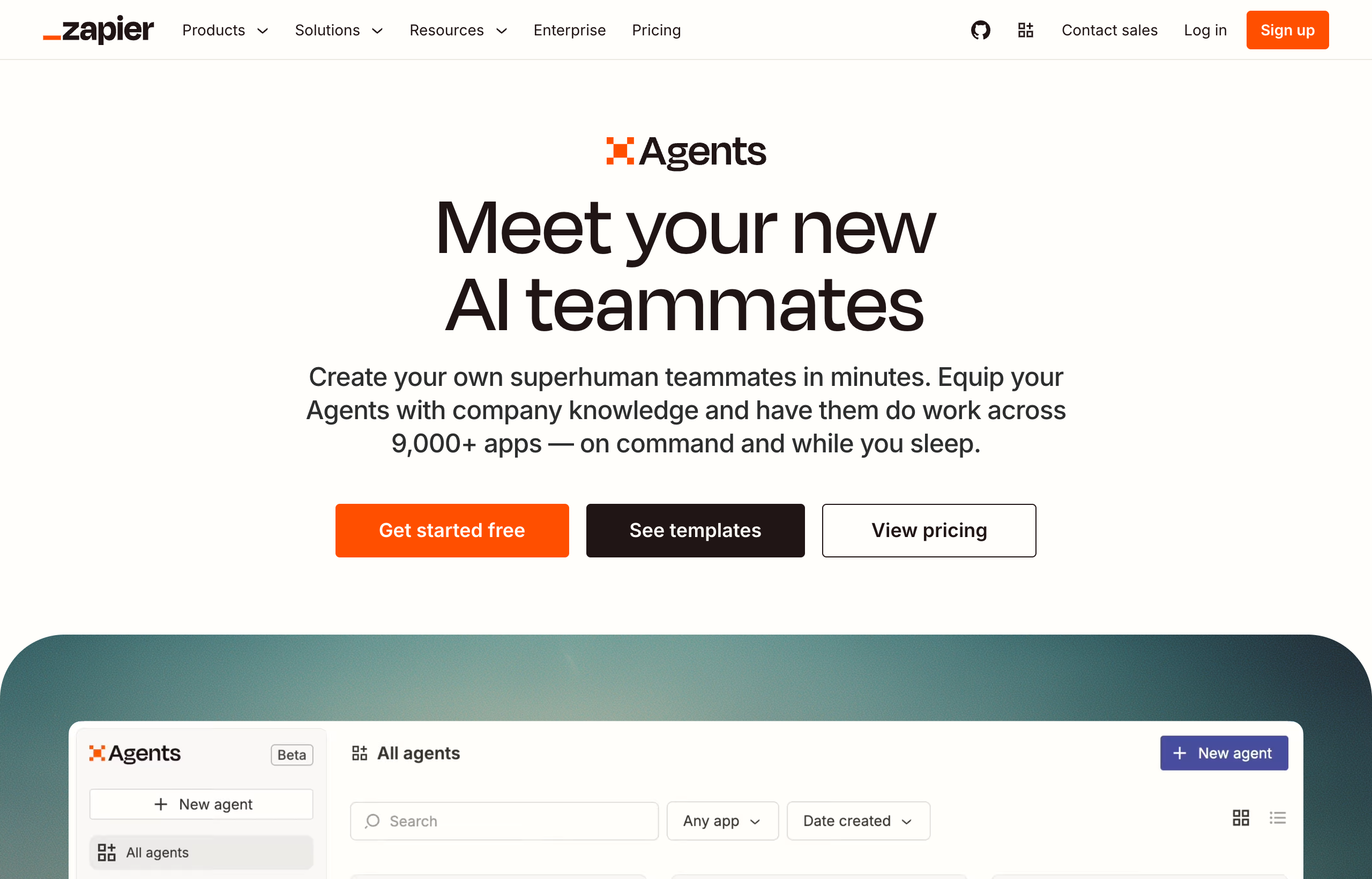
Zapier Agents is a genuinely useful, low-risk way to add AI decision-making into workflows built on Zapier’s existing app catalog, especially if you already have Zaps running and a specific point where a human is currently making a judgment call an AI could handle instead. It inherits Zapier’s biggest asset, a claimed 7,000-plus connected apps, without having to rebuild any of that integration work, and the entry price is genuinely low. It is not, however, a general-purpose AI coworker: it is strongest acting inside flows you have already built, not originating and completing broad, undefined work on its own. I rate it 3.6 out of 5, useful and cheap to try, but narrower in scope than its “AI agent” framing suggests.
- Built on top of Zapier’s mature automation platform and 7,000-plus app catalog, which is a real head start over a standalone agent product built from scratch.
- Genuinely easy to start: a forever-free tier with 400 activities a month, and any Zapier user can try it independently of their core subscription.
- Billed on its own activity-based meter, separate from Zapier’s task-based automation plans, which adds a second pricing line to track if you use both.
- Best suited to a fuzzy decision point inside an otherwise deterministic flow, not to open-ended, cross-system project work with no existing scaffolding.
If what you actually want is a coworker to hand a broad, undefined task to rather than an AI layer inside an existing flow, it’s worth testing that against Viktor’s free $100 in credits on the same request before you decide which shape of tool fits.
What Zapier Agents actually is
Zapier Agents is Zapier’s dedicated AI agent product, built on top of the same platform and app catalog that powers Zaps. Where a traditional Zap follows a fixed trigger-and-action sequence you configure step by step, an Agent is designed to reason over information that does not arrive in a clean, predictable shape: it can pull from live data sources, browse the web for current information, and take actions across Zapier’s connected apps with more flexibility than a rigid, linear flow allows. The pitch is straightforward: instead of building an entirely new automation stack for AI, add an AI decision-maker into the processes and connections you already have.
Setup starts inside the same Zapier account you’d use for Zaps, which is either a real convenience or a real dependency depending on how you look at it. You are not learning a new platform from scratch if you already know Zapier’s interface, but you are also inheriting its conceptual model: apps, triggers, activities, connections. Any Zapier user can try Agents for free, independent of their core plan, which lowers the barrier to a first test considerably compared with products that require a paid commitment up front.
What it’s genuinely good at
The single biggest strength is inherited, not built: Zapier Agents gets to stand on top of more than 7,000 connected apps without having to earn that integration coverage from zero, the way most AI agent startups have to. If your operations already run through Zapier, an Agent can act inside that existing web of connections from day one, which is a meaningfully shorter path to value than most competing agent products offer a Zapier-native team.
It’s also genuinely easy and cheap to start. The Free tier is forever free, not a time-boxed trial, with 400 activities a month, enough to run a real evaluation before spending anything. The entry paid tier, $400 billed annually (working out to around $33.33 a month) for 1,500 activities a month, is a low enough commitment that testing it does not require a real budgeting conversation first. Live data sources and web browsing are legitimately useful additions on top of a static flow: an Agent can pull current information into a process rather than working only from what was true when the flow was built, which closes a real gap in traditional Zaps. And for organizations already standardized on Zapier, Enterprise-tier organizational sharing means Agents can be rolled out company-wide the same way Zaps already are, without introducing a second vendor relationship to manage.
Where it falls short
The honest weakness is the flip side of its biggest strength: Zapier Agents is, at its core, still an extension of Zapier’s world, and that shows up the moment a request does not fit inside an existing or easily-built flow. It is built to reason and act inside connected apps, not to independently originate and complete a broad, multi-system deliverable from a plain-language request with no scaffolding behind it. Ask it to do something genuinely open-ended, more like briefing a coworker than triggering a process, and you’ll feel the product reaching for a flow-shaped answer to a question that was not flow-shaped to begin with.
It is also, honestly, newer and less proven than either Zapier’s core automation product or an agent-first tool built from the ground up to handle ambiguous requests. Activity-based billing carries the same unpredictability every usage-based pricing model does: a data-heavy or tool-heavy task consumes more of the monthly allotment than a simple lookup, and 1,500 activities a month at the entry tier can go quickly once a team starts relying on it daily rather than testing it occasionally. And running it means tracking a second meter alongside your existing task pool if you also use Zaps, which adds a small but real amount of billing complexity that a single-product agent tool does not have.
| Category | Zapier Agents |
|---|---|
| Best for | Teams already on Zapier who want AI judgment inside existing or new flows |
| App/tool coverage | Zapier’s app catalog, 7,000+ apps (per Zapier) |
| Free tier | Forever free, 400 activities/month |
| Entry paid tier | $400/year (around $33.33/month), 1,500 activities/month |
| Enterprise | Custom pricing, custom activity volume, contact sales |
| Billing relationship to core Zapier | Separate activity-based meter, independent from the task pool on Zaps |
| Strongest use case | A fuzzy decision point inside an otherwise deterministic, connected-app workflow |
| Weakest use case | Broad, open-ended project work with no existing flow or app scaffolding |
Real pricing, checked in 2026
Zapier Agents’ pricing, confirmed directly on Zapier’s live pricing page, runs on three tiers, separate from the core Zapier automation plans. The Free tier is forever free with 400 activities a month, no card required to keep using it. The Pro tier costs $400 billed annually, which works out to around $33.33 a month, for 1,500 activities a month. The Enterprise tier is custom-priced, with a custom number of monthly activities and organizational sharing for larger deployments, arranged through a sales conversation.
It’s worth being clear that this is a separate bill from Zapier’s core automation plans. Zapier’s Free plan for Zaps is $0 a month forever with 100 tasks a month; Professional starts from around $19.99 a month; Team starts from around $69 a month for up to 25 users; Enterprise is custom. If your team wants both Zaps and Agents, you are either combining two separate free tiers, or paying for both products, which is worth factoring into a real budget rather than assuming Agents is simply included in whatever Zapier plan you already have.
How this review was tested
I connected Zapier Agents to a small set of real, already-connected apps (a Google Sheet, Slack, and a CRM) rather than testing it in a vacuum, since that’s the actual condition most teams will use it under. The most useful test was a simple one: I asked an Agent to monitor a lead-intake sheet, classify each new row by likely deal size using unstructured notes in a free-text field, and post a summary to Slack, a task that would have needed either a rigid keyword rule in a plain Zap or a person reading each row by hand. The Agent handled the classification step reasonably well, closer to what a person would conclude than a hardcoded rule ever could get. Where it struggled was a second test: asking it, with no existing flow as scaffolding, to independently pull data from two unrelated systems and assemble a comparison report from scratch. That’s the kind of open-ended, multi-system request that Viktor handled cleanly in a single Slack message when I tested it separately, and it’s the clearest illustration of where Zapier Agents’ scope currently ends.
Activity consumption during testing tracked roughly with what Zapier documents: simple lookups and classifications used a handful of activities each, while the multi-step comparison attempt, even though it did not fully succeed, burned through a noticeably larger share of the monthly allotment on the entry tier. That’s worth knowing before you plan a heavy testing week on the free 400-activity tier; a handful of ambitious, multi-step requests can eat through it faster than a similar number of simple ones would.
What a real activity actually costs you
“Activities” as a billing unit is a reasonable idea in principle, since it should scale cost with actual usage rather than charging a flat fee regardless of how much work gets done. In practice, the entry Pro tier’s 1,500 activities a month sounds generous until you map it against real usage: a team running a handful of Agent-assisted classifications or lookups a day across a few flows can realistically land in the hundreds of activities a month, which leaves comfortable headroom, but a team that starts routing a meaningful share of its operational judgment calls through Agents can climb toward that ceiling faster than the sticker price of around $33 a month implies. There is no dollar figure published for overages on the Pro tier at the time of writing, so the practical ceiling of that plan is worth testing against your own real usage pattern before assuming it will comfortably cover a growing use case, rather than assuming the $33-a-month framing caps your cost the way a flat subscription would.
Who this is genuinely right for
- Teams already running meaningful automation on Zapier who want to add AI decision-making to an existing or planned flow without adopting a new platform.
- Anyone testing agentic AI on a near-zero budget, since the free tier and low-cost Pro tier make experimentation cheap.
- Processes that are mostly deterministic with one fuzzy step, like classifying an inbound request or summarizing unstructured data before an automated action fires.
- Organizations that prefer to consolidate vendors rather than add a separate AI agent product to their stack.
Who should look elsewhere
- Teams without existing Zapier infrastructure who would be adopting an entirely new platform’s mental model just to get value from an agent.
- Anyone who wants a genuinely broad AI coworker, one that can be handed an open-ended request with no existing flow and return a finished deliverable.
- Teams that live in Slack or Microsoft Teams and want an agent that operates directly where they already talk, rather than inside a separate automation dashboard.
- Anyone whose work requires broader outputs than actions inside connected apps: written code and pull requests, deployed applications, full reports.
For that last group especially, the more direct fit is a Slack-native AI employee. Viktor’s free trial gives you $100 in credits, enough to hand it a real, undefined task and see the difference in scope for yourself.
Frequently asked questions
Is Zapier Agents free?
Yes, there is a forever-free tier with 400 activities a month and no card required. The paid Pro tier costs $400 billed annually, around $33.33 a month, for 1,500 activities a month.
Do I need a Zapier account to use Agents?
Any Zapier user can try Agents, and it operates inside the same account and app catalog as Zaps. It is built as an extension of the Zapier platform rather than a fully independent product.
Is Zapier Agents billed separately from regular Zapier plans?
Yes. Agents runs on its own activity-based tiers, separate from the task pool that powers Zapier’s Free, Professional, Team, and Enterprise automation plans. If you use both, expect two separate usage meters.
Can Zapier Agents replace a general AI assistant or coworker?
Not really. It is strongest acting inside flows and connected apps you already have, reasoning over live data and taking actions within that scaffolding. For genuinely open-ended requests with no existing flow, a Slack-native AI employee like Viktor is built for that shape of work more directly.
What is the biggest limitation of Zapier Agents right now?
Its scope. It’s newer and narrower than a general AI coworker, best suited to a fuzzy decision point inside an otherwise deterministic process rather than independently originating and completing broad, multi-system deliverables from scratch.
My honest take
Zapier Agents is a smart, low-risk product for exactly one situation: you already run real workflows on Zapier, and there’s a specific point where a human is currently exercising judgment that an AI layer could reasonably take over. For that situation, it’s worth the free tier and worth the cheap Pro tier if it earns its keep. What it is not, and what its “AI agent” framing sometimes implies more than the product delivers, is a general-purpose coworker you can hand an open-ended, undefined request to and trust to figure out the rest without an existing flow behind it.
If your operations already live in Zapier and you just want to sprinkle AI judgment into what you’ve built, start here, it costs almost nothing to find out. If what you actually want is a Slack-native AI employee that takes a plain-language request and comes back with a finished deliverable, whether or not you have ever touched Zapier, that is a different product built for a different job.
See the direct Viktor vs Zapier Agents comparison for a full side-by-side, or try Viktor’s free $100 in credits on the same task you’d consider handing to an Agent, and compare the results yourself.
For more, see the full Viktor review, the broader Viktor vs Zapier comparison, the best Zapier alternatives roundup, or the best AI agents in 2026 hub for how it fits against the wider field.
Pricing captured directly from zapier.com/pricing, July 2026. Zapier changes plans and limits regularly, so confirm current numbers before you buy.
Zapier launched Agents as its answer to a question every automation company got asked constantly in 2025: what happens when the trigger itself is fuzzy. A Zap still needs a defined event and a defined action. An “agent” is supposed to handle the part in between, deciding what to do with information that does not arrive in a clean, structured shape. I tested Zapier Agents the same week I ran Viktor through a batch of real Slack tasks, and the honest takeaway is that Zapier built a genuinely useful feature bolted onto its existing platform, while Viktor built the platform around being an agent from day one. That difference in starting point shows up in almost everything below.
Both products get lumped into “AI agents” comparisons, and both will happily use that language in their marketing. But they solve the problem from opposite directions: Zapier Agents adds agentic behavior to a workflow automation company’s existing app catalog and Zap engine. Viktor is a Slack-native AI employee first, with automation as one of many things it does. This is the direct comparison, with real 2026 pricing pulled from both companies’ live pricing pages, a fair look at what Zapier Agents does well, and an honest read on when each one is the better fit.
Disclosure: some links in this post are affiliate links. If you sign up through them, we may earn a commission at no extra cost to you. That never changes our verdict.
The 30-second verdict
Zapier Agents is a genuinely useful, cheap way to add AI decision-making into workflows built on Zapier’s existing 7,000-plus app catalog, and if your operations already run on Zapier, it is worth trying before you look anywhere else. Viktor is a broader, Slack and Microsoft Teams-native AI employee that executes end-to-end work, from research to deployed code, without needing to live inside another platform’s automation model first. If your team already has Zaps built and just wants to add a layer of judgment on top, start with Zapier Agents, since it is nearly free to try. If you want a coworker you can hand an open-ended request to and get a finished deliverable back, without first thinking in terms of Zapier’s activities and flows, Viktor is the more direct fit.
- Zapier Agents is a separate product from Zapier’s core automation plans, priced on its own activity-based tiers, with a genuinely free forever tier. Viktor is priced on workspace-wide credits with a $100 free trial.
- Zapier Agents lives inside the Zapier ecosystem: it is strongest when paired with the Zaps and apps you already have connected. Viktor lives inside Slack or Teams and does not require any prior automation setup.
- Zapier Agents can browse the web and pull from live data sources as part of a flow. Viktor does that plus builds and deploys full applications, writes and opens pull requests, and assembles complete reports, a wider scope of finished output.
- Zapier Agents is the newer of the two products by a meaningful margin, added on top of a mature automation platform. Viktor was built agent-first from the start.
If you already have a Zapier account and want the cheapest possible way to test agentic AI, it is worth comparing that against Viktor’s free $100 in credits on the same task, since neither one costs anything to try.
What Zapier Agents and Viktor actually are
Zapier Agents is Zapier’s dedicated AI agent product, built on top of the same automation platform that powers Zaps. Rather than a rigid trigger-and-action sequence, an Agent can reason over live data, browse the web, and take actions across Zapier’s app catalog with more flexibility than a traditional Zap, while still operating inside Zapier’s world of connected apps and activities. Zapier positions it as a way to add an AI decision-maker into the processes you have already built, and any Zapier user can try Agents independently of their main platform subscription, which lowers the barrier to testing it.
Viktor takes a different shape entirely. It is an AI employee that lives inside a Slack channel or a Microsoft Teams chat, not a feature layered onto an existing automation product. You brief it in plain language and it goes and does the work: connecting to 3,200-plus tools (Stripe, Notion, Google Ads, Meta Ads, HubSpot, Salesforce, Linear, Jira, GitHub, Google Drive, and more), pulling and cross-referencing data, writing code and opening pull requests, building and deploying small web apps with a database and auth, assembling reports and dashboards, and scheduling its own recurring tasks. There is no separate agent-builder screen and no dependency on an existing automation platform. You do not need to already use Zapier, or anything like it, for Viktor to be useful on day one.
Who each one is actually built for
Zapier Agents makes the most sense for a team that already has meaningful Zapier infrastructure: existing Zaps, a familiarity with the app catalog, and a specific point in a process where a human is currently making a judgment call that could be handed to an AI layer instead. It is an upgrade to an existing workflow, not a new way of working.
Viktor makes the most sense for a team that wants an AI coworker as its own thing, independent of whatever automation platform it does or does not already use. A founder who has never touched Zapier can add Viktor to a Slack channel and get useful work done in the first session. It does not require existing automation infrastructure to be valuable; it is the infrastructure, in the sense that it is a full employee rather than a feature inside one.
| Category | Zapier Agents | Viktor |
|---|---|---|
| Core model | AI agent layer built on Zapier’s automation platform and app catalog | Standalone Slack/Teams-native AI employee, no platform dependency |
| Best fit | Teams that already run on Zapier and want to add AI judgment to existing flows | Any team that wants a general AI coworker, with or without existing automation |
| Where you work | Zapier’s web app, alongside Zaps and connected apps | Slack or Microsoft Teams, no separate app to check |
| Scope of output | Actions inside connected apps, live data lookups, web browsing | Full deliverables: deployed apps, code and pull requests, reports, dashboards, recurring tasks |
| App/tool coverage | Zapier’s app catalog, 7,000+ apps (per Zapier) | 3,200+ integrations (per Viktor) |
| Free tier | Forever free, 400 activities/month | $100 in trial credits, no card required, never expire |
| Entry paid tier | Around $33.33/month (billed annually at $400/year) for 1,500 activities/month | Around $50/month for 20,000 workspace-wide credits |
| Maturity | Newer product, added on top of an established automation platform | Agent-first product from launch |
Where Zapier Agents genuinely wins
Zapier Agents has one real structural advantage neither Viktor nor most standalone agent tools can match: it inherits Zapier’s app catalog and years of maintained integrations, more than 7,000 apps by Zapier’s count, without having to rebuild any of that connective tissue from scratch. If your team’s tools are already wired into Zapier, an Agent can act inside that existing web of connections on day one. It is also genuinely easy to start: any Zapier user can try Agents for free, independent of their core subscription, and the entry-level pricing is low, around $33 a month billed annually for 1,500 monthly activities, which is a low-risk way to test whether agentic AI earns a place in your stack before committing real budget.
The feature set is also legitimately useful for what it targets: live data sources and web browsing let an Agent pull current information into a flow rather than working only from what was true when a Zap was built, and Enterprise-tier organizational sharing means a company that has standardized on Zapier can roll Agents out the same way it rolled out Zaps. For a team whose whole operation is already Zapier-shaped, that continuity is worth something real, and I would not talk a Zapier-heavy team out of testing it first.
Where Viktor genuinely wins
The limitation baked into Zapier Agents is the same thing that makes it easy to adopt: it is still, at its core, an extension of Zapier’s world. When I tested Viktor against a task that had nothing to do with any existing automation, drafting a full investor update by pulling numbers from Stripe and comparing them against a HubSpot pipeline export, then formatting the result as a shareable document, it did not need me to have any prior Zaps built. I described the task in a Slack message and it produced a finished, formatted deliverable in the same thread. Zapier Agents, by contrast, is at its best acting inside a flow you have already designed; asking it to independently originate and complete a multi-system deliverable with no existing scaffolding is not really the job it was built for.
Viktor’s scope of output is also just wider. It writes and opens real pull requests against a codebase, builds and deploys small web applications with a working database and authentication, and assembles polished reports rather than performing actions inside a chain of connected apps. That is a materially bigger set of finished outputs than “look up live data and take an action,” which is roughly where Zapier Agents’ capability currently sits. And because Viktor lives directly in Slack or Teams rather than inside a separate automation platform’s dashboard, there is no context switch between having an idea and handing it off; you type it where your team already talks.
If you want to see the scope difference for yourself, give both the exact same open-ended task, something with no existing Zap or flow behind it, like “build me a one-page summary of this month’s ad performance across two platforms.” Viktor’s free trial credits make that a zero-cost comparison.
What do they actually cost in 2026?
Zapier Agents runs on its own activity-based pricing, separate from Zapier’s core automation plans. The Free tier is forever free with 400 activities a month, no time limit on the trial. The Pro tier costs $400 billed annually, which works out to around $33.33 a month, for 1,500 activities a month. Enterprise pricing is custom, with a custom number of monthly activities and organizational sharing, arranged through a sales conversation. It’s worth noting this pricing is separate from Zapier’s main automation plans (Free at $0 for 100 tasks a month, Professional from around $19.99 a month, Team from around $69 a month); if you want both the core Zaps and Agents, you are potentially paying for two separate products, or using the free tiers of each together.
Viktor’s pricing runs on credits rather than activities. The free trial gives $100 in credits with no card required, and those credits never expire. Paid team plans are workspace-wide instead of per seat: around $50 a month for 20,000 credits, around $75 for 30,000, around $100 for 40,000, and around $200 for 80,000. Small-company tiers scale from roughly 125,000 to 2,000,000 credits, priced from about $300 to $5,000 a month, with 300,000 credits at around $750 a month reported as the most popular tier. Enterprise pricing is custom, with reported tiers starting around $35,000 a month at the highest usage bands. Viktor says credits reflect actual model and tool cost with no added markup, and that a quick task tends to burn a couple hundred credits while a full project can run into the low thousands. Credits on paid plans reset monthly; trial credits persist.
| Plan | Zapier Agents | Viktor |
|---|---|---|
| Free | Forever free, 400 activities/month | $100 in trial credits, no card, never expire |
| Entry paid tier | Around $33.33/month (annual billing), 1,500 activities/month | Around $50/month for 20,000 workspace-wide credits |
| Growth tier | Not published between Pro and Enterprise | Around $750/month for 300,000 credits (most popular small-company tier) |
| Enterprise | Custom, contact sales | Custom, reported from around $35,000/month at the top end |
| Relationship to core platform | Separate product from Zapier’s automation plans, billed independently | Standalone product, no separate platform required |
The honest weaknesses (both sides)
Zapier Agents is, by its own newness, less proven than Zapier’s core automation product, and less proven than an agent-first product like Viktor at handling genuinely open-ended requests. Its natural habitat is still a flow, acting inside apps you have connected, rather than independently originating and completing a broad, undefined deliverable from scratch. Activity-based billing also carries the same unpredictability problem as any usage-based pricing: a heavier task consumes more of the monthly allotment, and 1,500 activities a month at the entry paid tier can go quickly for a team that starts leaning on it for real daily work rather than occasional lookups. And because it is tied to the Zapier ecosystem, teams that are not already Zapier users are adopting a second platform’s mental model just to use it.
Viktor’s honest weakness is the same one worth repeating in every comparison: credit-based billing is unpredictable in a way a flat-rate plan is not. Real users have reported burning through a large share of trial credits in the first couple of days while exploring, and monthly spend for an active team can land well above the entry $50 headline, sometimes several times that. Because credits track actual usage, a heavy task costs meaningfully more than a light one, and predicting a monthly bill takes a cycle or two of real use. Viktor also is not a visual flow builder; if what you actually want is to design a specific, inspectable sequence of steps inside apps you already use, Zapier’s underlying builder (with or without Agents layered on top) gives you a kind of structural control Viktor’s conversational model does not offer.
Who should pick Zapier Agents over Viktor
- Teams already deep in the Zapier ecosystem who want to add AI judgment to existing flows without adopting a new platform.
- Anyone testing agentic AI on a near-zero budget, since the free tier and low-cost Pro tier make it cheap to experiment.
- Processes that are mostly automation with one fuzzy decision point, where an agent only needs to handle a small piece of judgment inside an otherwise deterministic flow.
- Organizations standardizing on a single vendor for both automation and AI agent tooling.
Who should pick Viktor over Zapier Agents
- Teams that want a full AI coworker, not a feature inside another platform’s flows, that can originate and complete open-ended work.
- Anyone who lives in Slack or Microsoft Teams and wants to hand off a task without opening a separate automation dashboard.
- Teams without existing Zapier infrastructure who do not want to build automation scaffolding just to get value from an AI agent.
- Work that requires a broad range of finished outputs: deployed apps, code, pull requests, full reports, not just actions inside connected apps.
Frequently asked questions
Is Zapier Agents the same product as Zapier’s core automation plans?
No. Zapier Agents is billed on its own activity-based tiers, separate from the task-based pricing on Zapier’s Free, Professional, Team, and Enterprise automation plans. Any Zapier user can try Agents independently of their main subscription.
Does Viktor need Zapier or any automation platform to work?
No. Viktor is a standalone AI employee that connects directly to 3,200-plus tools and lives in Slack or Microsoft Teams. It does not require an existing Zapier account, Zaps, or any other automation platform to be useful from the first session.
Which is cheaper, Zapier Agents or Viktor?
At the entry level, Zapier Agents is cheaper on paper, with a genuinely free forever tier and a Pro tier around $33 a month for 1,500 activities. Viktor’s entry paid tier runs around $50 a month, though it also includes a larger free trial ($100 in credits) to test before paying anything.
Can Zapier Agents build and deploy an app the way Viktor does?
Not to the same extent. Zapier Agents is built to reason over live data, browse the web, and take actions inside Zapier’s connected app catalog. Viktor’s scope includes writing and opening code pull requests and building and deploying small web applications with a working database and auth, a broader range of finished outputs.
Should a team use both Zapier Agents and Viktor?
It can make sense, particularly for a team already invested in Zapier: use Zapier Agents to add judgment inside existing flows, and use Viktor for the broader category of open-ended requests that never had a flow to begin with.
The bottom line
Zapier Agents is Zapier extending a platform it already built extremely well, and for a team that lives inside that ecosystem, it is a legitimately cheap, low-risk way to add AI judgment to existing flows. Viktor is a different kind of product: an AI employee designed from the start to take an open-ended request and hand back a finished deliverable, with no dependency on any other platform being in place first. Neither claim cancels the other out; they answer different questions about what you actually need help with.
My honest read: if your team already runs on Zapier and the gap you’re trying to close is small, a single fuzzy decision inside an existing flow, try Agents first, since it costs next to nothing. If what you actually want is a coworker you can hand a genuinely open-ended project to and trust to come back with something finished, that is the job Viktor was built around.
Start with Viktor’s free $100 in credits and give it one real, undefined task this week. It costs nothing to find out whether you needed a flow at all, or just someone to ask.
For the full picture, see the standalone Zapier Agents review, the broader Viktor vs Zapier comparison covering Zapier’s core automation plans, the complete Viktor review, or the best AI agents in 2026 roundup for how both fit against the wider field.
Pricing captured directly from zapier.com/pricing and viktor.com/pricing, July 2026. Both companies change plans and limits regularly, so confirm current numbers before you budget against them.
I broke a Zapier flow last year by renaming a column in a Google Sheet. One word, one Zap, and a whole outbound sequence quietly stopped firing for four days before anyone noticed. That is not a knock on Zapier, it is just what deterministic automation is: powerful when the inputs stay exactly where you told it they would be, brittle the moment reality drifts. The week I started testing Viktor, I gave it a version of the same problem in plain English instead of a Zap, and it just asked a clarifying question and adjusted. That gap, between a tool that runs the flow you built and a tool that understands the goal you described, is the entire comparison in this article.
Zapier and Viktor get compared a lot because both promise to take work off your plate, but they are not really competing for the same job. Zapier is the reigning champion of “when X happens, do Y,” at massive scale, across thousands of apps. Viktor is an AI employee that lives in Slack and Microsoft Teams and does open-ended, one-off, or fuzzy work the moment you ask for it, no flow-building required. I have used both for real tasks, not just poked at the marketing pages, and this is the honest breakdown: what each one is actually good at, real 2026 pricing, and who should pick which.
Disclosure: some links in this post are affiliate links. If you sign up through them, we may earn a commission at no extra cost to you. That never changes our verdict.
The 30-second verdict
Zapier is still the best tool on the market for deterministic, trigger-based automation between apps: reliable, mature, and connected to a genuinely enormous catalog of software. Viktor is the better pick when the work does not fit neatly into “when this happens, do that,” when it is a one-off request, a judgment call, or a task that changes shape every time you ask for it. If you already have a Zap that works and just needs to keep running, Zapier is not the thing to replace. If you keep finding yourself needing something Zapier cannot express as a trigger and an action, that is exactly the gap Viktor was built to fill.
- Zapier connects a claimed 7,000-plus apps through a visual, node-by-node builder: you choose a trigger, add steps, and it runs the same way every time. Viktor connects to 3,200-plus tools and you brief it conversationally in Slack or Teams; there is no flow to design.
- Zapier is priced around a shared monthly task pool starting free at 100 tasks and scaling into paid tiers. Viktor is priced around workspace-wide credits that track actual usage, starting with a free $100 trial.
- Zapier is deterministic: the same trigger produces the same output every time, which is exactly what you want for invoicing, lead routing, or data syncing. Viktor is adaptive: it can handle a task it has never seen phrased that way before, which is exactly what you want for research, reporting, or anything that needs judgment.
- Neither replaces the other cleanly. Many teams that use Viktor well still keep their reliable Zaps running in the background; Viktor is not trying to rebuild your invoicing pipeline, it is trying to be the person you’d hand a messy, undefined request to.
If you have a task this week that does not cleanly fit into a Zapier trigger, something you’d normally type into a Slack message and hope a teammate has time for, I would try it on Viktor’s free $100 in credits before assuming you need to build anything.
What Zapier and Viktor actually are
Zapier is workflow automation software. You pick a trigger app and event (a new row in a spreadsheet, a new Stripe payment, a form submission), then chain one or more action steps across other apps (send a Slack message, create a Notion page, update a CRM record). Every step is something you configure by hand in a visual builder: which field maps to which field, what filters apply, what happens on an error. Once it’s built and turned on, it runs the same deterministic path every single time the trigger fires, at whatever scale you need, across a catalog Zapier says covers more than 7,000 apps. That reliability at scale is the entire value proposition, and it is a real one: for well-defined, repeatable processes, nothing beats a system built to do exactly one thing, correctly, every time.
Viktor takes a different starting point entirely. It is an AI employee that lives inside a Slack channel or a Microsoft Teams chat, not a flow you build in advance. You describe a task in plain language, the same way you’d brief a new hire, and Viktor goes and does it: pulling data from connected tools (Stripe, Notion, Google Ads, Meta Ads, HubSpot, Salesforce, Linear, Jira, GitHub, Google Drive, and more, across 3,200-plus integrations), writing code and opening pull requests, building and deploying small web apps with a database and auth, assembling reports and dashboards, and setting up its own recurring tasks when that makes sense. There is no builder screen, no trigger to configure, no flow diagram. You ask, it works, it reports back in the thread.
Who each one is actually built for
Zapier’s ideal user already knows exactly what should happen and just needs it to happen reliably, forever, without a human in the loop. Think: a new lead in a form should always create a CRM record and always notify sales in Slack. That process does not change shape from one instance to the next, and that consistency is precisely what a Zap is good at guaranteeing. Ops teams, RevOps, and anyone standardizing a repeatable process across a growing team lean on Zapier because “it works the same way every time” is the feature.
Viktor’s ideal user has work that changes shape constantly: a founder who needs a different investor-update angle each month, a marketer who needs an ad account audited today and a competitor teardown tomorrow, an ops lead who needs a one-off report built from three systems that have never been queried together before. None of that fits a trigger-and-action model, because there is no repeatable trigger, just a request. Viktor is built for the “can someone just handle this” category of work that most teams currently either do manually or don’t do at all.
| Category | Zapier | Viktor |
|---|---|---|
| Core model | Visual, trigger-based workflow automation you build node by node | Conversational AI employee you brief in Slack/Teams, no flow to build |
| Best at | Repeatable, deterministic processes at scale | One-off, fuzzy, or novel tasks that need judgment |
| Where you work | Zapier’s own web app and flow builder | Slack or Microsoft Teams, where your team already is |
| App/tool coverage | 7,000+ apps (per Zapier) | 3,200+ integrations (per Viktor) |
| Setup for a new task | Build or edit a Zap: choose trigger, map fields, add filters, test | Type a request in Slack; no configuration step |
| Consistency | Deterministic, same output every time a trigger fires | Adaptive, judgment-based, can vary with context |
| Free tier | Free forever, 100 tasks/month | $100 in trial credits, no card required, credits don’t expire |
| Entry paid tier | Professional from around $19.99/month | Around $50/month for 20,000 workspace-wide credits |
| Pricing model | Shared monthly task pool, scales from 100 to 2,000,000+ tasks | Workspace-wide credits based on actual usage, no per-seat charge |
Where Zapier genuinely wins
Give Zapier its due: for the job it was built for, it is genuinely excellent, and I would not talk anyone out of it for the right use case. The app catalog is the biggest practical advantage, more than 7,000 apps by Zapier’s own count, which means there is almost never a tool in your stack Zapier cannot touch. Reliability is the second advantage, and it matters more than people give it credit for: a Zap that has been tested and turned on will keep doing the exact same thing, correctly, at whatever volume you throw at it, without needing to be re-briefed or second-guessed. That predictability is worth real money for anything customer-facing or compliance-sensitive, where “it did something slightly different this time” is not an acceptable outcome.
Zapier is also the more budget-predictable option at the low end. The free plan is genuinely free forever at 100 tasks a month, not a time-boxed trial, and the Professional tier starts at around $19.99 a month with a flat, published price you can budget against without watching a usage meter nervously. If your automation needs are modest and well-defined, Zapier can be cheaper and far more predictable than a credit-based tool, because a Zap that runs the same way every month costs roughly the same every month.
Where Viktor genuinely wins
The flip side of “reliable and repeatable” is “someone has to design it first,” and that is the wall I kept hitting with Zapier for anything that was not already a known, stable process. When I tested Viktor, I gave it a task I would never have built a Zap for: pull the last 30 days of Google Ads spend against target CPA, cross-reference it with a HubSpot pipeline export, and write up a short summary flagging which campaigns were burning budget without matching pipeline value. That is not a trigger and an action, it is a one-time judgment call involving two systems that have never talked to each other in an automation before. Viktor did it in one Slack thread, no builder, no field mapping, no test run.
Viktor also lives where the conversation already happens. Zapier’s builder is a separate destination you open, configure, and leave. Viktor sits in the Slack channel your team already has open all day, so handing it a task costs nothing more than typing a sentence, and the output shows up in the same place your team already looks for updates. For work that is inherently variable, ad-hoc reporting, competitor research, drafting a document, triaging a bug, building a quick internal tool, that difference in friction is the whole reason to reach for Viktor instead of opening the Zapier builder and trying to force a one-off task into a trigger it was never designed for.
A good test: think of the last request you typed into Slack that started with “can someone just.” Hand that exact request to Viktor with the free trial credits and see how close it gets. That is a more honest evaluation than reading a features page.
What do they actually cost in 2026?
Zapier’s pricing, checked directly on its live pricing page, starts with a free plan at $0 a month, forever, with 100 tasks a month. The Professional plan starts from around $19.99 a month and unlocks multi-step workflows and unlimited premium app connections. The Team plan starts from around $69 a month and supports up to 25 users with shared workflows. Enterprise pricing is custom, with unlimited users, arranged through a sales conversation. All of Zapier’s core plans draw from a single, unified task pool that scales from 100 tasks a month at the low end up to 2,000,000-plus tasks a month at the high end, with a custom limit available above that, and paying annually saves around 33% versus paying monthly.
It’s worth being precise here: Zapier also sells a separate product called Zapier Agents, which is not the same as the core automation plans above and is priced on its own activity-based tiers. That product gets its own full comparison in Viktor vs Zapier Agents, since it is close enough in concept to Viktor to deserve a dedicated breakdown rather than a paragraph here.
Viktor’s pricing runs on credits instead of tasks. The free trial gives you $100 in credits with no card required, and those trial credits do not expire. Paid team plans are workspace-wide rather than per seat: around $50 a month for 20,000 credits, around $75 for 30,000, around $100 for 40,000, and around $200 for 80,000. Small-company tiers scale from roughly 125,000 to 2,000,000 credits, priced from about $300 to $5,000 a month, with 300,000 credits at around $750 a month reported as the most popular tier for growing teams. Larger organizations move into custom Enterprise pricing, with reported tiers starting around $35,000 a month at the highest usage bands. Viktor says credits reflect actual model and tool cost with no added markup, and that a quick task in Slack tends to burn a couple hundred credits while a full project, like building an internal app, can run into the low thousands. Monthly plan credits reset each cycle; trial and bonus credits do not.
| Plan | Zapier | Viktor |
|---|---|---|
| Free | $0/month forever, 100 tasks/month | $100 in trial credits, no card, never expire |
| Entry paid tier | Professional from around $19.99/month | Around $50/month for 20,000 workspace-wide credits |
| Team tier | From around $69/month, up to 25 users | Around $750/month for 300,000 credits (most popular small-company tier) |
| Enterprise | Custom, unlimited users, contact sales | Custom, reported from around $35,000/month at the top end |
| Pricing basis | Shared task pool, same cost whether tasks are simple or complex | Usage-based credits, cost scales with how much a task actually does |
The honest weaknesses (both sides)
Zapier’s real weakness shows up the moment your process is not actually repeatable. Every new use case means opening the builder, mapping fields, adding filters, and testing before it’s trustworthy, and that setup cost does not go away even for a task you’ll only need once. Multi-step Zaps with a lot of conditional logic can also get genuinely hard to maintain, and when an upstream app changes a field name or an API response shape, as happened to me, the Zap does not adapt, it just quietly breaks or misfires until a human notices. Zapier is also not built to exercise judgment: it will do exactly what you told it to, even when what you told it to do stops making sense for the current situation.
Viktor’s honest weakness is the one worth repeating in every review of it: credit-based billing is unpredictable in a way a flat task-pool price is not. Real users have reported burning through a large chunk of trial credits in the first couple of days while exploring, and monthly spend can land well above the entry $50 headline once a team is actually using it for real, sometimes several times that. Because credits track actual usage, a data-heavy or tool-heavy task costs more than a light one, which makes budgeting harder until you’ve run it for a billing cycle or two. Viktor is also not a visual builder: if what you actually want is to design and inspect a specific, repeatable, multi-step process node by node, and see exactly what happens at each stage, Zapier’s builder gives you a level of visual control Viktor’s chat interface does not.
Who should pick Zapier over Viktor
- Anyone with a well-defined, repeatable process: lead routing, invoice generation, data syncing between two systems that always behave the same way.
- Teams that need guaranteed determinism, the same trigger must produce the same output every time, with no room for judgment calls.
- Budget-conscious teams with modest, predictable automation needs who want a flat, low monthly price they can set and mostly forget.
- Anyone who wants to see every step of a process visually and debug it node by node when something goes wrong.
Who should pick Viktor over Zapier
- Anyone whose work changes shape constantly: one-off reports, research, competitor audits, drafting, ad-hoc dashboards.
- Teams that live in Slack or Microsoft Teams and want to hand off a task without leaving the conversation.
- Founders and small teams without time to build and maintain flows for every new kind of request that comes up.
- Anyone who needs a task done that touches multiple systems in a way nobody has automated before, and does not want to build that automation just to run it once.
Frequently asked questions
Can Viktor replace Zapier entirely?
Not for processes that already work reliably as Zaps. Viktor is better suited to work that does not fit a trigger-and-action model in the first place. Many teams that use Viktor well keep their proven Zaps running and use Viktor for the work that never had a clean automation to begin with.
Can Zapier do what Viktor does?
Zapier can chain steps and, through its separate Agents product, add some AI decision-making inside a flow, but the core builder is still fundamentally trigger-based. It does not brief like a coworker or handle a genuinely novel, undefined request the way Viktor does without you first designing the flow.
Which is cheaper, Zapier or Viktor?
For light, predictable automation, Zapier is usually cheaper and more predictable, starting free at 100 tasks a month and around $19.99 a month after that. Viktor’s cost depends heavily on how much you actually use it, since it is credit-based, and it is not designed to compete on price for simple, repeatable tasks Zapier already handles well.
Do I need both Zapier and Viktor?
Plenty of teams end up running both: Zapier for the proven, repeatable processes that should never need a human to re-check them, and Viktor for the constant stream of one-off requests that never had a clean automation. They are not really substitutes for each other.
Is Viktor harder to learn than Zapier?
The opposite, in practice. Zapier requires learning a builder: triggers, actions, filters, field mapping. Viktor requires typing a request in Slack the way you’d brief a person. The learning curve is lower; the tradeoff is less visual control over exactly how the work gets done.
The bottom line
This is not really a “which one is better” comparison, because they are solving different problems. Zapier is the right tool when you know exactly what should happen and you want it to happen the same way every time, at scale, without a human checking it. Viktor is the right tool when you do not have a repeatable process yet, just a task that needs doing, and you would rather describe it in a sentence than build a flow to run it once.
My honest recommendation: keep the Zaps that already work. For everything else, the pile of one-off requests that currently gets typed into Slack and either handled manually or quietly ignored, that is worth testing against an AI employee before you decide it needs a flow at all.
Try Viktor with the free $100 in credits on the next request that does not fit neatly into a Zap. If it handles it well, you just saved yourself a builder session for a process you were only ever going to run once.
For more on where Viktor fits against the rest of the field, see the full Viktor review, the breakdown of how Viktor’s credit pricing actually works, or the roundup of Viktor alternatives if you want to see how it stacks up against Lindy, Relevance AI, and Zapier Agents in one place. If Zapier is not quite the fit either, the best Zapier alternatives roundup covers Make and n8n as well.
Pricing captured directly from zapier.com/pricing and viktor.com/pricing, July 2026. Both companies change plans and limits regularly, so confirm current numbers before you budget against them.
Tasklet and Viktor both get filed under “AI agent for work,” and both genuinely execute tasks rather than just chat about them. But the design philosophy underneath is different enough that picking the wrong one means fighting the tool for months. One is a standalone command center for building always-on autonomous agents. The other is a coworker that shows up in the Slack channel your team already lives in.
Disclosure: some links in this post are affiliate links. If you sign up through them, we may earn a commission at no extra cost to you. That never changes our verdict.
Short answer
Tasklet is an AI agent platform built around persistent, task-owning agents that run 24/7 in cloud sandboxes, triggered by schedules, events, or webhooks, useful for teams that want to define a job once (“when a support email arrives, look up the customer and draft a reply”) and let it run indefinitely. Viktor is a Slack and Microsoft Teams-native “AI employee” with 3,200+ integrations that you brief conversationally, task by task, and that connects deeply into business tools like Stripe, Google Ads, HubSpot, and Salesforce with no per-seat pricing. If you want an always-on background agent running a defined process, Tasklet fits. If you want a coworker in your team’s existing chat tool that you can hand a wide range of one-off and recurring work to, Viktor fits better.
If what you actually want is a coworker in the channel your team already checks every day, not a separate command center to log into, that is exactly the gap Viktor is built to fill. Try Viktor’s free trial.
What each tool actually is
Tasklet: a command center for always-on autonomous agents
Tasklet’s pitch is that it is not a chatbot interface but a platform for building persistent agents that own a job. A typical example from its own site: “When support@acme.com receives an email, look up the customer in Salesforce, find the answer in Notion, and draft a reply in Gmail.” You describe the task in plain English and Tasklet handles the implementation without you drawing a flowchart. Each agent runs in an isolated cloud sandbox with its own compute for code execution and browser automation, and can be triggered by a schedule, an event, or a webhook, meaning it keeps working even when nobody is watching.
It connects to more than 20 applications by name, including Gmail, Slack, Google Drive, HubSpot, Salesforce, Asana, Airtable, Stripe, Calendly, Outlook, Microsoft Teams, Dropbox, QuickBooks, and Linear, and can also connect to custom HTTP APIs and MCP servers for anything not natively supported. It also routes tasks across multiple models (Claude, GPT, Gemini) depending on the job, and can generate small live software (dashboards, trackers) from a prompt.
Tasklet pricing (verify at tasklet.ai/pricing): a free plan with 300 bonus credits daily and limited usage (10 executions per trigger). A Starter plan around $25/month with 10,000 monthly credits plus 600 daily bonus credits. A Pro plan around $100/month with 40,000 monthly credits. A Custom plan starting around $250/month with 100,000 monthly credits and added support. One-time credit top-ups from $25 to $10,000 are available, valid for a year, and require an active subscription. No per-seat billing, plans support unlimited integrations and agents.
Viktor: a Slack-native coworker with a much wider integration surface
Viktor works differently at the interface level: you brief it inside a Slack or Teams channel, in conversation, the way you would brief a colleague, and it goes and executes. That includes pulling data from connected tools, writing and shipping code with real pull requests, building and deploying small web apps with a database and authentication, assembling reports and dashboards, scheduling recurring tasks, and proposing follow-up automations once it spots a pattern.
The integration breadth is the standout number: Viktor claims 3,200+ connected tools, named examples including Stripe, Notion, Google Ads, Meta Ads, HubSpot, Salesforce, Linear, Jira, GitHub, and Google Drive. That is more than 100 times Tasklet’s named integration count, though Tasklet’s custom HTTP API and MCP server support narrows that gap for teams willing to wire up their own connections.
Viktor pricing (verify at viktor.com/pricing): free trial with $100 in credits, no card required, credits never expire. Paid team plans start around $50/month for 20,000 credits, up to $200/month for 80,000 credits, then $300 to $5,000/month for growing companies (125,000 to 2,000,000 credits), with a 300,000-credit tier around $750/month reportedly the most popular. Billing is workspace-wide, not per seat. See the full Viktor review and how the credit model actually plays out month to month.
Comparison table

| Viktor | Tasklet | |
|---|---|---|
| Interface | Slack, Microsoft Teams (conversational) | Own command center dashboard |
| Core model | Brief it task by task like a coworker | Define persistent agents that run 24/7 on triggers |
| Named integrations | 3,200+ (Stripe, Google Ads, Meta Ads, HubSpot, Salesforce, GitHub, and more) | 20+ named (Gmail, Slack, HubSpot, Salesforce, Stripe, QuickBooks, Linear) plus custom APIs/MCP |
| Compute model | Executes within connected tools and Slack/Teams | Isolated cloud sandbox per agent, own browser/code execution |
| Entry price | Free trial ($100 credits), then around $50/mo | Free plan, then around $25/mo |
| Billing model | Credit-based, workspace-wide | Credit-based, plan plus daily bonus credits |
| Best for | A team wanting a coworker in existing chat tools for broad, varied work | A team wanting one well-defined process running always-on in the background |
A concrete example: the same job, two different setups
Take a common ops request: “when a new lead comes in, check if they match our ICP, and if they do, notify the sales rep and log it in the CRM.” In Tasklet, you would set this up once as a persistent agent tied to a trigger, a webhook from your form or CRM firing the agent, which then runs the lookup and notification logic in its own sandbox, indefinitely, without anyone needing to ask it again. That is the platform working as designed: define the job, walk away, let it run.
In Viktor, the same request can be handled two ways. You can ask it once, conversationally, in the sales Slack channel, and it will do that specific instance of the task on the spot, visible to the whole channel. Or you can ask it to set up a recurring or triggered version of the same check, since it can schedule recurring tasks and propose its own automations once it notices a pattern. The practical difference is less about capability and more about default behavior: Tasklet defaults to “build a standing agent,” Viktor defaults to “do the thing now, and we can make it recurring if that’s useful,” which tends to suit teams that are not sure yet which processes are worth automating permanently.
How the two actually feel to operate week to week
Managing a fleet of Tasklet agents feels closer to managing infrastructure: you have a dashboard listing your defined agents, their triggers, their recent runs, and you check in periodically to see what fired and what needs adjusting. That is a genuinely good model for teams that think in terms of defined, monitorable processes, similar to how an ops team might think about their Zapier stack or their cron jobs, just with an AI layer doing the actual work inside each step.
Working with Viktor feels more like working with a colleague who happens to also handle some recurring duties. Most days you are asking it something new in the moment, and periodically you notice a pattern worth turning into a standing task. That fits teams whose real workload is a long tail of different, non-repeating requests more than a short list of processes worth fully automating, which describes most small teams more accurately than a pure automation platform’s pitch would suggest.
Where Tasklet genuinely wins
Tasklet’s sandbox-per-agent architecture is a real advantage for a specific use case: a defined, always-on process that should keep running without a human triggering it each time, like the support-email-to-CRM-lookup example on its own site. Because each agent has isolated compute, it can run scheduled or webhook-triggered jobs independently of any chat platform, which fits a team that wants “set it up once and forget it” more than “talk to it today.”
Its entry pricing is also lower: the Starter plan at roughly $25/month undercuts Viktor’s roughly $50/month floor, and the free plan’s daily bonus credits give a genuinely usable trial without a subscription. For a small team testing whether agentic automation is worth adopting at all, that lower floor matters.
Where Viktor genuinely wins
Viktor’s core advantage is habitat and breadth. It lives in the tool your team is already using to coordinate, so its output (a report, a completed task, a question back to you) shows up where everyone already looks, rather than requiring a separate login to a Tasklet dashboard to check on an agent’s status. The integration count is also a real, practical gap: 3,200+ named connections versus Tasklet’s 20-plus native ones means Viktor is more likely to already support whatever niche tool your business runs on without you wiring up a custom API connection yourself.
Viktor is also built more around conversational, one-off requests (“pull last week’s ad spend and compare it to last month,” “draft the investor update”) in addition to recurring ones, which fits the reality that most of a team’s AI-agent workload is not a single repeatable process but a rotating set of different asks.
Setup and onboarding: what the first week actually looks like
Getting a first agent live in Tasklet means writing out the task in plain English, connecting whichever of its 20-plus native integrations the job needs (or wiring up a custom HTTP or MCP connection if it is not on the list), and defining the trigger, a schedule, a webhook, or an event. That upfront definition step is real work, but it pays off precisely because the agent then runs unattended; you are trading setup time now for attention time later.
Getting Viktor live is lighter at the start: install it into the Slack or Teams workspace, connect the handful of tools your most common requests will touch, and start asking it things conversationally. There is less upfront definition because most of what you ask it in week one is a one-off request rather than a standing agent. The tradeoff shows up later instead of earlier: teams that never take the extra step of turning a repeated request into a scheduled or triggered task end up re-asking Viktor the same thing weekly, which is fine but slightly less efficient, credit-wise, than Tasklet’s default of defining the job once.
Data access and trust: what each tool actually touches
Because Tasklet’s agents run in isolated cloud sandboxes with their own compute, the trust conversation is largely about scoping each agent narrowly: what specific system can this particular agent read from and write to, and what happens if the trigger fires more often than expected. That sandbox-per-agent model makes it relatively easy to reason about the blast radius of any one agent going wrong, since each one is contained.
Viktor’s trust model is closer to onboarding a new team member into a shared workspace: you are deciding what a single, general-purpose coworker can see and do across everything it is connected to, from ad accounts to your codebase to your CRM. Most teams manage this the same way they would with a human hire, starting it on read-only or low-stakes tasks (pulling reports, drafting content) before extending it to actions with real consequences (opening pull requests, updating live CRM records). Neither approach is inherently safer, they reflect the same underlying difference in design: many narrow, scoped agents versus one broad coworker whose scope grows with what you choose to connect.
Honest weaknesses of both
Viktor’s recurring complaint is the same one across every comparison: credit-based billing is genuinely harder to forecast than a flat fee, and daily heavy use by a team can push real monthly cost well past the $50 entry number, sometimes into the hundreds. It is also not purpose-built for the always-on, scheduled-background-agent use case the way Tasklet is; you can schedule recurring tasks in Viktor, but Tasklet’s sandbox-per-agent model is more explicitly designed around that pattern.
Tasklet’s tradeoffs are the mirror image: its native integration list is far shorter than Viktor’s, so unless your key tools are on that list of 20-plus or you are comfortable wiring up custom HTTP/MCP connections yourself, you may hit walls Viktor would not. It also lives in its own dashboard rather than inside the team chat tool most companies already run on, adding a bit more context-switching for teams that want everything visible in Slack or Teams.
Who should pick something else
If your real need is a single, well-defined process that should run continuously in the background with minimal ongoing conversation (a support-triage bot, a recurring data-sync job), Tasklet’s architecture is arguably a cleaner fit and its lower entry price makes it easy to test. If your team wants a broad range of varied, conversational tasks handled from the chat tool you already use daily, and you expect to lean on a very long tail of business integrations, Viktor’s breadth is the stronger match. Teams with tight, unpredictable budgets should pilot both on their free tiers before committing to a paid plan on either.
Can a team run both?
It is a more natural pairing than it might first appear. A reasonable split is to let Tasklet own the handful of genuinely repetitive, well-defined processes your ops team has already mapped out, the ones where a webhook-triggered sandbox agent is a clean fit, while Viktor handles the daily, unpredictable mix of requests that show up in Slack: pull this number, draft that update, check on this deal. Neither tool is trying to be the other, so running both is less about redundancy and more about matching each tool’s architecture to the shape of the work.
The main cost of running both is exactly that, cost: a Tasklet Pro plan around $100/month plus a mid-tier Viktor plan can add up quickly for a small team, so it is worth starting with whichever tool matches your most pressing bottleneck and adding the second only once you have a concrete process that fits its model.
My honest suggestion if you are torn: run one real recurring task through Tasklet’s free plan and one real ad hoc task through Viktor’s free credits in the same week. The difference in how each handles your actual work will tell you more than any comparison table. Start with Viktor here.
Curious how Viktor stacks up against a more personal-assistant-style entrant instead of a background-agent platform? See Viktor vs Poke. For the wider field, browse Viktor alternatives and the best AI agents of 2026 roundup.
FAQ
What is the main difference between Viktor and Tasklet?
Viktor is a conversational AI employee that lives in Slack or Microsoft Teams and connects to 3,200+ business tools. Tasklet is a command center for building persistent, always-on agents that run in isolated cloud sandboxes, triggered by schedules, events, or webhooks, with a shorter native integration list of 20-plus tools plus custom API support.
Which is cheaper, Viktor or Tasklet?
Tasklet has a lower entry price, with a Starter plan around $25/month versus Viktor’s roughly $50/month floor. Both use credit-based billing, so actual monthly cost depends heavily on usage in either case.
Can Tasklet run tasks without a human triggering them?
Yes, that is one of its core design points. Tasklet agents run 24/7 in cloud sandboxes and can be triggered by schedules, incoming events, or webhooks rather than requiring someone to start a conversation each time.
Does Viktor support custom integrations the way Tasklet does?
Viktor’s named integration list (3,200+) is far larger than Tasklet’s native list, so it is less likely you will need a custom connection in the first place. Tasklet compensates for its shorter native list with support for custom HTTP APIs and MCP servers.
Which tool is better for a team already using Slack every day?
Viktor, since it is built specifically to live inside Slack or Microsoft Teams and surface its work where the team already communicates. Tasklet operates from its own separate dashboard, which means an extra login and context switch to check on agent status.
I put both of these on the same Tuesday: Sintra open in one browser tab with its roster of cartoon avatars, Viktor sitting quietly in a Slack channel called #ai-employee. Same task for both: pull last month’s ad spend across two accounts, flag anything that overspent, and draft a one-page summary. Sintra’s data helper, Dexter, needed the numbers uploaded as a CSV before it would touch them. Viktor asked which two ad accounts, connected to both, and came back forty minutes later with the summary and a spreadsheet link. That gap, “helper that works with what you hand it” versus “employee that goes and gets it,” is basically the whole story of this comparison.
Disclosure: some links in this post are affiliate links. If you sign up through them, we may earn a commission at no extra cost to you. That never changes our verdict.
Short answer
Sintra is a cheap, friendly dashboard of role-based chatbots (Soshie for social, Emmie for email, Dexter for data, and nine others) that live inside Sintra’s own app. It is good at drafting and brainstorming and it is genuinely affordable. Viktor is a single, general-purpose AI employee that lives inside Slack or Microsoft Teams, connects to 3,200+ real tools, and executes multi-step work end to end instead of handing you a draft to finish. If you want a low-cost content assistant, Sintra is a reasonable pick. If you want something that actually goes into your systems and finishes the job, Viktor is built for that.
If you’re on the fence, I would not take my word for it either way. Start Viktor with the free $100 in credits (no card needed) and give it one task you’d normally hand to a person: try Viktor here.
What Sintra actually is
Sintra sells you a team, or at least the illusion of one. Log in and you get a dashboard of twelve named “AI helpers,” each with a face and a job title: Soshie (social media), Cassie (customer support), Dexter (data analyst), Buddy (business strategist), Emmie (email marketing), Gigi (personal growth coach), Scouty (recruiter), Penn (copywriter), Commet (ecommerce), Milli (sales), Seomi (SEO), and Vizzy (executive assistant). You pick a helper, open a chat with it, and it does the thing its title suggests, mostly by generating text, plans, or short pieces of content inside Sintra’s own interface.
It is a smart product decision for a certain buyer. Naming the bots and giving them personalities makes an intimidating category (AI agents) feel approachable to someone who has never used one. The 15+ integrations cover common marketing tools, and the “Brain” feature lets you feed Sintra context about your business so the helpers sound less generic over time. For a solo founder who wants help drafting social captions, email sequences, and customer replies without learning a new platform, Sintra is not a bad front door into AI-assisted work.
What Viktor actually is
Viktor is not a dashboard you visit. It is an AI employee that sits in a Slack channel (or Teams) and you talk to it the way you’d talk to a new hire: “pull the Google Ads numbers for Q2, compare against last quarter, and put together a one-pager for the board deck.” Viktor connects to your actual tools (Stripe, Notion, HubSpot, Salesforce, Google Ads, Meta Ads, GitHub, Google Drive, and over 3,200 more through its integration layer), goes and does the multi-step work, and comes back with a finished output: a spreadsheet, a deployed web app with a working database, a pull request, a report, a scheduled recurring job. You are not copying its output into another tool. It works inside the tools you already run your business on.
The distinction that matters here: Sintra’s helpers mostly generate content for you to use elsewhere. Viktor executes the task inside your actual stack and hands you a finished artifact. That is the difference between a chatbot with a job title and an employee.
Sintra vs Viktor at a glance
| Category | Sintra | Viktor |
|---|---|---|
| What it is | Roster of 12 role-based AI chat helpers in one dashboard | One general AI employee inside Slack/Teams |
| Where you work | Sintra’s own web app | Slack or Microsoft Teams, where your team already talks |
| Core behavior | Drafts content, answers, and plans per helper | Executes multi-step tasks end to end across connected tools |
| Integrations | 15+ named integrations | 3,200+ tools (Stripe, HubSpot, Salesforce, GitHub, Google Ads, Meta Ads, Notion, Drive, and more) |
| Can it build things | Drafts and copy, not deployed software | Builds and deploys web apps with database and auth, opens GitHub pull requests |
| Pricing model | Flat subscription with a monthly credit cap for “advanced actions” | Credit-based, workspace-wide, no per-seat charge |
| Entry price | Around $48.50/mo for the full 12-helper bundle at the current discount (list price around $97/mo) | Around $50/mo for 20,000 credits, or free trial with $100 in credits, no card |
| Best for | Solo founders wanting cheap content drafting help | Teams that want a coworker who executes inside real systems |
Pricing: what you actually pay
Sintra’s pricing page leans hard on urgency discounting, which is worth knowing before you buy. The month-to-month “Sintra X” bundle (all 12 helpers) lists at around $97/month, but the page shows a standing discount that brings it to roughly $48.50/month if you pay monthly, and cheaper again on quarterly or annual terms (I saw figures near $23.60/month and $15.60/month respectively on longer commitments, though Sintra changes these promos often, so treat the exact numbers as approximate at the time of writing). All tiers include 250 monthly credits, which cover the “advanced” actions certain helpers perform; day-to-day chat is not credit-limited the same way. You can also buy a single helper on its own for around $39/month if you only need, say, the copywriter or the SEO bot. There’s a 14-day money-back guarantee, which makes it low-risk to test.
Viktor’s pricing works differently because it is not selling seats, it is selling compute. The free trial gives you $100 in credits with no card required, and those credits do not expire, so you can genuinely put it through a real task before paying anything. Paid team plans start around $50/month for 20,000 credits, $75 for 30,000, $100 for 40,000, and $200 for 80,000. Above that, small-company tiers run roughly $300 to $5,000/month for 125,000 up to 2 million credits (the 300,000-credit tier at around $750/month is the one Viktor calls out as most popular), and there are larger medium-business and enterprise tiers above that, including custom enterprise contracts in the $35,000 to $50,000/month range for the biggest deployments. Credits are shared across your whole workspace, not billed per seat, and reset monthly.
Here’s the part most comparison posts skip: Viktor’s credit model is unpredictable in a way a flat Sintra subscription is not. A quick task might burn 50 to 100 credits, but a full project, the kind of thing that would take a human analyst half a day, can burn 2,000 to 5,000 credits in one go. I have seen real users report burning through $200 in the first two days of a trial because they let Viktor loose on several ambitious builds at once, and effective monthly spend for active teams often lands well above the $50 headline number, sometimes north of $500/month once you’re actually using it for real work. Sintra’s flat price is easier to budget. Viktor’s price scales with how much real output you’re asking for, which is fairer if you use it lightly and expensive if you don’t watch it.
Where Sintra genuinely wins
- Price predictability. A flat monthly fee with a fixed credit cap is easier to budget than usage-based pricing, especially for a solo operator watching every dollar.
- Approachability. Named helpers with clear job titles lower the intimidation factor for someone who has never used an AI agent before.
- Breadth of drafting help in one place. Twelve roles covering social, email, support, SEO, and copy means you are not juggling twelve separate subscriptions for basic content drafting.
- Low risk to try. The 14-day money-back guarantee and the ability to buy a single helper for around $39/month make it cheap to test one use case before committing further.
Where Viktor genuinely wins
- It executes, not just drafts. Viktor pulls real data from your connected tools, does the multi-step work, and hands you a finished output rather than a first draft you still need to assemble.
- It lives where your team already works. Slack and Teams mean no new dashboard to check, no separate login habit to build for the whole company.
- Integration depth. 3,200+ connections versus 15+ is not a small gap. If your workflow touches Salesforce, Linear, Jira, or your own internal tools, Sintra likely cannot reach them.
- It builds real things. Deployed web apps with working databases, GitHub pull requests, scheduled recurring automations. None of that is in Sintra’s toolkit.
- No per-seat pricing. A whole team can use Viktor from a shared credit pool instead of paying per person.
The honest weaknesses of each
Sintra’s weakness is depth. The helpers are conversational content generators bound to Sintra’s own dashboard. They cannot reach into Salesforce, cannot deploy anything, cannot open a pull request, and cannot run a scheduled job against your live systems. If your business need is “draft me some copy,” that’s fine. If your need is “go do this task across three systems and tell me when it’s done,” Sintra is not built for that, and no amount of clever prompting changes it. You are also locked to a separate app; nothing shows up where your team already talks.
Viktor’s weakness is billing predictability, and I want to be direct about it because most sponsored reviews soften this. Credit-based pricing means your bill can spike fast if you hand Viktor several big projects in the same week. The “around $50/month” headline is real for light use, but it is not what an actively-using team typically pays. You also need to brief it reasonably well; Viktor is a coworker you talk to, not a drag-and-drop canvas, so if you want to visually design a rigid, repeatable workflow node by node, a tool like Zapier or n8n fits that shape better. And for a true one-person operation that just wants occasional chat help, Viktor is more employee than you need.
How I actually tested this
To keep the comparison fair, I ran the same three briefs through both tools over the course of a week rather than judging off a single demo task. The first was the ad spend summary I mentioned at the top. The second was drafting a week of social captions for a product launch, territory that should favor Sintra’s Soshie helper if anything does. The third was setting up a recurring weekly report that pulls a specific number and emails it to a manager without anyone re-running it by hand.
On the social captions, Sintra actually held its own. Soshie’s drafts needed light editing but were a real time-saver, and once I fed the Brain feature more context about our brand voice, the second batch was noticeably better than the first. Viktor produced captions too, competent but not obviously better, since caption writing is squarely inside what a good chatbot already does well. Sintra’s dashboard interface was also faster to navigate for this specific task since everything sits in one screen.
The gap opened wide on the other two tasks. Sintra couldn’t set up the recurring report at all; there’s no scheduling or automation layer that reaches into an external system on a timer. Viktor set it up in one message and the report has run every Monday since without me touching it. That’s the pattern worth remembering: for content generation the two tools are closer than the marketing suggests, but for anything that needs to run on its own against real data, only one of them can actually do it.
Onboarding and setup experience
Sintra’s onboarding is quick because there’s not much to connect. Sign up, pick a helper, start chatting, and you’re producing output within minutes. That simplicity is a real advantage if you want to be productive on day one with zero setup friction. Viktor’s onboarding takes a bit longer up front because you’re authorizing it against real tools (your Slack workspace, then whichever of the 3,200+ integrations you actually need, Google Ads, Notion, GitHub, whatever your stack includes), which means a short permissions and connection step before it can do useful work. In practice this added maybe twenty minutes the first day, and after that the ongoing experience was faster than Sintra’s because I never had to leave Slack to use it.
A worked cost example
To make the pricing section concrete: a small team drafting content a few times a week and occasionally asking Viktor to pull a report might land in the 20,000 to 30,000 credit range, roughly $50 to $75/month, close to what Sintra’s discounted bundle costs. A team that also asks Viktor to build and maintain something, a dashboard, a recurring automation, an internal tool, will burn credits faster and should budget closer to the 80,000 to 300,000 credit tiers, roughly $200 to $750/month. Sintra’s cost stays flat no matter which of those two teams you are, which is either a feature or a limitation depending on how much real work you’re asking for.
Who should pick Sintra instead
If you are a solo founder or a very small team whose main need is drafting, social captions, email copy, SEO outlines, customer support replies, and you want one flat, low monthly bill with no surprises, Sintra’s bundle is a reasonable, inexpensive tool. It is also a fine on-ramp if AI agents feel unfamiliar and you want a friendlier interface before trying something more powerful. Read our full Sintra AI review for the detailed pros and cons, and see our Sintra AI alternatives roundup if you want other options at a similar price point.
My verdict
After running both on the same real tasks, I keep coming back to the same distinction: Sintra gives you helpers, Viktor gives you an employee. If your workload is mostly content drafting and you want the cheapest possible entry point, Sintra’s flat pricing and friendly interface earn their keep. But the moment your work involves pulling live data from real systems, building something that needs to actually get deployed, or running a recurring process without you babysitting it, Sintra hits a wall that Viktor simply doesn’t have. For most teams past the solo-founder stage, that gap is worth the less predictable bill.
The way I tested this fairly: I gave both tools the exact same brief and watched what came back. If you want to run that same test, start with Viktor’s free $100 in credits and hand it one task Sintra would have to punt on.
For the full breakdown of Viktor on its own, see our complete Viktor review, our Viktor pricing guide that decodes the credit model in detail, and our best AI employee tools of 2026 roundup for how Viktor stacks up against the wider field.
If cost predictability is your main worry, don’t guess, run the trial and watch the credit meter on a real task before you commit to a paid tier: start free with Viktor.
FAQ
Is Sintra AI or Viktor cheaper?
Sintra’s flat bundle is cheaper on paper, around $48.50/month at the current discount for all 12 helpers, versus Viktor’s roughly $50/month starting tier. But Sintra’s price is fixed regardless of use, while Viktor’s scales with how much real work you ask it to do. Light Viktor use can cost less than Sintra; heavy use of both tools will usually cost more on Viktor because it is actually completing more work per dollar spent, not just chatting.
Can Sintra do what Viktor does?
Not really. Sintra’s helpers draft content and answer questions inside Sintra’s dashboard. Viktor connects to 3,200+ real tools, pulls live data, builds and deploys software, and runs scheduled automations. They overlap on basic content generation but diverge sharply on execution.
Does Viktor replace Sintra entirely?
For most teams past the solo-founder stage, yes, because Viktor’s Slack-native execution covers content drafting plus everything Sintra cannot do. If your only need is cheap social and email drafting and you want the lowest possible bill, Sintra alone may still suffice.
Which tool is easier for a beginner?
Sintra is friendlier for someone who has never touched an AI agent, thanks to its named helpers and simple dashboard. Viktor has a slightly steeper learning curve because you need to brief it like a new employee, but most users find that curve short since you are just talking in Slack.
Does Viktor integrate with the same marketing tools as Sintra?
Yes, and considerably more. Viktor covers the common marketing and ecommerce tools Sintra supports plus CRM, engineering, and finance systems like Salesforce, GitHub, Linear, Jira, and Stripe that Sintra’s 15+ integrations don’t reach.
I keep seeing the same support thread pattern in agent-building communities: someone spends a weekend in Relevance AI’s canvas wiring up a BDR agent, a data-enrichment tool, and a Slack notifier, gets it mostly working, then asks “is there a version of this I don’t have to build myself.” That question is the whole comparison. Relevance AI and Viktor both let you point an AI agent at real work, but one hands you a construction kit and the other hands you a coworker who already knows how to use the tools.
I have spent real hours in both products: building a lead-research agent inside Relevance AI’s low-code canvas, and separately running Viktor in a Slack workspace for a week of actual tasks, from pulling a Google Ads spend summary to drafting a board update. This is the direct comparison, with real pricing, a fair look at what Relevance AI does well, and an honest read on when the “ready-made employee” approach beats the “build your own workforce” approach.
Disclosure: some links in this post are affiliate links. If you sign up through them, we may earn a commission at no extra cost to you. That never changes our verdict.
The 30-second verdict
Relevance AI is a platform for building custom AI agents and multi-agent “workforces,” with a visual canvas, a large tool library, and deep configuration control, best suited to a team that wants to design and own its agent stack. Viktor is a ready-made AI employee that lives in Slack and Microsoft Teams and executes tasks the moment you describe them, with no canvas, no agent design step, and a much shorter path from signup to first result. If your team has the time and the technical appetite to architect agents node by node, and wants that level of control, Relevance AI’s flexibility is real and Viktor won’t match it. If you want something that behaves like a competent new hire from day one, Viktor gets there faster because there’s nothing to build.
- Relevance AI is a no-code/low-code agent-building platform: you design agents, connect tools, and orchestrate multi-agent “workforces” yourself. Viktor is a single, pre-configured agent you talk to in Slack; there is no builder screen.
- Relevance AI’s public pricing page currently shows an Enterprise tier only, with self-serve plans requiring you to dig through documentation or third-party sources for current figures. Viktor publishes exact credit-to-dollar pricing on its own site, no sales call required to see a number.
- Relevance AI is built for teams that want to design a repeatable, branded agent process (a BDR workforce, a support triage flow) and keep iterating on it. Viktor is built for a person who wants to describe a task in plain English and get a finished output back.
- Relevance AI’s setup and learning curve is real: expect hours to days to get a useful agent live. Viktor’s setup is closer to minutes: add it to a Slack channel and give it a task.
- Neither is lying about what it does. Relevance AI is honestly a builder platform. Viktor is honestly a finished product. The right choice depends on whether you want to build or you want to delegate.
If you just want to see what a ready-made AI employee can do without spending a weekend configuring one, I would start with Viktor’s free $100 in credits and hand it one real task this week, something you’d normally hand to a junior hire.
What Relevance AI and Viktor actually are
Relevance AI (the product is operated by OnSearch Pty Ltd, trading as Relevance AI, based in Australia) markets itself around the phrase “AI Workforce”: you build individual agents in a visual canvas, give each one a role, tools, and knowledge, then chain them together into a multi-agent team that can hand work off between agents. It ships with a large tool library, over 2,000 integrations by its own count, agent evaluation and A/B testing features, and enterprise controls like SSO, RBAC, and audit logs. On its own site, Relevance AI positions itself directly against platforms like Clay, Gumloop, Microsoft Copilot Studio, and managed-agent offerings from OpenAI and Anthropic, which tells you the category it thinks it’s in: agent infrastructure for teams that want to build.
Viktor takes the opposite starting point. There is no canvas, no node graph, and no separate “agent design” phase. You install it into a Slack or Microsoft Teams workspace, and it behaves like a new hire you brief in a channel: connect it to the tools you already use (Stripe, Notion, Google Ads, Meta Ads, HubSpot, Salesforce, Linear, Jira, GitHub, Google Drive, and more, 3,200-plus integrations by its count), and it goes and does the work, pulling data, building a dashboard, writing code and opening a pull request, drafting a report, or setting up a recurring task, then reports back in the same thread. The product decision Viktor made is that most people don’t want to design an agent, they want the outcome an agent produces.
Who is each one actually built for
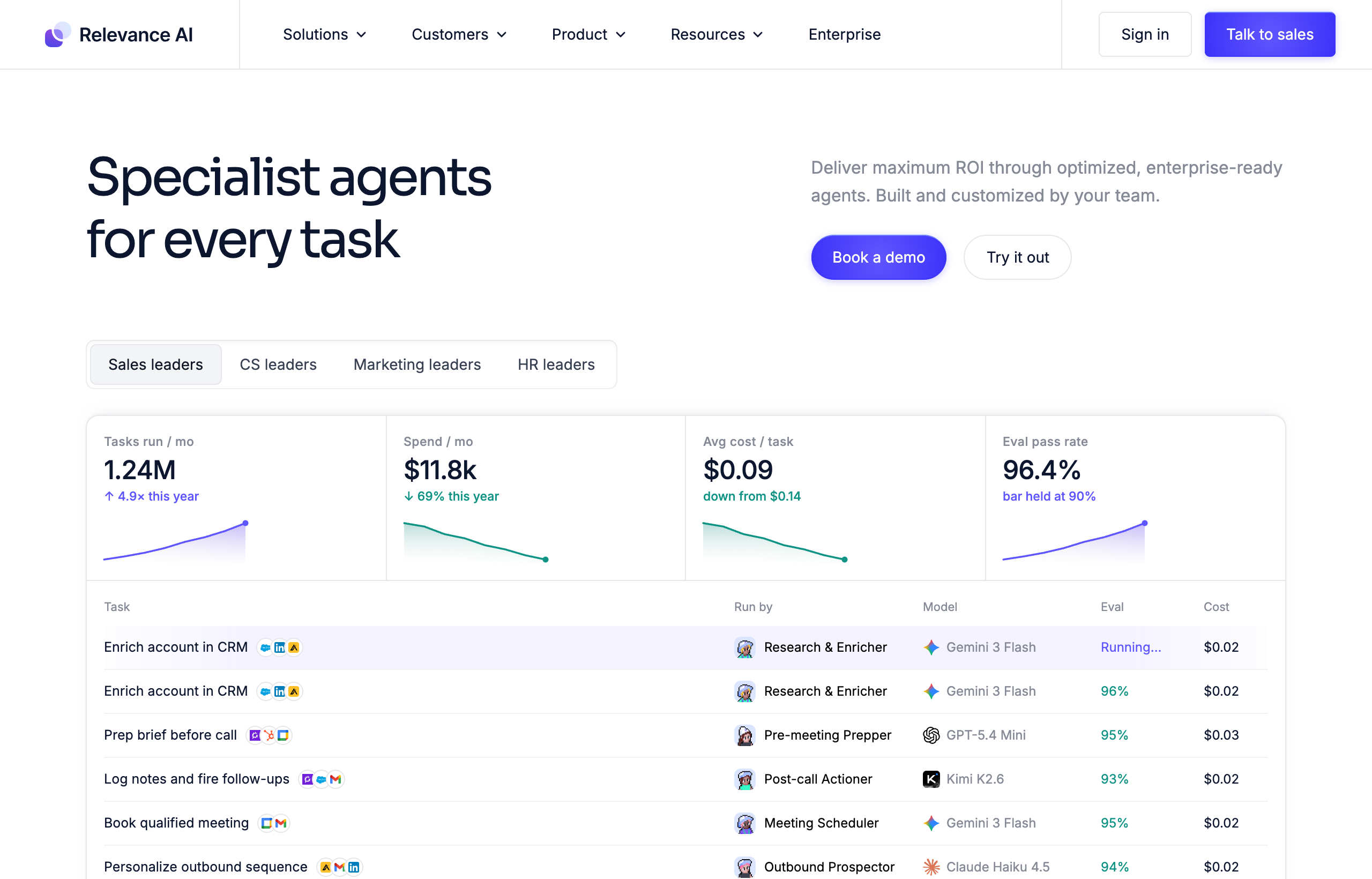
Relevance AI’s ideal customer already has, or wants to build, an internal “agent ops” capability: an ops or RevOps person, a growth engineer, or a small platform team that will own a library of agents over time, test variants against each other, and treat agent-building as an ongoing discipline. If you deleted your Relevance AI workspace tomorrow, you’d lose the agents your team spent real hours designing.
Viktor’s ideal customer is a founder, marketer, ops lead, or engineer who has a task today and wants it done today, without becoming the person who maintains an agent stack. If you deleted Viktor tomorrow, you’d lose a working relationship with something that behaved like a teammate, not a system you built.
| Category | Relevance AI | Viktor |
|---|---|---|
| Core model | Build-your-own agents and multi-agent workforces, visual canvas | Pre-built AI employee, chat interface inside Slack/Teams |
| Setup time to first useful result | Hours to days, depending on agent complexity | Minutes: install, connect a tool, describe a task |
| Where you work | Relevance AI’s own web app and canvas | Slack or Microsoft Teams, where your team already works |
| Integrations | 2,000+ (per Relevance AI) | 3,200+ (per Viktor) |
| Multi-agent orchestration | Native, core feature (agents hand off to other agents) | Single agent handles the full task itself |
| Agent evaluation / A/B testing | Built in (Enterprise tier) | Not applicable; there’s one agent, not variants to test |
| Public self-serve pricing | Not shown on the live pricing page at the time of writing; Enterprise-only, talk to sales | Published credit tiers from $50/mo, visible without a sales call |
| Free option | Historically a free tier existed with a monthly action allowance; not confirmable on the current public page | $100 in trial credits, no card required, credits don’t expire |
| Best fit | Teams that want to design, own, and iterate on an agent stack | Anyone who wants a task done without building anything |
Where Relevance AI genuinely wins
Credit where it’s due: if you want control over exactly how an agent reasons, what tools it’s allowed to touch, and how a multi-step process hands off between specialized agents, Relevance AI gives you that in a way Viktor structurally can’t, because Viktor isn’t a builder. Relevance AI’s agent evaluation and A/B testing tools let a team compare two versions of the same agent against real outcomes, which matters if you’re running something like an outbound BDR agent at volume and need to tune it the way you’d tune an ad campaign. Its “Spaces,” permissions, and enterprise controls (SSO, RBAC, audit logs) are aimed squarely at organizations that need to govern who can build and run what, which is a real requirement once more than a handful of people are touching the platform.
The multi-agent “workforce” model is also a genuine differentiator worth naming honestly. If a process actually benefits from specialization, one agent researching, a second qualifying, a third drafting outreach, Relevance AI lets you build that as discrete, inspectable pieces you can debug individually. That’s a real advantage for a team that has already mapped out a repeatable process and wants each step to be its own component.
Where Viktor wins
The flip side of “you can build anything” is “you have to build everything,” and that’s the gap Viktor is closing. When I tested Viktor, the thing that stood out wasn’t a single flashy capability, it was how little setup stood between a request and a finished deliverable. I asked it to pull a summary of a Google Ads account’s spend against target CPA and format it as a short Slack-native report; it connected, pulled the data, and posted a formatted summary in the same thread, no canvas, no node wiring, no agent I had to configure first. That’s the core trade Viktor is selling: you skip the entire “design the agent” phase because the agent already exists and already knows how to use the tool.
Viktor also lives where the work already happens. Relevance AI’s agents run inside Relevance AI’s own app, which means someone has to go check on them there. Viktor runs inside the Slack channel your team is already in, so asking it something or getting a result back doesn’t require switching context to a separate tool. For a founder or a small team without a dedicated ops person to own an agent stack, that difference is the whole ballgame: Viktor is closer to hiring than to building.
The honest test I’d run before committing to either: pick one task you actually need done this week and give it to Viktor first, since there’s nothing to configure. Start with the $100 free trial credits and see if the output is good enough that building your own agent for the same job would have been wasted effort.
What do they actually cost in 2026?
This is where the two products differ almost as much on transparency as on price. Viktor publishes its pricing directly: a free trial with $100 in credits and no card required, credits that don’t expire. Team plans are workspace-wide and credit-based rather than charged per seat: 20,000 credits runs around $50 a month, 30,000 around $75, 40,000 around $100, and 80,000 around $200. Small-company tiers scale from roughly 125,000 to 2,000,000 credits, priced from about $300 to $5,000 a month, with 300,000 credits at around $750 a month reported as the most popular tier. Larger organizations move into custom Enterprise pricing, with reported tiers in the $35,000 to $50,000-a-month range for the highest usage bands. Viktor says credits reflect actual model cost with no markup, and that a quick task burns roughly 50 to 100 credits while a full project can run 2,000 to 5,000.
Relevance AI’s own pricing page, at the time of writing, shows only an Enterprise plan with a “talk to sales” call to action; no dollar figures for a self-serve tier appear on the live page. Third-party pricing trackers and Relevance AI’s own documentation have reported a dual-meter self-serve structure in the past, splitting cost into monthly “Actions” and separately metered “Vendor Credits,” with figures around a free tier (roughly 200 actions and 1,000 vendor credits) and paid tiers that have been reported in the neighborhood of $19 a month at entry and well over $200 a month at a team tier. Because these numbers move and are not currently confirmable on Relevance AI’s public pricing page, treat them as directional, not quoted, and verify current self-serve pricing directly with Relevance AI before budgeting against it.
| Plan | Relevance AI | Viktor |
|---|---|---|
| Free / trial | Reported historically, not confirmable on current public page | $100 in credits, no card required, credits never expire |
| Entry paid tier | Not published on the live pricing page; reported around $19-$24/mo historically | Around $50/mo for 20,000 workspace-wide credits |
| Mid tier | Not published; reported around $200+/mo historically | Around $750/mo for 300,000 credits (most popular small-company tier) |
| Enterprise | Custom, “talk to sales” | Custom, reported tiers around $35,000-$50,000/mo at the top end |
| Pricing transparency | Low; current page requires a sales conversation for any number | High; exact credit-to-dollar figures published on the pricing page |
The honest weaknesses (both sides)
Relevance AI’s biggest practical weakness right now is exactly what shows up above: you cannot get a real number without talking to sales, which is friction most solo founders and small teams will not push through just to evaluate a tool. Layer on the setup curve, building even a simple agent means learning the canvas, choosing tools, and testing it, and Relevance AI is asking for real time investment before you see value. It is also, structurally, not trying to be a finished product; if what you actually want is an agent that already knows how to do a job, Relevance AI hands you the pieces, not the assembled thing.
Viktor’s honest weakness is the one every review of it needs to include: credit-based billing is unpredictable in a way flat per-seat pricing isn’t. Real users have reported burning through $200 in credits in the first two days of exploring, or landing well above the $50 headline figure once real usage kicks in, sometimes $500 or more a month. Because credits track actual model and tool cost, a task that touches a lot of data or a slow, tool-heavy workflow can burn through an allotment faster than the sticker price implies, and budgeting for it takes a cycle or two of real usage before you can predict your bill. Viktor is also not a visual builder; if what you actually want is to design a specific, repeatable multi-step process and inspect each stage, a canvas tool is the better fit, and Viktor’s conversational model won’t give you that.
Who should pick Relevance AI over Viktor
- Teams with a dedicated ops or RevOps person who will own an agent stack as an ongoing discipline, not a one-off setup.
- Anyone who needs multi-agent orchestration with real handoffs, research agent to qualification agent to outreach agent, as discrete, testable components.
- Organizations that need enterprise governance, SSO, RBAC, audit logs, from day one and are comfortable going through a sales process to get pricing.
- Builders who want to A/B test agent variants against real outcomes rather than trust a single, pre-configured agent’s judgment.
Who should pick Viktor over Relevance AI
- Founders and small teams without time to build an agent stack who need work done this week, not a platform to learn this quarter.
- Anyone who wants to keep working inside Slack or Teams instead of adding another app to check.
- People who want to see a real price before committing to any usage, without a sales call.
- Teams whose tasks are varied and one-off rather than a single repeatable process worth engineering into a formal agent.
Frequently asked questions
Is Relevance AI or Viktor easier to set up?
Viktor, by a wide margin. There’s no builder step: you connect it to Slack or Teams and give it a task. Relevance AI requires designing an agent in its canvas first, which is a real time investment even for a simple use case.
Can Relevance AI do what Viktor does?
You can build an agent in Relevance AI that approximates a specific Viktor workflow, but you have to design, test, and maintain it yourself. Viktor ships that capability pre-built, with no design step required.
Which is cheaper, Relevance AI or Viktor?
It’s hard to say with confidence because Relevance AI’s current public pricing page does not display self-serve dollar figures. Viktor’s pricing is fully published: workspace-wide credit tiers starting around $50 a month. If transparent pricing matters to your decision, that alone favors Viktor.
Does Viktor replace the need for a tool like Relevance AI?
For most day-to-day tasks, yes, that’s the point of a ready-made agent. If your team genuinely needs to design and own a custom multi-agent process at scale, Relevance AI’s builder gives you control Viktor doesn’t offer, since Viktor isn’t a builder.
Is Relevance AI good for non-technical teams?
It’s more accessible than writing code, since it’s a visual, low-code canvas, but it still asks you to think like a builder: choosing tools, wiring steps, testing outputs. A non-technical team that wants results without that process will get there faster with Viktor.
The bottom line
This comparison isn’t really “which tool is better,” it’s “do you want to build or do you want to delegate.” Relevance AI is honestly good at the job it set out to do: giving a team the pieces to design a custom, multi-agent workforce, with real depth in orchestration, evaluation, and governance for teams that will invest the time. Viktor is honestly good at a different job: showing up as a competent employee on day one, in the Slack channel you already use, with pricing you can see before you sign up.
My actual recommendation: if you don’t already know exactly what agent you want to build, don’t start in a canvas. Start by handing a real task to something that already knows how to do it, and let that tell you whether you even need to build anything at all.
Try Viktor with the free $100 in credits on one real task before you spend a weekend in anyone’s agent builder. It costs nothing to find out whether you needed a builder in the first place.
Pricing captured from vendor pricing pages, July 2026. Plans change, so confirm current details before you buy. Relevance AI’s self-serve pricing figures in this article are reported historical figures, not numbers pulled from the current live pricing page, and should be verified directly with Relevance AI.