
Most Relevance AI reviews read like they were written from the marketing page, “AI Workforce,” “2,000+ integrations,” “unlimited agents,” without anyone actually opening the canvas and building something that has to work. I wanted to know what it’s like to actually design an agent in Relevance AI, not skim the feature list, so I went into the builder, wired up a lead-research agent with a couple of connected tools, and pushed through the parts of the product that a five-minute demo skips past: pricing, setup friction, and what happens after you close the canvas.
Relevance AI is not a chatbot with a nicer UI. It’s a genuine agent-building platform, and once you understand it that way, most of what’s good and bad about it makes sense. Here’s what I found, what it actually costs (and where the pricing page gets frustratingly quiet), and exactly who should and shouldn’t build on it in 2026.
Disclosure: some links in this post are affiliate links. If you sign up through them, we may earn a commission at no extra cost to you. That never changes our verdict.
The 30-second verdict
Relevance AI is a capable, genuinely flexible platform for building custom AI agents and multi-agent “workforces,” with a real tool library and enterprise-grade governance, but it asks you to be the builder, not the buyer of a finished result. The visual canvas, agent evaluation and A/B testing, and multi-agent handoffs are real differentiators for a team that wants to own its agent stack. The setup and learning curve are genuinely steeper than a five-minute-demo suggests, and its current public pricing page shows only an Enterprise, talk-to-sales tier, which is a real friction point for anyone trying to evaluate it without a sales call. I’d rate it 3.8 out of 5.
The missing 1.2 points is mostly about accessibility. If you’re the kind of person or team who wants to design a repeatable agent process and iterate on it over time, Relevance AI is a strong platform. If you just want a task done and don’t want to become the person who maintains an agent, the builder step itself is the cost, and it’s a real one.
If what you actually want is a finished result rather than a build project, it’s worth checking what a ready-made AI employee covers first. Try Viktor’s free $100 in credits on the same task before you commit to Relevance AI’s learning curve.
What is Relevance AI, and who is it built for?
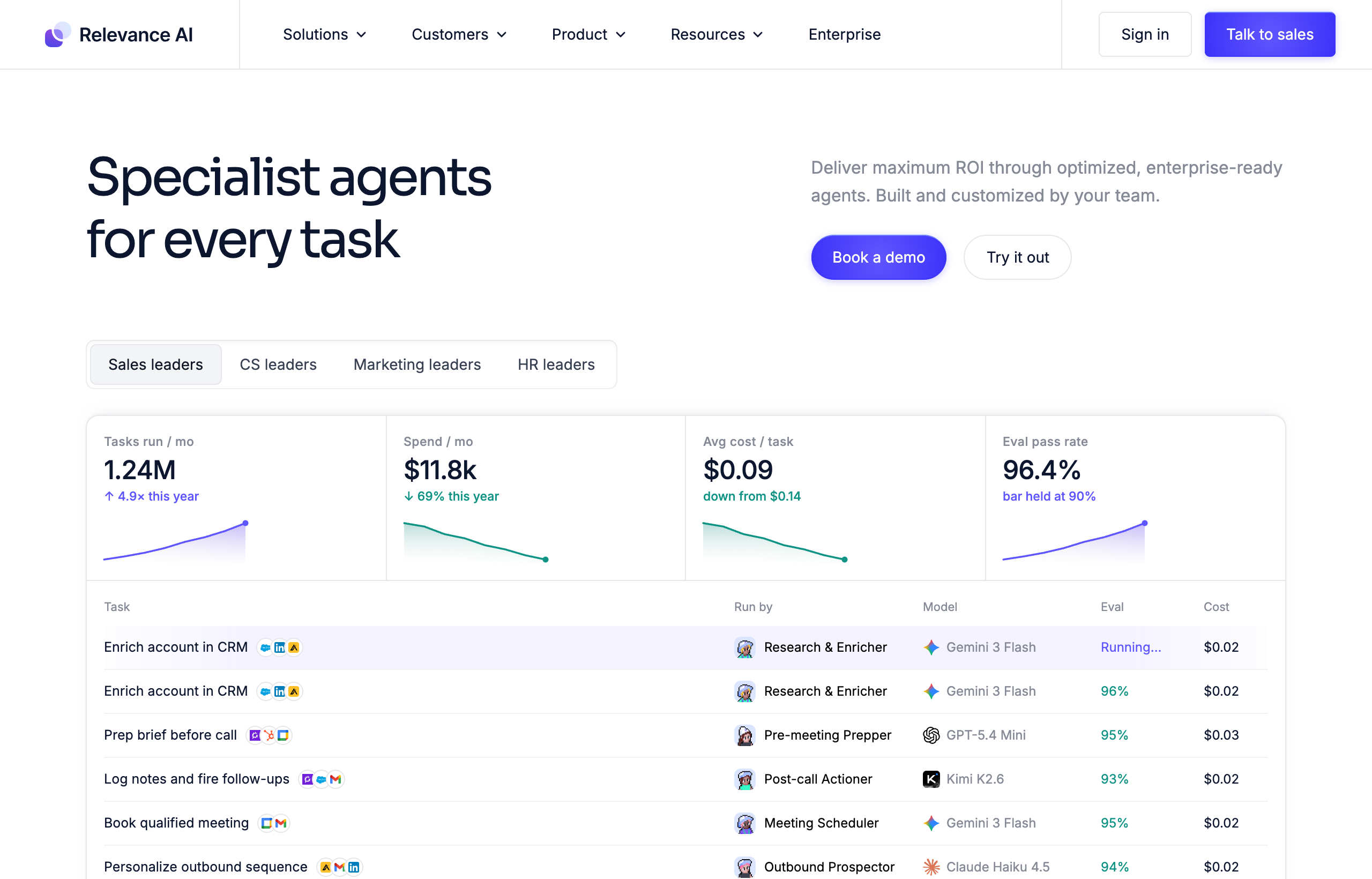
Relevance AI is operated by OnSearch Pty Ltd, an Australian company trading as Relevance AI, and it markets around the concept of an “AI Workforce”: you build individual agents with defined roles, connect them to tools and knowledge, and chain multiple agents together so they can hand work off to one another, a research agent passing qualified leads to an outreach agent, for example. The product ships with a large integration library (2,000-plus by its own count), calling and meeting agents, enterprise triggers, agent evaluation tooling, A/B testing and analytics, and governance features like SSO, RBAC, and audit logs.
On its own site, Relevance AI positions itself directly against Clay, Gumloop, Microsoft Copilot Studio, and managed-agent offerings from OpenAI and Anthropic, which tells you clearly what category it thinks it competes in: agent infrastructure for teams that intend to build and maintain their own stack, not a finished, pre-configured product. That framing matters for expectations. You are not buying an employee. You are buying a workshop.
Who is Relevance AI actually for?

The clearest fit is a team with, or building toward, a dedicated “agent ops” function: a RevOps person standing up a BDR workforce, a growth engineer automating research-to-outreach pipelines, or a platform team that wants to own a library of internal agents as an ongoing asset. If that’s you, the canvas, evaluation tools, and multi-agent orchestration are doing real work, not sitting unused.
The weaker fit is the person who just wants a task handled. Relevance AI has no pre-built, ready-to-go employee you can hand a task to on day one; every capability starts as something you configure. If your actual need is “get this done,” not “build something that gets things done,” the builder step is friction you’re paying for whether or not you use its depth.
Where Relevance AI genuinely wins
Three things stood out in testing as real, not marketing-page, strengths.
Multi-agent orchestration with real handoffs
Building a two-agent chain, a research agent that gathers company data and a second agent that scores and formats the output, worked cleanly once configured, and being able to inspect each agent’s output independently made debugging far easier than it would be inside a single monolithic prompt. This is the feature Relevance AI’s “AI Workforce” branding is actually built on, and in testing it holds up: specialized agents handing off structured work to each other is a real, useful pattern for a process that benefits from separation of concerns.
The tool library and integration breadth are genuinely large
Connecting to common business tools was straightforward, and the 2,000-plus integration claim tracks with what’s actually available in the connector list, not an inflated marketing number. For a team that needs an agent to reach into several different systems as part of one workflow, that breadth removes a real barrier.
Evaluation and A/B testing are ahead of most agent builders
Being able to run two versions of the same agent against real outcomes and compare them is a feature most competitors in this category don’t offer at all. For a business running an agent at real volume, an outbound BDR agent, for instance, that evaluation loop is the difference between guessing whether a prompt change helped and actually knowing.
If your process genuinely benefits from that kind of multi-agent design, Relevance AI earns its complexity. If you’re not sure yet, it costs nothing to find out what you actually need first. A free Viktor trial will tell you within a week whether your task needs a custom-built agent workforce or just needs to get done.
Where Relevance AI falls short (the honest list)
The power comes with real costs, and here they are in the order I’d weigh them.
Pricing is not transparent on the live page
At the time of writing, Relevance AI’s public pricing page displays a single Enterprise plan with a “talk to sales” call to action, and no self-serve dollar figures anywhere on the page. Historical reporting and Relevance AI’s own documentation have described a dual-meter self-serve structure in the past, splitting cost into “Actions” and separately metered “Vendor Credits,” with a free tier and paid tiers that have been reported in the rough neighborhood of $19 to $24 a month at entry and considerably more at a team tier. I was not able to confirm current, exact figures on the live page during this review, so treat any specific self-serve number you see elsewhere as directional, and get a real quote directly from Relevance AI before budgeting.
The learning curve is real
Wiring the two-agent research-and-scoring chain described above took real, focused time, choosing tools, testing outputs, adjusting prompts when the first pass didn’t format cleanly. That’s a normal cost for a genuinely flexible builder, but it’s a cost, and a first-time user without prior agent-building experience should budget meaningfully more than an afternoon to get a production-ready agent live.
You own the maintenance
Every agent you build is yours to keep working. If a connected tool changes its API, or an output starts drifting, there’s no pre-built agent behind it absorbing that fix for you, the way there would be with a ready-made product. That’s the direct trade for the control the builder gives you.
It’s a platform, not a finished result
This is less a flaw than a category mismatch that trips people up. If you came to Relevance AI wanting something that already knows how to do a job, you’ll spend your first real session discovering that the platform hands you the pieces, tools, triggers, agent roles, rather than a working employee. That’s by design, but it’s worth knowing before you start the clock on your evaluation.
What building an agent actually feels like
The canvas itself is genuinely well designed, drag in a step, pick a tool, set the instructions, connect it to the next step. It doesn’t feel like fighting bad software. What it feels like is a real project: my first pass at the research agent pulled data correctly but formatted it in a way the second agent choked on, which meant going back and adjusting the output schema before the handoff worked cleanly. That kind of iteration is normal for any builder tool, but it’s worth naming plainly, because a marketing page showing a finished, working canvas skips the part where you’re the one who gets it there.
The template library helps close some of that gap. Starting from a template aimed at a similar use case cut real time off the build compared to starting from a blank canvas, and I’d recommend anyone evaluating Relevance AI start there rather than building from scratch on day one. Even so, budget a real session, not a coffee break, for your first agent, and expect a second pass once you see how it actually behaves against live data rather than a test case.
What does Relevance AI cost in 2026?
I want to be direct about the limits of what I can confirm here. Relevance AI’s live pricing page, as fetched for this review, shows only an Enterprise tier: custom pricing, unlimited agents, tools, users, and workforces, 2,000-plus integrations, calling and meeting agents, enterprise triggers, agent evaluations, A/B testing and analytics, SSO/RBAC/audit logs, and a dedicated account manager, all behind a “talk to sales” button with no dollar figure shown.
| Plan | Price | What’s confirmed |
|---|---|---|
| Self-serve tiers | Not shown on the current live pricing page | Historically reported (not currently confirmable) around a free tier and paid tiers from roughly $19-$24/mo at entry |
| Enterprise | Custom, “talk to sales” | Custom Actions and Vendor Credits, unlimited agents/tools/users/workforces, 2,000+ integrations, calling and meeting agents, enterprise triggers, agent evaluations, A/B testing, SSO/RBAC/audit logs, dedicated account manager |
The honest read: if your workflow was reported historical pricing in the low tens of dollars a month for a self-serve plan, do not treat that as current. Get a live quote from Relevance AI directly before committing budget, since the pricing structure and figures have shifted before and the current page gives no self-serve number to plan against.
Relevance AI vs the ready-made alternative
The comparison that actually matters for most evaluators isn’t Relevance AI against another builder, it’s Relevance AI against a finished product. Relevance AI vs Viktor is a build-versus-buy question: Relevance AI gives you the canvas, the tool library, and multi-agent orchestration to design your own AI Workforce, while Viktor is a pre-built “AI employee” that lives in Slack and Microsoft Teams and executes tasks the moment you describe them, no canvas, no design phase. Viktor also publishes its pricing directly (a free $100-credit trial, then workspace-wide credit tiers from around $50 a month), which is a meaningfully more transparent starting point than Relevance AI’s current talk-to-sales-only page.
The trade-off runs the other way too: Viktor can’t give you multi-agent orchestration, agent evaluation, or A/B testing, because it isn’t a builder, there’s one agent, and you’re not designing variants of it. If your team’s actual need is to own and iterate on a custom agent process over time, that’s a real capability gap Viktor doesn’t close. Full comparison in Viktor vs Relevance AI, and if you’re weighing the wider field of build-it-yourself alternatives, our Relevance AI alternatives guide covers Lindy, Dust, Sintra, and n8n as well.
Who should NOT use Relevance AI?
- Anyone who wants a result today, not a build project. You’ll spend real time in the canvas before you get anything working. A ready-made agent will get you a finished output faster.
- Solo founders and small teams without a dedicated builder. Someone has to own the agents you design, tools change, prompts drift, and without a person whose job includes that maintenance, agents built and forgotten tend to quietly stop working.
- Budget-sensitive evaluators who need a number before they commit time. The current live pricing page gives you no self-serve figure to plan against without a sales conversation.
- Anyone who wants their tools to live in Slack or Teams. Relevance AI runs in its own web app, not inside the channel your team already works in.
If any of that sounds like you, our guide to Relevance AI alternatives walks through better-fit options for each case, and our ranking of the best AI agents in 2026 maps the wider category.
Frequently asked questions
Is Relevance AI worth it in 2026?
For a team that wants to design and own a custom multi-agent workflow, with real orchestration and evaluation tooling, yes, the depth is genuinely there. For someone who just wants a task done without building anything, the setup cost is real overhead for a job the platform wasn’t built to hand you pre-solved.
Is Relevance AI hard to learn?
Relative to a ready-made agent, yes. The visual canvas is more approachable than code, but you’re still choosing tools, wiring steps, and testing outputs, and a first working agent takes real, focused time rather than minutes.
Does Relevance AI have a free plan?
Not confirmable on the current live pricing page, which shows only an Enterprise, talk-to-sales tier. Historical reporting has described a free tier in the past; confirm directly with Relevance AI before assuming it’s still available or still on the same terms.
What is Relevance AI’s biggest weakness?
Pricing opacity on the current public page and the setup time required to get a useful agent live. Both are solvable if you’re willing to talk to sales and invest build time, but they’re real friction for anyone trying to evaluate the product quickly.
Is Relevance AI good for non-technical users?
It’s more accessible than writing code, since it’s a visual, low-code canvas, but it still requires thinking like a builder: choosing tools, wiring logic, testing outputs. A non-technical user who wants results without that process will move faster with a pre-built agent.
The bottom line: my verdict after testing it
Relevance AI earns its reputation the way most genuine builder platforms do: not through instant gratification, but through real depth once you’ve invested the setup time. Watching a two-agent chain correctly hand off structured research into a scored, formatted output was a genuinely useful moment in testing, and the evaluation and A/B testing tooling is ahead of most of the category. That capability is real, and for the right team, it’s worth the learning curve.
3.8 out of 5. The score reflects real strength in orchestration and governance, docked for pricing opacity on the live page and a setup cost that’s disproportionate if your actual need was a finished result rather than a build project. If your team wants to own a custom agent stack long-term, Relevance AI is a serious option. If you just want the work done, the honest move is to try a ready-made employee first and only reach for a builder once you know exactly what you’d be building.
Not sure which camp you’re in? Test Viktor’s free $100 in credits first, no card required. If you outgrow it and need real multi-agent orchestration behind a repeatable process, Relevance AI will still be there, and you’ll know exactly why you need it instead of guessing.
Pricing captured from the vendor’s live pricing page, July 2026, where confirmable. Self-serve figures referenced as historical were not confirmable on the current live page and should be verified directly with Relevance AI before you buy.


