Base44 Review 2026: Vibe Coding That Ships, or Another Prototype Generator?
Disclosure: this article contains affiliate links. If you buy through them, we may earn a commission at no extra cost to you. Prices were checked in September 2026.
Quick answer: Base44 does let you export code to GitHub and technically self-host it, but only from the $50/month Builder plan up, and the exported repo still needs Base44’s app ID and backend URL to run, with an empty database. Credits burn fast when you’re actually fixing bugs, not just building, and Base44’s own Trustpilot page sits at 2.8 out of 5 across 866 reviews, with 54% one-star. It’s a fast way to get a working demo. It is not, by itself, a production platform.
What Is Base44, and Why Did Wix Pay $80 Million for It?
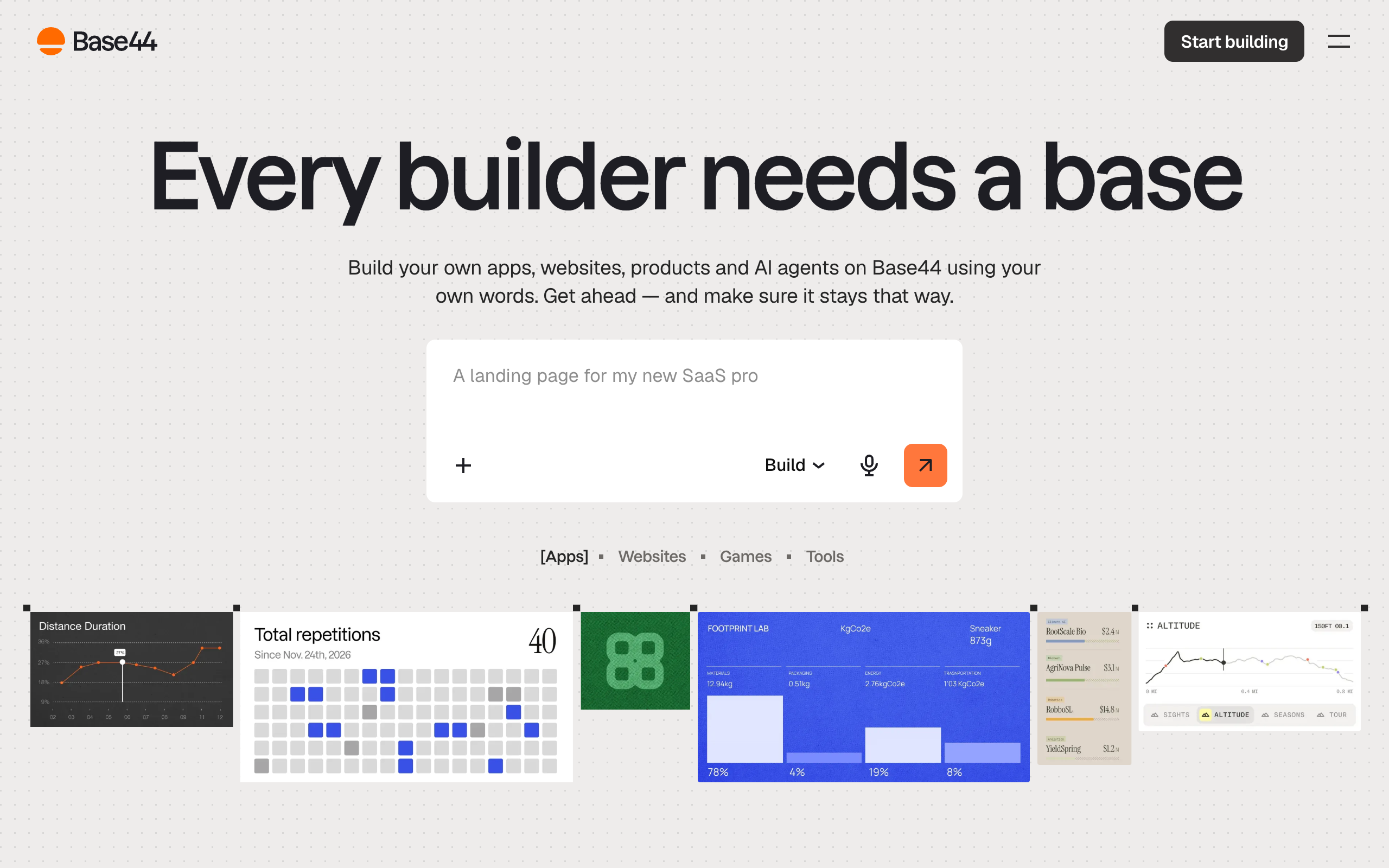
Base44 is a “vibe coding” app builder: you describe an app in plain English and it generates a working React front end plus a managed backend with a database and authentication already wired up. No IDE, no npm install, no server to configure. That pitch is the entire vibe-coding category right now, and Base44 is one of the names getting the most search volume around it, “base44 review” alone pulls roughly 5,400 searches a month with a keyword difficulty near zero, which tells you the demand is there but almost nobody has written an honest review of it yet.
Here’s the detail most roundup articles skip: Base44 was a solo-founder company, built by Maor Shlomo, and it was only about six months old when Wix bought it for $80 million in cash in June 2025, according to TechCrunch’s reporting on the deal. Wix also budgeted roughly $25 million in retention bonuses to keep the team through the transition, per the same reporting. That matters for you as a buyer for one concrete reason: Base44 now runs on Wix’s infrastructure and roadmap priorities, not an independent founder’s. If Wix decides vibe coding is a feature of Wix Studio rather than a standalone product, Base44 as you know it today can change shape with very little warning. That’s a real platform-risk line item, not a footnote.
Can Base44 Actually Export Code and Self-Host, or Are You Locked In?
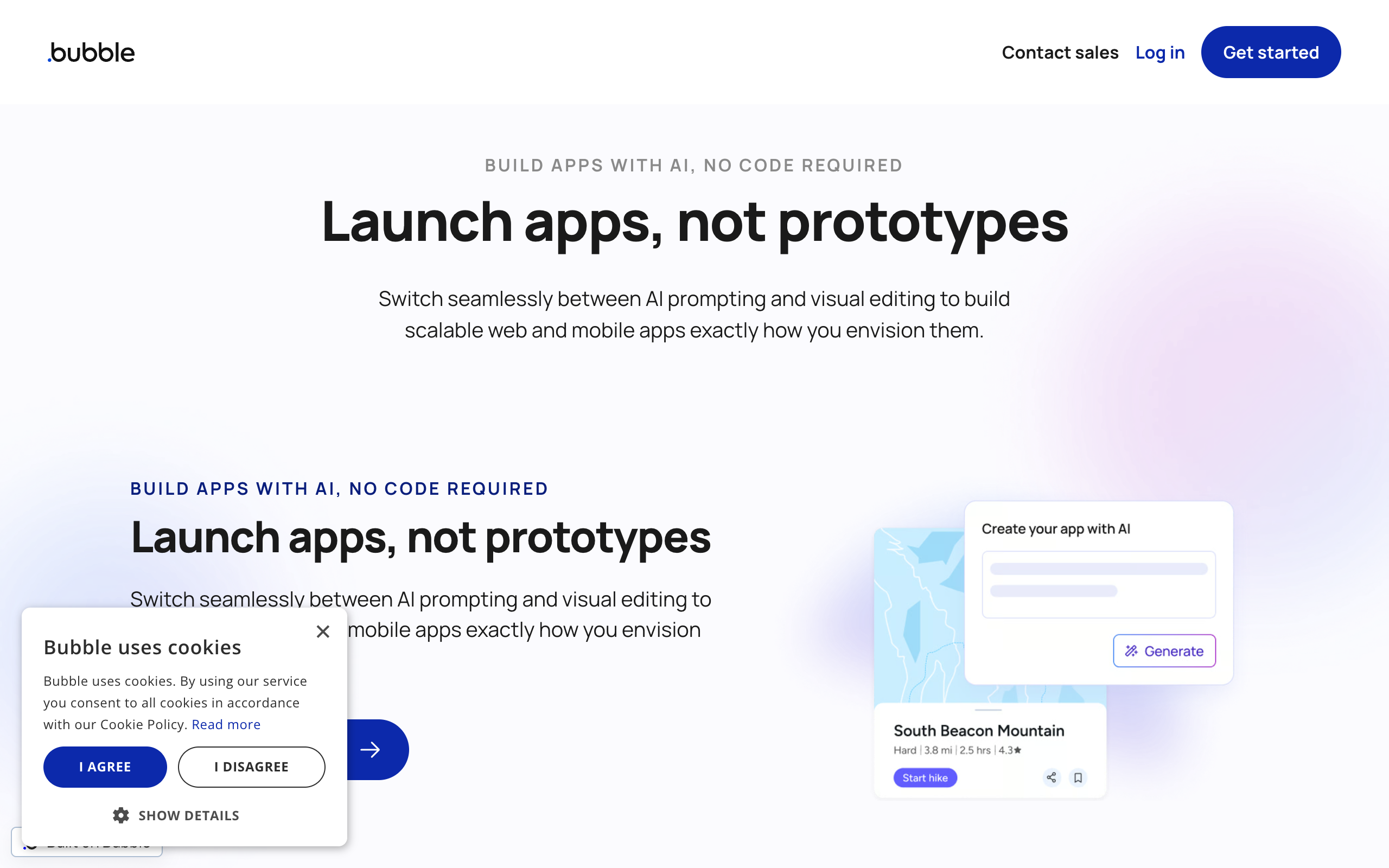
This is the question that decides whether Base44 is a tool or a trap, and the honest answer is “sort of.” Base44’s own pricing page says “you own everything you build: your code, your data, your users,” and technically that’s true. But three details change what “own” means in practice, and none of them are on the marketing page.
First, two-way GitHub sync is gated behind the Builder plan, $50/month billed monthly or $40/month if you commit to annual billing. Free and Starter users cannot push a repository at all, according to an independent technical review that checked the sync behavior directly. Second, when you do get a repo, it doesn’t run on its own. A cloned Base44 project needs two environment variables, VITE_BASE44_APP_ID and VITE_BASE44_APP_BASE_URL, and the backend keeps running on Base44’s servers no matter what the repository contains. You have the front-end code. The actual application, the part that talks to your database and enforces your business logic, is still a phone call to Base44. Third, if you eject to migrate somewhere else, the entity schemas copy over but the data does not. You get an empty database and a manual re-import job, not a working clone.
A repo audit of 778 confirmed Base44 exports found the scaffolding is consistent (773 shipped React, 769 shipped Tailwind, 754 shipped Vite), so the code itself is real and readable. The lock-in isn’t in code quality. It’s in the fact that the app you exported still can’t run a single query without Base44’s backend behind it.
How Fast Do Credits Burn Once You Start Actually Building?
Base44 sells five tiers: Free ($0, 25 message credits/month, 100 integration credits, up to 5 apps), Starter ($16/month annual, 100 message credits, unlimited apps), Builder ($40/month annual or $50/month billed monthly, 250 message credits, GitHub sync unlocked), Pro ($80/month annual, 500 message credits), and Elite ($160/month annual, 1,200 message credits). On paper, Builder at 250 credits a month sounds like plenty for a small app.
In practice, credits measure prompts, not features, and debugging costs the same credits as building. One hands-on tester logged a genuinely finished three-role app (customer, staff, admin, with login) at 48.4 of 250 monthly Builder credits, which is a reasonable price for a real deliverable. But that’s the smooth-run number. On Base44’s own feedback board, a user documented burning roughly 95% of a monthly message allowance in the first week, almost entirely from the AI agent introducing a new regression every time it fixed the last one, a loop that repeats until you run out of credits or the bug is actually gone. Trustpilot reviewers separately describe spending up to 20 credits just to fix one visual glitch. Integration credits add a second meter: they’re consumed by what your published app does after launch, not just what you build, so a live app with real users keeps eating your monthly allowance whether you touch the editor or not.
The practical price of “an app that actually works,” then, isn’t the sticker price on the pricing page. It’s the sticker price plus however many retries your specific bug needs, and you can’t buy a top-up mid-cycle if you run out, you wait for the next billing period.
Base44 vs Lovable vs Bolt.new vs v0 vs Replit vs Bubble: Real Prices Checked September 2026

All six price and lock you in differently. Numbers below came from each vendor’s own pricing page.
| Tool | Free tier | Entry paid plan | Can you truly run the exported app with zero dependency on the vendor? |
|---|---|---|---|
| Base44 | 25 message credits/mo, 5 apps | Builder: $50/mo ($40/mo annual), 250 credits, unlocks GitHub sync | No. Repo needs Base44’s app ID and backend URL; exported database is empty. |
| Lovable | ~30 build credits/mo | Pro: $25/mo, 100 credits (up to 250 with daily grants) | Partial. GitHub sync from day one; backend runs on Lovable Cloud (managed Supabase), migratable to your own Supabase with documented community scripts. |
| Bolt.new | 300K tokens/day, 1M/mo | Pro: $25/mo, 10M tokens/mo, rolls over | Yes. One-click ZIP download or GitHub push produces a project with no Bolt dependency at all. |
| v0 (Vercel) | $5 credit/mo, 7 messages/day | Plus: $30/mo, $30 credit plus $2/day | Yes. GitHub sync included even on the free tier; output is a standard Next.js app you own outright. |
| Replit | Daily agent credits | Core: $20/mo, $20 toward models | Mostly. Repls are real containers with git access; Replit’s “Deployments” hosting is proprietary, but the code itself isn’t trapped. |
| Bubble | 50K workload units/mo | Starter: $59/mo, 175K units | No, and not even partially. Bubble has no code export path of any kind; the app only ever runs inside Bubble. |
Read that table one way and Base44 looks bad next to Bolt.new and v0. Read it the other way and Base44 is still meaningfully more open than Bubble, which offers zero export path at any price. If you’ve been comparing Base44 only against no-code tools like Bubble, it looks generous. Compared against the other AI coding tools on this list, it’s the one charging the most for the least real independence. For a broader shortlist of tools in this category, see our best AI coding agents roundup.
Is a Base44 App Ready for Real Users, or Just a Demo?
Base44 sits at 2.8 out of 5 on Trustpilot across 866 reviews, with 54% one-star and 34% five-star, a split that tells you the experience is genuinely bimodal rather than mediocre. The five-star reviews consistently praise speed to a working prototype. The one-star reviews cluster around the same handful of complaints: the preview pane disappearing mid-session, edits that work in the editor but don’t show up on the live published app, and the AI agent breaking a feature that was working before it “fixed” something else. None of that is fatal for a demo you’re showing a client on a call. All of it is a real problem for anything with actual signed-up users depending on uptime.
Billing complaints are the other recurring theme: multiple reviewers report difficulty canceling, being charged for accounts they’d stopped using, and slow refund handling. That’s a business-practice risk on top of the technical one, and it’s worth budgeting time to test the cancellation flow before you put a credit card on a plan you’re not sure you’ll keep.
Who Should NOT Use Base44
Skip Base44 if code ownership is the actual point of the project, not just a nice-to-have; the exported repo’s dependency on Base44’s live backend defeats the purpose. Skip it if you’re building something that needs to survive a canceled subscription or a platform pivot, since Wix’s post-acquisition roadmap for Base44 is outside your control. Skip it if your app will have real paying users on day one rather than a beta group, given the Trustpilot pattern of preview and publish reliability issues. And skip the Free and Starter tiers specifically if you know you’ll want the GitHub repo, since that feature doesn’t exist below Builder at $50/month.
If Lock-in Is the Dealbreaker, What Should You Use Instead?

For genuinely portable output, OnSpace AI makes the opposite bet: its own documentation states you can “export your code and host it on the server of your choice,” with a direct download button in the editor rather than a gated GitHub sync tier, and it’s built on Supabase under the hood, which is a portable, self-hostable Postgres stack rather than a proprietary one. OnSpace’s Pro plan runs $25/month for up to 7,500 monthly credits, cheaper than Base44’s Builder tier and without the app-ID dependency described above. If your priority is a truly standalone codebase rather than backend features, Bolt.new’s free ZIP export (no paid plan required) is the fastest way to confirm you own what you built before you spend a dollar.
How to Test Base44 Without Burning a Month’s Credits on the Wrong Idea
- Sign up for the Free plan at base44.com and spend your 25 message credits on one deliberately small slice of your real app, one CRUD screen plus login, not the whole idea at once.
- Watch the credit counter after every single prompt, not just at the end of the session. That number, for your specific app, is the only credit-burn estimate that actually matters; Base44’s marketing tiers won’t tell you it.
- Before you pay for anything, decide honestly whether you’ll need the GitHub export. If yes, budget for Builder at $50/month ($40/month annual) since that’s the floor where sync unlocks, not Starter at $16.
- If the app needs to outlive a canceled subscription, test the database export early, while you have almost nothing built, so you learn it comes back empty before you have real customer data riding on it.
- If a canceled subscription or a Wix roadmap change would actually hurt your business, treat Base44 as a fast way to validate an idea, then rebuild the production version on something with a real export path, or start there in the first place.
Base44 Review: Frequently Asked Questions
Does Base44 let you export code?
Yes, but only from the Builder plan ($50/month, or $40/month billed annually) and up. The exported repository is real React and Tailwind code, but it still requires Base44’s app ID and backend URL to run, so the export gives you the front end without full independence from Base44’s servers.
How much does Base44 cost per month?
Five tiers as of September 2026: Free ($0, 25 message credits), Starter ($16/month annual, 100 credits), Builder ($40/month annual or $50/month monthly, 250 credits), Pro ($80/month annual, 500 credits), and Elite ($160/month annual, 1,200 credits). Integration credits, consumed by your live app’s usage after launch, scale separately from message credits.
Is Base44 owned by Wix?
Yes. Wix acquired Base44 for $80 million in cash in June 2025, when the company was about six months old and still solo-founder run, plus an estimated $25 million budgeted for employee retention bonuses through the transition, according to TechCrunch’s reporting on the deal.
Can a Base44 app handle real users, or is it just for demos?
It depends on your tolerance for instability. Base44 sits at 2.8 out of 5 on Trustpilot across 866 reviews, with recurring complaints about the preview pane disappearing and published updates not showing up live. It’s fast enough for a client demo or an internal tool with a handful of users; treat anything with paying customers and uptime expectations as a separate, harder engineering problem.
What’s the cheapest way to try Base44 before committing?
Start on the Free plan, 25 message credits and up to 5 apps, no card required. Spend those credits on one small, real feature rather than a broad idea, and check the credit counter after each prompt to see your actual burn rate before paying for Starter or Builder.
Base44 vs Lovable: which one locks you in less?
Lovable is the more portable of the two. Both support GitHub sync, but Lovable’s backend runs on a managed Supabase instance with documented migration paths to your own self-hosted Supabase, while Base44’s exported repo still calls back to Base44’s own backend regardless of where the code physically lives.
8 Best AI Coding Agents in 2026 (Ranked, Priced, and Road-Tested)
By Nam Nguyen, founder of saas.com.ai. I curate and track AI tools by real traffic and growth data to help you find the right tool for any task. Last updated July 11, 2026.
The best AI coding agent in 2026 is not one tool, it is two categories: in-editor pair programmers you keep on a short leash (Cursor, Claude Code, GitHub Copilot), and fire-and-forget autonomous agents that go off and open a pull request while you do something else (Devin, OpenAI Codex, Replit Agent). Cursor and Claude Code lead for daily hands-on coding at $20/month. Devin leads for delegated background work, now starting at $20 after a 96% price cut. Below, all eight are compared on autonomy, environment, price, and the one weakness each vendor buries in the FAQ.
Key takeaways
- In-IDE copilots win for most pros. Cursor, Claude Code, and GitHub Copilot keep you in the loop on every edit. That is still what senior engineers actually want in 2026.
- Autonomous agents win for delegated grunt work. Devin, Codex, and Replit Agent turn a ticket into a PR, but you review, you do not trust.
- Price collapsed. Devin dropped from $500 to $20/month in late 2025. Codex now ships free inside a $20 ChatGPT Plus seat.
- Windsurf is effectively gone. Cognition rebranded it to Devin Desktop on June 2, 2026, and Cascade hits end-of-life July 1, 2026.
- Ignore the SWE-bench leaderboard. OpenAI itself stopped reporting SWE-bench Verified in 2026 because scaffolding, not model skill, was setting the scores.
The 8 best AI coding agents at a glance
Here is the whole field in one table. “Autonomy” is how much rope the tool gives itself before it needs you. “Environment” is where it runs.
| Tool | Autonomy | Environment | Pricing (from) | Best for |
|---|---|---|---|---|
| Cursor | Semi (Agent mode, you approve) | AI-native IDE (desktop) | Free; Pro $20/mo | Daily hands-on coding with a leash |
| Claude Code | Semi to high (terminal agent) | CLI + IDE extensions | Pro $20/mo; Max $100 to $200 | Complex multi-file refactors, terminal lovers |
| GitHub Copilot | Low to high (chat, agent mode, coding agent) | VS Code, JetBrains, GitHub cloud | Free; Pro $10/mo | Teams already living inside GitHub |
| Devin | High (fully autonomous) | Cloud engineer + Slack | Core $20/mo + ACU usage | Delegating whole tickets to a background worker |
| OpenAI Codex | Semi to high (local + cloud) | Terminal + ChatGPT cloud | In ChatGPT: Plus $20/mo | People already paying for ChatGPT |
| Replit Agent | High (builds and deploys) | Cloud IDE (browser) | Free; Core $20/mo | Non-devs and founders shipping a whole app |
| Aider | Semi (you pick files) | Terminal (open source) | Free + your LLM tokens | Privacy-minded devs who want zero lock-in |
| Viktor | High (AI employee) | Slack + Teams | $100 free credits; from $50/mo | Non-engineering teams who need code-adjacent work |
Now the detail. I have written each tool up from the angle that actually matters for it, not from an identical grid, because these products are not the same shape.
Cursor: the default answer for hands-on coders
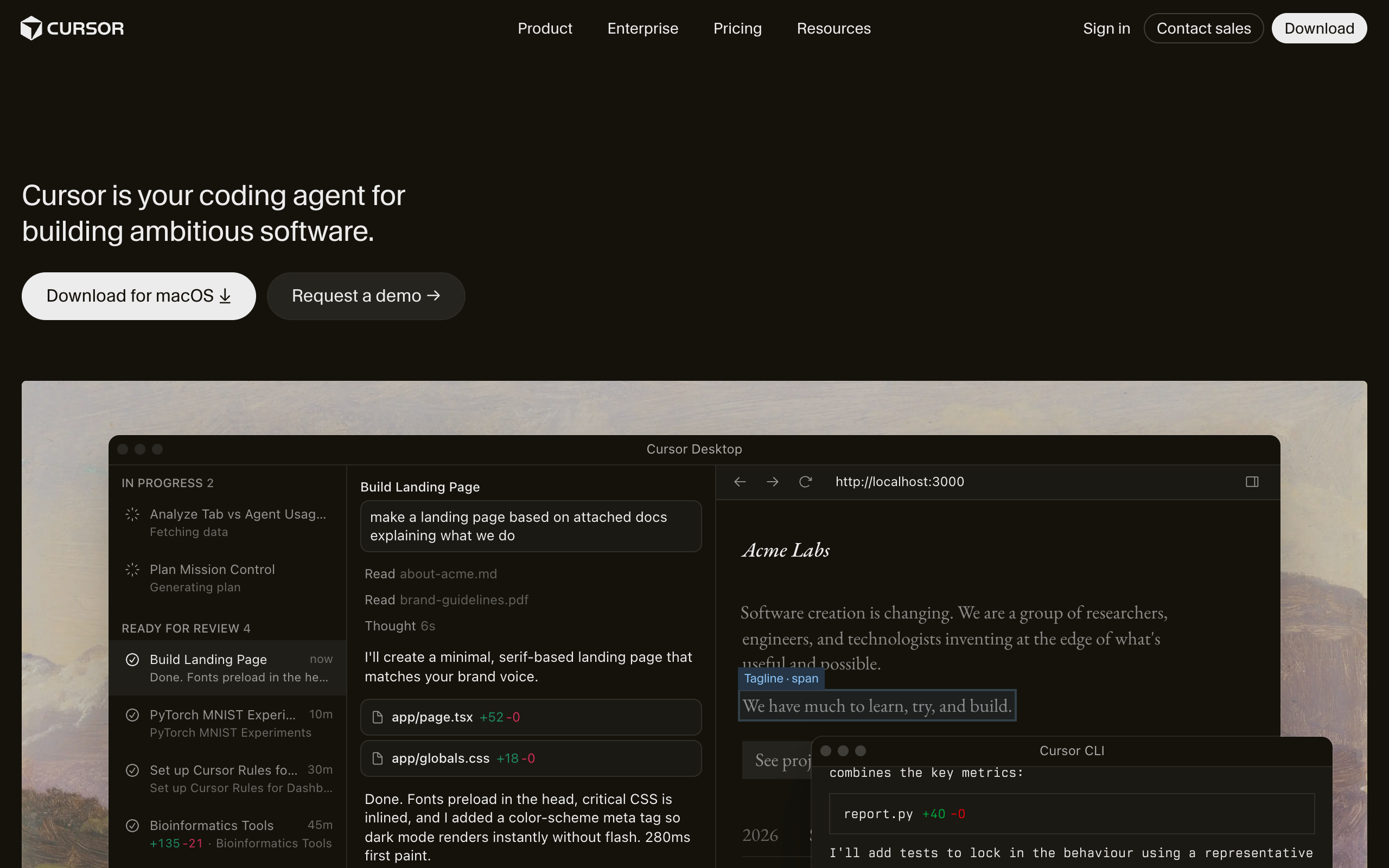
Cursor is an AI-native fork of VS Code where the Agent mode (formerly Composer) plans and executes multi-file changes while you watch and approve each diff. It is the tool most working developers reach for first in 2026, and the reason is boring: it feels like your editor, only faster.
Pricing runs Free (Hobby), Pro at $20/month, Pro+ at $60, and Ultra at $200 with a 20x usage multiplier (Cursor pricing). Teams cost $40/seat (Standard) or $120/seat (Premium), and Cursor changed the team tiers in June 2026 to push heavy agent users onto Premium.
Here is the part nobody markets: since mid-2025 Cursor bills on a credit pool equal to your plan price, and Auto mode is unlimited, but the moment you hand-pick a frontier model like Claude Sonnet or GPT-5, your $20 pool drains. I have watched a Pro seat burn through its monthly credit in under two weeks of heavy agent work. The fix is unglamorous: leave it on Auto for routine edits and only spend on a named model when the task is genuinely hard.
One honest weakness: the pricing has been rewritten so many times in eighteen months that budgeting for a team is a moving target. Read the current terms before you roll it out to twenty seats.
Cursor is the safest first pick for daily coding.
Claude Code: the terminal agent that senior engineers quietly prefer
Claude Code is Anthropic’s command-line coding agent that reads your repo, edits across files, runs commands, and iterates, all from the terminal. It comes bundled with a Claude Pro plan at $20/month, with heavier Max tiers at $100 (5x) and $200 (20x), or pay-per-token through the API (Claude pricing).
The insider read on Claude Code is that it wins on hard, sprawling refactors where you need the agent to hold a lot of context and reason through consequences. On the most-cited coding benchmark, Anthropic’s Opus 4.8 sits at 88.6% on SWE-bench Verified, basically tied with GPT-5.5 at 88.7% as of June 2026 (digitalapplied.com). Read that gap as a rounding error, not a reason to switch.
Aside: the reason terminal-first agents like Claude Code and Aider have a cult following is that a terminal composes. You can pipe it, script it, cron it, and drop it into CI. An IDE cannot do that, and power users know it.
One honest weakness: there is no GUI hand-holding. If your team is not comfortable in a shell, the learning curve is real, and the token meter on API mode can surprise you on a big job.
GitHub Copilot: three products wearing one brand

GitHub Copilot in 2026 is not one feature, it is three levels of autonomy sold together. Inline chat suggests code. Agent mode, generally available on VS Code and JetBrains since March 2026, plans and runs multi-step tasks and iterates on errors. The coding agent goes furthest: assign it a GitHub issue and it branches the repo, writes the code on Actions runners, runs tests, and opens a pull request while you are asleep (GitHub Copilot plans).
Pricing is the friendliest entry point in this whole list: Free, Pro at $10/month, Pro+ at $39, and Max at $100, with Business at $19/seat and Enterprise at $39/seat. The autonomous coding agent unlocks on Pro+ and up.
The catch arrived on June 1, 2026, when Copilot moved to usage-based billing on GitHub AI Credits. Chat, agent mode, code review, and the CLI now consume credits by actual compute, so the “cheapest option” can quietly stop being cheap once your team leans on the agent all day.
One honest weakness: the three-tier autonomy model confuses people. Half the teams I talk to think “agent mode” and “coding agent” are the same thing. They are not, and only one of them opens PRs unsupervised.
Devin: the fire-and-forget agent that finally got affordable
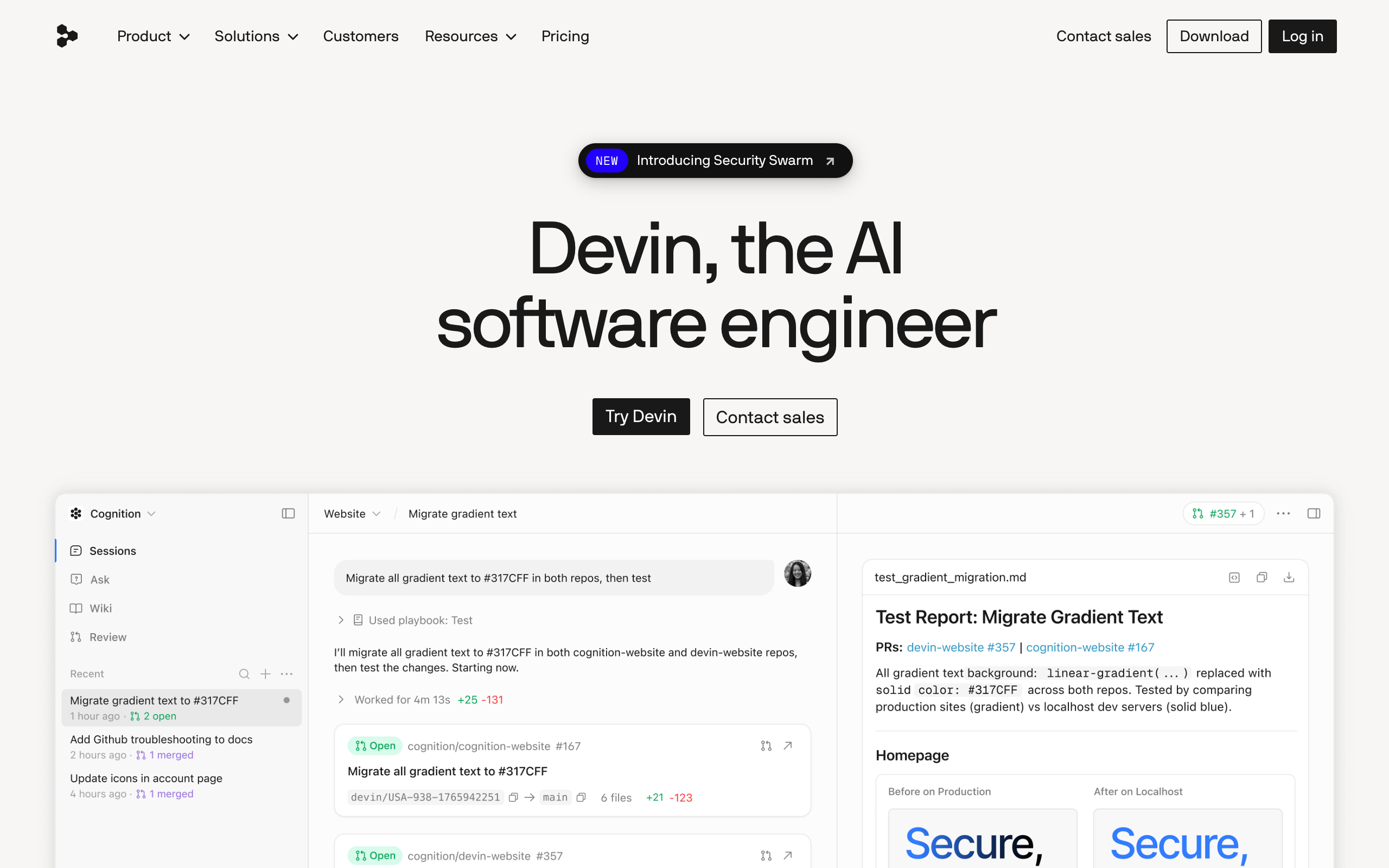
Devin, from Cognition, is the original fully autonomous AI software engineer: you give it a task in Slack or its web app, and it spins up its own cloud environment, plans, codes, tests, and returns a PR. In 2025 it cost $500/month and became a punchline for the gap between demo and reality. Then Cognition cut the entry price 96% to a $20 Core plan in late 2025, and the conversation changed (Devin pricing).
Core is $20/month plus pay-as-you-go usage at $2.25 per ACU, where one ACU (Agentic Compute Unit) is roughly 15 minutes of active autonomous work. The Team plan is $500/month with 250 included ACUs at a slightly cheaper $2.00 rate. Cognition has also been busy: it acquired Windsurf and, on June 2, 2026, rebranded that editor to Devin Desktop, folding a leash-style IDE into its autonomous stack.
Nobody says this plainly, so I will: the honest use case for Devin is not “replace an engineer.” It is “delegate the tickets your engineers hate.” Scoped, well-described, low-ambiguity work is where fire-and-forget pays off. Hand it a vague epic and you will spend more time reviewing its wrong turns than you saved.
Want the deep dive before you delegate a ticket?
One honest weakness: ACU billing is hard to forecast. A task that looks small can chew compute if Devin gets stuck exploring, and you pay for the exploration.
OpenAI Codex: already in your ChatGPT subscription
OpenAI Codex is the coding agent that lives in both your terminal and the ChatGPT cloud, running on GPT-5-Codex. Give it a task in plain English and it reads the whole repo, edits across files, runs tests in a sandbox, and opens a pull request (Codex pricing).
The pricing angle is what makes it interesting: Codex is included in every ChatGPT plan. Free gets a taste, Go is $8/month, Plus is $20 with 10 to 60 cloud tasks per 5-hour window, and Pro is $100 (5x) or $200 (20x). If you already pay for ChatGPT Plus, you already have a capable cloud coding agent and may not know it.
On benchmarks, GPT-5-Codex scores above 70% on SWE-bench Verified, and GPT-5.5 tops the leaderboard at 88.7% (valueaddvc.com). But see the SWE-bench section below before you weight that number too heavily.
One honest weakness: the 5-hour task windows on Plus are a real ceiling. Lean on Codex for a full workday and you will hit the wall right when you are in flow.
Windsurf (now Devin Desktop): the cautionary tale
Windsurf, formerly Codeium, built Cascade, an agent that reads your codebase, plans multi-step changes, and executes them across files. It was a genuine Cursor rival. Then the ground moved. Cognition acquired Windsurf, rebranded it to Devin Desktop on June 2, 2026, and set Cascade’s end-of-life for July 1, 2026, with Devin Local taking over as the default agent (funDesk).
I am including it because the lesson matters more than the tool. In 2026, the coding-agent market is consolidating fast, and betting a whole team’s workflow on a standalone challenger carries platform risk. If you onboarded Windsurf in early 2026, you are now migrating whether you wanted to or not.
Current Windsurf/Devin Desktop pricing sits at Pro $20/month and Max $200, with Teams at $40/seat, but treat that as a snapshot on a product mid-transition.
One honest weakness: it is a moving target. Anything I write about it may be renamed or retired by the time you read it, which is precisely the point.
Replit Agent: the one non-developers actually ship with
Replit Agent is the cloud agent for people who do not want to touch a file. Describe an app in plain English and Agent 3, released September 2025, writes the code, sets up the database schema, configures auth, wires third-party services, and deploys, running autonomously for up to 200 minutes per session across 160-plus integrations (espressio.ai).
Pricing is Starter (free with daily Agent credits), Core at $20/month with $20 in credits, and Pro at $100/month flat, launched February 2026 for up to 15 builders. Since mid-2025 Replit charges effort-based: each tool call, file write, or code execution costs credits individually, so “add a button” is a few credits and “scaffold the whole auth flow” can run 50 to 200.
The real Replit user is not the senior engineer, it is the founder, PM, or ops person who needs a working internal tool by Friday and has no dev to spare. For that person, Replit Agent is the best tool on this list, full stop.
One honest weakness: effort-based credits make cost genuinely unpredictable. A debugging spiral where the agent keeps retrying can drain credits with nothing to show for it.
Aider: free, open source, and yours forever
Aider is the open-source AI pair programmer that runs in your terminal, treats git as the source of truth, and auto-commits every successful edit with an AI-written message (aider.chat). The CLI is $0. You only pay your LLM provider, typically $0.01 to $0.10 per change (GitHub).
Two things make Aider quietly excellent. First, it is model-agnostic: Claude, GPT-5, DeepSeek, Gemini, and local models via Ollama all work, so you are never locked to one vendor’s pricing whims. Second, it only streams the relevant code snippets to the model, so the rest of your source never leaves your machine, a real privacy property for teams handling sensitive code.
Aside: if you have ever been burned by a subscription tool changing its billing three times in a year, Aider is the antidote. It cannot rug-pull you, because there is nothing to rug-pull.
One honest weakness: there is no polish and no support desk. You configure your own API keys, pick your own models, and read the docs. That is the trade for total control and near-zero cost.
Bonus for non-engineering teams: Viktor
Two products share the Viktor name, so pin the right one first. viktor.com is an “AI employee” that lives in Slack and Teams, connects to 3,200-plus tools, and does real work including writing and running code. viktor.ai is a totally different low-code Python platform for engineers building CAD, BIM, and FEM apps. This section is about viktor.com.
viktor.com gives you $100 in credits with no card, then starts at $50/month per workspace for 20,000 monthly credits, with no per-seat charge (Viktor pricing). It is not a coding agent for a software team. It is for the ops, marketing, or founder who needs code-adjacent tasks (a quick web build, a data pull, an automation) done inside the chat tool they already use, without hiring a developer. See the Viktor listing on saas.com.ai or our full Viktor AI review for the non-coding angle.
In-IDE copilot or autonomous agent: which should you pick?
The genuine 2026 divide is not brand, it is leash length.
Pick an in-IDE copilot (Cursor, Claude Code, GitHub Copilot) if you are a working developer who wants speed without losing control. You see every diff, you approve every change, and you catch the hallucination before it ships. This is what most professionals still prefer, and it is not nostalgia. It is that a wrong line caught in the editor costs seconds, and a wrong line caught in a merged PR costs an afternoon.
Pick a fire-and-forget agent (Devin, OpenAI Codex, Replit Agent) if you have well-scoped, low-ambiguity work you would rather delegate than do: the boilerplate ticket, the dependency bump, the CRUD endpoint, the internal tool. Assign it, walk away, review the PR when it lands.
My actual recommendation for a working engineer in 2026: run Cursor or Claude Code as your daily driver at $20/month, and keep Devin or Codex on standby for the tickets you do not want to touch. Do not try to make one tool be both. The teams that struggle are the ones expecting a background agent to also be their careful pair programmer. It is not, and it should not be.
Why you should ignore the SWE-bench leaderboard
Every vendor on this list will wave a SWE-bench Verified score at you. Discount it. In 2026, OpenAI’s own Frontier Evals team announced it would stop reporting SWE-bench Verified because the score had stopped meaning anything (codesota.com).
Two problems broke the benchmark. First, contamination: the fixed dataset has been public long enough to leak into training data, and SWE-rebench found a nearly 20-percentage-point gap between SWE-bench Verified and temporally-filtered tasks (buildmvpfast.com). Second, scaffold inflation: the same model can score 69% standalone or 81% wrapped in a sophisticated agent harness that retries and explores files (digitalapplied.com). You are often benchmarking the wrapper, not the brain.
So when a landing page shouts “88% on SWE-bench,” read it as marketing, not measurement. Run a two-week trial on your own repo instead. Your codebase is the only benchmark that pays your bills.
Frequently asked questions
What is the best AI coding agent in 2026?
For daily hands-on coding, Cursor and Claude Code lead at $20/month because they keep you in control of every edit. For delegating whole tickets to a background worker, Devin leads, now starting at $20/month after a 96% price cut. There is no single winner; the right pick depends on whether you want a leash or a delegate.
Are AI coding agents free?
Some are. Aider is fully open source and free, and you only pay your LLM token costs (roughly $0.01 to $0.10 per change). GitHub Copilot, Cursor, and Replit all have free tiers, and OpenAI Codex is included in the free tier of ChatGPT. Most serious use lands on a $20/month paid plan.
What is the difference between an AI coding agent and autocomplete?
Autocomplete (like classic Copilot suggestions) finishes the line you are typing. An AI coding agent plans and executes multi-step tasks: it decides which files to change, edits across the codebase, runs terminal commands, tests its own work, and iterates on errors. Agents act; autocomplete only suggests.
Can AI coding agents replace developers in 2026?
No. In 2026 the honest use case is delegation of well-scoped, low-ambiguity work, not replacement. Autonomous agents like Devin and Codex still require a human to review every pull request, and most professionals deliberately keep in-IDE agents on a short leash to catch errors before they ship.
Is Devin worth it now that it costs $20?
For delegating scoped, well-described tickets, yes. Devin’s Core plan is $20/month plus $2.25 per ACU (about 15 minutes of work), a 96% drop from its original $500. The catch is that usage billing is hard to forecast, and vague tasks burn compute. Use it for clear, boxed work, not open-ended epics.
The bottom line
The best AI coding agent in 2026 is the one that matches your leash tolerance. Keep a $20 in-IDE copilot (Cursor or Claude Code) as your daily hands-on tool, and keep an autonomous agent (Devin or Codex) on standby for the tickets you would rather delegate than do. Ignore the benchmark theater, trial two tools on your own repo for two weeks, and let your actual codebase decide.
Author: Nam Nguyen is the founder of saas.com.ai, where he curates and tracks AI tools by real traffic and growth data to help readers find the right tool for any task. He tests coding agents against live repositories rather than vendor benchmarks.
Sources
- Devin (Cognition), Plans and Pricing: https://devin.ai/pricing/
- Cursor, Pricing: https://cursor.com/pricing
- Claude by Anthropic, Plans and Pricing: https://claude.com/pricing
- GitHub Copilot, Plans and pricing: https://github.com/features/copilot/plans
- OpenAI Codex, Pricing: https://developers.openai.com/codex/pricing
- Replit, Guide 2026 (Agent 3): https://espressio.ai/blog/replit-guide-2026/
- Aider, AI Pair Programming in Your Terminal: https://aider.chat/ and https://github.com/aider-ai/aider
- Viktor, Pricing: https://viktor.com/pricing
- Windsurf to Devin Desktop rebrand: https://www.fundesk.io/windsurf-ide-review-codeium-ai-editor-2026
- SWE-bench contamination and scaffold inflation: https://www.codesota.com/news/swe-bench-contamination-debate and https://www.digitalapplied.com/blog/swe-bench-verified-june-2026-benchmark-vs-scaffolding-analysis
Related on saas.com.ai: Devin AI review · Best autonomous AI agents · Devin listing
Devin AI Review 2026: Cognition’s AI Engineer, Tested
By Nam Nguyen, founder of saas.com.ai. I curate and track AI tools by real traffic and growth data to help you find the right tool for the job. Last updated July 11, 2026.
Devin AI is worth it in 2026 if you feed it well-scoped, boilerplate-heavy work and keep a human reviewing every pull request. Cognition’s “AI software engineer” runs autonomously in its own cloud environment, plans a task, writes code, and opens a PR while you do something else. On tightly defined tickets it saves real hours. On ambiguous or architecturally tricky work it still burns time and money going down wrong paths. The 2026 story is not the 2024 demo, and the gap between the two is the whole review.
Key takeaways

- Devin now starts at $20, down from the original $500/month, after Devin 2.0 launched in April 2025 (VentureBeat, 2025).
- Pricing is usage-based, not flat. You pay per ACU (Agent Compute Unit), and one ACU is roughly 15 minutes of active work.
- Best fit: migrations, unit tests, small tickets, and fixing static-analysis findings that a junior would spend 4 to 8 hours on (Cognition, 2025).
- Weak spot: Answer.AI ran 20 real tasks and got 3 successes, 14 failures, 3 inconclusive (Answer.AI, 2025).
- Not the only game: Cursor’s agent, GitHub Copilot’s agent mode, and Slack-native “AI employees” like Viktor cover overlapping ground.
What is Devin AI, and what does it actually do?
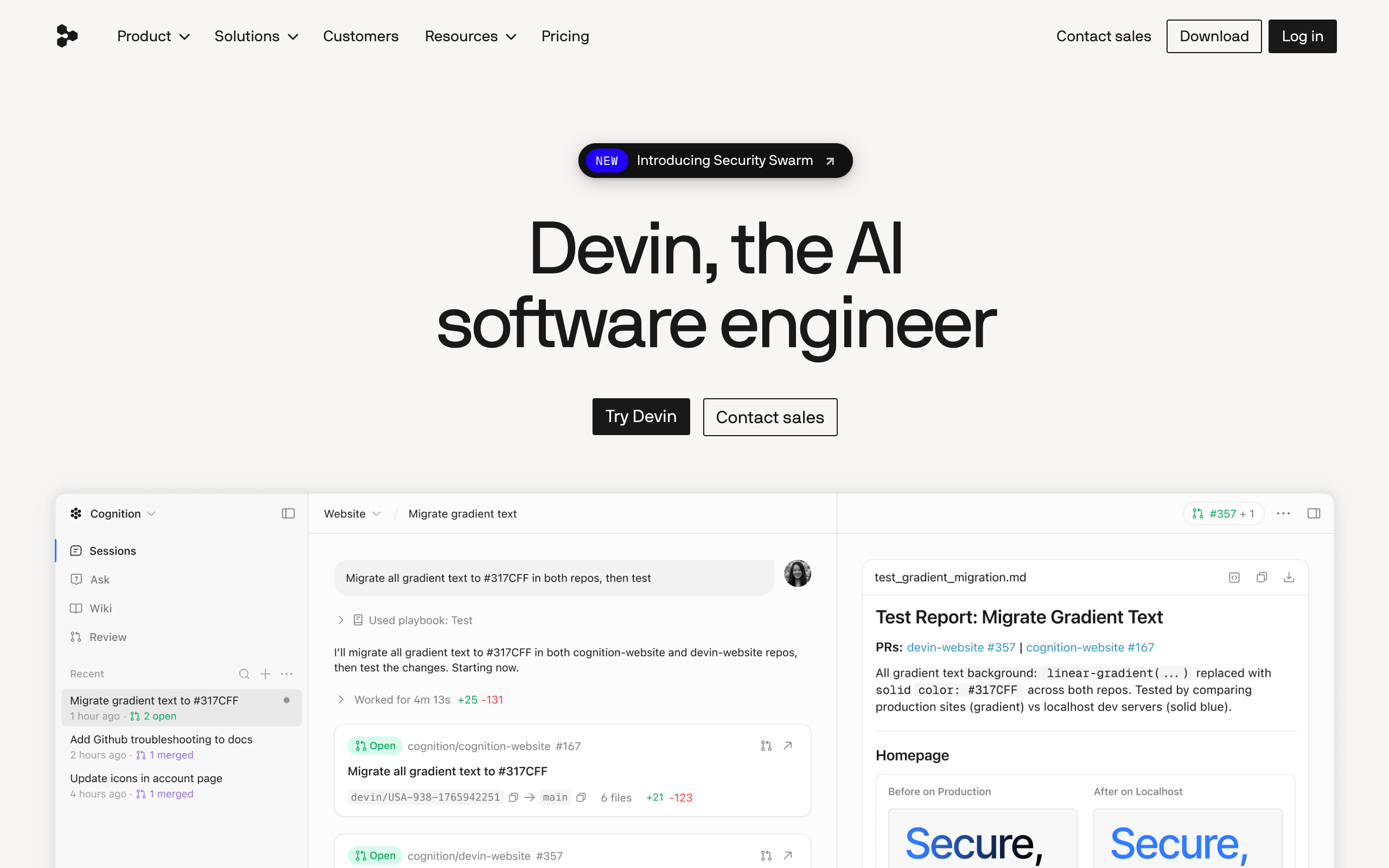
Devin is an autonomous AI coding agent built by Cognition, a company valued at $10.2 billion in September 2025 after it acquired the Windsurf team (CNBC, 2025). Unlike a code-completion tool that lives inside your editor, Devin runs in its own sandboxed cloud environment with a shell, a browser, a planner, and a code editor, then hands back a pull request.
The workflow is genuinely different from Copilot or Cursor. You assign Devin a task the way you would assign a ticket to a junior engineer, in plain English or from Slack. Devin writes a plan, you can edit and approve it, and then it goes to work asynchronously. Devin 2.0 added parallel sessions, so ten tickets can spawn ten Devins at once, plus a self-maintained wiki of your codebase and live architecture diagrams (SiliconANGLE, 2025).
Here is the part the marketing glosses over. Devin is asynchronous by design, which is a feature and a tax at the same time. You are not pairing with it in real time. You throw work over the wall, come back later, and review whatever it produced. When the output is good, that is leverage. When it spent two hours tunneling into a dead end, you paid for those two hours and got nothing.
Want to try the autonomous engineer yourself?
How much does Devin cost in 2026?
Devin’s Core plan starts at $20 and then bills pay-as-you-go at $2.25 per ACU, so your real monthly cost depends entirely on how much work you send it. An ACU, or Agent Compute Unit, is Cognition’s normalized measure of virtual-machine time, model inference, and bandwidth used during active work. One ACU is roughly 15 minutes of Devin actively coding (Devin Docs, 2026).
That usage-based model is the single most misunderstood thing about Devin, and it is where the budget surprises live. The $20 headline is not the price of getting real work done. It is the door fee. A meaty task that takes Devin two hours of active work is roughly 8 ACUs, or about $18 on Core, on top of your subscription. Run that a few times a day across a team and the “$20 tool” quietly becomes a few hundred dollars a month.
| Plan | Base price | ACU rate | Concurrent sessions | Best for |
|---|---|---|---|---|
| Core | From $20 | $2.25 / ACU | Up to 10 | Individuals, variable usage |
| Team | $500 / month | $2.00 / ACU, 250 ACUs included | Unlimited | Teams running Devin daily |
| Enterprise | Custom | Volume ACU pricing | Unlimited | Orgs with security and SSO needs |
Honestly, the price drop from $500 to $20 was less a discount than a repackaging. Cognition moved the cost from a flat wall into a meter. For light, occasional use that is a genuine win. For heavy daily use, the old $500 Team tier can actually be cheaper per unit of work because the ACU rate drops and 250 units come bundled. Do the arithmetic on your real ticket volume before you assume $20 is the number.
How good is Devin, really? The benchmark story
Devin’s benchmark history is a lesson in how fast this field moves. When it launched in March 2024, Devin resolved 13.86% of issues on SWE-bench, or 79 of 570, which crushed the previous best assisted system, Claude 2, at 4.80% (AI Wiki, 2026). That number is what went viral. It is also ancient history.
By late 2025, frontier models had left that figure in the dust. Claude 4, Opus 4.7, and GPT-5 all reported SWE-bench Verified scores above 70%. So the raw model quality Devin can call on is far higher now than at launch. In July 2026 Cognition pushed its own in-house model, SWE-1.7, reporting 42.3% on FrontierCode 1.1 Main, 81.5% on Terminal-Bench 2.1, and 77.8% on SWE-Bench Multilingual (WinBuzzer, 2026).
Here is what those numbers do not tell you. A benchmark issue is clean, self-contained, and has a verifiable pass condition. Your Jira backlog is not. The gap between “scores 77% on a curated benchmark” and “reliably ships my feature” is exactly the gap this review keeps circling back to. Treat benchmark scores as a ceiling, not a promise.
(A quiet tell: when a vendor starts quoting its own benchmark, like FrontierCode here, instead of the community-standard SWE-bench Verified everyone compares on, read it as a signal to verify against your own tasks, not as a red flag by itself.)
Where does Devin actually win?
Devin performs best on tasks with clear upfront requirements and a verifiable outcome that would take a junior engineer 4 to 8 hours. Cognition itself frames the sweet spot this way in its 2025 performance review: repo migrations and modernization, fixing vulnerabilities surfaced by SonarQube or Veracode, writing unit tests, and closing small, well-scoped tickets (Cognition, 2025).
Notice the pattern. Every one of those tasks is boilerplate-heavy, low-ambiguity, and easy to check. Migrating 40 files from one testing framework to another is tedious for a human and perfect for an agent, because success is obvious: the tests still pass or they do not. This is the real product. Not “fire your engineers,” but “stop making your engineers do the grunt work that a machine can grind through overnight.”
The parallel-session feature earns its keep here. If you have a dozen mechanical tickets of the same shape, spinning up a dozen Devins to chew through them in parallel is the closest thing to the original vision that works in practice today.
Where does Devin still fall apart?
On ambiguous, exploratory, or architecturally novel work, Devin’s autonomous success rate on complex real-world tasks sits around 14 to 15%, and it does not reliably tell you when it is lost. The most cited independent test is Answer.AI’s January 2025 evaluation: across 20 real tasks, Devin produced 3 successes, 14 failures, and 3 inconclusive results. Their conclusion was blunt: they could not find a reliable pattern for which tasks would succeed, and jobs that looked similar to early wins failed in surprising ways (Answer.AI, 2025).
The failure modes matter more than the score. Testers documented Devin spending days on impossible approaches, hallucinating security vulnerabilities that did not exist, and getting tunnel vision while debugging. In one database-migration task it proposed a destructive script with no warning. That last one is the reason you never let Devin touch a production system without a strict review gate. It does not consistently flag its own uncertainty, which is the single most dangerous trait an autonomous agent can have.
I would not hand Devin anything where a wrong answer delivered confidently is worse than no answer at all. Auth flows, billing logic, data migrations on live systems: keep a human in the loop or keep Devin out.
Comparing autonomous coding agents?
Devin vs Cursor, Copilot, and Viktor: which do you actually need?
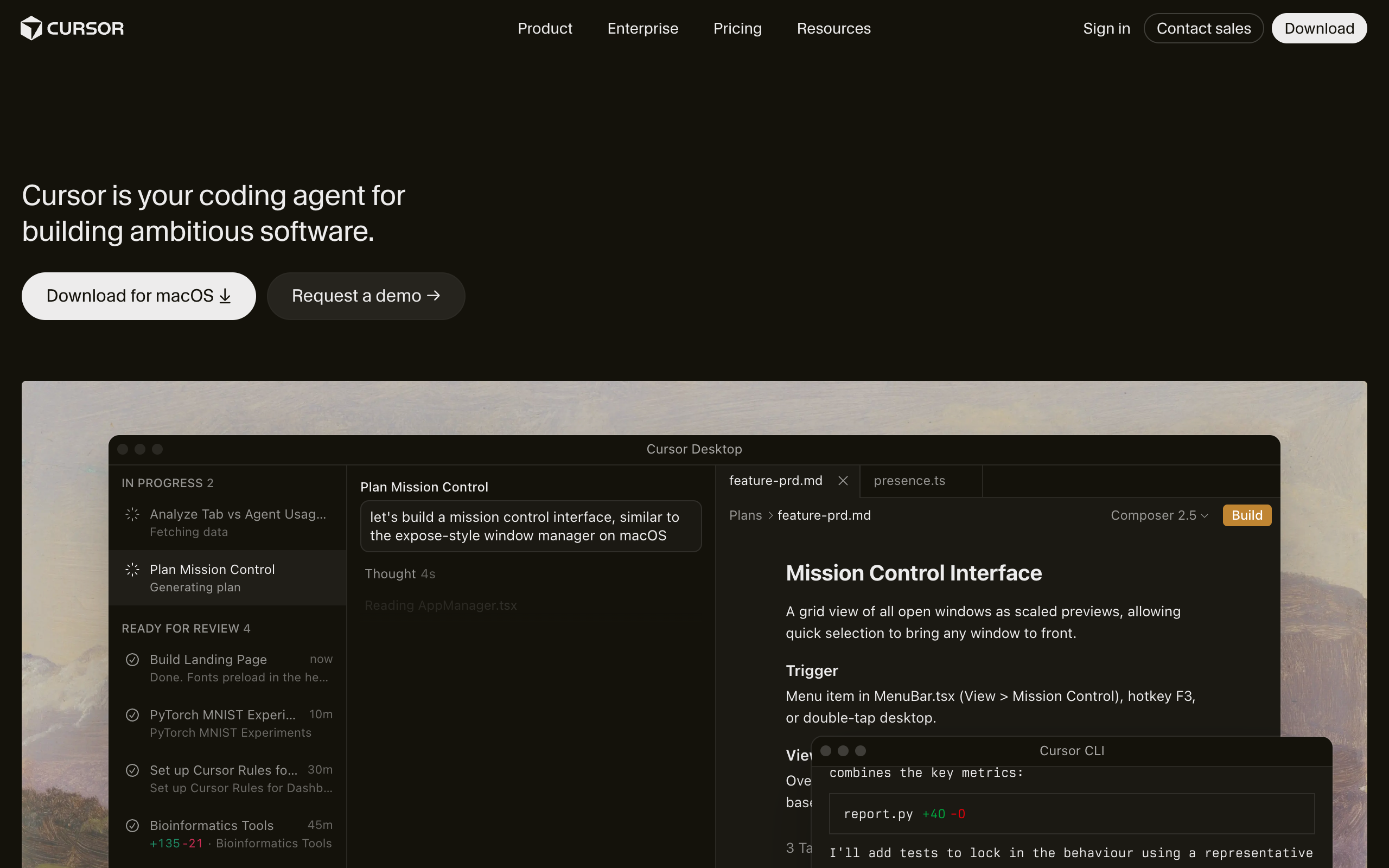
The honest framing is that these tools are not really competing for the same seat. They sit at different points on one axis: how much you steer versus how much the agent runs alone.
Cursor and GitHub Copilot’s agent mode keep you in the driver’s seat. You are in the editor, watching diffs land, accepting or rejecting in real time. That tight loop is why most engineers still reach for them first: when the task is ambiguous, a human nudging the model every few seconds beats an agent guessing alone for an hour. If you code all day, one of these is your default, and Devin is the thing you delegate the boring 10% to.
Devin is the async, hands-off end of the spectrum. Its edge is that it works while you are asleep or in meetings, and it can run many tasks in parallel. Its cost is supervision debt: you review after the fact, and sometimes the fact is a wasted afternoon of compute.
Viktor (viktor.com, the “AI employee” that lives in Slack and Teams and connects to 3,200+ tools) is not a coding-first agent at all. It writes and runs code as one capability among many, aimed at whole-workflow automation rather than shipping PRs against your repo. If your problem is “close engineering tickets,” Devin is the sharper tool. If your problem is “automate a cross-department process,” Viktor is the closer fit. Do not confuse it with viktor.ai, the low-code Python platform for CAD and engineering simulation, which is a completely different product.
| You steer | It runs alone | Lives in | |
|---|---|---|---|
| Cursor / Copilot agent | Constant | Minutes | Your editor |
| Devin | Approve the plan, review the PR | Hours, in parallel | Cloud sandbox |
| Viktor | Delegate a workflow | Ongoing | Slack / Teams |
Who should actually buy Devin in 2026?

Devin makes sense for teams that have a steady stream of well-defined, low-risk engineering chores and want to offload them, not for solo founders hoping to skip hiring an engineer. If your backlog is full of migrations, test coverage, dependency bumps, and static-analysis fixes, Devin can clear that faster than a human and free your seniors for the work that needs judgment.
It does not make sense if you need someone to make architectural calls, work through vague requirements, or ship anything where a confidently wrong answer is expensive. And it does not make sense if you cannot afford to review its output carefully, because unreviewed Devin output is how the scary stories start.
The tell that Devin is right for you: you can already write the ticket in a way a competent junior would understand without a conversation. If the ticket needs a meeting to explain, Devin will fail it too.
FAQ
Is Devin AI worth it in 2026?
Devin is worth it if you have a queue of well-scoped, verifiable engineering tasks and the discipline to review every pull request. For migrations, unit tests, and small tickets it saves real time. For ambiguous or high-stakes work, the ~14 to 15% autonomous success rate on complex tasks means you will spend more time supervising than you save.
How much does Devin AI really cost?
Devin’s Core plan starts at $20, but the real cost is usage-based at $2.25 per ACU, where one ACU is about 15 minutes of active work. Heavy daily use can pass several hundred dollars a month. The $500 Team plan includes 250 ACUs at a lower $2.00 rate and can be cheaper per task for high-volume teams.
Can Devin AI replace a software engineer?
No. Devin replaces a slice of a junior engineer’s grunt work, not the engineer. Independent testing by Answer.AI in 2025 found it completed only 3 of 20 real-world tasks without help, and it does not reliably flag when it is uncertain, so human review stays mandatory.
What is an ACU in Devin?
An ACU (Agent Compute Unit) is Cognition’s billing unit covering the compute, model inference, and bandwidth Devin uses while actively working. One ACU is roughly 15 minutes of active autonomous work, so a two-hour task runs about 8 ACUs.
Is Devin better than Cursor or GitHub Copilot?
Not better, different. Cursor and Copilot keep you steering in the editor in real time, which wins on ambiguous work. Devin runs autonomously in the cloud and in parallel, which wins on batches of mechanical tickets. Most teams use an editor agent daily and delegate the boring backlog to Devin.
The bottom line
Two years after a demo that promised the first AI software engineer, Devin in 2026 is a narrower, more honest product: a capable async agent that earns its keep on the boring, verifiable 10 to 20% of your backlog, and a liability anywhere near ambiguity or production data. The price is friendlier now, as long as you read the meter and not the headline. Buy it to delete grunt work, staff a reviewer on top, and you will get value. Buy it to replace judgment, and you will pay for the lesson in ACUs.
About the author: Nam Nguyen is the founder of saas.com.ai, where he curates and tracks AI tools by real traffic and growth data to help readers find the right tool for any task. This review is based on Cognition’s published documentation, independent third-party testing, and tracked usage data as of July 2026.
Sources
- VentureBeat, “Devin 2.0 is here: Cognition slashes price to $20,” 2025: https://venturebeat.com/programming-development/devin-2-0-is-here-cognition-slashes-price-of-ai-software-engineer-to-20-per-month-from-500
- SiliconANGLE, “Cognition AI launches revamped Devin 2.0,” 2025: https://siliconangle.com/2025/04/03/cognition-ai-launches-revamped-coding-assistant-devin-2-0-much-lower-starting-price/
- Devin Docs, Billing (ACU definition), 2026: https://docs.devin.ai/admin/billing
- Cognition, “Devin’s 2025 Performance Review,” 2025: https://cognition.ai/blog/devin-annual-performance-review-2025
- Answer.AI, “Thoughts on a month with Devin,” 2025: https://www.answer.ai/posts/2025-01-08-devin.html
- WinBuzzer, “Cognition Launches SWE-1.7 in Devin,” 2026: https://winbuzzer.com/2026/07/09/cognition-swe-17-adds-near-frontier-coding-scores-to-devin-xcxwbn/
- AI Wiki, “Devin (AI software engineer),” 2026: https://aiwiki.ai/wiki/devin
- CNBC, “Cognition valued at $10.2 billion after Windsurf purchase,” 2025: https://www.cnbc.com/2025/09/08/cognition-valued-at-10point2-billion-two-months-after-windsurf-.html