
Last week I asked ChatGPT to pull our Google Ads spend for the last 30 days and compare it against the HubSpot pipeline it created. It gave me a very good explanation of how I could do that myself, with a suggested Python script and a note that it does not have live access to my ad accounts. Then I asked the same thing in the Slack channel where I have Viktor connected, and about four minutes later I had an actual spreadsheet with the real numbers pulled from both systems. That difference, not benchmark scores, not model size, is the entire story of this comparison.
Disclosure: some links in this post are affiliate links. If you sign up through them, we may earn a commission at no extra cost to you. That never changes our verdict.
Short answer
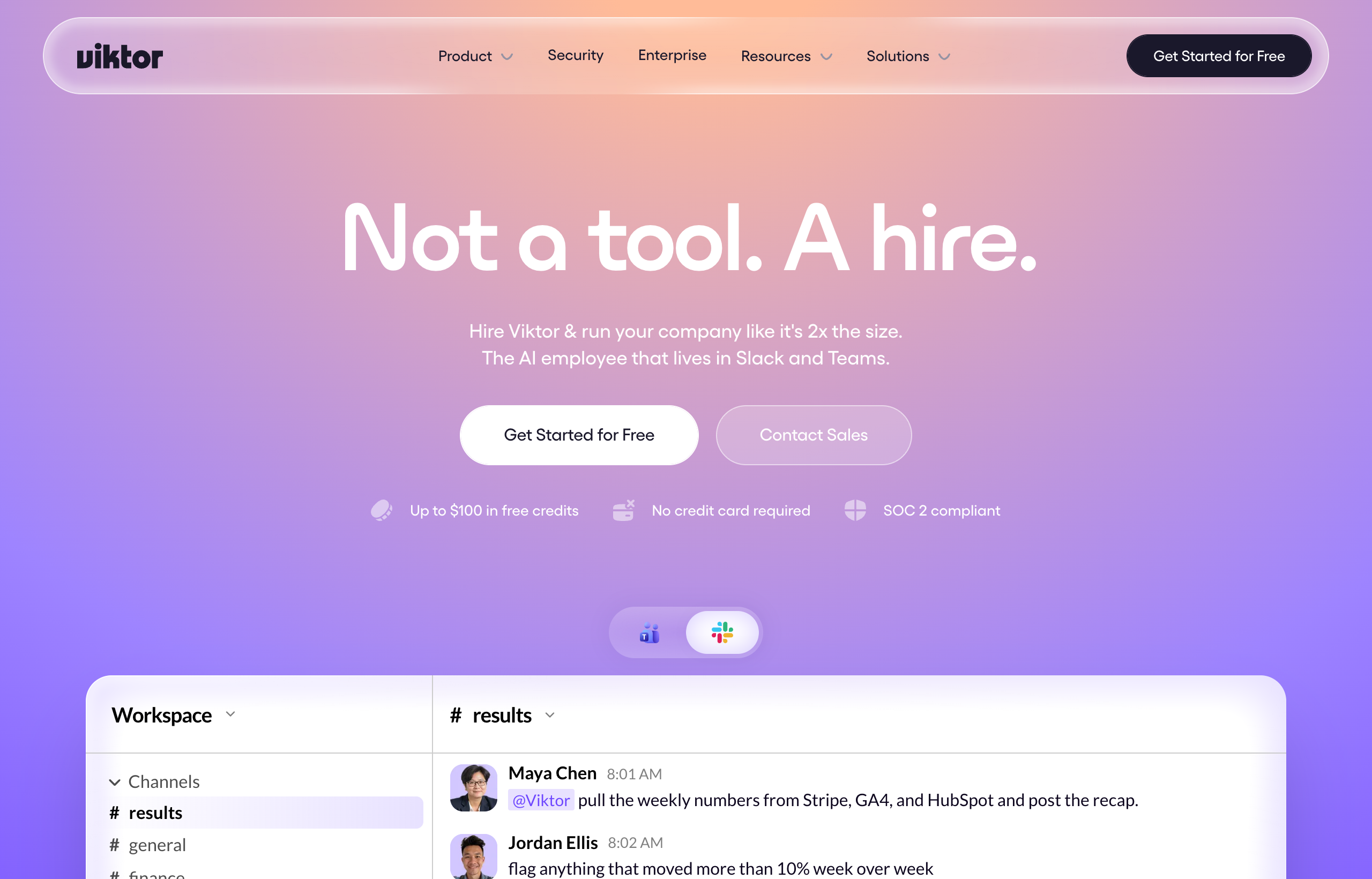
ChatGPT is the best general-purpose chatbot on the market: it writes, reasons, codes, and answers questions better than almost anything else you can point at, and it is genuinely useful for a hundred things a day. Viktor is a different category of product. It is an AI employee that lives in Slack and Microsoft Teams and actually executes tasks end to end across more than 3,200 connected tools: pulling live data, building deliverables, deploying apps, opening pull requests, and running on a schedule without you having to copy-paste anything in or out. If your job this week is “help me think through this” or “write this for me,” ChatGPT is the right tool. If your job this week is “go get this done across my actual accounts,” Viktor is built for that and ChatGPT, by design, is not.
| ChatGPT | Viktor | |
|---|---|---|
| What it fundamentally is | A conversational chatbot that generates text, images, code, and answers | An AI employee that executes multi-step work in your real tools |
| Where you use it | chatgpt.com, mobile app, or ChatGPT Agent inside the same interface | Slack and Microsoft Teams, alongside your team |
| Connects to your live tools | Limited, mostly through plugins/connectors and file uploads | 3,200+ integrations including Stripe, HubSpot, Salesforce, GitHub, Google Ads |
| Executes multi-step tasks unattended | Only in Agent mode, sandboxed, limited monthly messages | Yes, natively, as its core function |
| Builds deployed deliverables (apps, PRs) | Can generate code; you deploy and wire it up | Builds and deploys web apps with database and auth, opens PRs directly |
| Pricing model | Flat per-seat: Free, Plus around $20/mo, Pro around $200/mo | Credit-based, workspace-wide, from around $50/mo |
| Best at | Writing, reasoning, brainstorming, coding help, general Q&A | Recurring and one-off execution work across real business systems |
What ChatGPT actually is, and where it genuinely wins
ChatGPT is OpenAI’s chatbot, and it is worth being honest about how good it is at the thing it was built for. As a reasoning and writing partner it is excellent: drafting, editing, explaining, summarizing, debugging code, working through a hard decision out loud. It is also everywhere. It is the ChatGPT app on your phone, the browser tab you already have open, the tool your entire team already knows how to use without training. That ubiquity is a real advantage that no smaller, more specialized tool can match.
Pricing is straightforward and per-seat, which some teams actually prefer because it is predictable. There is a free tier, a Go tier around $8 a month in some markets, Plus at around $20 a month for the bulk of individual users, and two Pro tiers, one around $100 a month and a higher one around $200 a month, offering roughly 5x and 20x the usage limits of Plus respectively. Business pricing for teams runs somewhere around $20 to $30 a seat per month depending on billing cycle, and Enterprise is custom, with reports putting it somewhere in the $60 to $100-plus per seat range depending on volume. Check openai.com’s official pricing page for the current numbers before you budget, since OpenAI has changed its tier structure more than once this year.
Where ChatGPT stretches beyond a pure chatbot is Agent mode, which lets Plus, Pro, and Team users activate a sandboxed browsing and action environment: it can click, scroll, fill forms, and run a terminal inside a virtual computer OpenAI hosts, asking permission before consequential actions. It is a real capability and worth understanding on its own, which is why we cover it separately in Viktor vs ChatGPT Agent. But it is capped: Plus users get roughly 40 agent messages a month, Pro users around 400, and it operates in an isolated sandbox rather than being woven into your actual Slack workspace and business tools the way Viktor is by default.
What Viktor actually is, and why “does the work” is not a slogan

Viktor is built around a single idea: you should be able to ask for an outcome the way you would ask a capable coworker, and get the outcome, not a set of instructions for producing it yourself. It lives inside Slack (and Microsoft Teams), which matters more than it sounds like it should, because it means the request and the output both happen where your team already works, with full visibility for anyone in the channel.
The mechanism is the integration layer. Viktor connects to more than 3,200 tools, named ones include Stripe, Notion, Google Ads, Meta Ads, HubSpot, Salesforce, Linear, Jira, GitHub, and Google Drive, so when you ask it to pull last quarter’s revenue and cross-reference it against open deals, it is not guessing or working from a file you uploaded, it is pulling live data from the actual systems. From there it can assemble a report, build and deploy a small web app complete with a database and authentication, write code and open an actual pull request against your repo, or set itself up to run the same request every Monday morning without being asked again.
I want to be specific about what makes this different from “ChatGPT with plugins,” because that is the comparison people reach for and it undersells both products. ChatGPT’s plugin and connector model is generally read-heavy and session-bound: you ask, it fetches, it answers, the session ends. Viktor is designed for the full loop, including the write side (updating records, deploying infrastructure, opening PRs) and the scheduled side (recurring tasks that run without a human re-triggering them each time), inside a persistent workspace channel your whole team can see and pick up context from.
If you want to feel the actual difference instead of reading about it, I would give Viktor one task this week that you would normally do by hand across two or three tools, something like a cross-platform ad spend report or a board update pulled from your CRM. The free trial gives you $100 in credits with no card required. Try Viktor with the free $100 credit.
Pricing is credit-based and workspace-wide rather than per seat, which is a meaningfully different model from ChatGPT’s flat subscription. Team plans start around 20,000 credits for roughly $50 a month, scaling through 30k/$75, 40k/$100, and 80k/$200, with small-company tiers from 125,000 up to 2 million credits running approximately $300 to $5,000 a month (300k credits at about $750/month is the most commonly chosen tier). Enterprise plans run into the tens of thousands per month for the largest workspaces. A quick task tends to burn somewhere around 50 to 100 credits, while a full project can run 2,000 to 5,000, so your actual monthly cost tracks how much real work you send its way rather than how many people have a login.
Honest weaknesses on both sides
ChatGPT’s real limitation for this use case is not quality, it is scope. As a chatbot it does not natively hold a persistent connection to your business tools the way Viktor does, so anything beyond writing and reasoning requires you to be the integration layer yourself, copying data in and pasting outputs out, or building your own plugin/connector setup. Agent mode narrows that gap but remains capped in monthly usage and runs in an isolated sandbox rather than your actual workspace.
Viktor’s honest weakness is billing predictability. Credit-based pricing means your cost scales with how much you actually use it, and real users have reported it adding up faster than the $50 headline number suggests once a team leans on it heavily, sometimes well past $200 a month once usage climbs. It also is not the tool to open when you just want to think out loud, brainstorm copy, or get a quick explanation of a concept, that is squarely ChatGPT’s territory and Viktor is not trying to compete there. And Viktor’s power is proportional to how well you brief it: vague requests get mediocre results, same as delegating to a new hire without clear instructions.
Who should stick with ChatGPT
If your day-to-day need is writing, editing, coding assistance, research synthesis, or just having a fast, universally available thinking partner, ChatGPT remains the better tool, full stop. Solo users, students, writers, and anyone whose work is primarily generating and refining text or ideas rather than executing multi-system tasks will get more value per dollar from a Plus subscription than from a workspace-wide agent tool built for team execution. If your team is small enough that “someone just does it manually” is still faster than setting up automation, ChatGPT plus a human is the right call for now.
Who should add Viktor
If you are a founder who needs investor updates pulled from live metrics, a marketer who needs ad account audits across platforms, an ops lead assembling board packs from three different systems, or an engineering team that wants bug triage and PRs handled without someone manually stitching tools together, Viktor is solving a problem ChatGPT was never built to solve. Many teams end up running both: ChatGPT (or Claude) for thinking and writing, Viktor for doing.
The honest test I would run: ask ChatGPT for the plan, then ask Viktor to actually execute it in your real tools, and compare the time you spend on each. That gap is usually the whole pitch. Start your Viktor trial.
A concrete side by side: the same request, two different outcomes
The clearest way to see the gap is to run the identical request through both tools and watch what actually comes back. Take something ordinary: “Give me a summary of open deals over $10,000 that have not moved in 14 days, and flag which reps own them.” Ask ChatGPT and you get a genuinely useful explanation of how to build that report, maybe a SQL query if your CRM supports it, maybe a Python snippet using an API client, and a clear note that it cannot query your CRM directly unless you have set up a connector and pasted in the relevant data yourself. That is not a knock on ChatGPT, it is doing exactly what a chatbot is supposed to do: reason and advise. Ask Viktor the same thing in Slack and it queries Salesforce or HubSpot directly, filters the stale deals, checks ownership, and posts the actual list back to the channel a few minutes later, with the rep names attached and no copy-pasting required from you.
Now flip it to a task that plays to ChatGPT’s strengths: “Write three variations of a cold outbound email for a Series A fintech founder, testing different pain points.” This is exactly the kind of open-ended creative and reasoning task where ChatGPT is excellent and Viktor is not the right tool to reach for, it is not optimized to be your copywriting partner, it is optimized to go execute once you already know what you want. Recognizing which of these two shapes your task fits into is most of the decision.
How the two tools handle “I don’t know exactly what I want yet”
One place ChatGPT still has a real edge is ambiguity. If you are not sure what you are even asking for, a back-and-forth conversation with a chatbot is the fastest way to figure it out, you can steer, correct, and refine in real time with almost no latency. Viktor is better once the ask is reasonably well defined, because it goes off and works rather than staying in a tight conversational loop with you. In practice this means a lot of real workflows start in ChatGPT (or Claude) to shape the request, then move to Viktor to actually execute it. That is not a weakness of either tool, it is just two different jobs in the same pipeline, and treating them as strict rivals misses how well they complement each other in practice.
Verdict
This is not really a competition between two rivals fighting for the same job. ChatGPT is the best chatbot for thinking, writing, and answering. Viktor is an AI employee for getting things done in your actual business systems. If you have to pick one, pick based on which sentence describes what you need this month: “help me figure this out” points to ChatGPT, “go get this done across my tools” points to Viktor. Most teams we talk to eventually run both, and that is a completely reasonable outcome, not a hedge.
For more context, our full Viktor review covers the hands-on test end to end, and if you want to see how Viktor stacks up against Anthropic’s model, read Viktor vs Claude. For the OpenAI-specific agent product rather than the base chatbot, see Viktor vs ChatGPT Agent. If you want the wider shortlist of tools in this category, check the best AI agents of 2026 and the best AI agents for Slack.
FAQ
Can ChatGPT connect to my business tools like Viktor does?
ChatGPT supports connectors and plugins for certain tools and can browse the web in Agent mode, but it is not built around a persistent, workspace-wide connection to 3,200+ business systems the way Viktor is. Most integration work in ChatGPT still requires you to move data in and out yourself.
Is Viktor more expensive than ChatGPT?
It depends on usage. ChatGPT Plus is a flat rate around $20 a month per person. Viktor is credit-based and workspace-wide starting around $50 a month, so a small team doing moderate execution work can come out similar or cheaper per person than several ChatGPT Plus seats, but heavy usage can push the bill higher than the headline number.
Does Viktor replace ChatGPT?
Not for writing, brainstorming, or general reasoning, ChatGPT is still excellent at that. Viktor replaces the manual work of executing tasks across your tools, which is a different job than chatting with an AI.
Can I use ChatGPT Agent mode instead of Viktor?
You can for some tasks, but Agent mode runs in a sandboxed environment separate from your team’s workspace and is capped at roughly 40 to 400 messages a month depending on plan. Viktor is Slack-native, connected to your live tools by default, and built specifically for recurring team execution.
Which one should a solo founder start with?
If you are mostly writing, planning, and thinking, start with ChatGPT. Once you have specific recurring or cross-tool tasks eating your time (reporting, data pulls, deployment work), trial Viktor’s free $100 credit on one of those tasks and see the time saved for yourself.


