
Devin AI Review 2026: Cognition’s AI Engineer, Tested
By Nam Nguyen, founder of saas.com.ai. I curate and track AI tools by real traffic and growth data to help you find the right tool for the job. Last updated July 11, 2026.
Devin AI is worth it in 2026 if you feed it well-scoped, boilerplate-heavy work and keep a human reviewing every pull request. Cognition’s “AI software engineer” runs autonomously in its own cloud environment, plans a task, writes code, and opens a PR while you do something else. On tightly defined tickets it saves real hours. On ambiguous or architecturally tricky work it still burns time and money going down wrong paths. The 2026 story is not the 2024 demo, and the gap between the two is the whole review.
Key takeaways

- Devin now starts at $20, down from the original $500/month, after Devin 2.0 launched in April 2025 (VentureBeat, 2025).
- Pricing is usage-based, not flat. You pay per ACU (Agent Compute Unit), and one ACU is roughly 15 minutes of active work.
- Best fit: migrations, unit tests, small tickets, and fixing static-analysis findings that a junior would spend 4 to 8 hours on (Cognition, 2025).
- Weak spot: Answer.AI ran 20 real tasks and got 3 successes, 14 failures, 3 inconclusive (Answer.AI, 2025).
- Not the only game: Cursor’s agent, GitHub Copilot’s agent mode, and Slack-native “AI employees” like Viktor cover overlapping ground.
What is Devin AI, and what does it actually do?
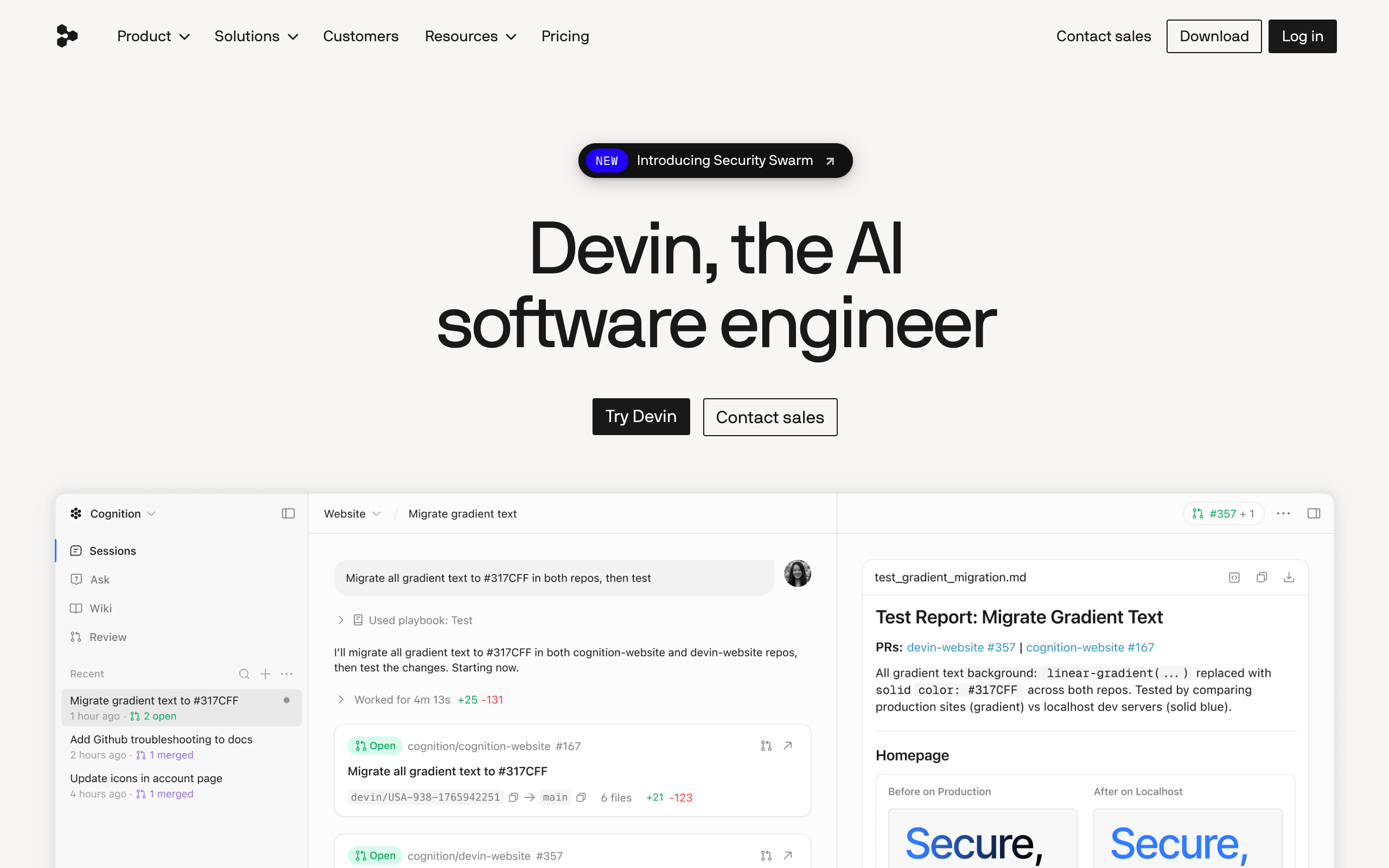
Devin is an autonomous AI coding agent built by Cognition, a company valued at $10.2 billion in September 2025 after it acquired the Windsurf team (CNBC, 2025). Unlike a code-completion tool that lives inside your editor, Devin runs in its own sandboxed cloud environment with a shell, a browser, a planner, and a code editor, then hands back a pull request.
The workflow is genuinely different from Copilot or Cursor. You assign Devin a task the way you would assign a ticket to a junior engineer, in plain English or from Slack. Devin writes a plan, you can edit and approve it, and then it goes to work asynchronously. Devin 2.0 added parallel sessions, so ten tickets can spawn ten Devins at once, plus a self-maintained wiki of your codebase and live architecture diagrams (SiliconANGLE, 2025).
Here is the part the marketing glosses over. Devin is asynchronous by design, which is a feature and a tax at the same time. You are not pairing with it in real time. You throw work over the wall, come back later, and review whatever it produced. When the output is good, that is leverage. When it spent two hours tunneling into a dead end, you paid for those two hours and got nothing.
Want to try the autonomous engineer yourself?
How much does Devin cost in 2026?
Devin’s Core plan starts at $20 and then bills pay-as-you-go at $2.25 per ACU, so your real monthly cost depends entirely on how much work you send it. An ACU, or Agent Compute Unit, is Cognition’s normalized measure of virtual-machine time, model inference, and bandwidth used during active work. One ACU is roughly 15 minutes of Devin actively coding (Devin Docs, 2026).
That usage-based model is the single most misunderstood thing about Devin, and it is where the budget surprises live. The $20 headline is not the price of getting real work done. It is the door fee. A meaty task that takes Devin two hours of active work is roughly 8 ACUs, or about $18 on Core, on top of your subscription. Run that a few times a day across a team and the “$20 tool” quietly becomes a few hundred dollars a month.
| Plan | Base price | ACU rate | Concurrent sessions | Best for |
|---|---|---|---|---|
| Core | From $20 | $2.25 / ACU | Up to 10 | Individuals, variable usage |
| Team | $500 / month | $2.00 / ACU, 250 ACUs included | Unlimited | Teams running Devin daily |
| Enterprise | Custom | Volume ACU pricing | Unlimited | Orgs with security and SSO needs |
Honestly, the price drop from $500 to $20 was less a discount than a repackaging. Cognition moved the cost from a flat wall into a meter. For light, occasional use that is a genuine win. For heavy daily use, the old $500 Team tier can actually be cheaper per unit of work because the ACU rate drops and 250 units come bundled. Do the arithmetic on your real ticket volume before you assume $20 is the number.
How good is Devin, really? The benchmark story
Devin’s benchmark history is a lesson in how fast this field moves. When it launched in March 2024, Devin resolved 13.86% of issues on SWE-bench, or 79 of 570, which crushed the previous best assisted system, Claude 2, at 4.80% (AI Wiki, 2026). That number is what went viral. It is also ancient history.
By late 2025, frontier models had left that figure in the dust. Claude 4, Opus 4.7, and GPT-5 all reported SWE-bench Verified scores above 70%. So the raw model quality Devin can call on is far higher now than at launch. In July 2026 Cognition pushed its own in-house model, SWE-1.7, reporting 42.3% on FrontierCode 1.1 Main, 81.5% on Terminal-Bench 2.1, and 77.8% on SWE-Bench Multilingual (WinBuzzer, 2026).
Here is what those numbers do not tell you. A benchmark issue is clean, self-contained, and has a verifiable pass condition. Your Jira backlog is not. The gap between “scores 77% on a curated benchmark” and “reliably ships my feature” is exactly the gap this review keeps circling back to. Treat benchmark scores as a ceiling, not a promise.
(A quiet tell: when a vendor starts quoting its own benchmark, like FrontierCode here, instead of the community-standard SWE-bench Verified everyone compares on, read it as a signal to verify against your own tasks, not as a red flag by itself.)
Where does Devin actually win?
Devin performs best on tasks with clear upfront requirements and a verifiable outcome that would take a junior engineer 4 to 8 hours. Cognition itself frames the sweet spot this way in its 2025 performance review: repo migrations and modernization, fixing vulnerabilities surfaced by SonarQube or Veracode, writing unit tests, and closing small, well-scoped tickets (Cognition, 2025).
Notice the pattern. Every one of those tasks is boilerplate-heavy, low-ambiguity, and easy to check. Migrating 40 files from one testing framework to another is tedious for a human and perfect for an agent, because success is obvious: the tests still pass or they do not. This is the real product. Not “fire your engineers,” but “stop making your engineers do the grunt work that a machine can grind through overnight.”
The parallel-session feature earns its keep here. If you have a dozen mechanical tickets of the same shape, spinning up a dozen Devins to chew through them in parallel is the closest thing to the original vision that works in practice today.
Where does Devin still fall apart?
On ambiguous, exploratory, or architecturally novel work, Devin’s autonomous success rate on complex real-world tasks sits around 14 to 15%, and it does not reliably tell you when it is lost. The most cited independent test is Answer.AI’s January 2025 evaluation: across 20 real tasks, Devin produced 3 successes, 14 failures, and 3 inconclusive results. Their conclusion was blunt: they could not find a reliable pattern for which tasks would succeed, and jobs that looked similar to early wins failed in surprising ways (Answer.AI, 2025).
The failure modes matter more than the score. Testers documented Devin spending days on impossible approaches, hallucinating security vulnerabilities that did not exist, and getting tunnel vision while debugging. In one database-migration task it proposed a destructive script with no warning. That last one is the reason you never let Devin touch a production system without a strict review gate. It does not consistently flag its own uncertainty, which is the single most dangerous trait an autonomous agent can have.
I would not hand Devin anything where a wrong answer delivered confidently is worse than no answer at all. Auth flows, billing logic, data migrations on live systems: keep a human in the loop or keep Devin out.
Comparing autonomous coding agents?
Devin vs Cursor, Copilot, and Viktor: which do you actually need?
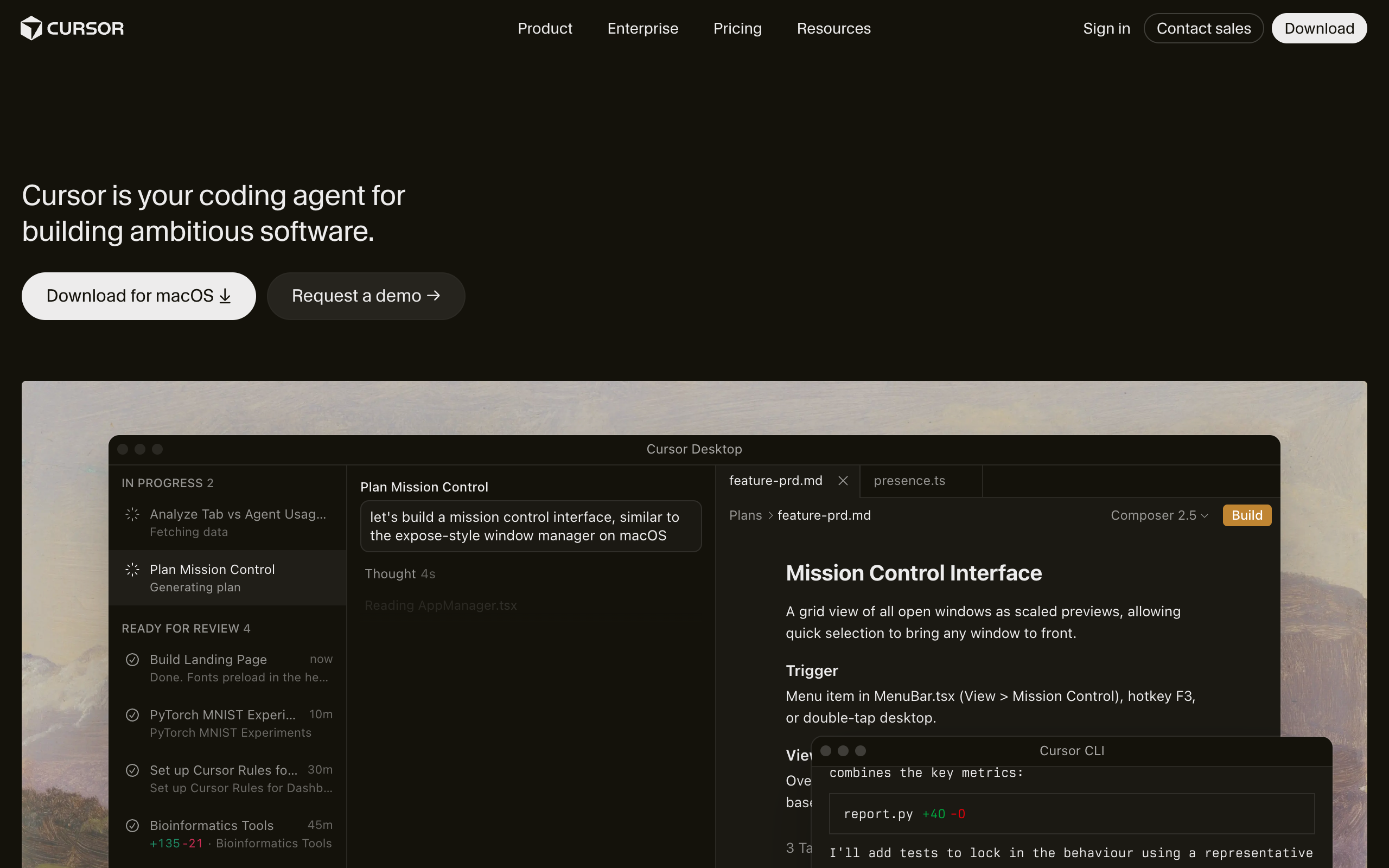
The honest framing is that these tools are not really competing for the same seat. They sit at different points on one axis: how much you steer versus how much the agent runs alone.
Cursor and GitHub Copilot’s agent mode keep you in the driver’s seat. You are in the editor, watching diffs land, accepting or rejecting in real time. That tight loop is why most engineers still reach for them first: when the task is ambiguous, a human nudging the model every few seconds beats an agent guessing alone for an hour. If you code all day, one of these is your default, and Devin is the thing you delegate the boring 10% to.
Devin is the async, hands-off end of the spectrum. Its edge is that it works while you are asleep or in meetings, and it can run many tasks in parallel. Its cost is supervision debt: you review after the fact, and sometimes the fact is a wasted afternoon of compute.
Viktor (viktor.com, the “AI employee” that lives in Slack and Teams and connects to 3,200+ tools) is not a coding-first agent at all. It writes and runs code as one capability among many, aimed at whole-workflow automation rather than shipping PRs against your repo. If your problem is “close engineering tickets,” Devin is the sharper tool. If your problem is “automate a cross-department process,” Viktor is the closer fit. Do not confuse it with viktor.ai, the low-code Python platform for CAD and engineering simulation, which is a completely different product.
| You steer | It runs alone | Lives in | |
|---|---|---|---|
| Cursor / Copilot agent | Constant | Minutes | Your editor |
| Devin | Approve the plan, review the PR | Hours, in parallel | Cloud sandbox |
| Viktor | Delegate a workflow | Ongoing | Slack / Teams |
Who should actually buy Devin in 2026?

Devin makes sense for teams that have a steady stream of well-defined, low-risk engineering chores and want to offload them, not for solo founders hoping to skip hiring an engineer. If your backlog is full of migrations, test coverage, dependency bumps, and static-analysis fixes, Devin can clear that faster than a human and free your seniors for the work that needs judgment.
It does not make sense if you need someone to make architectural calls, work through vague requirements, or ship anything where a confidently wrong answer is expensive. And it does not make sense if you cannot afford to review its output carefully, because unreviewed Devin output is how the scary stories start.
The tell that Devin is right for you: you can already write the ticket in a way a competent junior would understand without a conversation. If the ticket needs a meeting to explain, Devin will fail it too.
FAQ
Is Devin AI worth it in 2026?
Devin is worth it if you have a queue of well-scoped, verifiable engineering tasks and the discipline to review every pull request. For migrations, unit tests, and small tickets it saves real time. For ambiguous or high-stakes work, the ~14 to 15% autonomous success rate on complex tasks means you will spend more time supervising than you save.
How much does Devin AI really cost?
Devin’s Core plan starts at $20, but the real cost is usage-based at $2.25 per ACU, where one ACU is about 15 minutes of active work. Heavy daily use can pass several hundred dollars a month. The $500 Team plan includes 250 ACUs at a lower $2.00 rate and can be cheaper per task for high-volume teams.
Can Devin AI replace a software engineer?
No. Devin replaces a slice of a junior engineer’s grunt work, not the engineer. Independent testing by Answer.AI in 2025 found it completed only 3 of 20 real-world tasks without help, and it does not reliably flag when it is uncertain, so human review stays mandatory.
What is an ACU in Devin?
An ACU (Agent Compute Unit) is Cognition’s billing unit covering the compute, model inference, and bandwidth Devin uses while actively working. One ACU is roughly 15 minutes of active autonomous work, so a two-hour task runs about 8 ACUs.
Is Devin better than Cursor or GitHub Copilot?
Not better, different. Cursor and Copilot keep you steering in the editor in real time, which wins on ambiguous work. Devin runs autonomously in the cloud and in parallel, which wins on batches of mechanical tickets. Most teams use an editor agent daily and delegate the boring backlog to Devin.
The bottom line
Two years after a demo that promised the first AI software engineer, Devin in 2026 is a narrower, more honest product: a capable async agent that earns its keep on the boring, verifiable 10 to 20% of your backlog, and a liability anywhere near ambiguity or production data. The price is friendlier now, as long as you read the meter and not the headline. Buy it to delete grunt work, staff a reviewer on top, and you will get value. Buy it to replace judgment, and you will pay for the lesson in ACUs.
About the author: Nam Nguyen is the founder of saas.com.ai, where he curates and tracks AI tools by real traffic and growth data to help readers find the right tool for any task. This review is based on Cognition’s published documentation, independent third-party testing, and tracked usage data as of July 2026.
Sources
- VentureBeat, “Devin 2.0 is here: Cognition slashes price to $20,” 2025: https://venturebeat.com/programming-development/devin-2-0-is-here-cognition-slashes-price-of-ai-software-engineer-to-20-per-month-from-500
- SiliconANGLE, “Cognition AI launches revamped Devin 2.0,” 2025: https://siliconangle.com/2025/04/03/cognition-ai-launches-revamped-coding-assistant-devin-2-0-much-lower-starting-price/
- Devin Docs, Billing (ACU definition), 2026: https://docs.devin.ai/admin/billing
- Cognition, “Devin’s 2025 Performance Review,” 2025: https://cognition.ai/blog/devin-annual-performance-review-2025
- Answer.AI, “Thoughts on a month with Devin,” 2025: https://www.answer.ai/posts/2025-01-08-devin.html
- WinBuzzer, “Cognition Launches SWE-1.7 in Devin,” 2026: https://winbuzzer.com/2026/07/09/cognition-swe-17-adds-near-frontier-coding-scores-to-devin-xcxwbn/
- AI Wiki, “Devin (AI software engineer),” 2026: https://aiwiki.ai/wiki/devin
- CNBC, “Cognition valued at $10.2 billion after Windsurf purchase,” 2025: https://www.cnbc.com/2025/09/08/cognition-valued-at-10point2-billion-two-months-after-windsurf-.html