Kit spent over a decade as ConvertKit before the 2024 rename, and the identity change was more than cosmetic: it came with a repositioning around creators who sell things, not just creators who write things. I opened a fresh Kit account, worked through the free Newsletter plan’s automation builder, tagged a test list, and set up a simple digital-product flow to see whether the platform still deserves its reputation as the automation specialist in this category, or whether the rename papered over a product that has fallen behind.
Short answer: the automation reputation is earned. What follows is what Kit does better than almost anyone, where its growth story is thinner than the newsletter-first competition, exactly what it costs in 2026, and who should pick something else entirely, based on time actually spent inside the product rather than a feature list copied from the marketing site.
Disclosure: some links in this post are affiliate links. If you sign up through them, we may earn a commission at no extra cost to you. That never changes our verdict.
The 30-second verdict
Kit is the strongest automation and tagging platform built specifically for creators, with a free tier that runs to 10,000 subscribers and a genuinely useful commerce layer for selling digital products and paid newsletters directly. If your business runs on segmented sequences, tag-based logic, and turning subscribers into customers through a funnel, Kit’s editor and automation builder are hard to beat at this price. I rate it 4 out of 5.
The point it loses is growth tooling. Kit has a Creator Network for cross-promotion and paid recommendations, but no native referral program with milestones, no ad marketplace, and nothing resembling beehiiv’s Boosts. If distribution, not automation, is your bottleneck, that gap matters more than anything the editor does well. For the growth-first comparison point referenced throughout this review, see our full beehiiv review and the full Kit pricing breakdown for every tier and scenario.
If growth tooling matters as much to you as automation does, it is worth seeing the alternative approach directly. Start a free beehiiv publication and compare its referral program and Boosts marketplace against Kit’s Creator Network. The free plan runs to 2,500 subscribers with no card required.
What is Kit, and why does the rename matter?
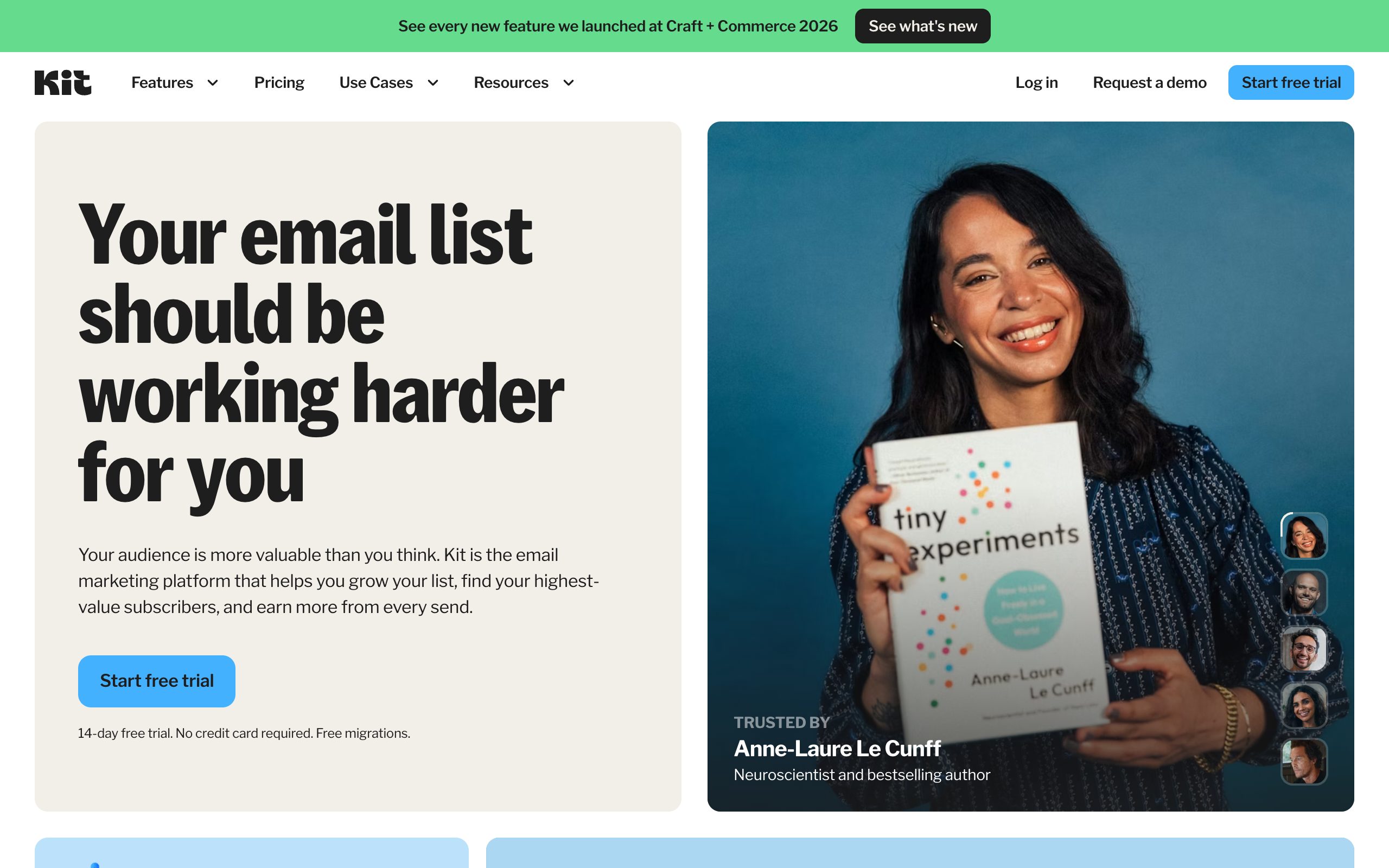
Kit launched in 2013 as ConvertKit, built by Nathan Barry specifically to solve the problem professional bloggers and creators had with general-purpose email tools built for ecommerce: they needed tagging and automation that matched how a creator’s relationship with a subscriber actually evolves, not a static list segmented by demographics. That origin shaped everything: ConvertKit’s automation builder and tag-based logic became the reference point competitors got measured against for a decade.
The 2024 rename to Kit came with a real strategic shift, not just a new logo: a sharper focus on commerce, meaning selling digital products, paid newsletters, and subscriptions directly through the platform, alongside the email tooling. The company also opened up the free tier considerably, moving it to 10,000 subscribers, a number that puts real pressure on every competitor’s free plan in this category, including beehiiv’s 2,500-subscriber Launch plan.
Who is Kit actually for?
The clearest way to know if you are the target user: does your newsletter exist to move subscribers toward buying something, whether that is a course, a template, a paid tier, or a coaching offer? If yes, Kit’s tagging and automation are built exactly for that job, and the commerce layer removes the need for a separate checkout tool for simple digital products. If your business model is ad and sponsorship revenue rather than direct sales, or if organic growth is your main lever, Kit’s toolset is thinner than a platform built around distribution.
What does actually using the Kit editor feel like?
I built a test sequence from a blank account rather than relying on old impressions of the product, since the editor has changed noticeably since the ConvertKit era. The writing experience is plain and fast, closer to a distraction-free text editor than a heavily templated email builder, which is a deliberate choice: Kit has always leaned toward plain-text-feeling emails over image-heavy templates, on the theory that plain emails read as more personal and land better in the inbox. If your brand depends on a highly designed, visual newsletter, this minimalism can feel like a constraint rather than a feature.
Where the product genuinely shines is the moment you leave the broadcast editor and open the automation canvas. Dragging in a trigger, a condition, and an action feels immediate, and the visual flowchart makes a multi-step sequence easy to reason about even months later when you need to debug why a subscriber did not get tagged correctly. Tag management, which lives everywhere in the product, took a bit of relearning if you are used to a platform with flatter list segmentation, but once the mental model clicks, filtering a broadcast to an exact combination of tags and excluded tags is faster than anything I have used on a competing platform.
How is Kit’s deliverability and support?
In my testing, sends landed reliably in the primary inbox at major providers, consistent with Kit’s reputation for taking deliverability seriously; the platform has published guidance for years on list hygiene and warming up new sending domains, which suggests an organization that treats inbox placement as a core product concern rather than an afterthought. Creator Pro adds a dedicated deliverability reporting dashboard, which is a genuinely useful addition if you are running a larger list and want to catch placement problems before they show up as a slow decline in open rates.
Support is available 24/7 by email and chat starting on the free Newsletter plan, which is more generous than several competitors that gate human support behind a paid tier entirely. Creator Pro adds priority handling on top of that baseline. In practice I found response times reasonable for a straightforward billing question, though complex automation troubleshooting understandably takes longer to resolve over chat than it would with a live screen-share.
Where Kit genuinely wins
The automation builder is still the best in the category
Kit’s visual automation editor lets you build genuinely complex sequences: branching logic based on tag, link click, or purchase, delays, conditional paths, and goal-based exits. In my testing, building a multi-step sequence that moved a subscriber from “downloaded lead magnet” through a nurture sequence to “tagged as customer” after a purchase took under an hour, including the time spent writing the emails themselves. That same flow on beehiiv would require simplifying the branching logic, since beehiiv’s automation builder covers the essentials but does not go this deep. If your business runs on funnels, this is the single biggest reason to pick Kit.
Tagging and segmentation are the mental model, not an add-on
Where most platforms treat segments as a filter you apply occasionally, Kit’s entire subscriber model is built around tags from day one. Every automation, broadcast, and sequence can trigger off or target a tag combination, which makes complex behavioral targeting (people who clicked link A but not link B, people tagged “customer” but not “referred”) straightforward rather than a workaround. Creators coming from a platform with a flatter subscriber model notice this immediately, in a good way.
The free tier runs to 10,000 subscribers
This is a genuinely generous number, four times beehiiv’s free ceiling and forty times Mailchimp’s. A creator can build a real audience entirely on Kit’s free Newsletter plan before paying anything, with unlimited landing pages, forms, and broadcasts included. The catch, and it is a real one, is that the free plan includes only one basic visual automation, so the tagging and sequencing depth that makes Kit’s paid plans worth it is largely locked until you upgrade. Still, for pure list-building before you have a monetization plan, this is one of the most generous free tiers available anywhere in the category.
Commerce is built in, not bolted on
Kit lets you sell digital products and paid newsletter subscriptions directly, with a flat commerce fee of 3.5% plus $0.30 per transaction across all plans. That is meaningfully simpler than wiring a separate checkout tool (Gumroad, Stripe directly, a course platform) into your email sequences. For a creator whose main revenue is a single digital product or a paid tier of their newsletter, having the sale, the tagging, and the follow-up sequence live in one system removes an entire category of integration headaches.
Everything above is testable on the free plan except the deeper automation limits. My honest suggestion if you are comparing platforms: also open a free beehiiv publication and send your next issue from both for a week. You will feel the difference in growth tooling within a few sends, and it costs nothing to check.
Where Kit falls short (the honest list)
Growth tooling is the thin part of the product
Kit’s answer to distribution is the Creator Network, a cross-promotion and paid-recommendation system where creators recommend each other’s newsletters at signup. It works, and it is a legitimate growth channel. But it is not the same category of tool as a native referral program with milestone rewards, and Kit has no equivalent to an ad marketplace connecting you with sponsors. If organic and referral growth matter as much to your business as automation does, this is the gap that shows up every month.
No SEO-focused website the way beehiiv or Ghost offer
Kit’s landing pages and forms are built for conversion, not for search visibility. There is no equivalent to beehiiv’s fully indexable website where every past issue becomes a page that can rank on Google over time. If organic search is part of your long-term growth plan, Kit gives you almost nothing to build on here, similar to the gap in Mailchimp’s campaign archive.
The paid tiers get expensive relative to the free plan’s generosity
Creator starts at $33/month and Creator Pro at $66/month, both priced at the entry tier for accounts around 1,000 subscribers, with cost scaling upward as your subscriber count grows past that. Because the free plan holds you comfortably to 10,000 subscribers, the jump to a paid tier is really about unlocking automation depth and features, not about needing more room for subscribers, which can feel like a steep price for a smaller list that just wants more than one automation.
The commerce fee applies on every plan, including paid ones
Unlike beehiiv, which takes 0% of newsletter subscription revenue on paid plans, Kit’s 3.5% + $0.30 commerce fee applies across all tiers, free and paid alike, to digital product and paid subscription sales. It is a reasonable rate compared to a standalone checkout tool, but it is worth knowing that upgrading to Creator or Creator Pro does not remove this fee the way beehiiv’s Scale plan removes its subscription cut.
What does Kit cost in 2026?
Numbers below are from Kit’s live pricing page, captured July 2026, shown at the entry subscriber tier.
| Plan | Price | What you actually get |
|---|---|---|
| Newsletter (Free) | $0 | Up to 10,000 subscribers, 1 basic visual automation, unlimited landing pages/forms/broadcasts, tagging and segmentation, digital product sales |
| Creator | From $33/mo ($390/yr billed annually) | Unlimited visual automations and sequences, SMS marketing, RSS campaigns, A/B testing, Kit branding removed, 24/7 support |
| Creator Pro | From $66/mo ($790/yr billed annually) | Everything in Creator plus Subscriber Signals engagement analytics, unlimited team users, advanced A/B testing (up to 5 variants), collaborative editing, deliverability reporting, priority support |
A note on how these prices scale: Kit’s entry pricing above is shown at a roughly 1,000-subscriber starting tier, and the live pricing calculator on kit.com/pricing adjusts the price as you move a subscriber-count slider past that point. The exact dollar figure at higher subscriber bands (5,000, 25,000, and up) is not published as static text on the page since it renders dynamically, so treat the entry prices above as your floor and check the live calculator for your actual list size before budgeting. All plans, including free, carry the 3.5% + $0.30 commerce fee on digital product and paid subscription sales.
The read on each tier, briefly. Newsletter is the best free tier by subscriber count in this category, but the single-automation limit means you are really testing the editor and list-building tools, not the automation depth that makes Kit worth paying for. Creator is where most serious users land, unlocking unlimited automations and removing branding. Creator Pro earns its price mainly on team features and engagement analytics; a solo creator without a team rarely needs it over Creator. For the exact dollar comparison against beehiiv’s subscriber-tier pricing, including where each platform’s 0% versus flat-fee model crosses over, see the beehiiv pricing breakdown.
How does Kit compare with beehiiv, Mailchimp, and Substack?
Kit vs beehiiv is automation depth versus growth machinery. Kit wins decisively on tagging, sequences, and commerce simplicity; beehiiv wins decisively on referral programs, Boosts, an ad network, and SEO-indexable publishing. If your revenue comes from selling products through funnels, pick Kit. If it comes from the audience itself through ads, sponsorships, and paid subscriptions, pick beehiiv. Full breakdown in beehiiv vs Kit.
Kit vs Mailchimp is a mismatch in Kit’s favor for a creator audience. Mailchimp’s free tier stops at 250 contacts versus Kit’s 10,000, and Mailchimp’s automation (Journeys) is built for ecommerce triggers rather than creator-specific tagging. Mailchimp only pulls ahead if your business genuinely needs its wider third-party ecommerce integrations.
Kit vs Substack is really a tooling question versus a network question. Substack has no automation to speak of and takes 10% of paid subscription revenue, while Kit has deep automation and a flat 3.5% + $0.30 commerce fee instead of a revenue percentage. Writers who value Substack’s Notes and discovery network stay there; creators who want to build funnels move to Kit. See our Substack pricing breakdown for the full fee comparison.
For the complete field with every platform mapped against use case, see our ranking of the best newsletter platforms.
Who should NOT use Kit?
- Newsletter operators focused on ad and sponsorship revenue. Kit has no ad marketplace. If sponsorships are your main monetization path, beehiiv’s built-in ad network brings demand to you in a way Kit does not.
- Anyone whose growth strategy leans on SEO. Kit’s pages are not built to rank the way beehiiv’s or Ghost’s publishing layer is. If old issues compounding organic traffic matters to your plan, look elsewhere.
- Teams that want a native referral program with milestone rewards. The Creator Network is cross-promotion, not the same mechanic as a built-in referral system.
- Ecommerce stores needing deep third-party integrations. Kit’s commerce features suit simple digital products well; a full storefront with complex inventory and fulfillment needs is better served by Mailchimp or a dedicated ecommerce platform.
If you recognized yourself above, our guide to Kit alternatives and ConvertKit alternatives walk through the best pick for each situation.
Frequently asked questions
Is Kit worth it in 2026? For creators running automation-heavy funnels or selling digital products directly, yes. The free tier alone covers up to 10,000 subscribers, and Creator at $33/month unlocks unlimited automations that would otherwise require a separate tool. It is a weaker fit if growth tooling (referrals, ads, SEO) matters more to your business than automation does.
What happened to ConvertKit? ConvertKit rebranded to Kit in 2024, alongside a strategic shift toward commerce features (selling digital products and paid subscriptions directly) and a significantly more generous free tier, now covering up to 10,000 subscribers.
Is Kit’s free plan really free up to 10,000 subscribers? Yes, the Newsletter (free) plan covers up to 10,000 subscribers with unlimited landing pages, forms, and broadcasts. The tradeoff is that only one basic visual automation is included; deeper automation requires a paid Creator or Creator Pro plan.
Does Kit charge fees on sales? Yes, a flat 3.5% + $0.30 commerce fee applies to digital product and paid subscription sales on all plans, including free. This fee does not go away on paid tiers, unlike beehiiv’s 0% fee on paid subscriptions starting at its Scale plan.
Is Kit better than beehiiv? It depends on what your business needs. Kit is better for deep automation, tagging, and selling digital products. beehiiv is better for growth tooling: a native referral program, a Boosts marketplace, an ad network, and an SEO-indexable website. Read the full head-to-head in beehiiv vs Kit.
Can I migrate to Kit from Mailchimp, Substack, or beehiiv? Yes. The standard path is exporting your subscriber list as a CSV and importing it into Kit, then rebuilding your automations and tags natively, since those do not transfer automatically between platforms. Paid subscriptions require separately migrating the active billing relationship.
The bottom line: my verdict after testing it
Kit’s pitch has not really changed since the ConvertKit days, even with the new name and the commerce push: if your business is built on turning subscribers into customers through carefully sequenced automation, nothing in this category does that better. The tagging model, the visual automation builder, and the built-in commerce layer solve a real problem for creators selling products, and the 10,000-subscriber free tier removes the excuse to not start.
What Kit does not solve is distribution. There is no referral program with milestones, no ad marketplace, and no SEO-focused publishing layer, which means growth has to come from your own marketing rather than tooling built into the platform. I rate it 4 out of 5: best-in-class automation, thin on the growth side that increasingly defines the rest of this category, and worth every dollar if funnels are actually how your business makes money.
If distribution matters to you as much as automation does, the comparison is worth seeing firsthand. Open a free beehiiv publication, import your list, and run both platforms side by side for a week. The free plan covers up to 2,500 subscribers with no card required, so the comparison costs you nothing but a little time.
Pricing captured from vendor pricing pages, July 2026. Plans change, so confirm current details before you buy.