

OpenAI’s ChatGPT Agent is the closest OpenAI has come to building something like Viktor, and it deserves a comparison on its own, separate from the base ChatGPT chatbot. I have run both on the same kind of task, a multi-step research and data-gathering job, and the difference is not “which one is smarter.” It is where each one lives and what it is allowed to touch. Agent mode opens a sandboxed virtual computer that OpenAI hosts for you. Viktor opens a Slack channel connected to the actual tools your business runs on. That distinction decides almost everything else in this comparison.
Disclosure: some links in this post are affiliate links. If you sign up through them, we may earn a commission at no extra cost to you. That never changes our verdict.
Short answer
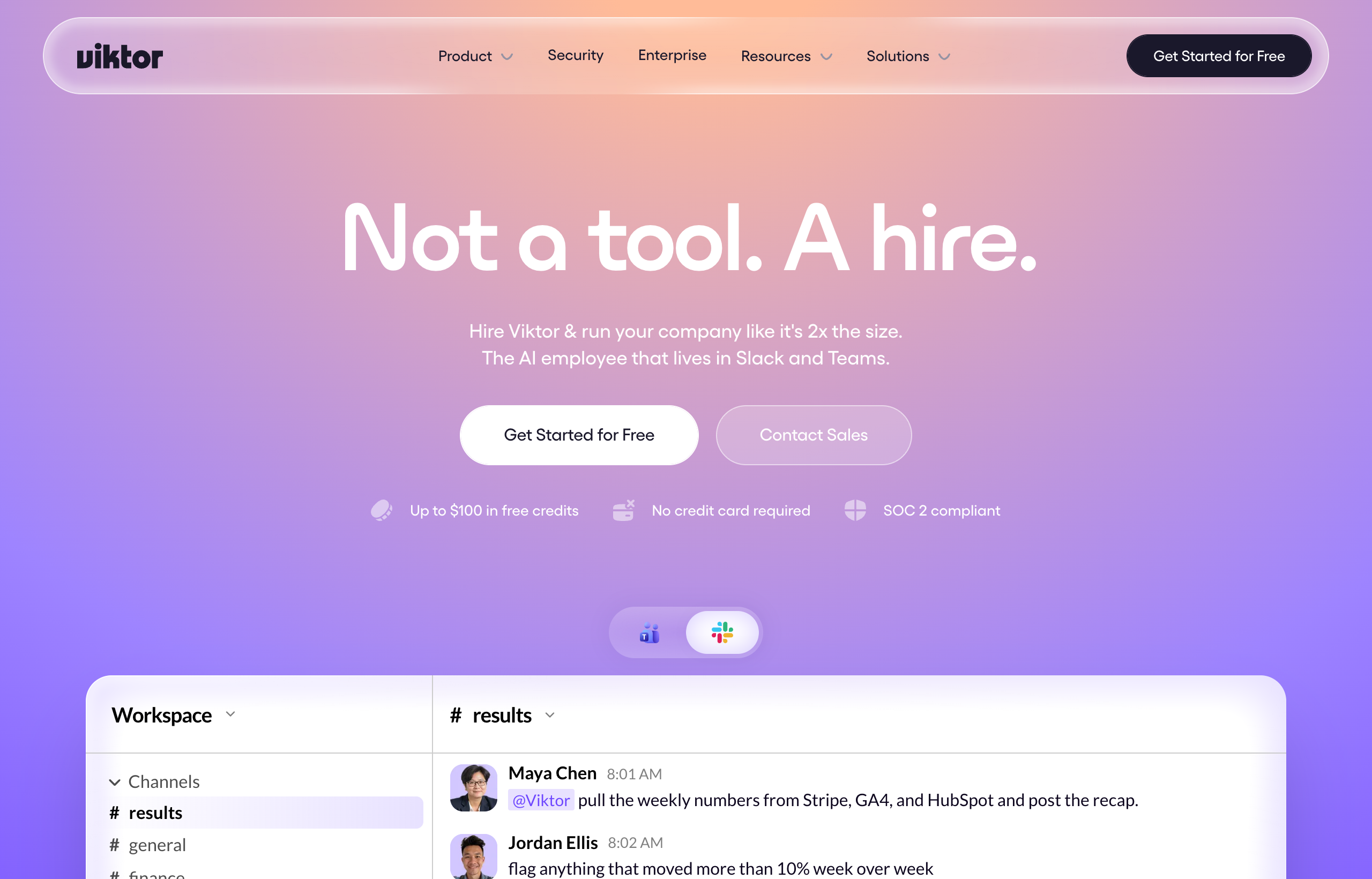
ChatGPT Agent is a genuine step beyond plain chat: it browses the live web, clicks and fills forms in a sandboxed virtual computer, runs a terminal, and takes real multi-step actions with your permission at consequential moments. It is a strong tool for research-heavy, browser-based tasks where the “system of record” is the open web rather than your internal tools. Viktor is built for the opposite center of gravity: it is Slack-native and wired directly into your actual business stack (Stripe, HubSpot, Salesforce, GitHub, Google Ads, and 3,200+ more), so it executes inside the systems your team already runs on, not a sandbox separate from them. If your task is “go research this across the internet,” ChatGPT Agent is a fair pick. If your task is “go do this inside my actual tools and tell my team when it’s done,” Viktor is built for exactly that.
| ChatGPT Agent | Viktor | |
|---|---|---|
| Environment | Sandboxed virtual computer hosted by OpenAI | Your Slack or Microsoft Teams workspace |
| Primary strength | Live web browsing, clicking, form-filling, terminal use | Executing across 3,200+ real business tools |
| Access to your internal tools | Limited; mostly what you upload or grant per session | Native: Stripe, HubSpot, Salesforce, GitHub, Google Ads, and more by default |
| Team visibility | Private to the ChatGPT session/user | Visible to the whole Slack channel it runs in |
| Usage limits | Roughly 40 agent messages/month on Plus, ~400 on Pro | Credit-based, scales with actual usage, no fixed message cap |
| Builds and deploys real deliverables | Can generate code/files inside the sandbox | Deploys live web apps with database/auth, opens real PRs, posts finished reports |
| Pricing | Included in Plus (~$20/mo), Pro (~$100-200/mo), Team plans | Free $100 trial credit, plans from around $50/mo |
What ChatGPT Agent actually does
ChatGPT Agent, sometimes called agent mode, turns ChatGPT from a text generator into something that can take real actions inside a controlled environment. OpenAI gave it a visual browser that can see and interact with web pages the way a person does, a text-based browser for simpler lookups, a terminal, and direct API access, all running inside a sandboxed virtual computer hosted by OpenAI rather than on your machine. It cannot see your local files unless you upload them into the chat first. When it is about to do something consequential, like submitting a form or making a purchase, it asks for your permission, and you can interrupt or take over the browser at any point.
This is a genuinely useful capability for a specific kind of work: competitive research that requires clicking through multiple sites, filling out a form on a public website, gathering pricing or spec data that is not available through an API, or running a script in an isolated environment without setting up your own dev environment. It is available to Plus, Pro, and Team subscribers directly from the tools dropdown, with Plus getting roughly 40 agent messages a month and Pro roughly 400, according to OpenAI’s own usage guidance, though exact limits shift as OpenAI iterates on the feature, so check the current numbers on openai.com before you plan around them.
The honest limitation is scope. Agent mode is built around the open web and a sandboxed computer, not your company’s actual systems. If the task is “find the top five competitors’ pricing pages and summarize the tiers,” Agent mode is a strong fit. If the task is “pull our actual Stripe MRR and cross-reference it with the Salesforce pipeline,” Agent mode has no native connection to either of those systems, you would need to build that access yourself, and even then it is running in a private sandbox session rather than a shared team space.
What Viktor does differently
Viktor starts from the opposite assumption: the useful work is already sitting inside tools you use every day, and the fastest way to get it done is to connect an AI employee directly to those tools inside the channel your team already talks in. You type a request into Slack, Viktor plans it out, and it executes using its 3,200+ integrations, named ones include Stripe, Notion, Google Ads, Meta Ads, HubSpot, Salesforce, Linear, Jira, GitHub, and Google Drive, then posts the finished output back to the channel where everyone can see it, follow up on it, or hand it off.
Where this matters most against ChatGPT Agent specifically is the write side and the team side. Agent mode is strong at browsing and reading; Viktor is built to also write back into your systems, updating records, deploying a web app complete with database and authentication, opening an actual pull request against your GitHub repo, or scheduling itself to run the same report every week without a human re-triggering it. And because it lives in a shared Slack channel rather than a private chat session, the whole team sees the request and the result, which changes how it actually gets used day to day: it becomes something colleagues delegate to together, not a private productivity hack one person runs alone.
If you want to see the difference between “browses and reports back” and “executes inside your real tools,” give Viktor a task this week that touches two systems you actually use, like a Stripe revenue pull cross-referenced against your CRM. The free trial includes $100 in credits with no card required. Try Viktor free.
Pricing works differently too. ChatGPT Agent comes bundled into your existing ChatGPT subscription (Plus around $20/month, Pro around $100 to $200/month depending on tier, or Team/Business plans), with usage capped by a monthly message count. Viktor is credit-based and workspace-wide instead of per seat: team plans start around 20,000 credits for roughly $50 a month, moving up through 30k/$75, 40k/$100, 80k/$200, and small-company tiers from 125,000 to 2 million credits running approximately $300 to $5,000 a month, with 300k credits around $750/month being the most commonly picked tier. A quick task tends to run somewhere around 50 to 100 credits, a full project 2,000 to 5,000, so your bill tracks actual usage rather than a flat number of agent messages.
Honest weaknesses on both sides
ChatGPT Agent’s real constraint is the sandbox itself. It is excellent at tasks bounded by the open web and files you hand it directly, but it was not designed to be your company’s execution layer across internal systems, and the monthly message caps (roughly 40 on Plus, 400 on Pro) mean it is not built for high-frequency, recurring automation the way a workspace tool needs to be. It is also a solo experience: the session belongs to you, not your team.
Viktor’s honest weakness is the same one that shows up across this whole category of tool: credit-based billing is less predictable than a flat subscription, and real users have reported costs climbing well past the $50 entry point once a team leans on it for serious volume, sometimes reported around $200 a month or more depending on usage. It also is not a browser-first research tool the way Agent mode is; if your task is genuinely “go explore the open web and gather information,” Agent mode’s dedicated browsing tools are more purpose-built for that specific job than asking Viktor to do the same thing.
Permission model and trust
One underrated difference is how each tool handles trust and oversight. ChatGPT Agent asks for your explicit permission before consequential actions inside its sandbox, like submitting a form or completing a purchase, and you can take over the browser or interrupt at any point. That is a sensible safety design for a tool acting on the open web on your behalf, where the blast radius of a mistake (submitting the wrong form on a public site) is usually contained.
Viktor’s trust model works differently because the blast radius is different: it is operating inside your actual business systems, so the checks that matter are around what it is allowed to touch (which integrations are connected, what permissions those connections carry) rather than a per-click confirmation inside a sandbox. In practice this means the setup phase, deciding which tools Viktor connects to and what access level each one gets, matters more with Viktor than the moment-to-moment confirmations you get with Agent mode. Neither approach is wrong, they are calibrated to different environments: a disposable sandbox versus your live CRM and codebase.
Who should use ChatGPT Agent
If most of your agent-style needs involve the open web, filling out forms on public sites, gathering competitive intelligence, or running one-off scripts in an isolated sandbox, and you already pay for ChatGPT Plus or Pro, Agent mode is a capable tool that costs you nothing extra to try. It is also a reasonable fit for individuals who do not need a team-visible workspace tool and are comfortable with a capped number of agent sessions per month.
Who should add Viktor
If the work you need done lives inside your actual business systems, CRM records, ad accounts, code repos, financial data, and needs to happen where your team can see it, follow up on it, and build on it together, Viktor is built for that job in a way a sandboxed browsing agent is not. Marketing teams doing recurring ad account audits, founders who want investor updates pulled from live metrics every month, and engineering teams that want bug triage and PRs handled without manual tool-hopping are the clearest fits.
My rule of thumb after testing both: if the task starts with “go find out,” I lean on Agent mode. If it starts with “go get this done in our systems,” I ask Viktor. Start your Viktor trial.
A real task run through both
Here is a task I ran through both tools to see the difference in practice: “Find our top three competitors’ current pricing pages, note anything that changed in the last month, and post a summary.” In ChatGPT Agent, this played to its strengths well. It opened its visual browser, navigated to each pricing page, read the tiers, and came back with a clean written summary inside the chat session, asking permission before it clicked through to a page that looked like it might trigger a form submission. That is exactly the kind of task Agent mode was built for, and it did it competently.
Then I asked Viktor to do something adjacent but rooted in our own systems: “Compare this month’s ad spend on Google and Meta against last month, and flag any campaign where cost per lead jumped more than 20 percent.” Viktor pulled the actual numbers from both ad accounts directly, ran the comparison, and posted the flagged campaigns back into the Slack channel where our growth team could see it and react immediately. Neither tool could have done the other’s task as well. Agent mode has no native connection to our ad accounts to run that second task, and Viktor is not built as a general-purpose web browser for reading public pricing pages the way Agent mode is. The lesson is not that one tool loses, it is that they are solving genuinely different problems that only look similar because both get labeled “AI agent.”
Can you use both together?
Yes, and it is a sensible setup for teams that do both kinds of work. Use ChatGPT Agent (or the base ChatGPT chatbot) for open-web research, drafting, and one-off browser tasks where the answer lives outside your company’s systems. Use Viktor for anything that needs to touch your actual tools, whether that is pulling live numbers, updating records, deploying something, or running a recurring report your team depends on. Some teams even chain them informally: research a competitor landscape in ChatGPT, then hand the resulting list to Viktor to check which of those companies show up as leads in the CRM. Treating them as complementary rather than as strict rivals usually gets you further than picking one and forcing every task through it.
Verdict
ChatGPT Agent proves OpenAI understands the shift from chatbot to agent, and for browser-bound, sandboxed research and action tasks it is genuinely capable. But it is still fundamentally a session-based tool bolted onto a chat product, capped in monthly usage and isolated from your team’s shared workspace and internal systems. Viktor was built from day one to be the opposite: Slack-native, connected to your real tools by default, visible to your whole team, and unbounded by a monthly message cap. For anything that touches your actual business stack rather than the open web, Viktor is the better fit. For open-web research and one-off browser tasks, Agent mode holds its own.
For the full hands-on writeup, see our Viktor review. If you want the comparison against the base ChatGPT chatbot rather than the agent feature, read Viktor vs ChatGPT, and for how Viktor compares to Anthropic’s model, see Viktor vs Claude. For the wider category, check the best AI agents of 2026 and the best AI agents for Slack.
FAQ
Is ChatGPT Agent the same as Viktor?
No. ChatGPT Agent is a sandboxed browsing and action feature inside ChatGPT, limited to a monthly message allowance and isolated from your team’s tools. Viktor is a Slack and Teams-native AI employee connected directly to your business systems with no fixed message cap.
Can ChatGPT Agent access my CRM or ad accounts like Viktor does?
Not natively. Agent mode operates in a sandboxed virtual computer and works primarily with the open web and files you upload. Viktor connects directly to more than 3,200 tools including Salesforce, HubSpot, Google Ads, and Meta Ads by default.
How many tasks can ChatGPT Agent handle per month?
Usage is capped by plan, roughly 40 agent messages a month on Plus and around 400 on Pro, based on OpenAI’s published guidance at the time of writing. Check openai.com for current limits since these have changed as the feature evolves.
Does Viktor have a usage cap like ChatGPT Agent?
No fixed message cap. Viktor uses credit-based, workspace-wide pricing, so cost scales with how much work you send it rather than a set number of monthly agent sessions.
Which is better for a small team, ChatGPT Agent or Viktor?
If your small team’s biggest need is open-web research and occasional browser automation, ChatGPT Agent bundled into a Plus or Pro plan may be enough. If your team needs recurring execution inside real business tools that everyone can see and follow up on, Viktor’s Slack-native model fits better.


