
I asked Gemini inside Gmail to draft a follow-up to a stalled deal, and it wrote a genuinely solid email in about four seconds, pulling the right names and dates straight out of the thread it was sitting inside. Then I asked Viktor, in a Slack channel, to do the actual follow-up: check the deal’s status in the CRM, draft the email, and if the contact had not opened the last two emails, flag it to the account owner instead of sending. Viktor went and did that, checked HubSpot, made the call, and only pinged a human where a human decision was actually needed. Gemini wrote me a good email. Viktor ran the process the email was supposed to be part of. That gap, drafting versus doing, is the entire comparison, and almost nobody explains it in plain terms.
Both tools are excellent at what they are built for. This is not a “Gemini is bad” article, Google’s assistant is genuinely strong at what a huge share of people actually need day to day. But “Gemini alternative” and “Gemini vs an AI agent” are two different searches with two different honest answers, and I want to walk through both clearly enough that you know exactly which one applies to you before you read another word.
Disclosure: some links in this post are affiliate links. If you sign up through them, we may earn a commission at no extra cost to you. That never changes our verdict.
The 30-second verdict
Pick Gemini if you want a fast, capable assistant woven through Gmail, Docs, Sheets, and the rest of Google Workspace. It drafts, summarizes, reasons over a long document, and answers questions with real recall, all from inside apps you already have open. For most individual knowledge work, that is the right tool, and it is genuinely good at it.
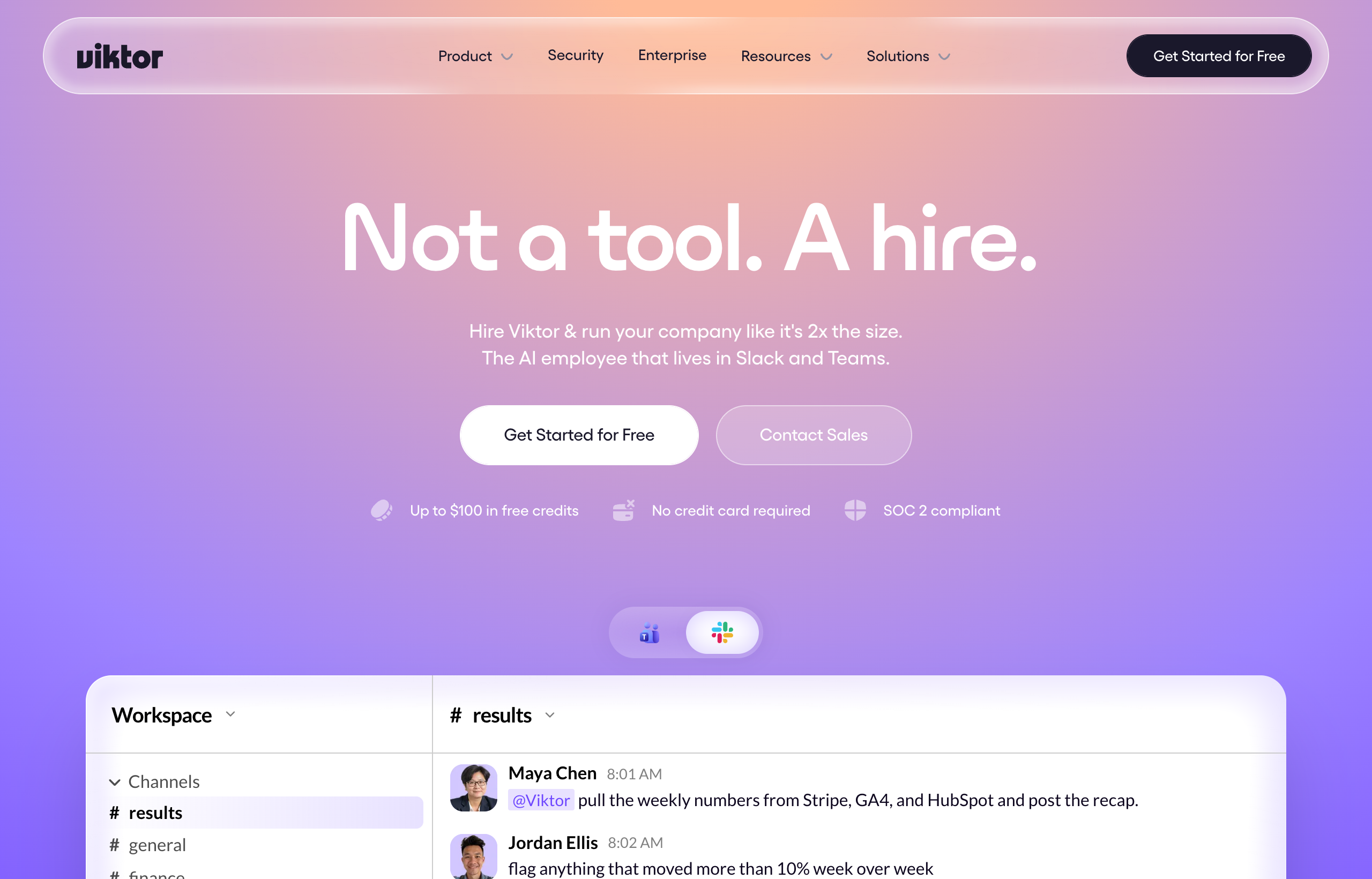
Pick Viktor if you need the work executed, not just written up. Viktor lives in Slack or Microsoft Teams and connects to more than 3,200 tools (Stripe, Notion, Google Ads, Meta Ads, HubSpot, Salesforce, Linear, Jira, GitHub, Google Drive, and far beyond), so instead of handing you a draft to act on, it pulls the data, runs the workflow, writes and opens the pull request, or ships the deployed app itself.
These are not really rivals fighting for the same job. Gemini is closer to a very sharp intern who drafts brilliantly and hands it back to you. Viktor is closer to a coworker you delegate the whole task to and never see the intermediate steps.
If what you actually need is the task finished, not a draft to finish yourself, Viktor’s free trial gives you $100 in credits to test that on one real task this week, no card required.
Viktor vs Gemini at a glance
Figures below reflect each company’s public pricing and product pages as of July 2026. Google in particular has restructured its AI subscription tiers more than once in the past two years, so treat exact numbers as a snapshot and confirm before you budget.
| Viktor | Google Gemini | |
|---|---|---|
| Core identity | AI business employee that executes tasks end to end | AI assistant and chatbot built into Google’s apps and the Gemini app |
| Where you work with it | Slack or Microsoft Teams channel | Gmail, Docs, Sheets, Drive, and the standalone Gemini app |
| What it produces | Finished deliverables: deployed web apps, pull requests, assembled reports and dashboards, completed workflows | Drafts, summaries, answers, and generated text/image content for a human to review and send |
| Does it act outside its own app? | Yes, connects to and acts inside 3,200-plus external tools | Limited; strongest inside Google’s own ecosystem (Gmail, Docs, Sheets, Drive, Calendar) |
| Reasoning and long-context strength | Capable, but positioned around task execution rather than research depth | Strong, especially for reasoning over long documents, Deep Research, and multi-step Q&A |
| Free tier / entry price | $100 in credits, no card required, credits do not expire | Free plan available with limited model access; paid plans start around $20/month |
| Pricing model | Credit-based, workspace-wide, no per-seat charge | Per-account subscription tiers, with storage and usage limits bundled in |
| Best at | Cross-tool execution: getting a specific task actually done and delivered | Fast, well-integrated drafting, summarizing, and reasoning inside Google’s own apps |
What Gemini actually does well
It is worth being specific here, because “Gemini is just a chatbot” undersells what Google has actually built, and a fair comparison should not pretend otherwise.
It lives inside the apps most people already use all day. Gemini in Gmail can draft a reply using the actual thread context. Gemini in Docs can rewrite a paragraph, summarize a long doc, or help outline a first draft without leaving the page. Gemini in Sheets can explain a formula or build one from a plain-language description. That integration removes a real amount of friction compared to a chatbot in a separate tab, and for the sheer volume of people who live inside Gmail and Docs every day, that convenience matters more than any benchmark score.
Reasoning over long, messy context is genuinely strong. Feed Gemini a long document, a research paper, or a sprawling email thread, and it holds onto detail well and answers follow-up questions accurately. The Deep Research capability in particular is built for exactly this: point it at a topic and it goes and reads broadly, then returns a synthesized answer with sources. For research-shaped work, that is a real, well-built capability, not a marketing claim.
It is priced for individuals, and the free tier is genuinely usable. Google’s free Gemini plan gives real access to a capable model with reasonable limits, and the paid tiers, at around $20 a month for the mid tier and roughly $250 a month for the top Ultra tier at the time of writing, bundle in expanded storage across Gmail, Drive, and Photos alongside higher usage limits. For a single person who wants a smarter assistant across their existing Google account, that is a low-friction, low-cost way to get one.
It is a fast, capable second brain for the tasks it is built for. Summarizing a meeting transcript, tightening a paragraph, brainstorming subject lines, explaining a spreadsheet formula, checking a fact against a long context window: Gemini handles all of this quickly and well, and the answer usually arrives before you have finished thinking about how you would phrase the question yourself.
Where Gemini’s scope runs out
The honest limitation with Gemini is not quality, the underlying model is genuinely capable. The limitation is what happens after it answers.
It tells you, it does not go and do it for you. Ask Gemini to draft an investor update and it will write you a good draft. It will not go pull this month’s actual revenue from Stripe, cross-check it against last quarter’s HubSpot pipeline, and assemble the finished deck. You, or someone on your team, still has to gather the real numbers, paste them in, and do the assembly. That last step, the one that actually takes the time, is the one Gemini was not built to close.
Its reach outside Google’s own ecosystem is limited. Gemini is deeply wired into Gmail, Docs, Sheets, Drive, and Calendar, which is exactly where it should be strong. But it is not built to log into Salesforce, pull live Google Ads spend into a report, open a pull request on GitHub, or run a recurring task against your CRM every Monday morning without you triggering it. For work that lives across several business tools rather than inside a Google document, that is a real ceiling, not a missing feature you can toggle on.
It is built around a single user’s session, not a team’s standing workflow. Gemini answers the question you ask right now. It does not, on its own, propose and schedule a recurring automation, watch a metric and alert the team when it moves, or hand a finished report to a channel where five people can see it without anyone forwarding an email. That is a different job than the one Gemini is designed for, and it is worth being honest that no amount of clever prompting inside Gmail turns a drafting assistant into a standing automation.
Where Viktor actually does well against Gemini
Viktor is not trying to out-write Gemini inside a Google Doc, and a fair comparison should not pretend it is competing on that ground. What it offers instead is the step after the draft: actual execution, across whichever tools the task touches.
It finishes the task, not just the sentence. Ask Viktor to prep an investor update and it goes and gets the real numbers: pulling revenue from Stripe, cross-referencing the pipeline in HubSpot or Salesforce, and assembling the finished report, not a template with placeholders for you to fill in. The deliverable that comes back is the one you were actually going to send, not a first draft of it.
It works across your entire stack, not just Google’s. With more than 3,200 connected tools spanning finance, sales, marketing, engineering, and ops, Viktor is not limited to the apps one company happens to make. If the task touches Stripe, GitHub, Meta Ads, and Notion in the same workflow, Viktor moves across all four without you exporting a CSV and pasting it somewhere else.
It lives where team coordination already happens, not in a single person’s inbox. Gemini’s strongest surface is a Google account you are logged into personally. Viktor’s is a shared Slack or Teams channel, so a finished report, a completed automation, or an opened pull request lands somewhere the whole team already sees it, without anyone needing to forward an email or share a doc link.
No per-seat pricing as more people start using it. Viktor’s workspace-wide credit pool means adding more teammates who occasionally ask it for something does not multiply the bill the way a per-account subscription does. A five-person team and a fifteen-person team on the same credit tier pay the same amount, as long as total usage stays under the cap.
If the honest gap in your week is “I get good drafts, I just still have to go do the actual work,” start Viktor’s free trial with $100 in credits and hand it one task you would normally finish yourself after Gemini writes the first pass.
The honest weaknesses of each
Gemini’s honest weakness: it stops at the draft. For anyone whose real bottleneck is execution rather than writing, that is the whole gap, and it is a structural one, not something a future model update closes on its own, since Gemini’s product is built around being a very good assistant inside Google’s apps, not an agent that reaches into your CRM or ad accounts and acts.
Viktor’s honest weakness: credit-based billing is genuinely harder to predict than a flat subscription. Quick tasks run roughly 100 to 300 credits, more complex workflows run several hundred to over a thousand, and a full project, a real dashboard, a deployed app, a finished report, typically runs 2,000 to 5,000 credits. The entry tier is 20,000 credits for around $50 a month, and it is easy to underestimate how fast a genuinely active team burns through that once several real projects are in flight in the same month. Our Viktor pricing breakdown walks through the credit math with real monthly scenarios. It is also worth saying plainly: Viktor is a coworker you brief in a channel, not a document you edit inline the way you edit a Doc alongside Gemini, so if what you want is a writing partner sitting inside the page you are already working on, that is not the interaction model here.
What a typical week looks like on each
On Gemini, a typical week is scattered across whatever Google app you happen to be in. Monday morning might be Gemini in Gmail drafting a reply to three emails while you review and send each one. Wednesday might be Gemini in Docs tightening a proposal before a call. Friday might be asking the standalone Gemini app to summarize a long research thread before a meeting. The unit of work is always a draft or an answer, and the loop always ends with you, reading it, editing it, and taking the next step yourself.
On Viktor, a typical week is scattered across departments and tools, and the loop ends with a finished thing, not a draft. Monday might be a request to pull the weekend’s ad performance across Meta and Google into a one-page summary posted in the growth channel. Wednesday might be a real engineering ask: fix a small bug flagged in the bugs channel, opened as an actual pull request. Friday might be assembling the first draft of the week’s board metrics, pulled live from Stripe and HubSpot, not typed in from memory. The unit of work changes shape constantly, but it consistently arrives finished rather than half-done.
Who should pick Gemini over Viktor
- You are one person who mostly needs help drafting, summarizing, and reasoning through documents inside Gmail, Docs, and Sheets.
- Your work already lives almost entirely inside Google’s ecosystem, and you rarely need to touch a CRM, ad account, or codebase as part of the task.
- You want a low, predictable per-account subscription rather than usage-based, workspace-wide credit pricing.
- You want an assistant embedded directly in the document you are editing, not a coworker you brief in a separate chat channel.
Who should pick Viktor over Gemini
- The bottleneck in your week is execution, not drafting: you already know what needs to happen, you need it actually done.
- The task touches tools outside Google’s ecosystem: your CRM, your ad accounts, your codebase, your finance stack.
- Your team coordinates in Slack or Microsoft Teams and you want one coworker to hand tasks to, rather than everyone individually drafting inside their own Google account.
- You want the option of a truly finished deliverable, a deployed app, an opened pull request, an assembled report, not a draft you still have to build out yourself.
For the wider chatbot-versus-agent question this comparison sits inside, see our breakdowns of Viktor vs ChatGPT and Viktor vs Microsoft Copilot, both of which run into the same drafting-versus-doing gap from a different starting point. Our full Viktor review covers the hands-on strengths and the real cost of the credit model in more depth, and if Gemini or Viktor both fall short of your exact need, our Viktor alternatives guide and best AI agents of 2026 roundup cover the wider field.
Keep Gemini for drafting inside Gmail and Docs if that already works for you. For the tasks that need to actually get done across the rest of your stack, Viktor’s free $100 in credits is enough to find out whether it closes that gap, no card required.
Frequently asked questions
Is Viktor better than Gemini?
They are built for different jobs. Gemini is a strong assistant for drafting, summarizing, and reasoning inside Google’s apps. Viktor is an agent that executes tasks end to end across more than 3,200 connected tools. Neither replaces the other; the right pick depends on whether your bottleneck is writing or execution.
Can Gemini do what Viktor does?
Not directly. Gemini can draft the email, the report outline, or the first pass of an answer, but it does not log into a CRM, pull live ad spend, open a pull request, or deploy a web app the way Viktor does. Gemini is strongest inside Google’s own apps; Viktor is built to act across your wider business toolset.
Is Gemini cheaper than Viktor?
For a single user, yes. Gemini’s paid tiers run around $20 a month at the mid tier, a flat, predictable subscription. Viktor’s pricing is credit-based and workspace-wide, starting around $50 a month for 20,000 credits, and cost tracks how much real work the team asks it to do rather than a flat per-account fee.
Does Viktor integrate with Google Workspace like Gemini does?
Viktor connects to Google Drive directly, and its 3,200-plus integrations extend well beyond Google’s own ecosystem into tools like Stripe, Salesforce, HubSpot, and GitHub. It is not embedded inline inside Gmail or Docs the way Gemini is, since Viktor’s interaction model is a Slack or Teams channel rather than an in-document assistant.
Should a small team use Gemini, Viktor, or both?
Many small teams end up using both for different jobs: Gemini for day-to-day drafting and quick answers inside Gmail and Docs, Viktor for the recurring or cross-tool work that needs to actually get executed, like ad reporting, CRM updates, or small code changes. If you can only pick one, the deciding question is whether most of your week is writing or doing.
The bottom line
Gemini and Viktor answer two different questions. Gemini answers “can you help me write this,” and it answers that question well, quickly, and right inside the apps you already use. Viktor answers “can you go do this,” reaching across thousands of tools to deliver a finished result instead of a draft. Comparing them head to head on the same axis misses the point of both products.
The right call is the same one this whole comparison keeps coming back to: figure out whether your real bottleneck is the writing or the doing, and pick accordingly. Plenty of teams end up needing both.
Start with Viktor’s free $100 in credits and hand it one task this week that currently ends with you doing the actual work after the drafting is done. No card required, and the credits do not expire.
Pricing and feature details reflect Viktor’s and Google’s live pricing and product pages as of July 2026. Google has adjusted its Gemini subscription tiers more than once in the past two years and pricing can vary by region, so confirm current numbers at gemini.google and viktor.com/pricing before you buy.


